Read the statement by Michael Teeuw here.
MMM-NetworkScanner
-
Is there a way to have two columns side by side of output to the screen?
I have more in the module being checked than will fit on the screen in one column.
I have even made the font smaller so I could get the important ones to show.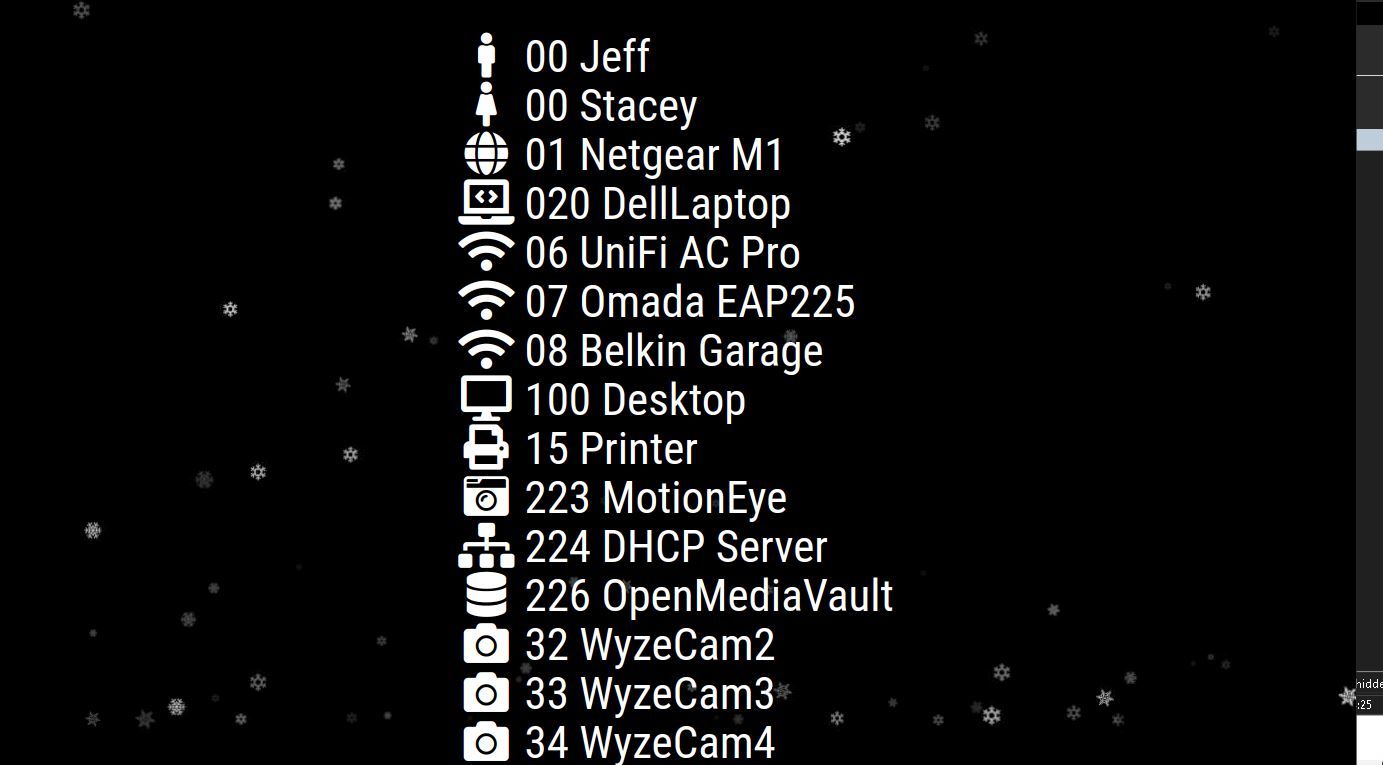
-
@sdetweil
Thanks for looking I was afraid of that. I will put a request in for a hopeful change by the maker… -
@plainbroke looking at the code, it creates a table w only 1 column.
so someone would have to change the code
-
@sdetweil
Thanks for looking I was afraid of that. I will put a request in for a hopeful change by the maker… -
@plainbroke last updated in 2019, so don’t hold your breath.
learn js and html…
make it configurable
use list,
divide by configured columns -
Is anyone working on this? I can fork the project with the changes you requested - just let me know.
-
@xadamxk
Please do fork and fix it for me -
@xadamxk
You gonna fix this problem for me.? I have done a little research on it and it is way above my pay grade… -
@plainbroke I was going to do it, but the module doesn’t use a template for the design. They do it all in javascript, so it wouldn’t be as easy as I was hoping.
The developer of this module hasn’t made updates for over 2 years, so you’d be better off trying this fork that has been updated to allow column layouts: https://github.com/spitzlbergerj/MMM-NetworkScanner
-
Thank you for the information, I am still having issues with the list going off the screen. I am trying different areas on the screen to see if that makes a differance.
-
I finally figured out that I can use 2 instances of this module. Like so and they show up side by side on the screen allowing me to run 20 or so in this module.
{
module: “MMM-NetworkScanner”,
position: “top_left”,
header: “”,
config: {
devices: [
{ ipAddress:
{
module: “MMM-NetworkScanner”,
position: “top_right”,
header: “”,
config: {
devices: [
{ ipAddress:


Hello! It looks like you're interested in this conversation, but you don't have an account yet.
Getting fed up of having to scroll through the same posts each visit? When you register for an account, you'll always come back to exactly where you were before, and choose to be notified of new replies (either via email, or push notification). You'll also be able to save bookmarks and upvote posts to show your appreciation to other community members.
With your input, this post could be even better 💗
Register Login