MagicMirror Forum
    • Recent
    • Tags
    • Unsolved
    • Solved
    • MagicMirror² Repository
    • Documentation
    • 3rd-Party-Modules
    • Donate
    • Discord
    • Register
    • Login
    A New Chapter for MagicMirror: The Community Takes the Lead
    Read the statement by Michael Teeuw here.

    Any modules that could display a livestream

    Scheduled Pinned Locked Moved Unsolved Requests
    32 Posts 6 Posters 12.5k Views 6 Watching
    Loading More Posts
    • Oldest to Newest
    • Newest to Oldest
    • Most Votes
    Reply
    • Reply as topic
    Log in to reply
    This topic has been deleted. Only users with topic management privileges can see it.
    • S Offline
      sdetweil @tanvir586
      last edited by

      @tanvir586 yep. basically they check to see if you requested the info from their site page

      https://stackoverflow.com/questions/69243166/err-blocked-by-response-notsameorigin-cors-policy-javascript

      Sam

      How to add modules

      learning how to use browser developers window for css changes

      T 1 Reply Last reply Reply Quote 0
      • T Offline
        tanvir586 @sdetweil
        last edited by

        This post is deleted!
        1 Reply Last reply Reply Quote 0
        • T Offline
          tanvir586 @sdetweil
          last edited by

          @sdetweil is there anything I can do to get it work?

          thgmirrorT 1 Reply Last reply Reply Quote 0
          • thgmirrorT Offline
            thgmirror @tanvir586
            last edited by

            @tanvir586 another idea: have a look at my old post https://forum.magicmirror.builders/topic/14422/solved-displaying-part-of-a-website-google-sheets-graph/2?_=1648325230070 and align it to your needs.
            Thomas

            T 1 Reply Last reply Reply Quote 0
            • T Offline
              tanvir586 @thgmirror
              last edited by tanvir586

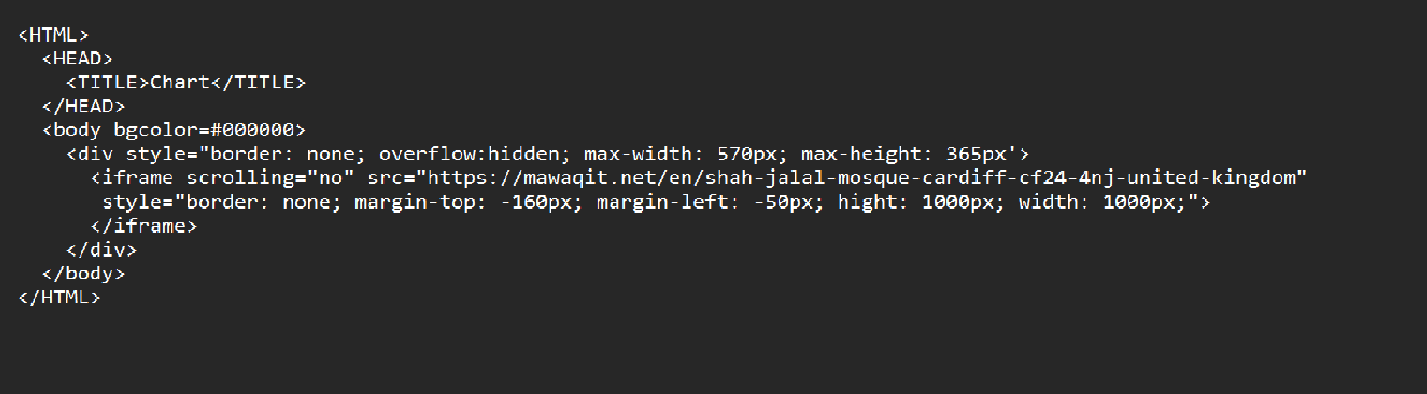
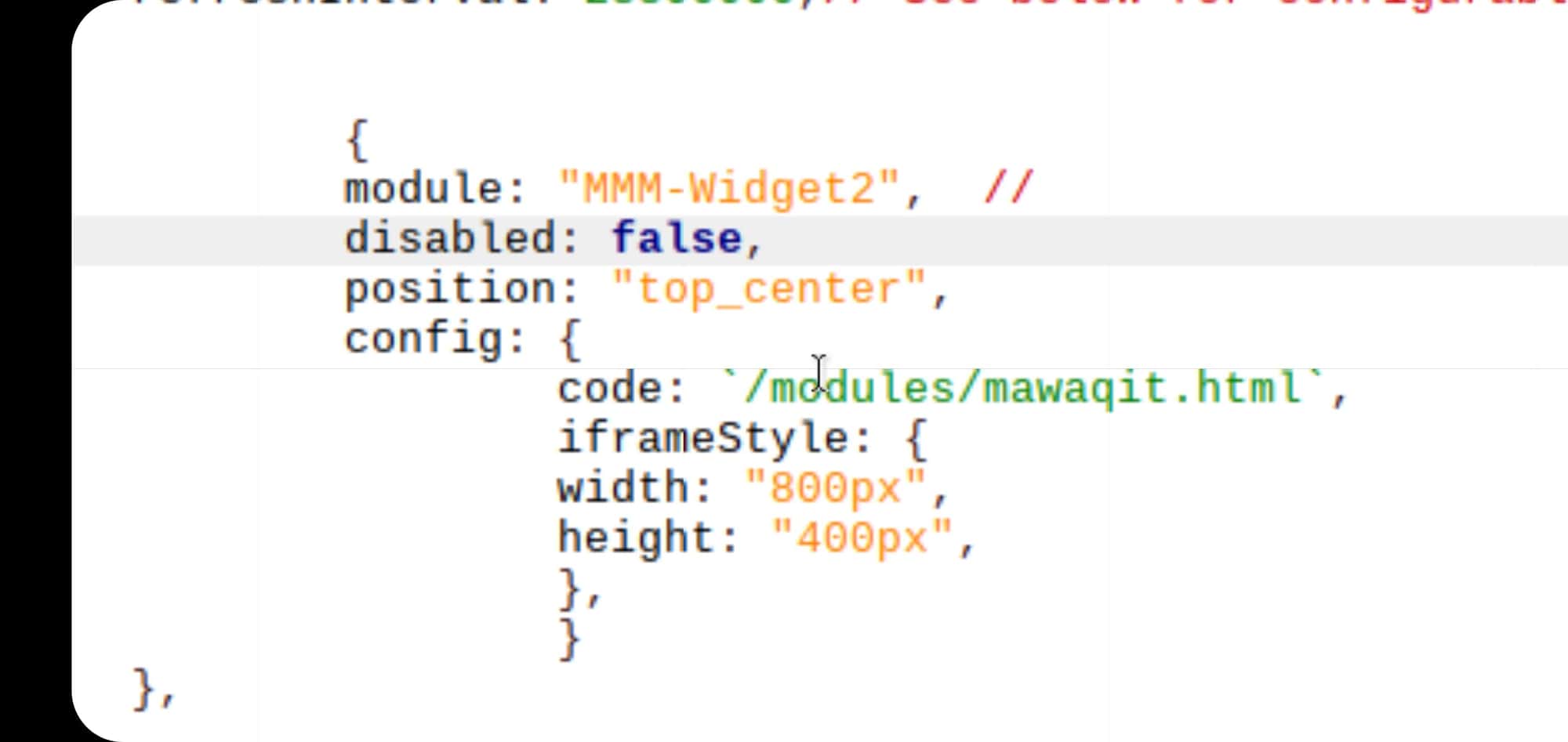
              @thgmirror hi I still didn’t work. I’m posting my html and cofig. and there is no error on log.

              Chart

              and config

              {
              	module: 'MMM-iFrame-Ping',
              	position: 'middle_center',	// This can be any of the regions.
              	config: {
              		// See 'Configuration options' for more information.
              		url: "/modules/mychart.html", //url to display
              		height:"100%", 
              		width:"100%",
              		autoRefresh: true, //set to false for video
              		updateInterval: 1, //in min. Only if autoRefresh: true
              		displayLastUpdate: true,
              		width: "100%", // Optional. Default: 100%
              		height: "400px", //Optional. Default: 100px
              		scrolling: "no" 
              		}
              },
              
              T 1 Reply Last reply Reply Quote 0
              • T Offline
                tanvir586 @tanvir586
                last edited by tanvir586

                Untitled.png

                thgmirrorT 1 Reply Last reply Reply Quote 0
                • thgmirrorT Offline
                  thgmirror @tanvir586
                  last edited by

                  @tanvir586 Can you please post the https://maga… link here…it will be easier to check it:-)

                  S 1 Reply Last reply Reply Quote 0
                  • S Offline
                    sdetweil @thgmirror
                    last edited by

                    @thgmirror he posted here
                    https://forum.magicmirror.builders/topic/16533/any-modules-that-could-display-a-livestream/10?_=1648232499632

                    Sam

                    How to add modules

                    learning how to use browser developers window for css changes

                    thgmirrorT 1 Reply Last reply Reply Quote 0
                    • S sdetweil referenced this topic on
                    • thgmirrorT Offline
                      thgmirror @sdetweil
                      last edited by

                      @tanvir586 OK, no chance with my way…your webside prohibits to display it in an iframe…

                      T 1 Reply Last reply Reply Quote 0
                      • T Offline
                        tanvir586 @thgmirror
                        last edited by

                        @thgmirror thanks for trying 😊

                        wishmaster270W 1 Reply Last reply Reply Quote 0
                        • wishmaster270W Offline
                          wishmaster270 Module Developer @tanvir586
                          last edited by wishmaster270

                          @tanvir586
                          Hi,

                          i use MMM-WebView (Repository) to display my NodeRed-Dashboard. Did a quick check and it looks like the Webpage you want to show on your mirror gets displayed.
                          Maybe you want to give it a try.
                          Make sure you set the electron options as suggested in the Readme.

                          I use this configuration:

                                  electronOptions: {
                          		webPreferences: {
                          			webSecurity: false,
                          			webviewTag: true,
                          		}
                          	},
                          
                                         {
                          			module: 'MMM-WebView',
                          			position: 'top_center',
                          			config: {
                          			  url: 'https://www.bbc.co.uk/iplayer/live/bbcone',
                          			  width: '500px',
                          			  height: '1000px',
                          			},
                          		},
                          

                          Edit: Checked the Mega-Link as well and it works too.

                          T A 2 Replies Last reply Reply Quote 0
                          • T Offline
                            tanvir586 @wishmaster270
                            last edited by

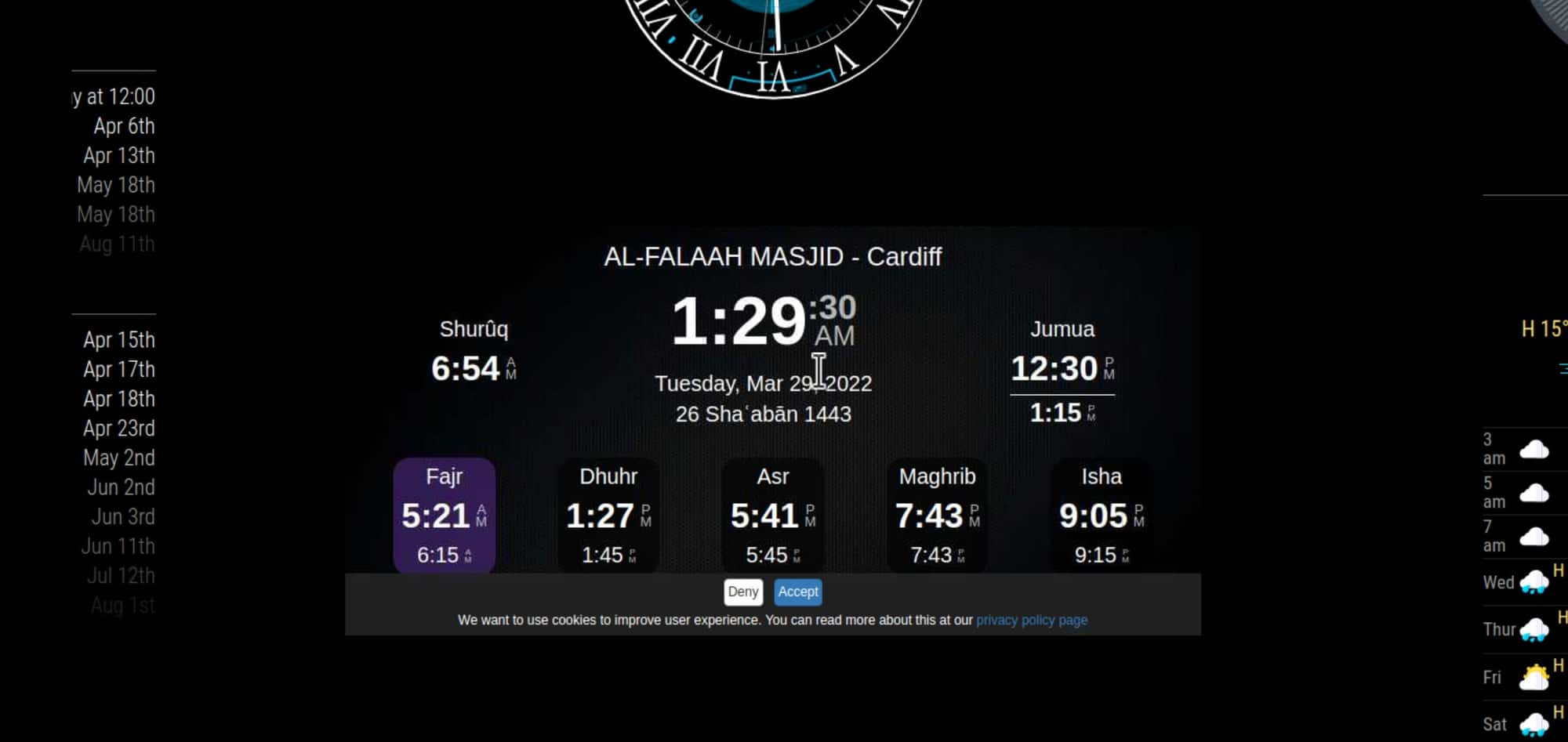
                            @wishmaster270 Hi. Thanks mate. But I’m using mmm.widget2 as website got web widget. It’s working fine but just facing one problem now. When the module refresh I get cookies. I don’t wanna to accept it all the time. Is there any way I can auto accept the cookies? Screenshot_20220329-012930_VNC Viewer.jpg
                            This is my widget link aswell.
                            code: <iframe src="https://mawaqit.net/en/w/al-falah-centre-cardiff?showOnly5PrayerTimes=0" width="100%" height="375" frameborder="0" scrolling="no" class="widget"></iframe>,

                            thgmirrorT 1 Reply Last reply Reply Quote 0
                            • thgmirrorT Offline
                              thgmirror @tanvir586
                              last edited by thgmirror

                              @tanvir586 second try:-)

                              <HTML>
                              <HEAD>
                              <TITLE>YYYYY</TITLE>
                              </HEAD>
                              <body bgcolor=#000000>
                              
                              <div style="border: none; overflow: hidden; max-width: 900px; max-height: 370px">
                              <iframe scrolling="no" src="https://mawaqit.net/en/w/al-falah-centre-cardiff?showOnly5PrayerTimes=0" 
                              style="border: none;  margin-top: 0px; margin-left: -6px; height: 1200px; width: 900px">
                              </iframe>
                              </div>
                              
                              </body>
                              </HTML>
                              

                              Store this as a local html-file and add it as url to you prefered module. I hide the cookie-question outside the visible region. So it is still there but it will not bother you. Good luck!!!
                              Thomas

                              T 1 Reply Last reply Reply Quote 0
                              • T Offline
                                tanvir586 @thgmirror
                                last edited by

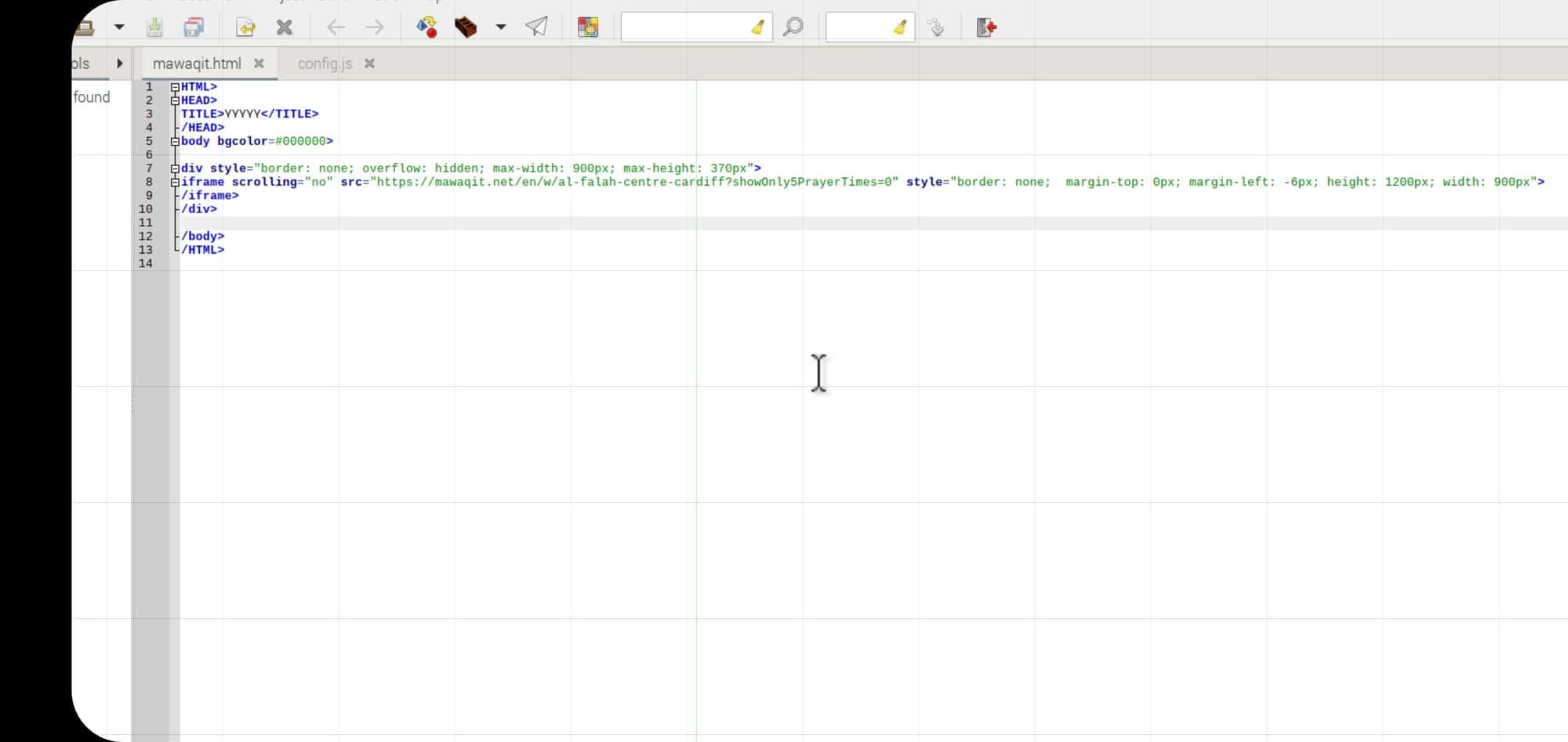
                                @thgmirror hi, could you double check this for me please. Don’t know where I made mistake it’s not working.
                                Posted config and htmlScreenshot_20220329-100004_VNC Viewer.jpg
                                Screenshot_20220329-100456_VNC Viewer.jpg

                                thgmirrorT 1 Reply Last reply Reply Quote 0
                                • thgmirrorT Offline
                                  thgmirror @tanvir586
                                  last edited by thgmirror

                                  @tanvir586
                                  I used MMM-SmartWebDisplay…
                                  This in config.js

                                  //#################################################################################
                                  		{
                                  			disabled: false,
                                  			module: 'MMM-SmartWebDisplay',
                                  			position: 'top_left',
                                  			config: {
                                  				// See 'Configuration options' for more information.
                                  				logDebug: false, 
                                  				height: "1300", 
                                  				width:"355%", 
                                             	                updateInterval: 0, 
                                                                  NextURLInterval: 0, 
                                   				displayLastUpdate: false,
                                                                  url: ["/modules/widget.html"],
                                  				}
                                  		},
                                  //#################################################################################
                                  

                                  leads to
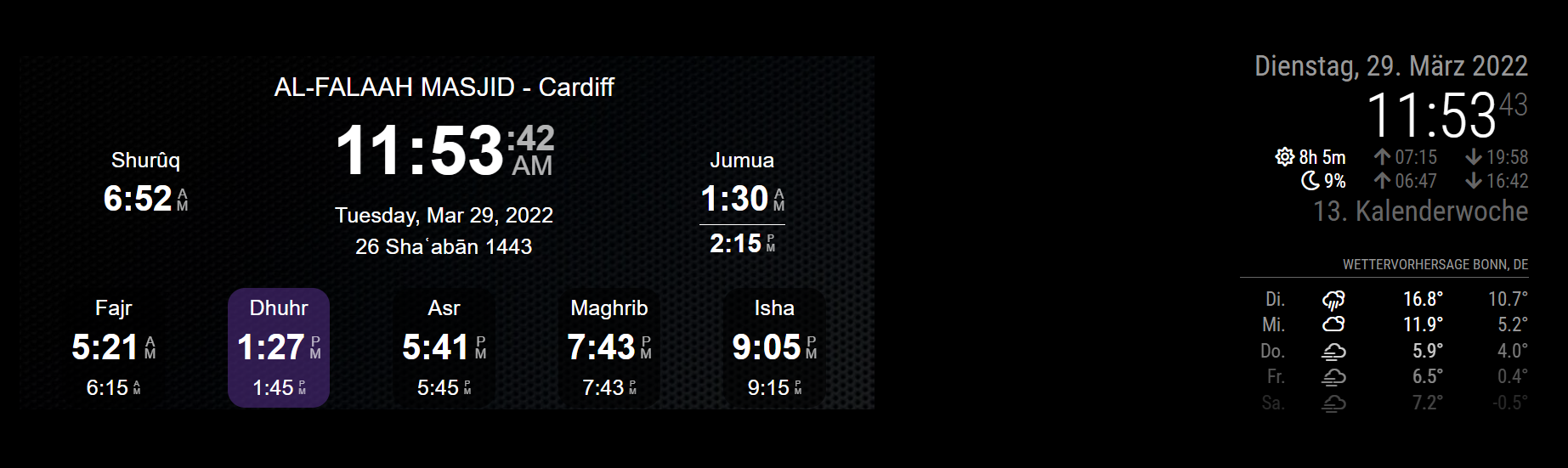
                                  e0ba9ad1-67ca-4c10-97aa-5061ab9cd8b6-image.png

                                  Eventually play around with the height and width-parameter in config.js and also in the html-file to get the best results.

                                  T 1 Reply Last reply Reply Quote 0
                                  • A Offline
                                    adrien00 @wishmaster270
                                    last edited by

                                    @wishmaster270 this is great thanks, ill have a go after my uni today!

                                    1 Reply Last reply Reply Quote 0
                                    • T Offline
                                      tanvir586 @thgmirror
                                      last edited by

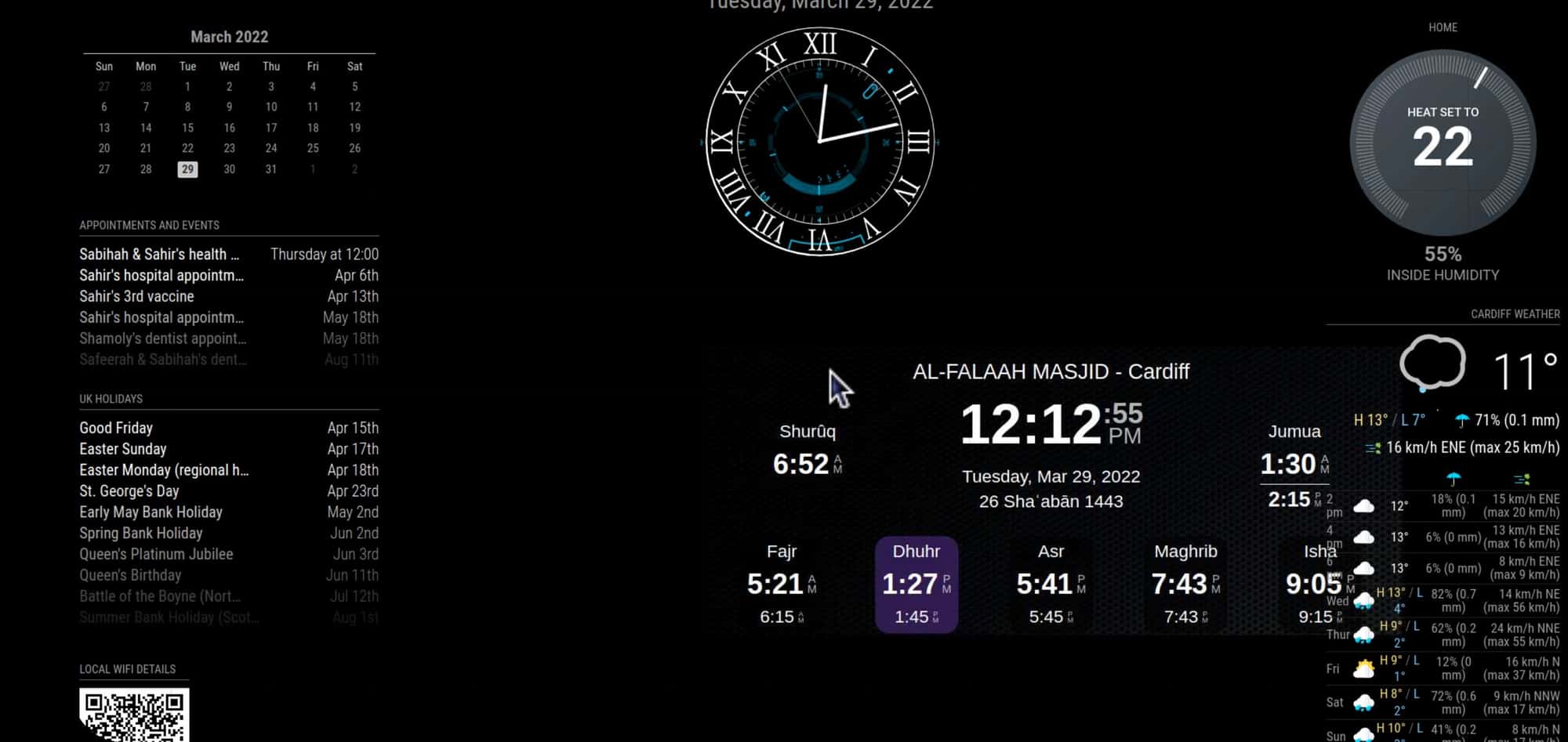
                                      @thgmirror thanks mate. It did work. But how do I get it in the middle of the mirror. If I put middle_centre it’s goes somewhere els
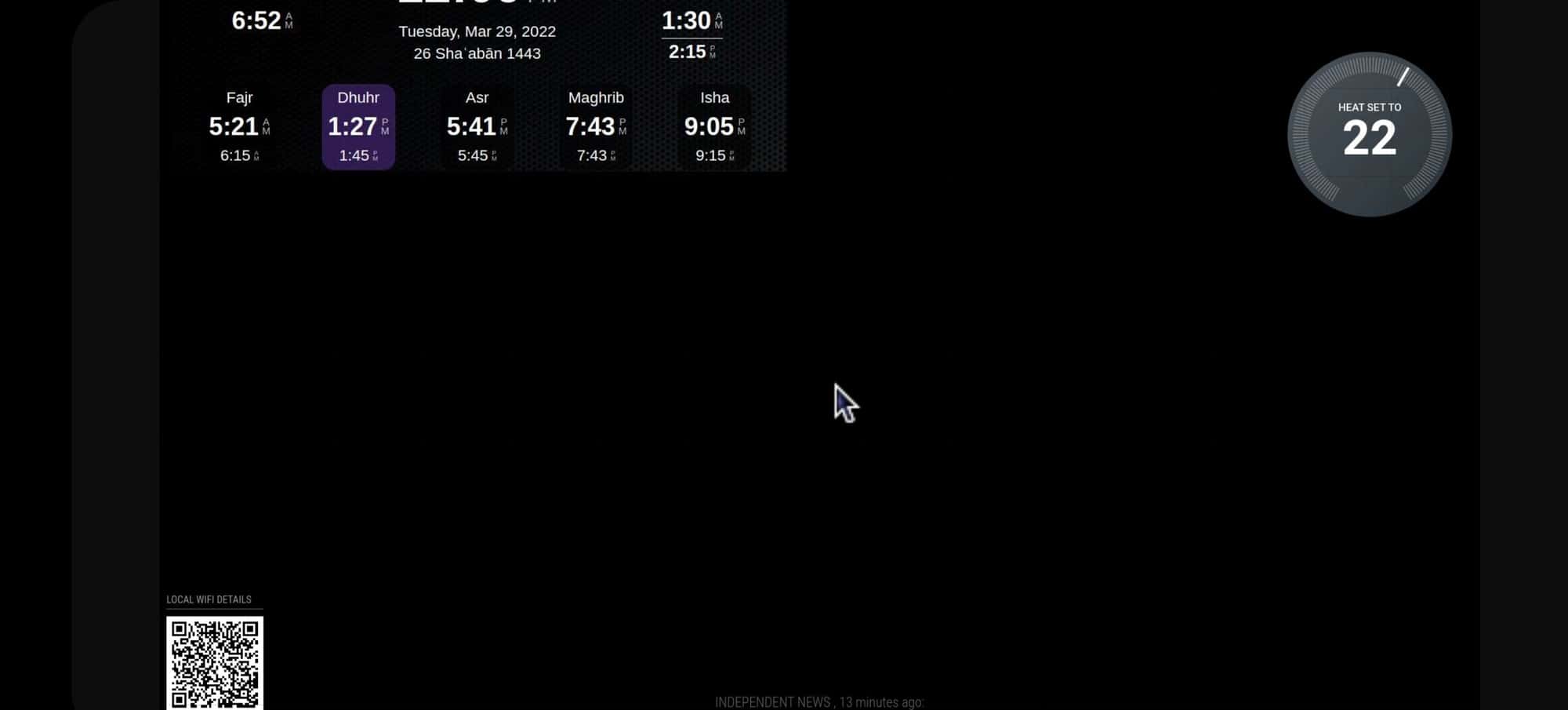
                                      Screenshot_20220329-120912_VNC Viewer.jpg

                                      Top_centre
                                      Screenshot_20220329-121256_VNC Viewer.jpg

                                      thgmirrorT 1 Reply Last reply Reply Quote 0
                                      • thgmirrorT Offline
                                        thgmirror @tanvir586
                                        last edited by thgmirror

                                        @tanvir586
                                        The positions are sometimes a little bit tricky…if you have two or more at the same place, they are sorted by appearance in the config.js.

                                        You should try to reduce the width and height of the SmartWebDisplay as small as possible.
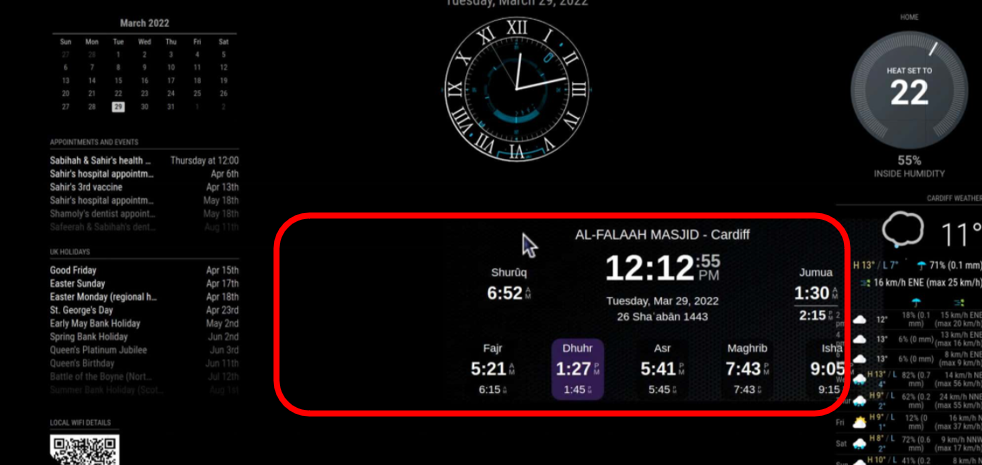
                                        58b7e9d5-8524-4b4c-9004-3395485fdfb5-image.png
                                        May be, your widget is in real as wide as red-marked in this screenshot, so you wasted a lot of space. First, you can temporarly change the background-color of the html-file (body bgcolor=#123456) to see the needed space at a glance. Change there the amount of pixels and percentages. Additionally change the height and width in SmartWebDisplay.
                                        If nothing helps, start with your Widget and add one by one your other modules.

                                        T 1 Reply Last reply Reply Quote 0
                                        • T Offline
                                          tanvir586 @thgmirror
                                          last edited by

                                          @thgmirror perfect… thank you so much. You made my day. Screenshot_20220329-125441_VNC Viewer.jpg

                                          thgmirrorT 1 Reply Last reply Reply Quote 0
                                          • thgmirrorT Offline
                                            thgmirror @tanvir586
                                            last edited by thgmirror

                                            @tanvir586 the DIV-tags in the html-file are working like a passe-partout to see only a region of a given website.
                                            Do you have an example how it looks now?
                                            Greetings from Germany

                                            T 2 Replies Last reply Reply Quote 0

                                            Hello! It looks like you're interested in this conversation, but you don't have an account yet.

                                            Getting fed up of having to scroll through the same posts each visit? When you register for an account, you'll always come back to exactly where you were before, and choose to be notified of new replies (either via email, or push notification). You'll also be able to save bookmarks and upvote posts to show your appreciation to other community members.

                                            With your input, this post could be even better 💗

                                            Register Login

                                            • 1
                                            • 2
                                            • 1 / 2
                                            • First post
                                              Last post
                                            Enjoying MagicMirror? Please consider a donation!
                                            MagicMirror created by Michael Teeuw.
                                            Forum managed by Sam, technical setup by Karsten.
                                            This forum is using NodeBB as its core | Contributors
                                            Contact | Privacy Policy