Read the statement by Michael Teeuw here.
MMM-WunderGround-PWS-Observations
-
Ive just put together a basic module to display PWS data from Weather Underground since API’s are now only available for free to PWS owners.
https://github.com/saabman/MMM-WunderGround-PWS-Observations/
It just displays the current data from a specified PWS and you can select what data is displayed.

-
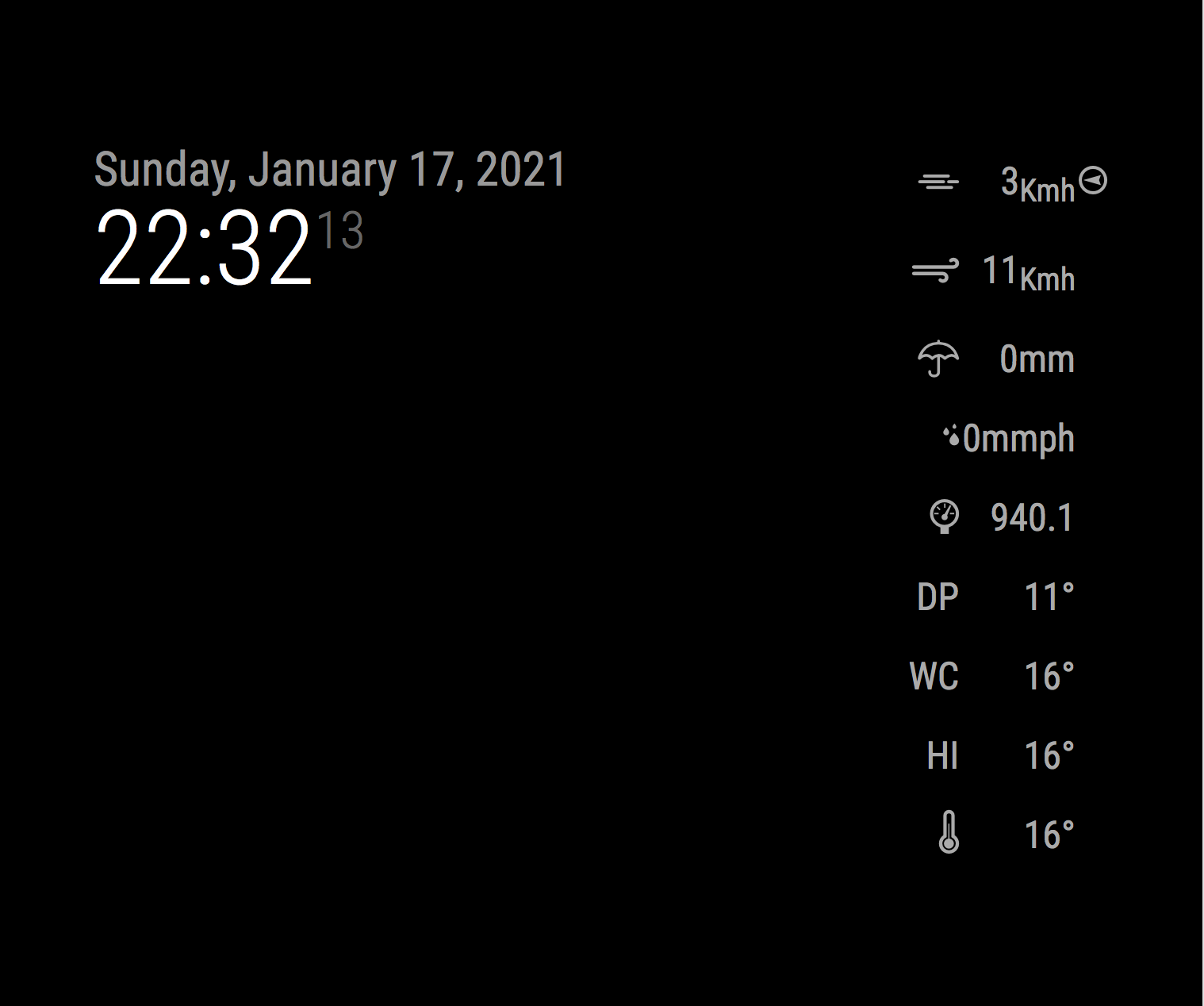
Hmm not sure what went wrong with the first post but here is a screen shot.
-
@saabman It’s a great start!!!
-
@cowboysdude Thankyou.
Ive started looking at adding horizontal display of data - so hopefully there wil lbe an update coming soon.
Its a good learning experience -
First, thanks for updating this. The local darksky api pulls never get the actual temp at the house correct and I have this nice PWS just churning away on the deck that I can access again. A few questions/observations if you are hopefully still looking at this.
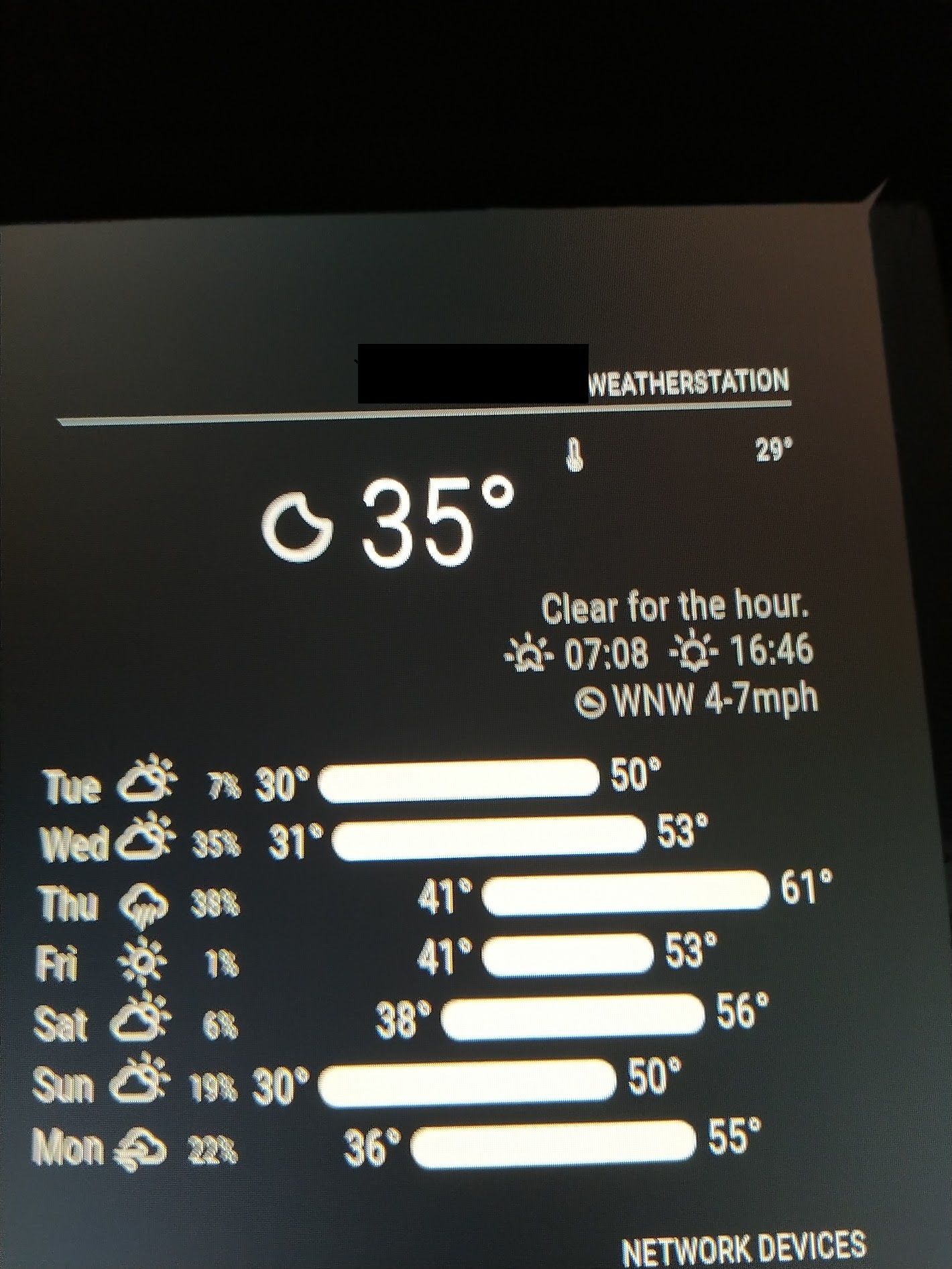
- When used with other modules in the column, it does not seem to close out the module end like others do and bleeds into the next one. Not sure what causes it, but you can see the header and temp from your module in use here with Weatherunderground feed followed by the other module I use for weather from darksky. That weather is supposed to be pushed to the right and was before I added this one to the top of the column. It’s almost like in needs a line break at the end.
2, What are the custom.CSS items to change the text and icon size? I’ve adjusted some of them but the line there never seems to change for me. Ultimately, I’d really like to get rid of that 35 and just have a larger one from your module as my current temp.
Thanks again.
- When used with other modules in the column, it does not seem to close out the module end like others do and bleeds into the next one. Not sure what causes it, but you can see the header and temp from your module in use here with Weatherunderground feed followed by the other module I use for weather from darksky. That weather is supposed to be pushed to the right and was before I added this one to the top of the column. It’s almost like in needs a line break at the end.
-
I found the sizing finally, but that line break at the end is still causing problems with follow on modules, even impacting their header if I add one there.
-
@chrisautrey said in MMM-WunderGround-PWS-Observations:
I found the sizing finally, but that line break at the end is still causing problems with follow on modules, even impacting their header if I add one there.
Hey Chris,
I tried to change the font size but nothing changed. Would you tell me how you did it?Thanks
Volker
-
@chrisautrey Sorry for not been very responsive Ive had some significant family priorities to deal with.
@Volkae What have you got and what are you trying to change?
-
@Saabman
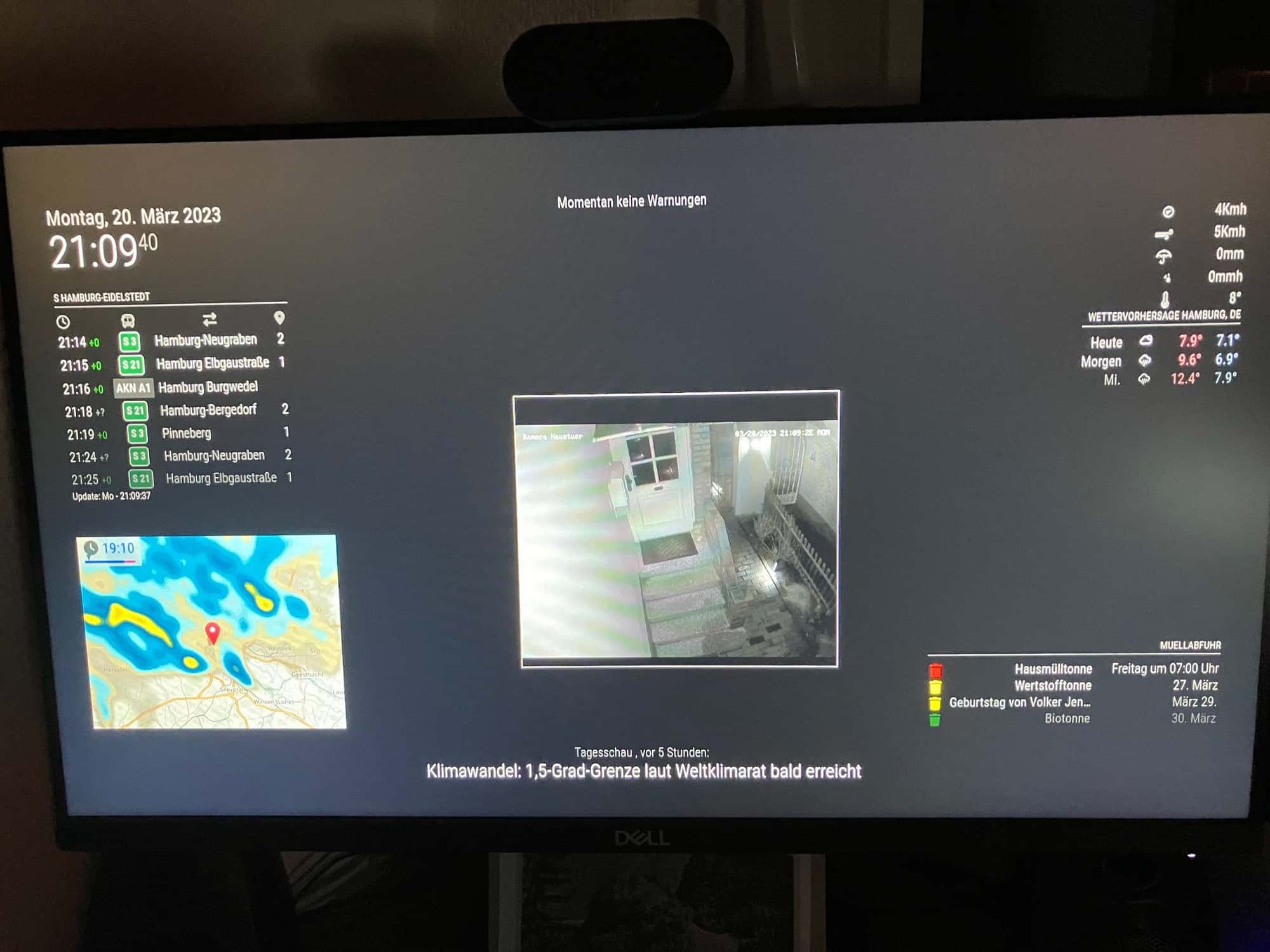
I managed to change the font size now but I would like to change the distance to the next module.
The next module (weather module) should have a little bit more distance to the Wunderground-PWS-Observations-module. Both modules are at position top_right. I can not find the way to change the module height of one of the modules. -
@Volkae I think the issue may be because it is set to align right line 55 in MMM-WunderGround-PWS-Observations.css
Line 56 gives some left padding of 10px maybe try increasing the padding.
I cant try it myself at the moment my weather station is in the process of being relocated so Im not using Wunderground ATM. Ill try and set some something so I can play with it and try it out.Im assuming you have the Wuderground module to the left of the weather module.
Im just muddling my way through this CSS process my self. I just play with some values and references and see what happens
-
@Saabman
No, the Wunderground module is above the weather module, so I think it cannot be the left padding.
Both have position top_right in the config.js -
@Volkae can you post a screen shot even just a photo of your screen.?
-
@Saabman by using the developers window you can examine the styles and results
https://forum.magicmirror.builders/topic/14862/help-with-a-couple-css-issues?_=1679343561716
-
@Saabman said in MMM-WunderGround-PWS-Observations:
@Volkae can you post a screen shot even just a photo of your screen.?
Here is a photo…
-
-
@sdetweil
sorry Sam, I don 't know where to put the lines.
Absolut beginner… -
@Volkae all css goes in ~/MagicMirror/css/custom.css
if the file doesn’t exist, create it
-
@sdetweil
I put it in my custom.css but it only changes the distance between the upper edge from my MM and the weather module. It does not change the distance between the weather module and the WunderGround-PWS-Observation module. -
@Volkae hm. makes no sense as it explicitly does the gap between modules
-

Hello! It looks like you're interested in this conversation, but you don't have an account yet.
Getting fed up of having to scroll through the same posts each visit? When you register for an account, you'll always come back to exactly where you were before, and choose to be notified of new replies (either via email, or push notification). You'll also be able to save bookmarks and upvote posts to show your appreciation to other community members.
With your input, this post could be even better 💗
Register Login