MagicMirror Forum
    • Recent
    • Tags
    • Unsolved
    • Solved
    • MagicMirror² Repository
    • Documentation
    • 3rd-Party-Modules
    • Donate
    • Discord
    • Register
    • Login
    A New Chapter for MagicMirror: The Community Takes the Lead
    Read the statement by Michael Teeuw here.

    MMM-OpenWeatherForecast - Replacement for MMM-DarkSkyForecast

    Scheduled Pinned Locked Moved Utilities
    256 Posts 55 Posters 631.8k Views 57 Watching
    Loading More Posts
    • Oldest to Newest
    • Newest to Oldest
    • Most Votes
    Reply
    • Reply as topic
    Log in to reply
    This topic has been deleted. Only users with topic management privileges can see it.
    • S Offline
      sdetweil @chris1971
      last edited by sdetweil

      @chris1971 delete pm2, sure, see the

      pm2 --help

      output

      no idea why u are having trouble

      try this

      instead of npm start
      do
      npm run server
      then access from the remote and see what happens

      Sam

      How to add modules

      learning how to use browser developers window for css changes

      C 1 Reply Last reply Reply Quote 0
      • C Offline
        chris1971 @sdetweil
        last edited by

        @sdetweil
        npm run server - no success

        I deleted pm2 - then I was able to start MM from the console without black screen with npm start. But then MM didn’t start on the mirror.

        Maybe I will setup a new system tomorrow … thanks for your input until now - cheers

        S 1 Reply Last reply Reply Quote 0
        • S Offline
          sdetweil @chris1971
          last edited by

          @chris1971 hm… are you trying to display mm on multiple monitors at once?

          if so

          this is built in function

          edit the config.js to allow access from outside the mm machine

          address:'0.0.0.0'
          ipWhitelist:[],
          

          then on the mm machine, in a terminal window, do

          ip addr
          

          and remember that value
          then

          npm start
          

          then on your other machine, use a browser
          (Chrome, Edge, Firefox, Midori, Safari)

          and open http://ip_address_from_above:8080

          Sam

          How to add modules

          learning how to use browser developers window for css changes

          C 1 Reply Last reply Reply Quote 0
          • C Offline
            chris1971 @sdetweil
            last edited by

            @sdetweil
            Short summary: I installed MM new with your script - I agreed to the installation of pm2 and disable screensaver. To get a connection to my WIN 10 via remote desktop computer I need to install sudo apt-get install xrdp. Without this installation I’m not able to start the remote desktop connetcion - Only via putty.
            After the installation I am not able to run npm start without getting a black screen. I have to pm2 stop all - then npm start again and I see the MM screen on my computer to update the modules, config, etc.
            This is what we have seen before:

            [31.03.2023 14:13.31.869] [LOG] Starting server on port 8080 …

            [31.03.2023 14:13.31.892] [WARN] You’re using a full whitelist configuration to allow for all IPs

            [31.03.2023 14:13.31.940] [ERROR] Whoops! There was an uncaught exception…

            [31.03.2023 14:13.31.961] [ERROR] Error: listen EADDRINUSE: address already in use 0.0.0.0:8080

            at Server.setupListenHandle [as _listen2] (node:net:1432:16)

            at listenInCluster (node:net:1480:12)

            at doListen (node:net:1629:7)

            at process.processTicksAndRejections (node:internal/process/task_queues:84:21) {

            code: ‘EADDRINUSE’,

            errno: -98,

            syscall: ‘listen’,

            address: ‘0.0.0.0’,

            port: 8080

            }

            With this error MM is running on the Mirror screen without problems.

            When I install MMM-GoogleMapsTraffic I get following message:

            npm ERR! code ERESOLVE
            npm ERR! ERESOLVE could not resolve
            npm ERR!
            npm ERR! While resolving: MMM-GoogleMapsTraffic@1.0.0
            npm ERR! Found: stylelint@14.16.1
            npm ERR! node_modules/stylelint
            npm ERR! peer stylelint@“14.x” from grunt-stylelint@0.18.0
            npm ERR! node_modules/grunt-stylelint
            npm ERR! dev grunt-stylelint@“latest” from the root project
            npm ERR!
            npm ERR! Could not resolve dependency:
            npm ERR! dev stylelint-config-standard@“latest” from the root project
            npm ERR!
            npm ERR! Conflicting peer dependency: stylelint@15.4.0
            npm ERR! node_modules/stylelint
            npm ERR! peer stylelint@“^15.4.0” from stylelint-config-standard@32.0.0
            npm ERR! node_modules/stylelint-config-standard
            npm ERR! dev stylelint-config-standard@“latest” from the root project
            npm ERR!
            npm ERR! Fix the upstream dependency conflict, or retry
            npm ERR! this command with --force, or --legacy-peer-deps
            npm ERR! to accept an incorrect (and potentially broken) dependency resolution.
            npm ERR!
            npm ERR! See /home/pi/.npm/eresolve-report.txt for a full report.

            npm ERR! A complete log of this run can be found in:
            npm ERR! /home/pi/.npm/_logs/2023-04-01T11_07_55_012Z-debug-0.log

            After installation of MMM-GoogleMapsTraffic the Openweather is not loading anymore.

            S 1 Reply Last reply Reply Quote 0
            • S Offline
              sdetweil @chris1971
              last edited by sdetweil

              @chris1971 we have two different problems going on.

              1. when u start MagicMirror, it will display on the monitor attached to the system. NOT any remote console.
                it IS a mirror on the wall after all

              IF you want to show the mirror screen on a remote system, phone, laptop, tablet, desktop
              then you use a browser on that other device to show the mm screen from it’s server on the mirror system.

              you do not start another running copy of MagicMirror . you do not need rdp to do this.
              just a browser.

              IF you want to display MagicMirror over your rdp session, then you would open a browser thru the rdp session and use the url
              http://localhost:8080
              as rdp makes it like you are at the local desktop

              I’ll look at the Googlemapstraffic problem

              Sam

              How to add modules

              learning how to use browser developers window for css changes

              C 1 Reply Last reply Reply Quote 0
              • C Offline
                chris1971 @sdetweil
                last edited by chris1971

                @sdetweil many thanks - but I have to install/ modify the Mirror from my computer. That’s the reason why I would like to connect via WIFI and get easy access to the modules/ config, etc.
                With Putty I only have access to the terminal - not to the PI Explorer…

                Your recommendation is not to install sudo apt-get install xrdp - it seems that this install mekes the trouble with 2 systems…

                S 2 Replies Last reply Reply Quote 0
                • S Offline
                  sdetweil @chris1971
                  last edited by sdetweil

                  @chris1971 yes, rdp is fine to access the console.

                  but from the remote system u just use a browser to see the mm contents

                  same as if you used putty to edit the config.js

                  try it. that is the whole point of pm2, start the mirror/web server without user intervention

                  as u have removed pm2, use putty to logon and npm start. , then disconnect putty

                  now use your browser on windows to access the mm web server BEFORE STARTING rdp, using the same IP address as you used for putty
                  and port 8080 (the port number in mm config.js)

                  if u make a change and restart mm. then hit refresh on the browser page

                  Sam

                  How to add modules

                  learning how to use browser developers window for css changes

                  C 1 Reply Last reply Reply Quote 0
                  • C Offline
                    chris1971 @sdetweil
                    last edited by

                    @sdetweil Thanks for your support - a solution for the maps issue would be really nice!!!

                    The 1st topic with the remote desktop is my minor challenge

                    S 1 Reply Last reply Reply Quote 0
                    • S Offline
                      sdetweil @chris1971
                      last edited by sdetweil

                      @chris1971 so looking at MMM-GoogleMapsTraffic , it uses very old stuff (5 years) in its dev dependencies section of package.json

                      sadly there is no way to get rid of the error messages without a tiny change

                      when u install a module using npm you can ‘omit’ installing the development stuff… BUT, it STILL goes thru all the WORK to check them out (I don’t know why this is stupid)

                      anyhow, the ONLY fix is to trick the installer to not FIND any dev dependencies…

                      edit package.json

                      and change this

                      "devDependencies": {
                      

                      to this

                      "devDependencies1": {
                      

                      notice I added the ‘1’ at the end… when npm install runs it will look for “devDependencies”
                      and not find it… and skip all the junk (You are not going to be developing on the module anyhow…so no loss and the stuff eliminated is formatting tools anyhow)

                      now, that said,

                      I installed the module
                      copied the default config entry from the readme
                      fixed the text typo (missing trailing comma)
                      added my apikey from google dev console and
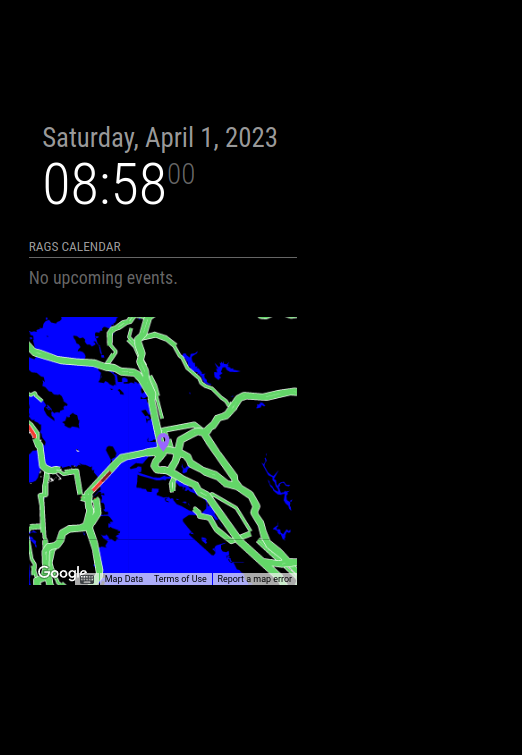
                      Screenshot at 2023-04-01 08-58-00.png

                      worked like a champ…

                      i did this on two separate systems
                      my linux desktop
                      and a pi4 w 7in screen
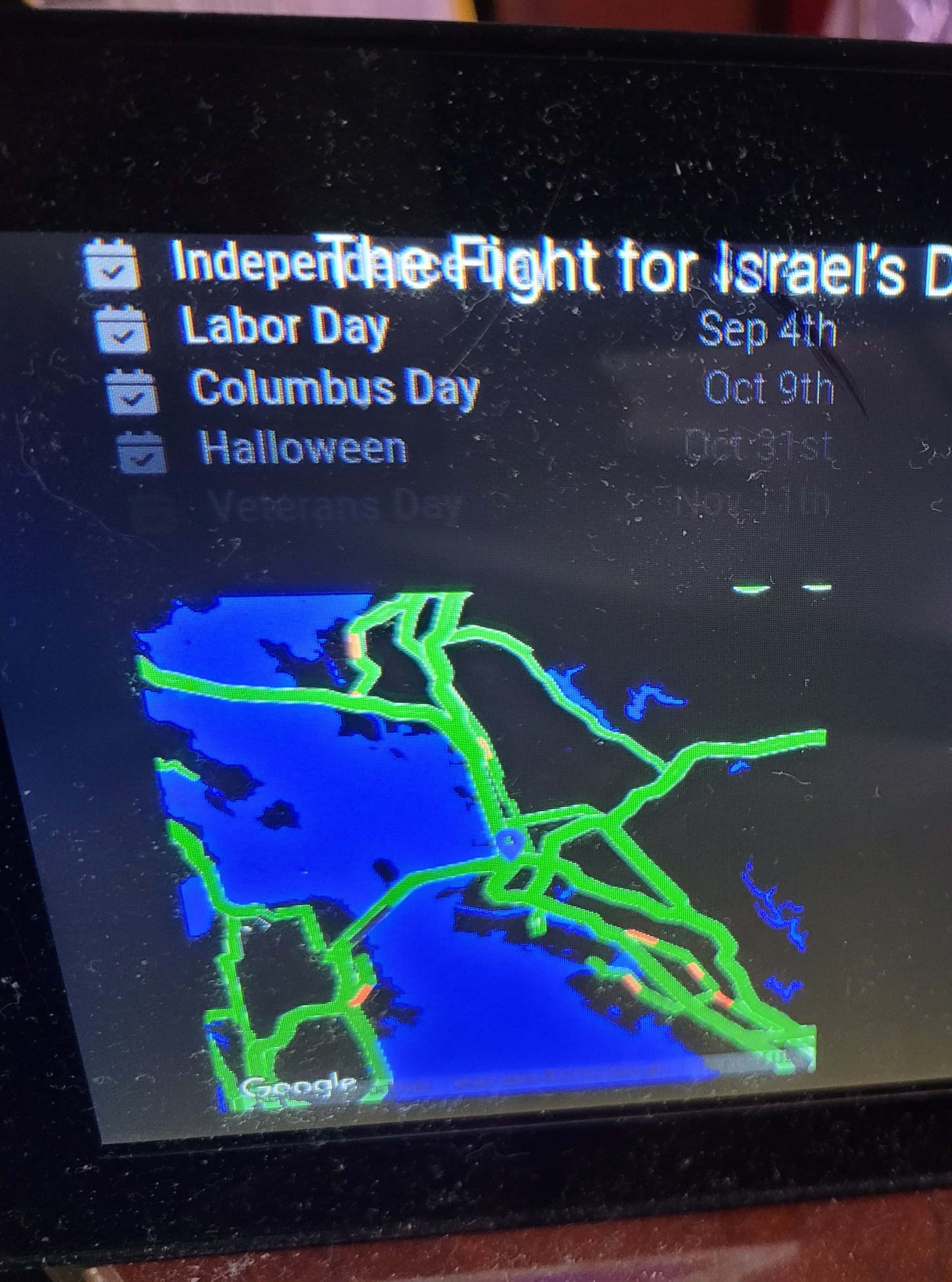
                      20230401_091148~2.jpg

                      Sam

                      How to add modules

                      learning how to use browser developers window for css changes

                      1 Reply Last reply Reply Quote 0
                      • S Offline
                        sdetweil @chris1971
                        last edited by

                        @chris1971 you can also use Winscp or bitvise ssh clients

                        these give you an ssh terminal AND a file browser over the PI files…just click and double click,

                        I use notepad++ on my windows system to edit the config and css files.
                        and the ssh terminal to install mm and modules (where to run commands)
                        and start/restart via pm2 or npm start

                        Sam

                        How to add modules

                        learning how to use browser developers window for css changes

                        C 1 Reply Last reply Reply Quote 0
                        • C Offline
                          chris1971 @sdetweil
                          last edited by

                          @sdetweil Thanks for this outstanding support!!!
                          I learned o lot - I have installed the MM some years ago and was a little bit concerned if I can do this again…

                          Now the best: The MM is running with Openweather and Goggle Maps - I tried several times install/ deinstall and found your modified script for Maps - maybe this was a solution at the end. I still see some errors in the strting script - but MM is running now with the weather module after shutdown the Darksky service - this was the only reason for me to change the system again…

                          Thanks again!!!
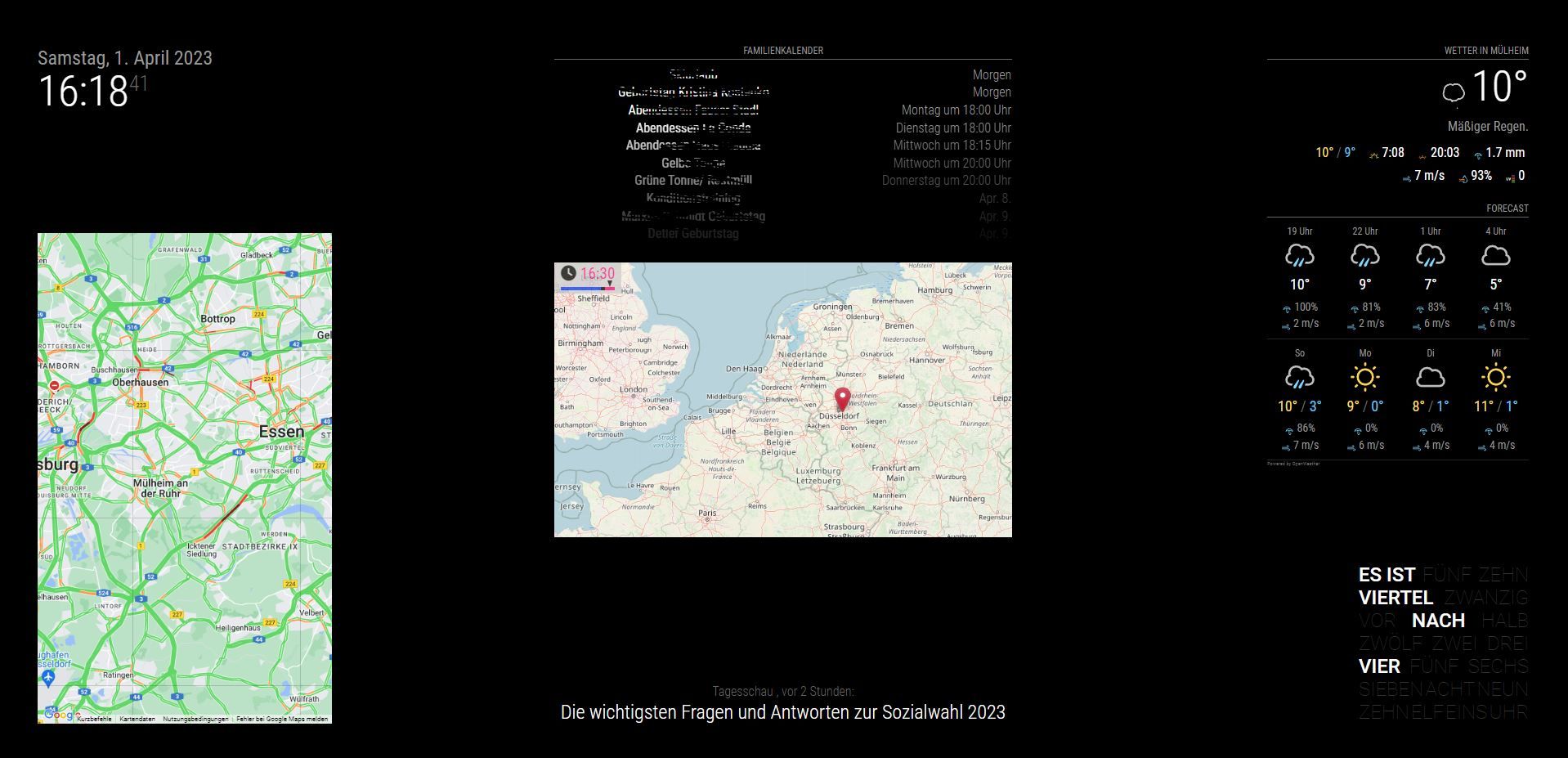
                          komplett1.JPG

                          S 1 Reply Last reply Reply Quote 1
                          • S Offline
                            sdetweil @chris1971
                            last edited by

                            @chris1971 glad you got it running

                            Sam

                            How to add modules

                            learning how to use browser developers window for css changes

                            1 Reply Last reply Reply Quote 0
                            • E Offline
                              Egnos
                              last edited by Egnos

                              Hello there!
                              Unfortunatly It’s arrived the moment: “… on March 31st, 2023 the Dark Sky API will no longer be available.”, as recalled by the Dark Sky Team in this post: Infos from the Dark Sky Team

                              In fact today morning MMM-DarkSkyForecast stopped working!

                              I tried to install its replacement MMM-OpenWeatherForecast, but it didn’t work!
                              On terminal i hve this error:

                              [MMM-OpenWeatherForecast] 2-Apr-23 17:23 ** ERROR ** Error: Request failed with status code 401
                              

                              I have already try to regen the API key on OpenWeatherMap site but the problem persist.

                              I’m using MagicMirror: v2.22.0

                              For now i’m using the simple configuration:

                              {
                                  module: "MMM-OpenWeatherForecast",
                                  position: "top_left",
                                  header: "Forecast",
                                  config: {
                                    apikey: "xxxxxxxxxxxxxxxxxxxxxxxxxxxxxxxxxxxx", //only string here
                                    latitude: 45.072870,            //number works here
                                    longitude: 7.558791          //so does a string
                                  }
                                },
                              

                              Has anyone had this problem before?
                              Can you help me?

                              Thanks.

                              My Mirror https://forum.magicmirror.builders/topic/17262/the-raspimirror-was-born/7

                              S 1 Reply Last reply Reply Quote 0
                              • S Offline
                                sdetweil @Egnos
                                last edited by

                                @Egnos see https://github.com/jclarke0000/MMM-OpenWeatherForecast/issues/23

                                new openweather api version is 3.0, code is hard coded to 2.5

                                Sam

                                How to add modules

                                learning how to use browser developers window for css changes

                                E 1 Reply Last reply Reply Quote 0
                                • E Offline
                                  Egnos @sdetweil
                                  last edited by

                                  Hi @sdetweil thanks for answering me!
                                  I had read this post but I didn’t understand what I have to do.
                                  I have to update the node_helper.js version 2.5 to 3.0?

                                  Can you help me?

                                  Thanks.

                                  My Mirror https://forum.magicmirror.builders/topic/17262/the-raspimirror-was-born/7

                                  S 1 Reply Last reply Reply Quote 0
                                  • S Offline
                                    sdetweil @Egnos
                                    last edited by

                                    @Egnos yes,

                                    just edit the file and change 2.5 to 3.0

                                    Sam

                                    How to add modules

                                    learning how to use browser developers window for css changes

                                    E 1 Reply Last reply Reply Quote 0
                                    • E Offline
                                      Egnos @sdetweil
                                      last edited by

                                      @sdetweil said in MMM-OpenWeatherForecast - Replacement for MMM-DarkSkyForecast:

                                      edit the file an

                                      In the file “node_helper.js” I have modify:
                                      this https://api.openweathermap.org/data/2.5/onecall?
                                      with this https://api.openweathermap.org/data/3.0/onecall?

                                      but I have the same error:

                                      [02.04.2023 17:58.05.910] [LOG]   [MMM-OpenWeatherForecast] 2-Apr-23 17:58 ** ERROR ** Error: Request failed with status code 401
                                      

                                      Where am I doing wrong?

                                      My Mirror https://forum.magicmirror.builders/topic/17262/the-raspimirror-was-born/7

                                      S 1 Reply Last reply Reply Quote 0
                                      • S Offline
                                        sdetweil @Egnos
                                        last edited by

                                        @Egnos i’ve seen a number of these…

                                        something to do with registering correctly with version 3 onecall

                                        someone else said

                                        I used the API keys from the website as the one sent in my email did not work.
                                        

                                        Sam

                                        How to add modules

                                        learning how to use browser developers window for css changes

                                        E 1 Reply Last reply Reply Quote 0
                                        • E Offline
                                          Egnos @sdetweil
                                          last edited by

                                          @sdetweil I’ve already gone to the OpenWeatherMap site, I’ve regenerated a new API key but still the error…

                                          My Mirror https://forum.magicmirror.builders/topic/17262/the-raspimirror-was-born/7

                                          S 1 Reply Last reply Reply Quote 0
                                          • S Offline
                                            sdetweil @Egnos
                                            last edited by

                                            @Egnos sorry, that part I don’t know.

                                            I have ow keys for both 2.5 and 3.0, but its been so long, I don’t remember what I did , altho it was only website

                                            Sam

                                            How to add modules

                                            learning how to use browser developers window for css changes

                                            E 1 Reply Last reply Reply Quote 0

                                            Hello! It looks like you're interested in this conversation, but you don't have an account yet.

                                            Getting fed up of having to scroll through the same posts each visit? When you register for an account, you'll always come back to exactly where you were before, and choose to be notified of new replies (either via email, or push notification). You'll also be able to save bookmarks and upvote posts to show your appreciation to other community members.

                                            With your input, this post could be even better 💗

                                            Register Login

                                            • 1
                                            • 2
                                            • 9
                                            • 10
                                            • 11
                                            • 12
                                            • 13
                                            • 12 / 13
                                            • First post
                                              Last post
                                            Enjoying MagicMirror? Please consider a donation!
                                            MagicMirror created by Michael Teeuw.
                                            Forum managed by Sam, technical setup by Karsten.
                                            This forum is using NodeBB as its core | Contributors
                                            Contact | Privacy Policy