MagicMirror Forum
    • Recent
    • Tags
    • Unsolved
    • Solved
    • MagicMirror² Repository
    • Documentation
    • 3rd-Party-Modules
    • Donate
    • Discord
    • Register
    • Login
    A New Chapter for MagicMirror: The Community Takes the Lead
    Read the statement by Michael Teeuw here.

    Multiple instances of ImagesPhotos module

    Scheduled Pinned Locked Moved Solved Troubleshooting
    20 Posts 2 Posters 14.6k Views 2 Watching
    Loading More Posts
    • Oldest to Newest
    • Newest to Oldest
    • Most Votes
    Reply
    • Reply as topic
    Log in to reply
    This topic has been deleted. Only users with topic management privileges can see it.
    • S Offline
      sdetweil @Nneuland
      last edited by sdetweil

      @Nneuland no, not a caching… the way the module works it creates a url link back into the node_helper to access the images

      in the node_helper.js

      extraRoutes: function() {
      		var self = this;
                       // this url gets the images
      		this.expressApp.get("/MMM-ImagesPhotos/photos", function(req, res) {
      			self.getPhotosImages(req, res);
      		});
                        // this url processes THIS image
      		this.expressApp.use("/MMM-ImagesPhotos/photo",   //<-----
       express.static(self.path_images));
      	},
      
      // return photos-images by response in JSON format.
      	getPhotosImages: function(req, res) {
      		directoryImages = this.path_images;
      		let imgs=this.getFiles(directoryImages)
      		var imagesPhotos = this.getImages(imgs).map(function (img) {
      			if(this.config.debug){
      			  	console.log("have image="+img);
      			  }
      			return {url: "/MMM-ImagesPhotos/photo/" + img}; //<----- url for an image
      		});
      		res.send(imagesPhotos);
      	},
      

      and then in the

      MMM-ImagesPhotos.js

      getPhotos: function() {
      		var urlApHelper = "/MMM-ImagesPhotos/photos";    /// path got get images
      		var retry = true;
      
      		var photosRequest = new XMLHttpRequest();
      		photosRequest.open("GET", urlApHelper, true);  // used here to get images list 
      

      you can change the values, just in one instance

      Sam

      How to add modules

      learning how to use browser developers window for css changes

      N 1 Reply Last reply Reply Quote 0
      • N Offline
        Nneuland @sdetweil
        last edited by

        @sdetweil
        Thanks Sam. I’ll give that a go later tonight/. thank you for your suggestion

        N S 2 Replies Last reply Reply Quote 0
        • N Offline
          Nneuland @Nneuland
          last edited by

          @Nneuland

          Hi Sam. Seeing that my duplicate module is “MMM-ImagesPhotos2”
          Should I be changing all moments within the js files “MMM-ImagesPhotos/photos” or “MMM-ImagesPhotos” to “MMM-ImagesPhotos2/photos” or “MMM-ImagesPhotos2” ?

          S 1 Reply Last reply Reply Quote 0
          • S Offline
            sdetweil @Nneuland
            last edited by sdetweil

            @Nneuland I would do that, yes

            doesn’t matter, as long as both url strings are different. I would add a 2 on the end of both, in all the places

            Sam

            How to add modules

            learning how to use browser developers window for css changes

            N 1 Reply Last reply Reply Quote 0
            • N Offline
              Nneuland @sdetweil
              last edited by

              @sdetweil

              Seemed simple enough, but leave it to me. No visuals for this duplicated module.

              css folder renamed- but empty
              node-helper.js and MMM-ImagesPhotos.js folders renamed as well as every instance of ImagesPhotos(2) renamed

              Where can I look to troubleshoot?

              S 2 Replies Last reply Reply Quote 0
              • S Offline
                sdetweil @Nneuland
                last edited by

                @Nneuland I fixed the code so it can do multiple instances…

                make sure to set the path: variable to the subset of pics in the uploads folder
                if path is not set then uploads is the folder

                oh, and I added recursive folder support a few weeks ago

                the image drawing may be mangled I had two side by side… top_left/right, filled the screen

                my config

                {
                        module: "MMM-ImagesPhotos",
                        disabled: false,
                        position:"top_left",
                        config: {
                          backgroundColor: "grey",
                          fill: true,
                          blur: 10,
                          sequential: true,
                          path:"foo",   // uploads/foo
                 //         debug:true
                        },
                      },
                      {
                        module: "MMM-ImagesPhotos",
                        disabled: false,
                        position:"top_right",
                        config: {
                          backgroundColor: "blue",
                          fill: true,
                          blur: 10,
                          sequential: true,
                          path:"test1",   // uploads/test1
                //          debug:true
                        },
                      },
                

                Sam

                How to add modules

                learning how to use browser developers window for css changes

                1 Reply Last reply Reply Quote 0
                • S Offline
                  sdetweil @Nneuland
                  last edited by

                  @Nneuland you didn’t do npm install in the module folder

                  Sam

                  How to add modules

                  learning how to use browser developers window for css changes

                  N 1 Reply Last reply Reply Quote 0
                  • N Offline
                    Nneuland @sdetweil
                    last edited by

                    @sdetweil

                    I don’t know what I did, but I lost my auto restart. Seem to have MagicMirror AND mm running (twice) somehow. My vnc isnt showing what the mirror is showing, MMM-RemoteControl on my phone lost my second instance of ImagesPhotos (which I couldnt get working anyway)…

                    I think I need a break for the night and possibly a fresh install in the near future, I don’t know how you do this

                    S 1 Reply Last reply Reply Quote 0
                    • S Offline
                      sdetweil @Nneuland
                      last edited by sdetweil

                      @Nneuland

                      MagicMirror crashed cause this module was missing a library . that’s why you don’t see anything and can’t connect

                      do this

                      cd ~/MagicMirror/modules/MMM-InagesPhotos
                      npm install
                      cd ~
                      pm2 stop all
                      cd ~/MagicMirror
                      npm start
                      

                      Sam

                      How to add modules

                      learning how to use browser developers window for css changes

                      N 1 Reply Last reply Reply Quote 0
                      • S Offline
                        sdetweil @Nneuland
                        last edited by

                        @Nneuland you ARE using my fork , right?

                        https://github.com/sdetweil/MMM-ImagesPhotos

                        Sam

                        How to add modules

                        learning how to use browser developers window for css changes

                        1 Reply Last reply Reply Quote 0
                        • N Offline
                          Nneuland @sdetweil
                          last edited by

                          @sdetweil

                          Thank you! I hit a large wall last night and needed to stop.
                          I’m back up and running, but still need to reinitiate my auto restart and get back to the task at hand of duplicating two separate ImagesPhotos modules.

                          My attempt at duplicating an additional MMM-ImagesPhotos module has still fallen short. I enjoy using the MMM-RemoteControl to customize the mirror real time. Which included the idea of running two identical MMM-ImagesPhotos modules (different names) to be in the exact same space on the mirror, but only one at a time. One url set showing family photos and the other showing my son’s favorite cartoons.
                          So having two different running modules (MMM-ImagesPhotos, and MMM-ImagesPhotos2, on MMM-RemoteControl is ideal for my purposes.

                          I’ll need some fresh eyes on it tonight. I figured since they were referencing different uploads folders from two different module folders, this wouldn’t be a problem.

                          Unfortunately adding the path to my config file did not allow for the module to run.
                          I’ll need to keep at it

                          S 1 Reply Last reply Reply Quote 0
                          • S Offline
                            sdetweil @Nneuland
                            last edited by sdetweil

                            @Nneuland remove the old separates and copied code, only confuses things.

                            use my new forked code only

                            the module looks for images in the uploads folder inside the module folder

                            you can ADD to that with path (not my design)

                            so some pics are in uploads/foo and some are in uploads/bar

                            each module config needs that path:“foo”, or path:“bar”

                            else it looks in uploads and with my recursive support will get everything .

                            the new fork code adds the module identifier to the url paths to make things unique.

                            took a bit to make all that work tho. mostly in the node helper, as it has to service all the instances at once

                            Sam

                            How to add modules

                            learning how to use browser developers window for css changes

                            N 2 Replies Last reply Reply Quote 0
                            • N Offline
                              Nneuland @sdetweil
                              last edited by

                              @sdetweil

                              Thank you. I’m hoping to look at this tonight

                              1 Reply Last reply Reply Quote 1
                              • N Offline
                                Nneuland @sdetweil
                                last edited by

                                @sdetweil

                                Finally got it up and running. Thank you for your patience.
                                The only thing, because I’m running two instances, the positioning and photo size is quite off. MaxHeight and MaxWidth in config doesn’t seem to be influencing any and the custom css modifications also are not working as expected. Looking to keep the same posting for both url sets

                                S 1 Reply Last reply Reply Quote 0
                                • S Offline
                                  sdetweil @Nneuland
                                  last edited by

                                  @Nneuland yes, I said maybe the sizing was wrong. I’ll look at it.in the morning.

                                  I added some special code to fix the sizes so that they kept the original aspect ratio, but never tried in non full screen. I’ll see if I can turn that off easily.

                                  Sam

                                  How to add modules

                                  learning how to use browser developers window for css changes

                                  N S 2 Replies Last reply Reply Quote 0
                                  • N Offline
                                    Nneuland @sdetweil
                                    last edited by

                                    @sdetweil

                                    you did. Maybe I can simply rescale my images, but if you have a work around that would be great. Just curious if it were my ignorance, or something else.

                                    S 1 Reply Last reply Reply Quote 0
                                    • S Offline
                                      sdetweil @Nneuland
                                      last edited by

                                      @Nneuland all my fault

                                      Sam

                                      How to add modules

                                      learning how to use browser developers window for css changes

                                      1 Reply Last reply Reply Quote 0
                                      • S Offline
                                        sdetweil @sdetweil
                                        last edited by sdetweil

                                        @Nneuland ok, update

                                        git pull in the module folder

                                        make sure to set the maxHeight and width in the config

                                        {
                                              {
                                                        module: "MMM-ImagesPhotos",
                                                        disabled: false,
                                                        position:"top_left",
                                                        config: {
                                                          backgroundColor: "grey",
                                                          fill: true,
                                                          blur: 10,
                                                          sequential: true,
                                                          path:"foo",
                                                          debug:true,
                                                          maxWidth:"50%",
                                                          maxHeight:"50%"
                                                        },
                                                        order: "*",
                                                        bad_position: "fullscreen"
                                                      },
                                                      {
                                                        module: "MMM-ImagesPhotos",
                                                        disabled: false,
                                                        position:"top_right",
                                                        config: {
                                                          backgroundColor: "blue",
                                                          fill: true,
                                                          blur: 10,
                                                          sequential: true,
                                                          path:"test1",
                                                          debug:true,
                                                          maxWidth:"500px",
                                                          maxHeight:"500px"
                                                        },
                                                        order: "*",
                                                        bad_position: "fullscreen"
                                                      },
                                        

                                        note 50% vs 500px produces different sizes
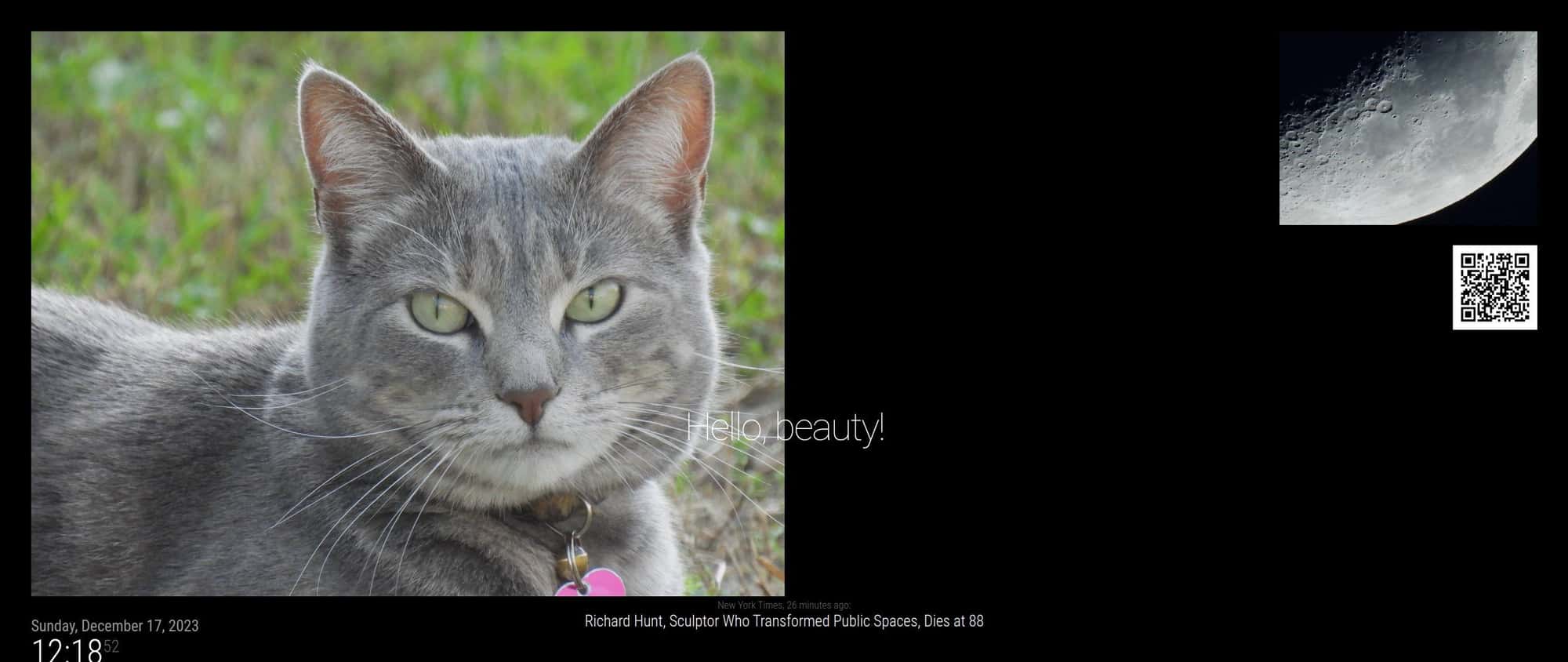
                                        Screenshot at 2023-12-17 12-18-52.jpg

                                        there are two different image css classes… one when full screen, one not

                                        Sam

                                        How to add modules

                                        learning how to use browser developers window for css changes

                                        N 1 Reply Last reply Reply Quote 0
                                        • N Offline
                                          Nneuland @sdetweil
                                          last edited by

                                          @sdetweil
                                          This is amazing! Thank you for all of your hard work. Works perfectly

                                          1 Reply Last reply Reply Quote 1

                                          Hello! It looks like you're interested in this conversation, but you don't have an account yet.

                                          Getting fed up of having to scroll through the same posts each visit? When you register for an account, you'll always come back to exactly where you were before, and choose to be notified of new replies (either via email, or push notification). You'll also be able to save bookmarks and upvote posts to show your appreciation to other community members.

                                          With your input, this post could be even better 💗

                                          Register Login

                                          • 1 / 1
                                          • First post
                                            Last post
                                          Enjoying MagicMirror? Please consider a donation!
                                          MagicMirror created by Michael Teeuw.
                                          Forum managed by Sam, technical setup by Karsten.
                                          This forum is using NodeBB as its core | Contributors
                                          Contact | Privacy Policy