Read the statement by Michael Teeuw here.
Show calendar based on IP Address accessed
-
@Spinster ok, here is the final
in calendar.js
add these variables
		updateOnFetch: true,
		useIPAddress: false     // add config var
	},
	timerHandle:null,                 // add this
	ourIPAddress:null,              // add this
	requiresVersion: "2.1.0",
change this
	// Override start method.
	start () {
to
this// Override start method. startup () {add this code
			let ip_match = false;
			if(this.config.useIPAddress){
			 const client_ip_for_this_calendar = this.getCalendarProperty(calendar.url, "ipaddress", null)
			 if(this.ourIPAddress)
			 	  ip_match = client_ip_for_this_calendar.includes(this.ourIPAddress)
			}
			if(this.config.useIPAddress == false || ip_match==true)
			  this.addCalendar(calendar.url, calendar.auth, calendarConfig);   // old original   line
and add this routine somewhere
  notificationReceived(notification,payload){
  	if(notification === 'ALL_MODULES_STARTED'){
  		// if we are using ip address checking
  		if(this.config.useIPAddress){
  			// loop thru all the modules
  			let m = MM.getModules().withClass("getip");
  			if(m.length){
  				// if getip is configured and not disabled
  				if((m[0].disabled== undefined || (m[0].disabled != undefined && m[0].disabled == false)) ){
  					// start a timer to wait for getip to finish
  					this.timerHandle = setInterval(()=>{
  						// get its dom content
  						let client_ip = document.getElementById("getip_address")
  						// if we found id
  						if(client_ip !== null){
  							// stop the timer
  							clearInterval(this.timerHandle)
  							// save our IP address, only need to look it up once
  							this.ourIPAddress=client_ip.innerText
  							// call startup
  							this.startup()
  						}
  					}, 500)
  				}
  			}
  			// thru the loop, didn't start a timer, module not found
			  if(this.timerHandle === null){
					// didn't find getip
					// module not found, can't do this later either
					this.config.useIPAddress = false;
					this.startup()
				}
			}
  		// use default
  		else
  			this.startup()
  	}
  	else if (notification === "FETCH_CALENDAR") {
			this.sendSocketNotification(notification, { url: payload.url, id: this.identifier+(this.ourIPAddress?'_'+this.ourIPAddress:'') });
		}
  },
and in the socketNotificationReceived routine
change thissocketNotificationReceived (notification, payload) { if (notification === "FETCH_CALENDAR") { this.sendSocketNotification(notification, { url: payload.url, id: this.identifier }); } if (this.identifier !== payload.id) { return; }to this
	socketNotificationReceived (notification, payload) {

		if (this.identifier+(this.ourIPAddress?'_'+this.ourIPAddress:'') !== payload.id) {
			return;
		}
and in the addCalendar routine
change thisid: this.identifier,to this
id: this.identifier+(this.ourIPAddress?'_'+this.ourIPAddress:''),to use
add the getip module to config.js, anywhere
add property to calendar above the calendars list (but still inside the config:{}{ section)useIPAddress:true,in any cal url block you want to be sensitive to IP address add property
ipaddress:"xxx yyy zzz", // space separated list of client ipaddresses this calendar can be displayed onandhow
-
After installing MonkeyPatch and adding the patch you have mentioned, I get the following error message when I run , npm run config:check
[2024-05-07 23:32:55.179] [INFO] Checking file… /home/vjkings/MagicMirror/config/config.js
[2024-05-07 23:32:55.222] [ERROR] Your configuration file contains syntax errors :(
[2024-05-07 23:32:55.223] [ERROR] Line 56 column 20: Parsing error: Unexpected token functionAs per config.js, Line 56 is this
patch: async function (original, args) {
Whole section of patch as follows
patch: async function (original, args) {
const [ notification, payload ] = args
if (notification === “CALENDAR_EVENTS”) {
const calendarName = this.config.calendars.find((cal) => cal.url === payload?.url)?.name
const r = await fetch(‘http://192.168.1.4:8080/modules/getip’)
const ip = JSON.parse(await r.text())?.[ ‘address’ ] ?? null
if (!this.config.clientMap?.[ ip ]?.includes(calendarName)) {
return original(notification, { …payload, events: [] })
}
}
return original(notification, payload)
}If I ignore the error and run the server, I don’t get any calendar and it just says Loading… in the mirror page
What is the reason for the error. Please advice -
Wow, Clear, will try it and provide feedback please.
-
Hi,
I made all the changes you have mentioned, it is working!!!. Thank you so much for the efforts.
However, following are the observation,
When I add the config.js with useIPAddress: true (calendar.js has the entry of useIPAddress:false in its default), there is no effect, however in calendar.js if I set the useIPAddress: true, it is working, I don’t understand why the configuration settings are not taken.I clearly added the useIPAddress: true before the calendars declared as part of the module configuration. Please advice how to fix this.
I also have doubt on when we override the start to startup, how the notificationreceived is called. What happens when there is no start in the module.
In fact this is the first time, I have added code without understanding of anything :).
Please help me with configuration settings (config.js) to get it effected than hardcoding it to calendar.js
-
@Spinster can you show the calendar config, you can leave out the calendars:[] list entries
start is optional. but only called once
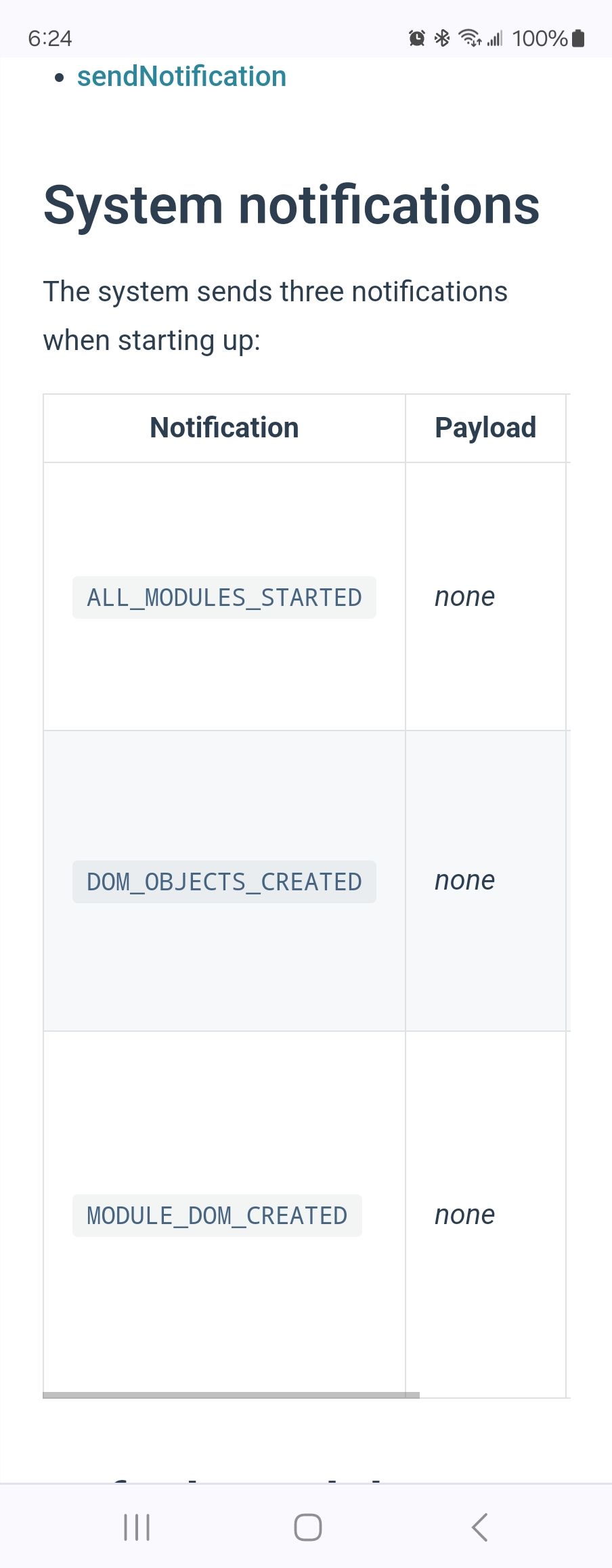
getip has not placed its content yet.the notification ALL_MODULES_STARTED is sent be the system when all the
modules start methods have been calledfrom the module development doc
-
@sdetweil
Thank you for the details.As required, my calendar config as follows
	{
		module: "getip",
		position:"bottom_left"
	},
	{
		module: "calendar",
		useIPAddress: true,
		header: "My Calendars",
		position: "top_left",
		config: {
			calendars: [
				{
					name: "cal01",
					fetchInterval: 5 * 60 * 1000,
					symbol: "calendar-check",
					url: "https://mycalendar/xEzboFt7Kr3Yfiys?export",
					ipaddress: "10.5.18.252 127.0.0.1 10.5.14.104",

				},
				{
					name: "cal02",
					fetchInterval: 10 * 60 * 1000,
					//useIPAddress: true,
					symbol: "calendar-check",
					url: "https://mycalendar/4aK7xZPQkGKz6nCZ?export",
					ipaddress: "10.5.11.5",

				}
			]
		}
	},
Please let me know if I have done any mistake
-
@Spinster yes, it has to be inside the
config:{} sectioneverything outside config are MagicMirror properties about a module
see
https://docs.magicmirror.builders/modules/configuration.html#exampleconfig is properties FOR the module and override what is defined in the module defaults:{} object
-
I made the change and it first showed correctly, but when I refresh any one of the client, the other client is getting both the calendars. What is wrong? Here is my updated calendar.js as suggested by you.
/* global CalendarUtils */

Module.register("calendar", {
	// Define module defaults
	defaults: {
		maximumEntries: 10, // Total Maximum Entries
		maximumNumberOfDays: 365,
		limitDays: 0, // Limit the number of days shown, 0 = no limit
		pastDaysCount: 0,
		displaySymbol: true,
		defaultSymbol: "calendar-alt", // Fontawesome Symbol see https://fontawesome.com/cheatsheet?from=io
		defaultSymbolClassName: "fas fa-fw fa-",
		showLocation: false,
		displayRepeatingCountTitle: false,
		defaultRepeatingCountTitle: "",
		maxTitleLength: 25,
		maxLocationTitleLength: 25,
		wrapEvents: false, // Wrap events to multiple lines breaking at maxTitleLength
		wrapLocationEvents: false,
		maxTitleLines: 3,
		maxEventTitleLines: 3,
		fetchInterval: 60 * 60 * 1000, // Update every hour
		animationSpeed: 2000,
		fade: true,
		fadePoint: 0.25, // Start on 1/4th of the list.
		urgency: 7,
		timeFormat: "relative",
		dateFormat: "MMM Do",
		dateEndFormat: "LT",
		fullDayEventDateFormat: "MMM Do",
		showEnd: false,
		getRelative: 6,
		hidePrivate: false,
		hideOngoing: false,
		hideTime: false,
		hideDuplicates: true,
		showTimeToday: false,
		colored: false,
		forceUseCurrentTime: false,
		tableClass: "small",
		calendars: [
			{
				symbol: "calendar-alt",
				url: "https://www.calendarlabs.com/templates/ical/US-Holidays.ics"
			}
		],
		customEvents: [
			// Array of {keyword: "", symbol: "", color: "", eventClass: ""} where Keyword is a regexp and symbol/color/eventClass are to be applied for matched
			{ keyword: ".*", transform: { search: "De verjaardag van ", replace: "" } },
			{ keyword: ".*", transform: { search: "'s birthday", replace: "" } }
		],
		locationTitleReplace: {
			"street ": ""
		},
		broadcastEvents: true,
		excludedEvents: [],
		sliceMultiDayEvents: false,
		broadcastPastEvents: false,
		nextDaysRelative: false,
		selfSignedCert: false,
		coloredText: false,
		coloredBorder: false,
		coloredSymbol: false,
		coloredBackground: false,
		limitDaysNeverSkip: false,
		flipDateHeaderTitle: false,
		updateOnFetch: true,
		useIPAddress: false,// add config var
	},

	timerHandle:null,                 // add this
	ourIPAddress:null,              // add this
	requiresVersion: "2.1.0",

	// Define required scripts.
	getStyles () {
		return ["calendar.css", "font-awesome.css"];
	},

	// Define required scripts.
	getScripts () {
		return ["calendarutils.js", "moment.js"];
	},

	// Define required translations.
	getTranslations () {
		// The translations for the default modules are defined in the core translation files.
		// Therefore we can just return false. Otherwise we should have returned a dictionary.
		// If you're trying to build your own module including translations, check out the documentation.
		return false;
	},

	// Override start method.
	startup () {

		//const ip = settings.detectIp(req)
		Log.info(`Starting module: ${this.name}`);
		Log.info(`Vijay starup Starting module: ${this.name}`);

		if (this.config.colored) {
			Log.warn("Your are using the deprecated config values 'colored'. Please switch to 'coloredSymbol' & 'coloredText'!");
			this.config.coloredText = true;
			this.config.coloredSymbol = true;
		}
		if (this.config.coloredSymbolOnly) {
			Log.warn("Your are using the deprecated config values 'coloredSymbolOnly'. Please switch to 'coloredSymbol' & 'coloredText'!");
			this.config.coloredText = false;
			this.config.coloredSymbol = true;
		}

		// Set locale.
		moment.updateLocale(config.language, CalendarUtils.getLocaleSpecification(config.timeFormat));

		// clear data holder before start
		this.calendarData = {};

		// indicate no data available yet
		this.loaded = false;

		// data holder of calendar url. Avoid fade out/in on updateDom (one for each calendar update)
		this.calendarDisplayer = {};

		this.config.calendars.forEach((calendar) => {
			calendar.url = calendar.url.replace("webcal://", "http://");

			const calendarConfig = {
				maximumEntries: calendar.maximumEntries,
				maximumNumberOfDays: calendar.maximumNumberOfDays,
				pastDaysCount: calendar.pastDaysCount,
				broadcastPastEvents: calendar.broadcastPastEvents,
				selfSignedCert: calendar.selfSignedCert,
				excludedEvents: calendar.excludedEvents,
				fetchInterval: calendar.fetchInterval
			};

			if (typeof calendar.symbolClass === "undefined" || calendar.symbolClass === null) {
				calendarConfig.symbolClass = "";
			}
			if (typeof calendar.titleClass === "undefined" || calendar.titleClass === null) {
				calendarConfig.titleClass = "";
			}
			if (typeof calendar.timeClass === "undefined" || calendar.timeClass === null) {
				calendarConfig.timeClass = "";
			}

			// we check user and password here for backwards compatibility with old configs
			if (calendar.user && calendar.pass) {
				Log.warn("Deprecation warning: Please update your calendar authentication configuration.");
				Log.warn("https://docs.magicmirror.builders/modules/calendar.html#configuration-options");
				calendar.auth = {
					user: calendar.user,
					pass: calendar.pass
				};
			}

			let ip_match = false;
			if(this.config.useIPAddress){
			 const client_ip_for_this_calendar = this.getCalendarProperty(calendar.url, "ipaddress", null)
			 if(this.ourIPAddress)
			 	  ip_match = client_ip_for_this_calendar.includes(this.ourIPAddress)
			}
			if(this.config.useIPAddress == false || ip_match==true)
			  this.addCalendar(calendar.url, calendar.auth, calendarConfig);   // old original   line


			//this.addCalendar(calendar.url, calendar.auth, calendarConfig);
		});

		// for backward compatibility titleReplace
		if (typeof this.config.titleReplace !== "undefined") {
			Log.warn("Deprecation warning: Please consider upgrading your calendar titleReplace configuration to customEvents.");
			for (const [titlesearchstr, titlereplacestr] of Object.entries(this.config.titleReplace)) {
				this.config.customEvents.push({ keyword: ".*", transform: { search: titlesearchstr, replace: titlereplacestr } });
			}
		}

		this.selfUpdate();
	},

	// Override socket notification handler.
	socketNotificationReceived (notification, payload) {
		if (notification === "FETCH_CALENDAR") {
			this.sendSocketNotification(notification, { url: payload.url, id: this.identifier });
		}

		if (this.identifier !== payload.id) {
			return;
		}

		if (notification === "CALENDAR_EVENTS") {
			Log.warn("Calendar Events called Vijay");
			if (this.hasCalendarURL(payload.url)) {
				this.calendarData[payload.url] = payload.events;
				this.error = null;
				this.loaded = true;

				if (this.config.broadcastEvents) {
					this.broadcastEvents();
				}

				if (!this.config.updateOnFetch) {
					if (this.calendarDisplayer[payload.url] === undefined) {
						// calendar will never displayed, so display it
						this.updateDom(this.config.animationSpeed);
						// set this calendar as displayed
						this.calendarDisplayer[payload.url] = true;
					} else {
						Log.debug("[Calendar] DOM not updated waiting self update()");
					}
					return;
				}
			}
		} else if (notification === "CALENDAR_ERROR") {
			let error_message = this.translate(payload.error_type);
			this.error = this.translate("MODULE_CONFIG_ERROR", { MODULE_NAME: this.name, ERROR: error_message });
			this.loaded = true;
		}

		this.updateDom(this.config.animationSpeed);
	},

	eventEndingWithinNextFullTimeUnit (event, ONE_DAY) {
		const now = new Date();
		return event.endDate - now <= ONE_DAY;
	},

	notificationReceived(notification,payload){
		if(notification === 'ALL_MODULES_STARTED') {
			// if we are using ip address checking
			Log.info(`Vijay Calling : ${this.name}`);
			console.log("Vijay : Calendar notificationReceived called");
			if(this.config.useIPAddress){
				console.log("Vijay : Calendar Using IP Address");
				// find our dependent module in config.js, returns an array []
				let m = MM.getModules().withClass("getip");
				if(m.length){
					// if getip is not disabled
					if((m[0].disabled == undefined || (m[0].disabled != undefined && m[0].disabled == false)) ){
						// start a timer to wait for getip to finish
						this.timerHandle = setInterval(()=>{
							// get its dom content
							let client_ip = document.getElementById("getip_address")
							// if we found id
							if(client_ip !== null){
								// stop the timer
								clearInterval(this.timerHandle)
								// save our IP address, only need to look it up once
								this.ourIPAddress=client_ip.innerText
								// call startup
								this.startup()
							}
						}, 500)
					}
				}
				// didn't start a timer, module not found
				  if(this.timerHandle === null){
						// didn't find getip
						// module not found, can't do this later either
						// turn off address checking
						this.config.useIPAddress = false;
						// start fetching calendars
						Log.info(`Vijay No timer, useIP set to false: ${this.name}`);
						this.startup()
				   }
			}
			// use old approach
			else{
				Log.info(`Vijay timer available :  ${this.name}`);
				this.startup()
			}
		}
	},
Please let me know if I have to do something about this.
-
@Spinster sorry, explain
the other clienton refresh, everything is the same in the module.
each module has a unique id assigned, based on its placement in config.js
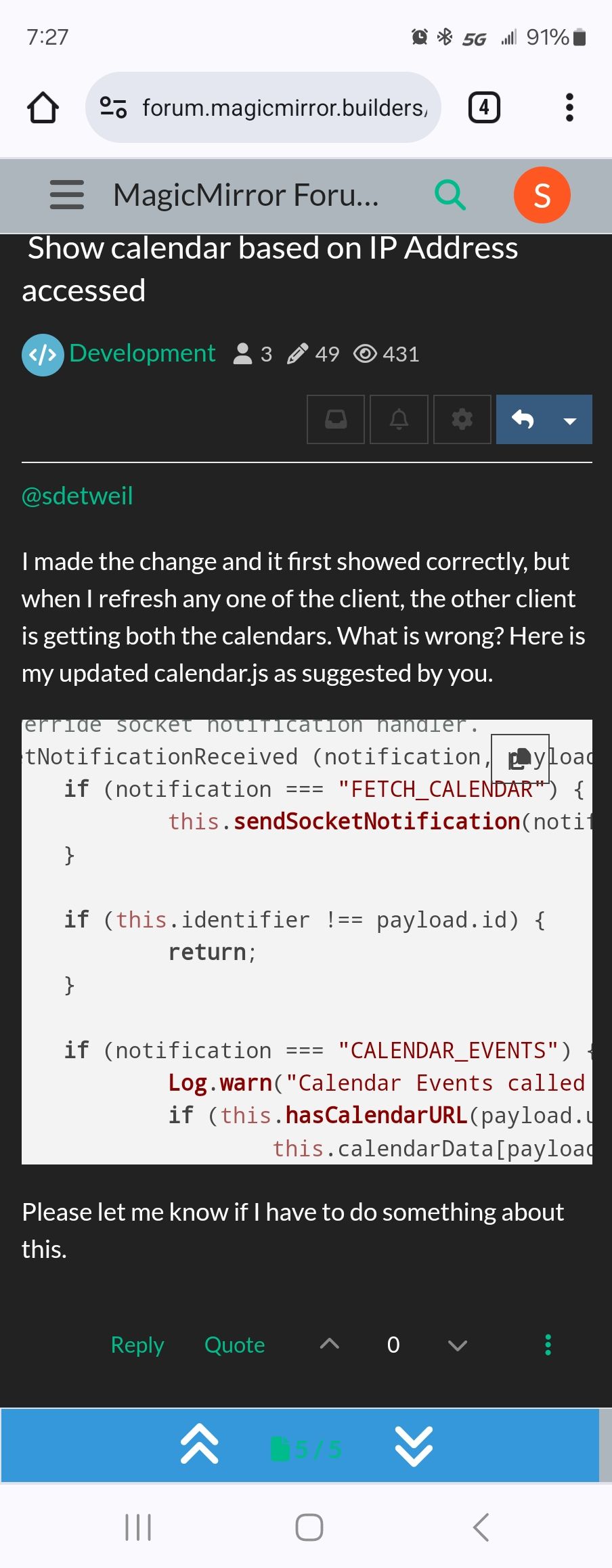
calendar sends its id down to its helper
and the helper sends the id back on response. as the response mechanism is a broadcast to all connected clients.
the clients then check to see if this response is for their request.
from code posted
also, please start using code block wrapper for all config, code and error postings
paste text into the message editor
empty line above and below
select that pasted text
hit the editor button </> -
Sorry for not explaining it clearly.
I have two clients, one from a browser using http://ip:8080 and another the native client.upon using pm2 start MagicMirror, I get the out put in native client and the browser properly showing their respective calendar.
If I hit refresh button on browser, browser is showing only its own calendar however the native client is displaying both the calendars (ie. its own and the one which is supposed to be shown in browser), If I hit Ctr-R on the native client, then browser is showing both the calendars while the native client is showing only its own calendar.
Also I don’t understand the following instructions, please explain what should I do
also, please start using code block wrapper for all config, code and error postings
paste text into the message editor
empty line above and below
select that pasted text
hit the editor button </> -
@Spinster said in Show calendar based on IP Address accessed:
don’t understand the following instructions, please explain what should I do
when creating a message here on the forum, if you are inserting code, config, or error text (like you did when u pasted the whole calendar.js, or the part of the module config)
do the instructions I gave
-
@Spinster I rejected your post (AND a second time) . I already fixed the prior
AND you left your unique info in the module info…anyhow…
found the issue… the ‘identifier’ is based on placement in config.js SO, it will be the SAME on both browsers… oops…
here are the two lines to fix
- in the socketNotificationReceived function
change this
		if (this.identifier !== payload.id) {
			return;
		}
to this
		if (this.identifier+(this.ourIPAddress?'_'+this.ourIPAddress:'') !== payload.id) {
			return;
		}
and 2.
in the addCalendar routine
change thisid: this.identifier,to this
id: this.identifier+(this.ourIPAddress?'_'+this.ourIPAddress:''), - in the socketNotificationReceived function
-
You did it! Excellent, I really appreciate your versatility and quick response.
Hope this shall become a feature for the calendar or any other modules if anyone has similar requirement and prefers it.
Sincere Thanks to you and gratitude for your effort and time~
-
@Spinster I don’t know if this will become a feature… but at least you know how to add it for your environment
if it was a feature, I would recommend adding the getip rest api call to the base MM code.I updated the prior code changes to include these latest , so its all in one place
it was a fun, thought provoking, exercise.
-
@Spinster another conversation highlighted another change required
and a bugI’ll update my code here later
oh, and to help you, you could fork the MagicMirror repo
and use it, adding this code,
and saving to the repo, so next update
you can sync the fork and git pull to your systemsorry my new phone and thumb don’t agree where the keys are… lol and correction never gets it right
-
I can’t thank you much for your sincerity in making it correct. Looking forward to the updated code.
I will try to contribute too in future like you.
Thank you once again. -
SO, the ‘bug’ is that this notification , added in pull request 2881 in
https://github.com/MagicMirrorOrg/MagicMirror/pull/2881
in August 2022
edit: I just opened issue 3443 for this problem
https://github.com/MagicMirrorOrg/MagicMirror/issues/3443socketNotificationReceived (notification, payload) { if (notification === "FETCH_CALENDAR") { this.sendSocketNotification(notification, { url: payload.url, id: this.identifier }); }added the code in the WRONG place… socketNotificationReceived is ONLY triggered by the node_helper sendSocketNotification,
NOT by other modules doing sendNotification
NO OTHER module can force a sendSocketNotification from our helperTHAT is notificationReceived… (which we JUST added for the 1st time… oops)
So,
remove thisif (notification === "FETCH_CALENDAR") { this.sendSocketNotification(notification, { url: payload.url, id: this.identifier }); }and move it to the notificationReceived() function
@sdetweil said in Show calendar based on IP Address accessed:
   notificationReceived(notification,payload){
 	if(notification === 'ALL_MODULES_STARTED'){
        }  else  if (notification === "FETCH_CALENDAR") {
        	this.sendSocketNotification(notification, { url: payload.url, id: this.identifier });
        }
and THEN we need to change the this.identifier to account for the ip based ID, so if some OTHER module
asks THIS calendar instance to refresh ITS data, it asks for the correct contentelse if (notification === "FETCH_CALENDAR") { this.sendSocketNotification(notification, { url: payload.url, id: this.identifier+(this.ourIPAddress?'_'+this.ourIPAddress:'') }); }I’ll add this to the other code, done … I’ll leave the explanation here
-
Perfect, I did this. Thank you so much for your timely help.
Now I am trying to do the same thing in MMM-CalendarEtx2. Because, I want a proper Month Calendar, which is not provided by Calendar.
Is there any module which can display two month calendar, since I searched in modules and could not find.
Thank you once again.
-
@Spinster ext2 is dead. use ext3, it uses the broadcast from the default calendar module which now is just those for this system
uh, hard to put up one wall cal view, 2 I don’t know.
remove position from default cal, it won’t display but will send it broadcast
-
Oh I did not know, but ext3, I don’t see an option to view a month calendar (not month schedule). I am looking for something like MMM-CalendarExtMiniMonth. Please let me know if this option is available
Hello! It looks like you're interested in this conversation, but you don't have an account yet.
Getting fed up of having to scroll through the same posts each visit? When you register for an account, you'll always come back to exactly where you were before, and choose to be notified of new replies (either via email, or push notification). You'll also be able to save bookmarks and upvote posts to show your appreciation to other community members.
With your input, this post could be even better 💗
Register Login