Read the statement by Michael Teeuw here.
[HOW_TO] MagicMirror as Desktop Wallpaper (all platform : updated)
-
Since MM 2.17 (2021-10-01), You can use your MM as Desktop wallpaper (like
Rainmeterof window). Easy.Environment
- MagicMirror >= 2.17
For MacOS / Linux
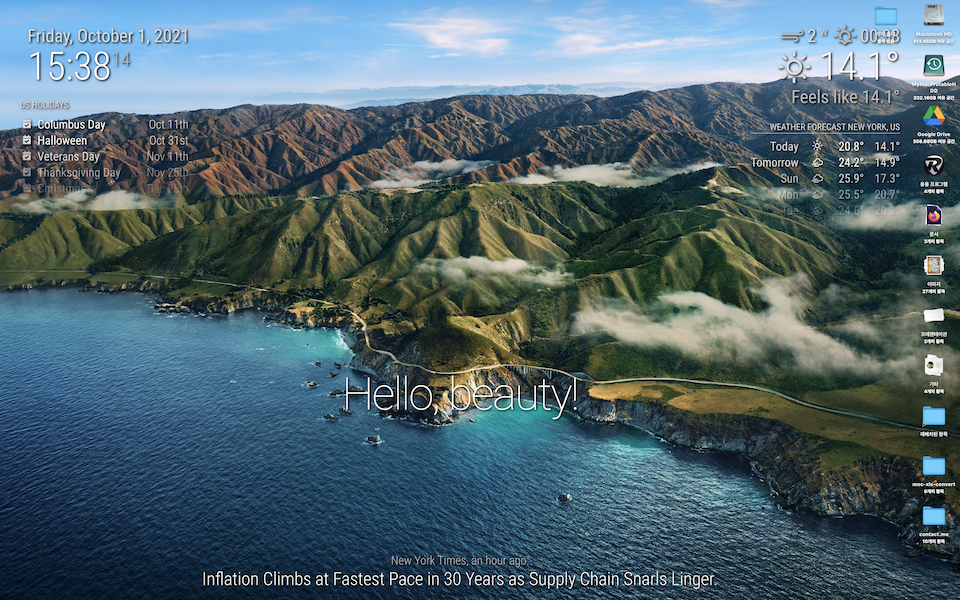
configuration
// in your config.js add these lines.
// (ADDED 2024-05-16) These lines should be placed inside of `config`, not end of file.
// I forgot to mention it because it seemed so obvious. Surprisingly, it seems to be misunderstood as appending these to the end of the file.


electronOptions: {
	width: 1920,
	height: 1200,
	fullscreen:  false,
	backgroundColor: '#00000000',
	titleBarStyle: 'none',
	frame: false,
	type: 'desktop',
	hasShadow: false,
	transparent: true,
	resizable:   false,
},
electronSwitches: ["enable-transparent-visuals"],
That’s all.
For Windows 10
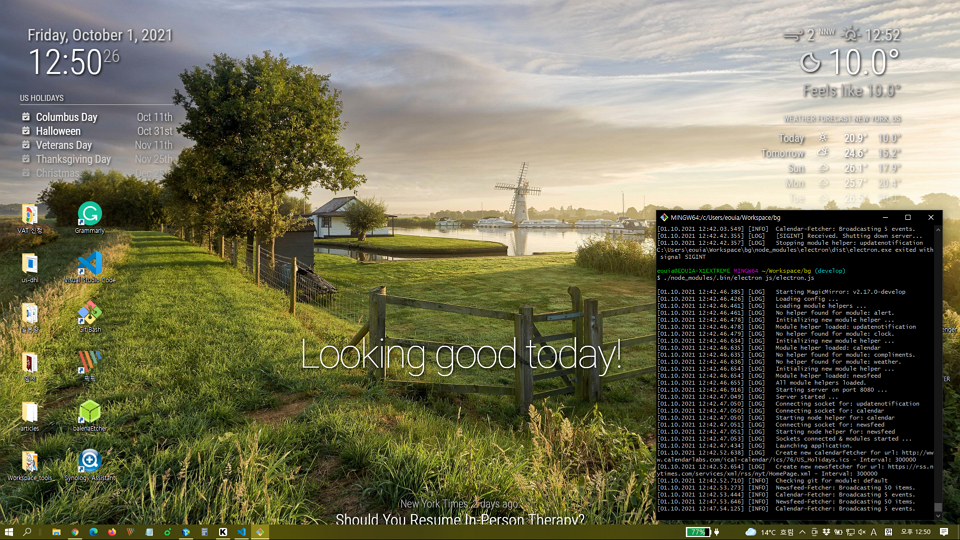
Requirements
- You might not have
python > 3.7andnode-gyp(It requiresVisual StudioTools to install). - So, Read this link and setup your environment. (Install Visual Studio things and python)
Install
Unlike Mac/Linux, for Windows, you need some hacks for preparation.
cd ~/MagicMirror # Your magicmirror directory
npm install --save electron-wallpaper-napi
# If fails, you might hava some issues about Visual Studio things. Read above;
Then, open
js/electron.jswith your editor, and add these two lines;//around line 7 ... const electron = require("electron"); const core = require("./app.js"); const Log = require("logger"); const electronWallpaper = require('electron-wallpaper-napi') // <-- Insert // Config let config = process.env.config ? JSON.parse(process.env.config) : {}; ...and
// around line 50
...
// Create the browser window.
mainWindow = new BrowserWindow(electronOptions);
electronWallpaper.attachWindow(mainWindow)  // <-- Insert
...
Configuration
// in your config.js add these lines.

electronOptions: {
	//width: 1920,
	//height: 1080,
	//x: 0,
	//y: 0,
	fullscreen:  true,
	backgroundColor: '#00000000',
	frame: false,
	type: 'desktop',
	transparent: true,
},
electronSwitches: ["enable-transparent-visuals"],
CSS
:root {
  --color-text: #DDD;
  --color-text-dimmed: #BBB;
  --color-text-bright: #fff;
  --color-background: rgba(0, 0, 0, 0);
 /* make fonts color brighter */

  --font-size: 2vh;
  --font-size-small: 0.75rem;

  --gap-body-top: 20px;
  --gap-body-right: 120px;
  --gap-body-bottom: 20px;
  --gap-body-left: 40px;
/* adjust margin for your screen */
}

* {
  text-shadow: 2px 2px 5px #000000; /* make text more readable on the background image */
}
replace or add this to contents of your
custom.css -
@mmrize Very nice
-
S sdetweil pinned this topic on
-
-
@doctorwhen
Interesting. I know pcmanfm can set desktop wallpaper with image, but is it possible also application to locate in background layer?Anyway, now we can do it natively since 2.17
-
@mmrize no, pcmanfm cannot run an application in the desktop background layer, just a wallpaper image. so, i take my comment back, i did not fully understand what you are talking about. but, now i want to try running magicmirror as my desktop background!
-
@mmrize Hello
i just tried it on Xubuntu, the background stay black for me and not transparent. so i can’t see my desktop icons anymore :(. -
@lexcyr
In the Linux environment, some additional options might be needed or modified (I mentioned it in README)
Anyway, you’ve said;so i can’t see my desktop icons anymore
It means, your MM is not placed on the
desktoplayer, butnormal applicationlayer. (And your transparent setting also doesn’t work)
I doubt you probably miss these;- Your MM might not be 2.17.
- Or your configuration was wrong.
-
Hello, thank for this !
I’ve followed configuration for linux, and i also had to add the custom css content to have transparency. It works well expect one issue: the mouse click don’t go through magicmirror, so i can’t click on folder/app on the desktop.
Is it normal, and am i supposed to only use the menu to launch app or am i missing something ? I looked on the electron documentation but i didn’t found answer to this…
Thanks for your help
-
I’ve tested MacOS and Windows, but not Linux, sorry. But Electron Manual says
type: 'desktop'options would work on Linux Environment too.
What kind of Linux are you using? -
@OscarVsp
You can check whether MM is really ‘most-bottomed’. Adjust some CSS to check whether MM is “COVERING but just transparent” against other icons or applications. -
- Non-X-11 based Linux Desktop might not work.
- This behaviour may severely be dependent on the platform, so in some environment, it might not work.
- When some OTHER application occupies the “most-bottomed position” later, MM might be expelled to the foreground. I’m not sure.
-
S sdetweil referenced this topic on
-
Just for confirmation about still-working. (2024-05-16)
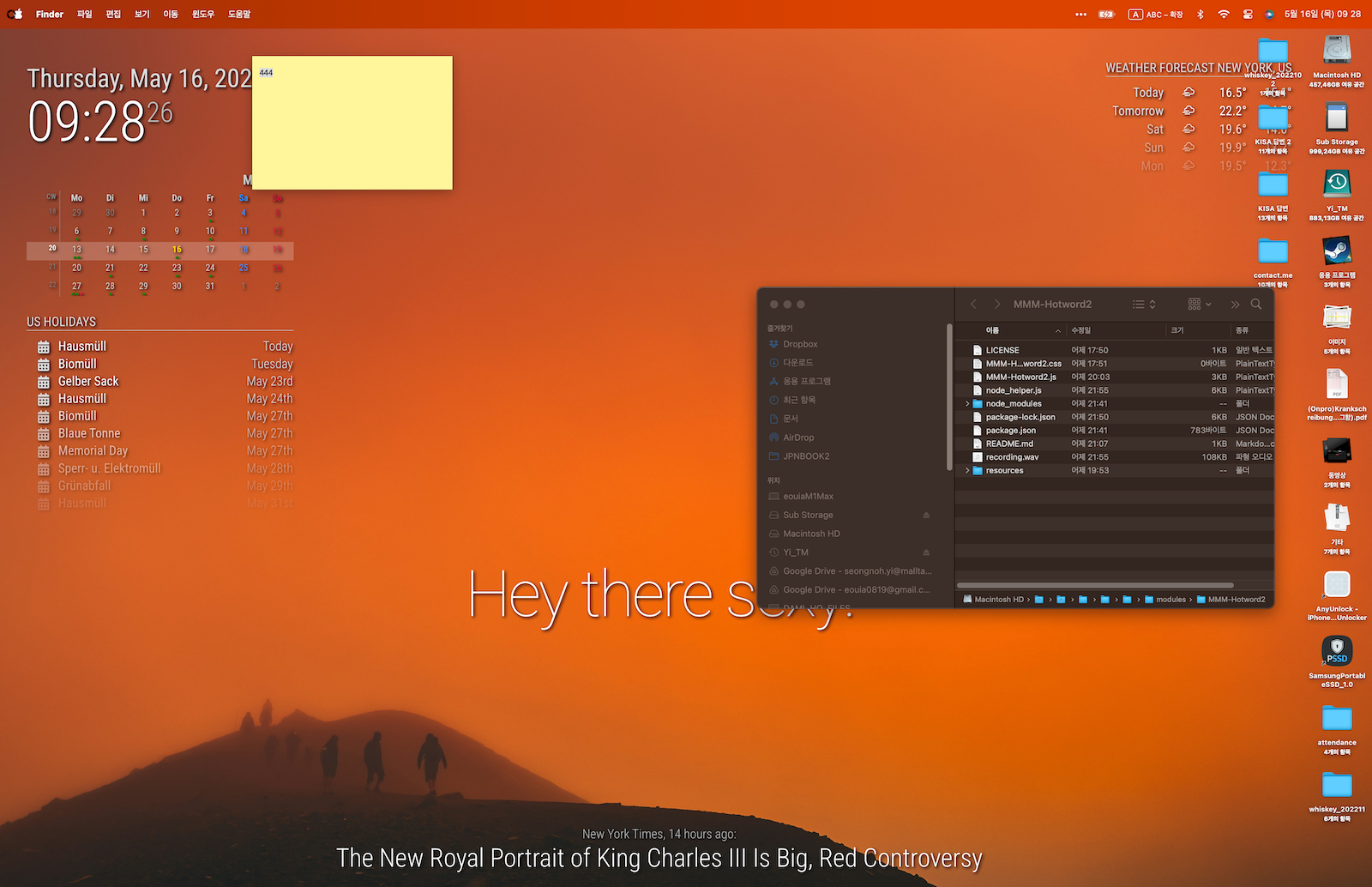
Both
electronOptionsandelectronSwitchesto be added must reside within theconfigvariable inconfig.js. I didn’t mention it because it seemed obvious. Surprisingly, it seems to be misunderstood as adding this to the end of the file. -
@MMRIZE
I tried to figure out what and how to make this work. Wow, way above my abilities.
Can you make a script for all of it so, us dummies can use it? -
@plainbroke which environment are you using?
-
@MMRIZE
MM latest and windows 10 -
@plainbroke can you install MM on your windows and be able to run it? Or should we start from there?
-
@MMRIZE
Do you know whether the install script developed and maintained by @sdetweil would install on various specified versions of Windows [E.G. Win7, Win 8, Win 8.1, Win 10 or Win 11]? if that script will install on the various implementations of Windows, that would likely solve this question of how to do it. -
@JohnGalt
To be honest, I always install MM on various env, manually by myself. Never with his script. So my experience will not be helpful.
Anyway,
Even in windows (I installed MM many times on Windows) it is always same.- Install git-bash
- Install nvm-for-windows, then install node js through it.
- Make a working directory for MM on git-bash terminal.
- Clone repository of MM on that directory with git command.
- Edit some path in package.json for Windows.
- execute
npm install. - Make config.js, custom.css
- For fonts and bundle, install them.
Well, For me it’s not difficult at all but I recommend @sdetweil ‘s script for beginners. As far as I know, it will work on all Windows version.
-
@JohnGalt the script does NOT work on windows… it is bash only
but install on windows is easy too…
(well, node and npm excluded)
the doc has the steps
open a command prompt (cmd.exe)
use nvm to install node version needed
https://docs.magicmirror.builders/getting-started/installation.html#other-operating-systems -
@MMRIZE no NOT need git bash
MM runs under cmd.exe just fine



Hello! It looks like you're interested in this conversation, but you don't have an account yet.
Getting fed up of having to scroll through the same posts each visit? When you register for an account, you'll always come back to exactly where you were before, and choose to be notified of new replies (either via email, or push notification). You'll also be able to save bookmarks and upvote posts to show your appreciation to other community members.
With your input, this post could be even better 💗
Register Login