Read the statement by Michael Teeuw here.
MagicMirror With Face Recognition
-
This is my first Magic Mirror project. Here’s a video of how it looks when it’s running:
https://youtube.com/shorts/tneDVz6mku8It utilizes the following existing modules with slight modifications and styling
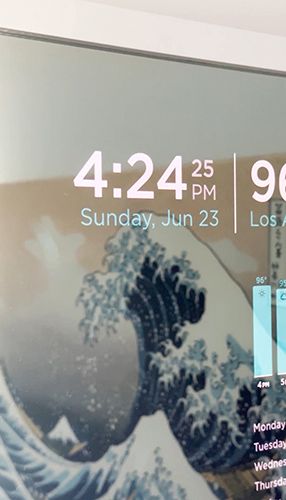
Clock
Used as is with some CSS styling
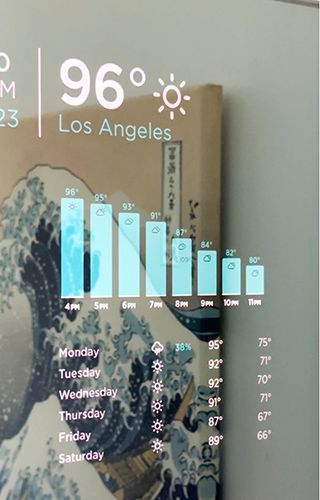
Weather
Adjusted the layout and styling of the module and added the hourly forecast section
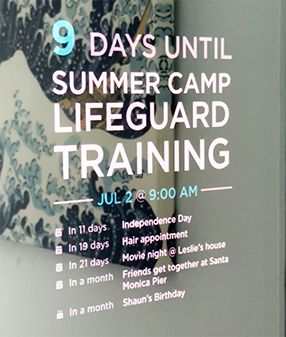
Calendar
Adjusted the layout and styling of the module to highlight the first item in the calendar.
MMM-Videoplayer
Used this module to display a new ASL video each day from a library of videos stored locally. The playing of the video is controlled through the gesture sensor.

MMM-GroveGestures
Uses the GroveGesture Sensor(PAJ7620u2) to register a swipe which activates the ASL sign of the day module. Currently this is the only swipe gesture being used.MMM-Face-Recognition-SMAI
Uses a Camera Module 3 and Open CV to recognize faces and then sends an HDMI CEC command to turn the screen on or off.The face recognition was one of the most difficult parts because, while the module is fairly simply, it assumes that you’ve installed OpenCV and trained a face recognition model which took me a bit of research and few tries to figure out and get right. Overall I’m pretty happy with the outcome.
Hardware
(updated since I forgot to post it originally)- Raspberry Pi 4
- Raspberry Pi Camera Module 3 (used for face recognition)
- GroveGesture Sensor (Used for swipe commands)
- I think the mirror was originally from IKEA. I swapped out the mirror with a piece of MirrorView glass
-
@mchan Do you use reco-SMAI to provide different modules to different users like reco-dnn?
-
@sdetweil Not currently. Right now it is just used to turn the screen on when it detects a recognized user and then turn the screen off when no recognized users are present. It can definitely be used to display different modules per user but I’ve not had the time to put additional modules in place.
-
@mchan cool.
-
Really great and unique idea!
-
This looks pretty cool. Nice work with the styling.
Can you let me know which hardware you are using? Like the sensors and where is MM running on? -
Nicely done!
What computer hardware are you using? RPi5? -
-
@mchan hi man, is awesome mirror.
Can you explain how you did it with opencv?
i get to the point of installing that and then i stop and it messes up the system and i have to do it all over again every time. i use an rpi4 and now i have a v3 camera, before i had a v2 camera.
thank you for answer me -
Get a GitHub and share that config! Wow!
-
@monark MMM-FaceReco-DNN has the whole setup to use CV and face database
-
@sdetweil my cmd error
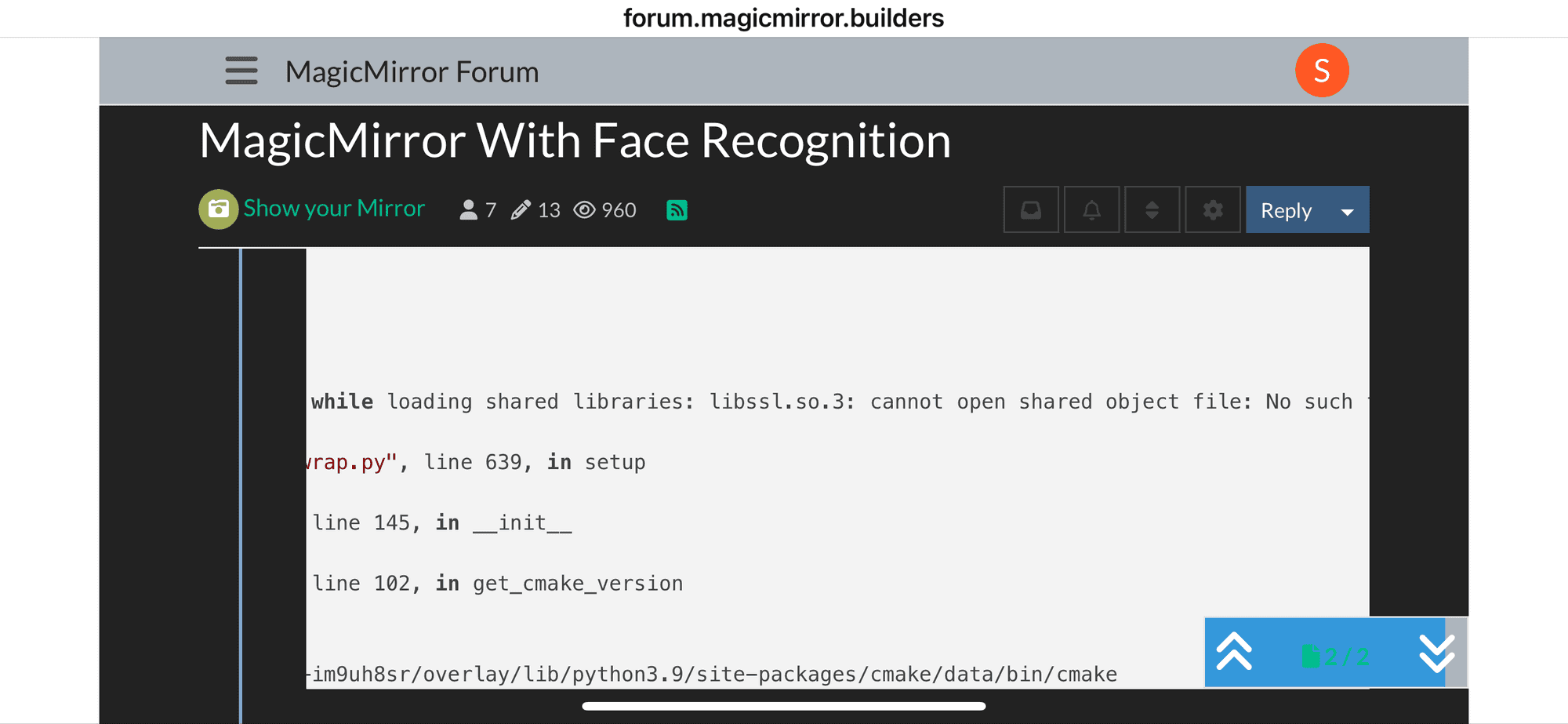
pip install face-recognition numpy dlib picamera2 opencv-python Looking in indexes: https://pypi.org/simple, https://www.piwheels.org/simple Collecting face-recognition Downloading https://www.piwheels.org/simple/face-recognition/face_recognition-1.3.0-py2.py3-none-any.whl (15 kB) Requirement already satisfied: numpy in /usr/lib/python3/dist-packages (1.19.5) Collecting dlib Downloading https://www.piwheels.org/simple/dlib/dlib-19.24.6-cp39-cp39-linux_armv7l.whl (3.4 MB) |################################| 3.4 MB 1.3 MB/s Requirement already satisfied: picamera2 in /usr/lib/python3/dist-packages (0.3.12) Collecting opencv-python Downloading opencv-python-4.10.0.84.tar.gz (95.1 MB) |################################| 95.1 MB 59 kB/s Installing build dependencies ... done Getting requirements to build wheel ... done Preparing wheel metadata ... done Requirement already satisfied: Pillow in /usr/lib/python3/dist-packages (from face-recognition) (8.1.2) Collecting face-recognition-models>=0.3.0 Downloading https://www.piwheels.org/simple/face-recognition-models/face_recognition_models-0.3.0-py2.py3-none-any.whl (100.6 MB) |################################| 100.6 MB 83 kB/s Requirement already satisfied: Click>=6.0 in /usr/lib/python3/dist-packages (from face-recognition) (7.1.2) Requirement already satisfied: v4l2-python3 in /usr/lib/python3/dist-packages (from picamera2) (0.3.2) Building wheels for collected packages: opencv-python Building wheel for opencv-python (PEP 517) ... error ERROR: Command errored out with exit status 1: command: /usr/bin/python3 /tmp/tmpxl4fq1u5_in_process.py build_wheel /tmp/tmpdgg843yi cwd: /tmp/pip-install-681jn0xe/opencv-python_e610009f30624d9ea2b1e3ef82a9824f Complete output (11 lines): patching file opencv/3rdparty/openexr/IlmImf/ImfSystemSpecific.cpp /tmp/pip-build-env-im9uh8sr/overlay/lib/python3.9/site-packages/cmake/data/bin/cmake: error while loading shared libraries: libssl.so.3: cannot open shared object file: No such file or directory Traceback (most recent call last): File "/tmp/pip-build-env-im9uh8sr/overlay/lib/python3.9/site-packages/skbuild/setuptools_wrap.py", line 639, in setup cmkr = cmaker.CMaker(cmake_executable) File "/tmp/pip-build-env-im9uh8sr/overlay/lib/python3.9/site-packages/skbuild/cmaker.py", line 145, in __init__ self.cmake_version = get_cmake_version(self.cmake_executable) File "/tmp/pip-build-env-im9uh8sr/overlay/lib/python3.9/site-packages/skbuild/cmaker.py", line 102, in get_cmake_version raise SKBuildError(msg) from err Problem with the CMake installation, aborting build. CMake executable is /tmp/pip-build-env-im9uh8sr/overlay/lib/python3.9/site-packages/cmake/data/bin/cmake ---------------------------------------- ERROR: Failed building wheel for opencv-python Failed to build opencv-python ERROR: Could not build wheels for opencv-python which use PEP 517 and cannot be installed directly -
@sdetweil maybe the problem is i have libcamera-still (rpi4, bulleye, 32bit, camera v3)
-
@monark library missing
-
@sdetweil it’s strange because I’ve updated everything
-
@sdetweil i try with sudo apt install libssl.so.3 but not working “impossible find the packet”
-
@monark google search
-
@monark the collection of dependencies is not complete, don’t know where it got dropped
-
@sdetweil change to opencv-python from opencv-python-headless…
I’m try to find with google but it seems they are talking about something else (SSL). anyway you recommended me to use this form because it explained how to install and it was easier… -
@monark said in MagicMirror With Face Recognition:
and it was easier
I didn’t say perfect… opencv setup is a pain in the rear


Hello! It looks like you're interested in this conversation, but you don't have an account yet.
Getting fed up of having to scroll through the same posts each visit? When you register for an account, you'll always come back to exactly where you were before, and choose to be notified of new replies (either via email, or push notification). You'll also be able to save bookmarks and upvote posts to show your appreciation to other community members.
With your input, this post could be even better 💗
Register Login