Read the statement by Michael Teeuw here.
start on reboot
-
@KirAsh4 Thank-you for adding to my knowledge again!!
-
Part of the reason for the auto starting is that occasionally, npm will die, and having the auto restart will take care of that as well.
-
@KirAsh4 Well, it must be working well because it has been 12 hours and it is still going strong. However, I don’t know how many times pm2 had to restart it. Either way, my perception is that it is working fine. Thanks again.
-
Log into your rpi and execute
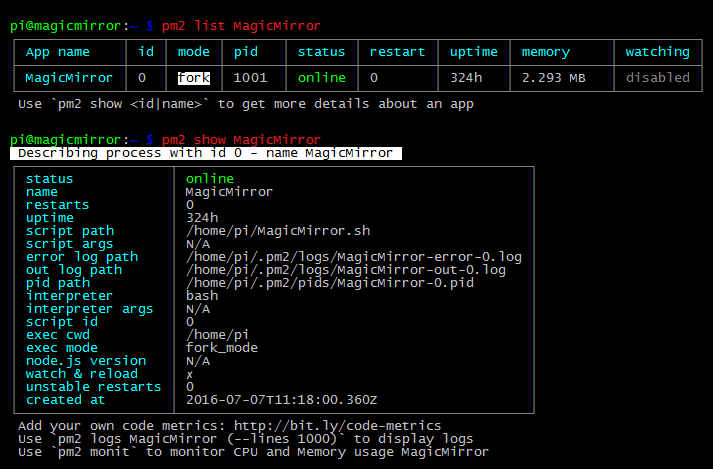
'pm2 list'to list all running pm2 tasks. If you have a bunch of them, then add the task name, like'pm2 list <TASK NAME>'.If you want more info on a specific task, execute
'pm2 show <TASK NAME>'.You’ll get info screens like this:
-
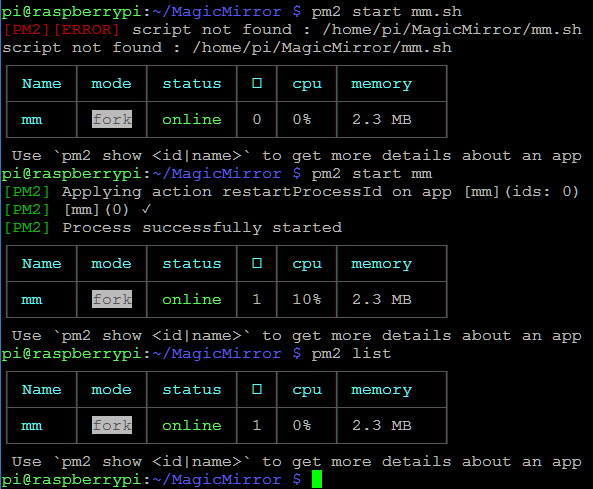
@KirAsh4 Thanks for the screenshots. I’m having trouble with mine starting after a reboot too and when I run pm2 list, it does not show a PID even though MM is working. Is that why it won’t start on reboot?
-
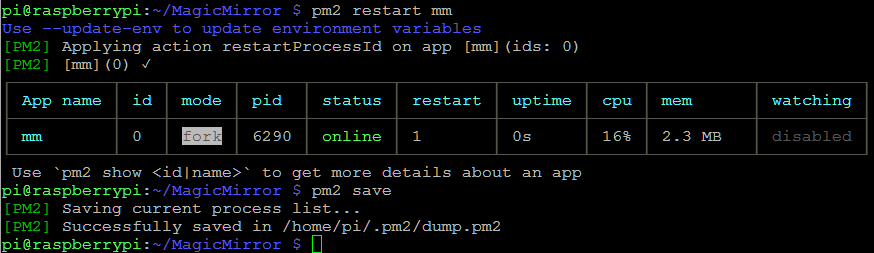
OK, did pm2 restart mm and now have a better result. Am I right to issue pm2 save after that?
-
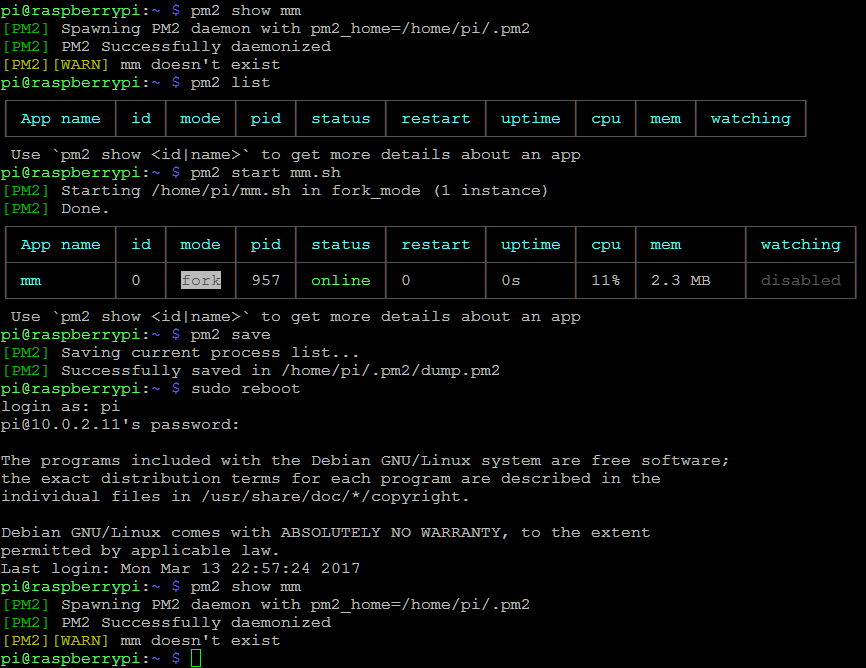
OK, here seems to be the problem after a reboot; MM doesn’t exist. Anyone help with that?
-
I think the reason why you get the “MM doesnt exist” error is just because the script isnt running.
You are asking pm2 to show you status of a process that doesn’t exist. So this error is not the problem, but just a symptom of the fact that pm2 doesnt start mm.sh after reboot as it should. . Hope that makes sense.
From what i can see on your screenshots, you seems to be doing it correctly so i dont know why pm2 will not start mm.sh for you. Sorry
-
I have the same problem after a new Installation.
I do all how is documented in the Auto Starting MagicMirror GitHub PageAny help will be nice :-)
-
OK for all newbies and dummies like me ;-)
The ‘pm2 startup’ on the beginning is very important !!
Thanks
-
With the pm2 startup you are not ready.
Read the output and copy and paste the command that is the most made mistake.
-
@charley
Maybe you are right!
But for me that was the reason wy it is not starting. I forgot this at first. ;-)
Of course you should do everything in order. Then it works.
Hello! It looks like you're interested in this conversation, but you don't have an account yet.
Getting fed up of having to scroll through the same posts each visit? When you register for an account, you'll always come back to exactly where you were before, and choose to be notified of new replies (either via email, or push notification). You'll also be able to save bookmarks and upvote posts to show your appreciation to other community members.
With your input, this post could be even better 💗
Register Login