Read the statement by Michael Teeuw here.
MMM - Spotify
-
Hello
your module is great, really great.
I would like it to be displayed only for some device, could you help me?
Thanks in advance.
-
For several devices I have to put a comma and [“XXXX”]?
Yes.
["My iPhoneXI Pro", "DESKTOP-ABCD", "RASPOTIFY"].The Spotify logo, does not disappear?
You can hide it by CSS or change the logo image file to what you want.
-
@ELMAGO said in MMM - Spotify:
I would like it to be displayed only for some device, could you help me?
could you explain that a little more please
-
Hello
I would like that if the name of the device is for example, DESKTOP-GLTBMFB as on the image, the module does not appear.
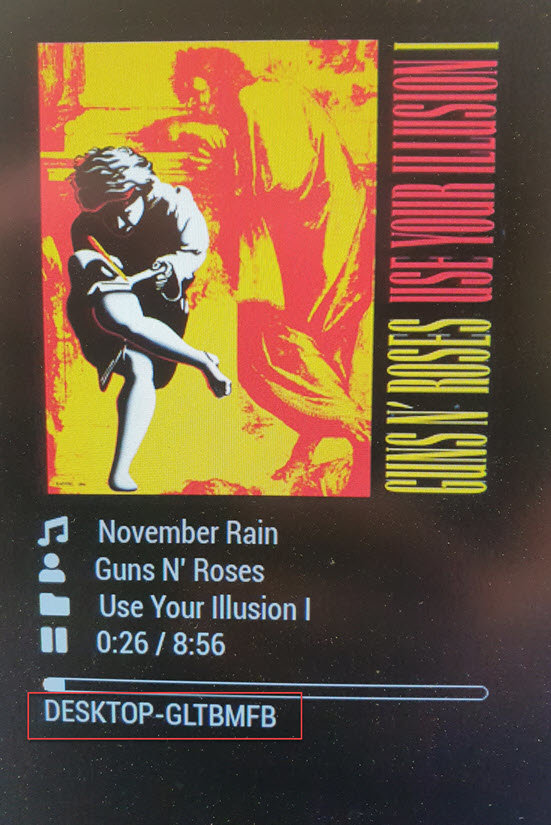
-
@ELMAGO Ok… let me feed that back…
you have multiple devices capable of playing spotify music, and you would like to prevent/limit the active playing display to just certain devices (your phone, but not your teenagers for example).
-
@sdetweil said in MMM - Spotify:
you have multiple devices capable of playing spotify music, and you would like to prevent/limit the active playing display to just certain devices (your phone, but not your teenagers for example).
Indeed, I have several devices. I use my computer at work, for example, and I do not want it to work on my MagicMirror at home.
-
@ELMAGO got it… I don’t know how to solve the problem, but didn’t understand your need at the beginning.
-
@sdetweil said in MMM - Spotify:
got it… I don’t know how to solve the problem, but didn’t understand your need at the beginning.
ok thanks
-
Isn’t this working?
-
I did not use this module in fact, I install it and I come back to you.
Thank you -
@Sean
I just finished the installation.
If I do not put anything in this option, I see what Diffuse Spotify, but if I use this option :{
module: “MMM-Spotify”,
position: “top_center”,
config: {
style: “default”, // “default” or “mini” available
control: “hidden”, //“default”, “hidden” available
updateInterval: 100,
onStart: null, // disable onStart feature withnull
allowDevices: [“Galaxy S10”], //If you want to limit devices to display info, use this.
// allowDevices: [“RASPOTIFY”, “My iPhoneX”, “My Home speaker”],
}
},I have the Spotify logo but that’s it.
An idea ?
-
@ELMAGO
any of your spotify player needs to be turned on. did u install raspotify? -
@Sean
Hello,
a player was running, the Galaxy S10 precisely.
I just want to make a display of the music that passes on some players.
Why need Raspotify?
-
@ELMAGO
if u has no need to play spotify on rpi, raspotify is not required.
anyway, to get current spotify playback info, one of your spotify player(galaxy s10) should be activated already before MMM-Spotify. The module doesn’t know which player is available until the player is activated. -
@Sean said in MMM - Spotify:
if u has no need to play spotify on rpi, raspotify is not required.
anyway, to get current spotify playback info, one of your spotify player(galaxy s10) should be activated already before MMM-Spotify. The module doesn’t know which player is available until the player is activated.ok, I understand and I do not want to play spotify on this Rasp, I just want a display of music that passes on some players. So why when I do not restrict devices and change device, the module detects it well, whereas when I restrict it there is no display.
-
Someone will have an idea?
-
@ELMAGO
I’ve updated, Update module and try again.{ module: "MMM-Spotify", position: "bottom_right", config: { allowDevices:["My iPhoneXI Pro"], // < - Change this to your device name. } }, -
@Sean
Hello
and thank you, how to update the module?
-
@ELMAGO
git pullin MMM-Spotify directory. -
This post is deleted! -
@Sean
Hello
it’s perfect, great. For several devices I have to put a comma and [“XXXX”]?
The Spotify logo, does not disappear?
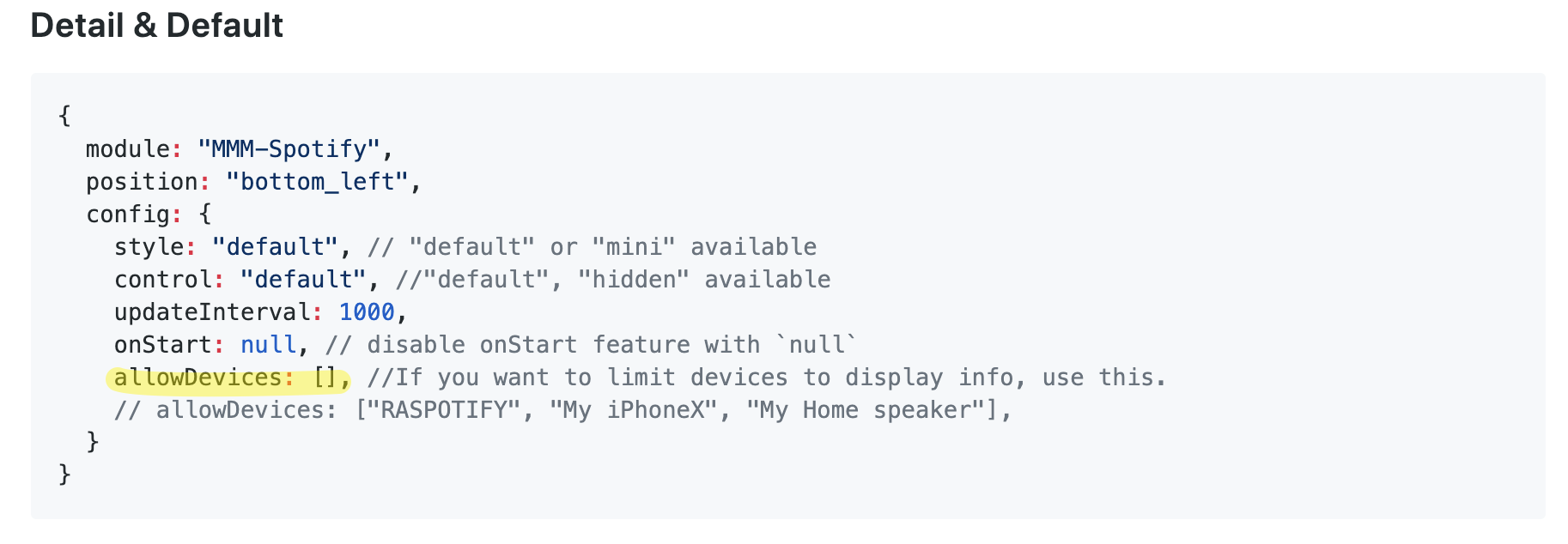
Hello! It looks like you're interested in this conversation, but you don't have an account yet.
Getting fed up of having to scroll through the same posts each visit? When you register for an account, you'll always come back to exactly where you were before, and choose to be notified of new replies (either via email, or push notification). You'll also be able to save bookmarks and upvote posts to show your appreciation to other community members.
With your input, this post could be even better 💗
Register Login