Read the statement by Michael Teeuw here.
MMM-Multimonth
-
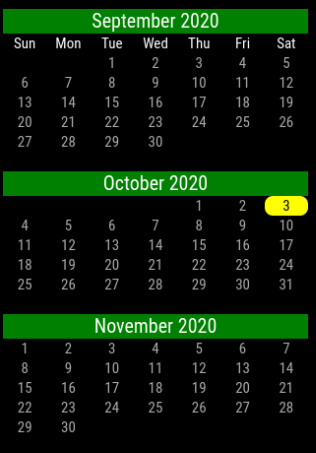
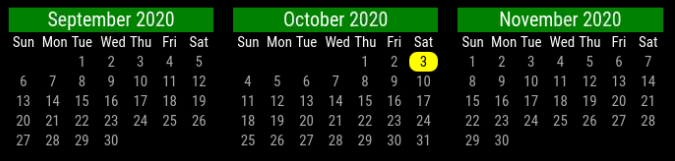
MagicMirror Module to display a calendar with multiple months
A mini-calendar with as many months as the user wants, assuming screen space is available.
Download
https://www.github.com/BKeyport/MMM-Multimonth
[card:BKeyport/MMM-Multimonth]Installation
Clone this repository in your ~/MagicMirror/modules/ folder ( $ cd ~MagicMirror/modules/ ):
git clone https://github.com/BKeyport/MMM-Multimonth.gitUsing the module
To use this module, add it to the modules array in the config/config.js file:
{
  module: 'MMM-Multimonth',
	position: 'top_left', // can be any of the postions
	config: { // Optional - will default to 3 months, with one previous and one next.
	  startMonth: -1, // Define when you start from current month (negative is before current, zero is current, positive is in future)
         monthCount: 3, //  How many months to display
         highlightWeekend: false // highlightWeekend if desired, set to true.
	}
}
Many thanks to kirash for the inspiration with the monthly_calendar module, sdetweil and lavolp3 for the help in coding and CSS work. Without your help, this would just be a pipe dream.
This is a basic module, but I felt it was good enough for release to the public.
Please, if you have any suggestions for improvement, let me know, I’m learning Javascript and CSS as I write this, and I dream of much bigger things.
~~Localization is provided by moment.js and controlled by the master language of MagicMirror. Please file any errors with localizations as bugs with the moment.js team - https://github.com/moment/moment/~~
Please see github for version info and further instructions.
The “E” in “Javascript” stands for “Easy”
-
@BKeyport this is great! Thank you. Is there a way to change the colors?
-
@BKeyport I would like to know as well if the header color can be changed.
-
yes. It’s all in CSS. Take a look at the CSS file in the directory, and copy over to your custom.css
-
@BKeyport Great MMM, exactly what I was looking for! :winking_face: Can the first day of the week be changed to monday?
-
@PH1TCH It’s in the notes I haven’t figured out how to do this yet. Everything I’ve tried has failed due to API issues. I’m cracking on it when I can. My business takes priority, and we’ve been extended out due to this whole virus thing.
-
@BKeyport Okay, thanks for the update!
-
Hello, how can I change the color from grey (days+numbers) from grey to white?
-
@Werner1340 That’s actually a magicmirror default. I believe it’s getting it from here:
.normal { color: #999; } -
@BKeyport Hm, i found that code in the main.css and changed the color to #fff.
…still grey color in calendar. ;-). any more Ideas? -
found it!
in main.css change:
body {
…
…
color: #fff
…
…
thx for the hint :-)) -
Werner: Don’t ever change main.css
use custom.css instead.
-
UPDATE:
I’ve pushed this to 0.9. Module now will change start of week fully.
Localization including start of week is provided by moment.js - translation errors and/or start of week issues (example: they have it on Sunday, but it should be Saturday) should be reported to them. https://github.com/moment/moment/
Thanks!
-
Update:
Now at 0.95 - Change of start of week was backwards. Whoops.
Localization still is provided by moment.js, data from it on start of week.
-
Updates:
0.99 - Thanks to Volker Wegert (Danke sehr!) - the code has become a lot more flexable and functional. He rewrote my work rather dramatically, and I absolutely love it.
1.00 - Tweeks here and there to standardize.
-
Update:
1.10 - Added leading and trailing months when 1 month is selected per user request.Forgot to mention, from 0.99 forward, new CSS system, color changes are now handled under my own CSS names.
Please see the CSS file for examples - but remember, please put your changes in custom.css.
-
This post is deleted! -
Please add this to your custom.css - I’ll test it and see if it works for global action, then update with next release.
-
Hi,
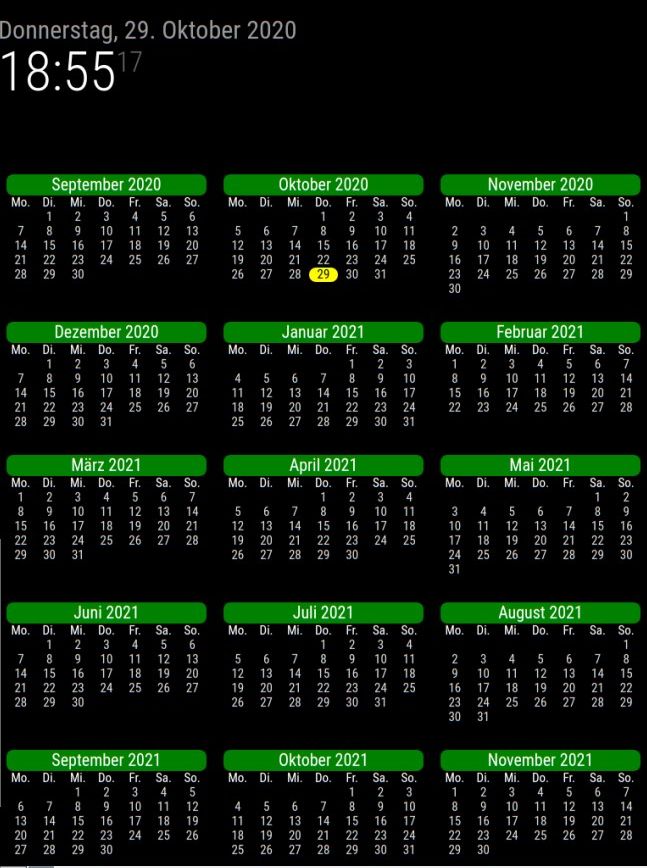
i like this module. i have a double display and show the whole year on 1 screen.
My question:
Is it possible to highlight the school holidays for my wife :-) ?greetings and thanks for this module !
-
This post is deleted!

Hello! It looks like you're interested in this conversation, but you don't have an account yet.
Getting fed up of having to scroll through the same posts each visit? When you register for an account, you'll always come back to exactly where you were before, and choose to be notified of new replies (either via email, or push notification). You'll also be able to save bookmarks and upvote posts to show your appreciation to other community members.
With your input, this post could be even better 💗
Register Login