Read the statement by Michael Teeuw here.
magic mirror 2 config.js file
-
after downloading the magicmirror2 onto my raspberry pi, i wanted to customize the compliments. i read that i’m supposed to edit the config.js file, but i can’t seem to find the file in the magic mirror folder? all i have in the config folder is config.js.sample.
-
@sdetweil ohhhhh okay i get it. i’ve tried to edit the actual magicmirror folder (i think i might’ve had 2 or 3) and now it works! thank you so much for all your help :) i appreciate it!
-
@elaineezhu Make a copy of the config.js.sample file and name the copy config.js. Then you can edit the config.js file as needed.
-
@elaineezhu the instructions for manual install say to copy the sample
In the config folder do
cp config.js.sample config.js -
@cskenney i’ve done that, but i can’t seem to change the compliments displayed. i’ve also customized the compliments from the compliments folder, but magicmirror2 shows the default compliments?
-
@cskenney do you think it has anything to do with the fact that i’m using a macbook terminal and not a monitor and keyboard?
-
@elaineezhu maybe a superficious question from my side, but have you checked the module description for compliments?
This gives you all options how to configure the module. You don’t need to customize the module itself. All configurations are done in config.js.And no, using the Mac terminal and connect to MM via ssh is just good! This is how I configure my MM all the time.:smiling_face_with_smiling_eyes:
Maybe you can post us, what you want to achieve (or how you want to adjust the compliments) and provide your current config or compliments looks. That would lever the chance to provide you concise help.
Edit: I forgot to mention…when you make changes to config.js the MM has to be restarted. Either this is done automatically when you installed MM via @sdetweil script (what I highly recommend!) or you enter in terminal
pm2 restart all(given that MM is controlled by pm2)
-
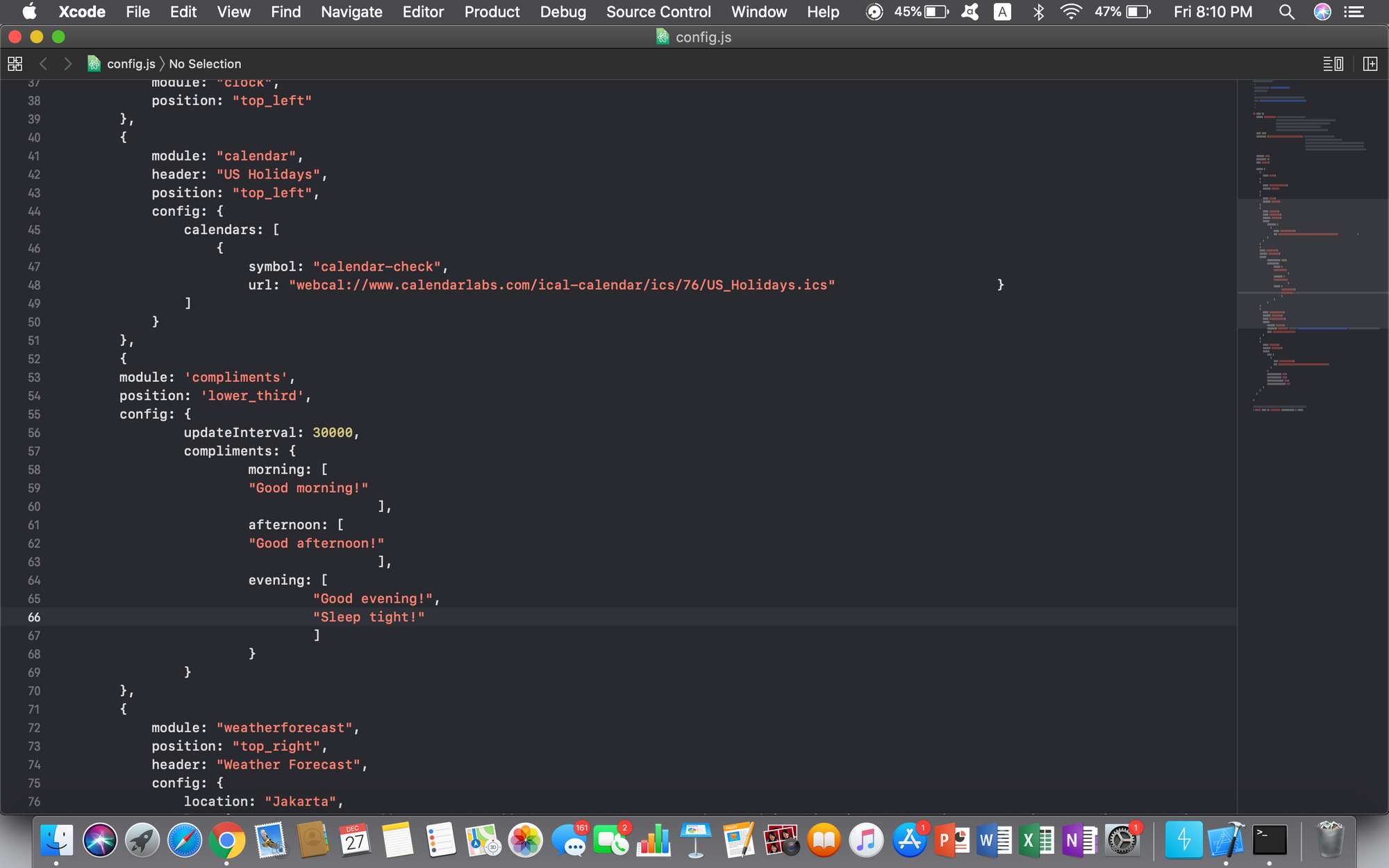
@Fozi i’ve tried editing the compliments in the config.js file, but MM won’t run those compliments, even after restarting it. attached is what is displayed and the config.js code i edited.

-
@elaineezhu that all looks good… where is that config.js file located? it MUST be in the
~/MagicMirror/config folder -
@elaineezhu it looks to me like you may need to use quotes (“) around module name and position instead of apostrophe (‘). I can’t verify this makes a difference because I am not able to test it.
-
@cskenney single or double quote is ok, long as they are the same
-
@sdetweil good to know. Thanks!
-
@sdetweil yeah it’s in the config folder, but it still won’t run, as shown in the pictures attached
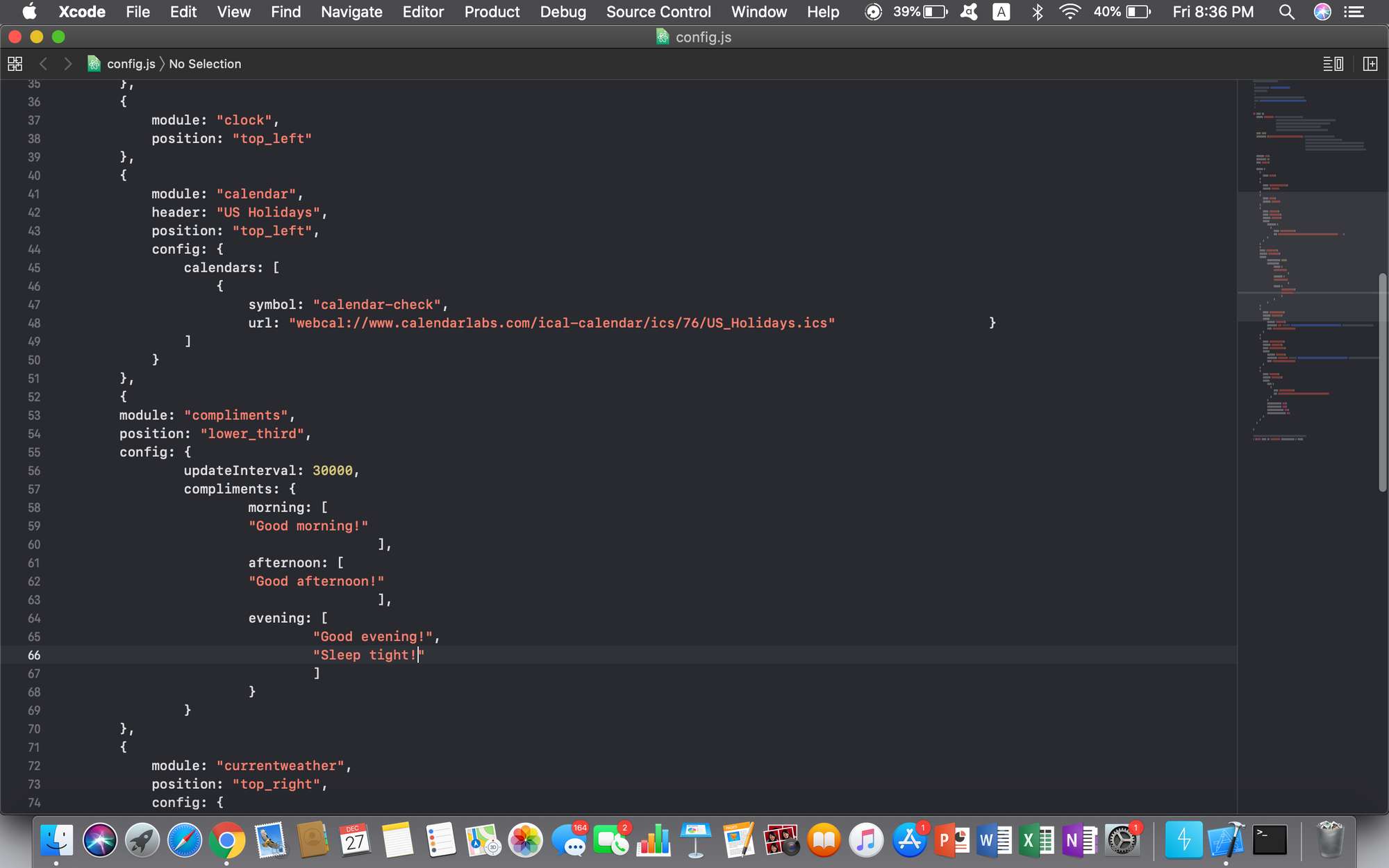
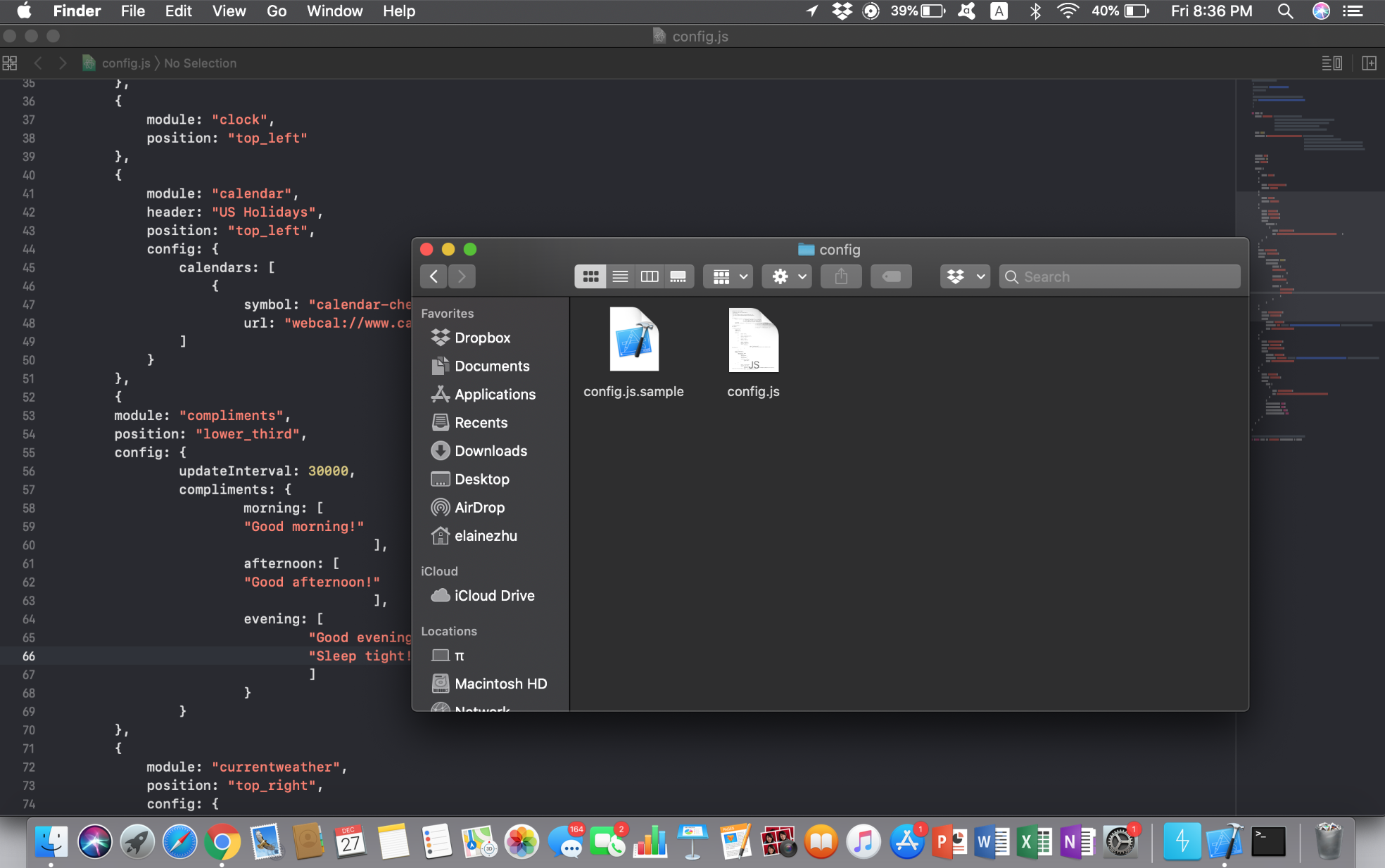
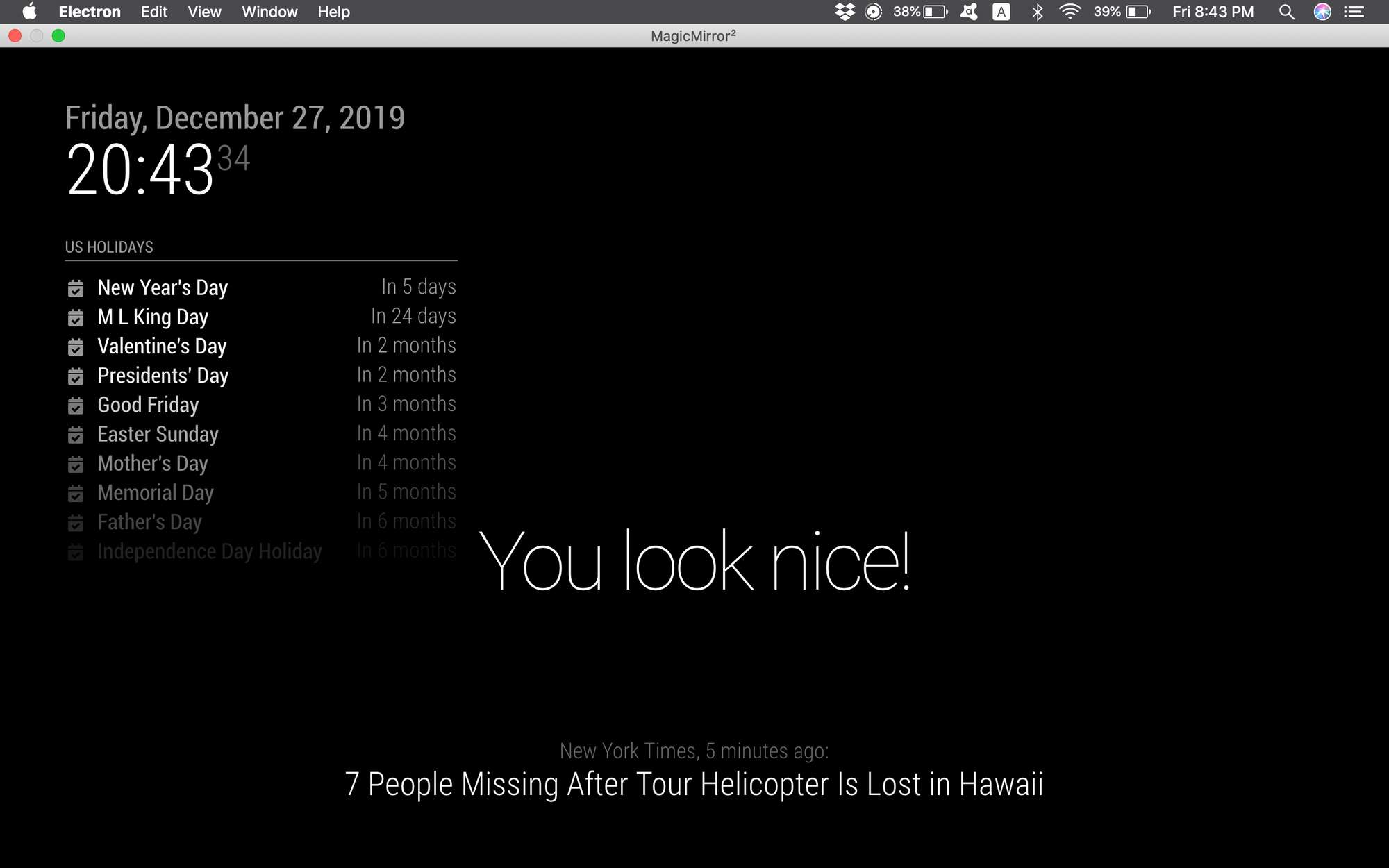
perhaps i’m rerunning magic mirror wrongly? if so, what’s the correct command line to run it?
-
@elaineezhu i built a matching config and it works fine…
if using pm2, then pm2 restart 0
if not using pm2 thencd ~/MagicMirror npm start -
@sdetweil hm, i’ve done that but the compliments displayed are still the default one, even after editing the code.
-
@elaineezhu can u do a pm2 status ?
even after editing the code.
what does that mean? config/config.js or modules/default/compliments/compliments.js?
-
is MM running ON the mac?
-
@sdetweil editing the code as in editing the config.js file.
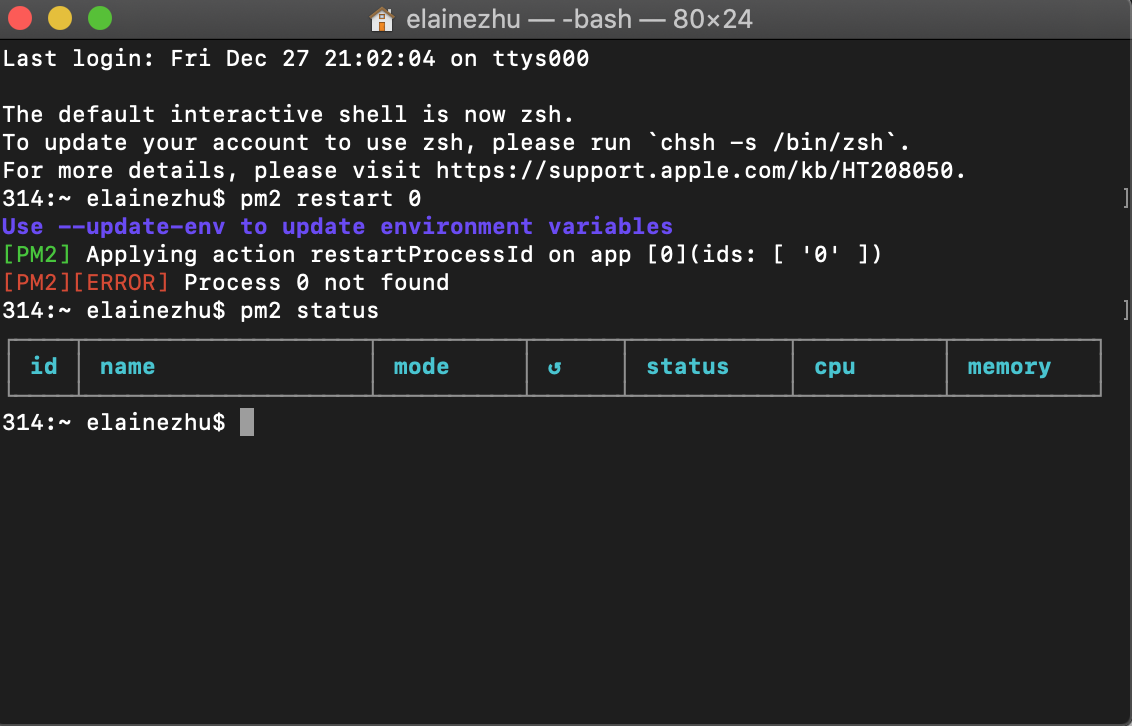
that’s what happens when i do pm2 restart 0 and pm2 status -
@elaineezhu ok, no pm2 setup for this machine
so you would do the other approach
cd ~/MagicMIrror npm start -
@sdetweil i think so? it’ll open in electron
-
@elaineezhu how did you do the install? manually or one of the scripts?

Hello! It looks like you're interested in this conversation, but you don't have an account yet.
Getting fed up of having to scroll through the same posts each visit? When you register for an account, you'll always come back to exactly where you were before, and choose to be notified of new replies (either via email, or push notification). You'll also be able to save bookmarks and upvote posts to show your appreciation to other community members.
With your input, this post could be even better 💗
Register Login