MagicMirror Forum
    • Recent
    • Tags
    • Unsolved
    • Solved
    • MagicMirror² Repository
    • Documentation
    • 3rd-Party-Modules
    • Donate
    • Discord
    • Register
    • Login
    A New Chapter for MagicMirror: The Community Takes the Lead
    Read the statement by Michael Teeuw here.

    Getting MMM to open on the second monitor and correctly size

    Scheduled Pinned Locked Moved Troubleshooting
    24 Posts 3 Posters 7.4k Views 3 Watching
    Loading More Posts
    • Oldest to Newest
    • Newest to Oldest
    • Most Votes
    Reply
    • Reply as topic
    Log in to reply
    This topic has been deleted. Only users with topic management privileges can see it.
    • S Do not disturb
      sdetweil @Chrisflex
      last edited by

      @Chrisflex i have two monitors and have MM open on the second display

      Sam

      How to add modules

      learning how to use browser developers window for css changes

      1 Reply Last reply Reply Quote 0
      • C Offline
        Chrisflex
        last edited by

        I have entered the information as it is below

        var config = {electronOptions:{x:1920, width:768, height: 1360 },

        It still only opens on the primary screen.

        1920, 768, and 1360 are highlighted red

        I am not sure what that means.

        This is all being done in Windows 10 with Note+ as the editor.

        S 2 Replies Last reply Reply Quote 0
        • S Do not disturb
          sdetweil @Chrisflex
          last edited by

          @Chrisflex how wide is the 1st display?

          did u try that 1st?

          just move to the second display and see what happens?

          highlighted in red by what?

          Sam

          How to add modules

          learning how to use browser developers window for css changes

          1 Reply Last reply Reply Quote 0
          • S Do not disturb
            sdetweil @Chrisflex
            last edited by

            @Chrisflex on my machine, height and width don’t do anything, as the fullscreen takes over

            you might also add fullscreen:false to the options above

            that made mine use the sizes specified

            I am on linux

            if there is an error in the config. it will open on the primary display
            look at the output of npm start

            Sam

            How to add modules

            learning how to use browser developers window for css changes

            1 Reply Last reply Reply Quote 0
            • C Offline
              Chrisflex
              last edited by

              @sdetweil said in Getting MMM to open on the second monitor and correctly size:

              electronOptions:{x:1920 }

              I have entered the information like this

                   this does not work      {electronOptions:{fullscreen:false ,x:1920 },
                                                           {electronOptions:{x:1920,fullscreen:false }
              

              This works
              {electronOptions:{fullscreen:false }

              It brings up a small screen but not sized correctly.
              it shows Electron in the top left corner
              this screen can be dragged to the second monitor.

              .

              here is the start up log

              [2020-05-03 18:34:52.838] [LOG] Starting MagicMirror: v2.11.0
              [2020-05-03 18:34:52.840] [LOG] Loading config …
              [2020-05-03 18:34:52.844] [LOG] Loading module helpers …
              [2020-05-03 18:34:52.845] [LOG] No helper found for module: alert.
              [2020-05-03 18:34:52.881] [LOG] Initializing new module helper …
              [2020-05-03 18:34:52.881] [LOG] Module helper loaded: updatenotification
              [2020-05-03 18:34:52.881] [LOG] No helper found for module: clock.
              [2020-05-03 18:34:53.145] [LOG] Initializing new module helper …
              [2020-05-03 18:34:53.146] [LOG] Module helper loaded: calendar
              [2020-05-03 18:34:53.146] [LOG] No helper found for module: compliments.
              [2020-05-03 18:34:53.146] [LOG] No helper found for module: on-this-day.
              [2020-05-03 18:34:53.147] [LOG] No helper found for module: random_quotes.
              [2020-05-03 18:34:53.147] [LOG] No helper found for module: currentweather.
              [2020-05-03 18:34:53.147] [LOG] No helper found for module: weatherforecast.
              [2020-05-03 18:34:53.167] [LOG] Initializing new module helper …
              [2020-05-03 18:34:53.167] [LOG] Module helper loaded: newsfeed
              [2020-05-03 18:34:53.167] [LOG] All module helpers loaded.
              [2020-05-03 18:34:53.269] [LOG] Starting server on port 8080 …
              [2020-05-03 18:34:53.287] [LOG] Server started …
              [2020-05-03 18:34:53.289] [LOG] Connecting socket for: updatenotification
              [2020-05-03 18:34:53.289] [LOG] Connecting socket for: calendar
              [2020-05-03 18:34:53.290] [LOG] Starting node helper for: calendar
              [2020-05-03 18:34:53.290] [LOG] Connecting socket for: newsfeed
              [2020-05-03 18:34:53.291] [LOG] Starting module: newsfeed
              [2020-05-03 18:34:53.291] [LOG] Sockets connected & modules started …
              [2020-05-03 18:34:53.362] [LOG] Launching application.
              [2020-05-03 18:34:55.366] [LOG] Create new calendar fetcher for url: https://calendar.google.com/calendar/ical/chris.flekas%40gmail.com/public/basic.ics - Interval: 300000
              [2020-05-03 18:34:55.395] [LOG] Create new news fetcher for url: http://feeds.news24.com/articles/News24/TopStories/rss - Interval: 300000
              [2020-05-03 18:34:55.806] [ERROR] fatal: not a git repository (or any of the parent directories): .git

              thank you very much for you help

              1 Reply Last reply Reply Quote 0
              • S Do not disturb
                sdetweil
                last edited by

                its like this

                var config= {

                electronOptions:{fullscreen:false, x:1920, width: 600, height:800 }, // note the trailing comma (which means more to come

                Sam

                How to add modules

                learning how to use browser developers window for css changes

                1 Reply Last reply Reply Quote 0
                • C Offline
                  Chrisflex
                  last edited by

                  Thank you I will try it tomorrow.

                  1 Reply Last reply Reply Quote 0
                  • C Offline
                    Chrisflex
                    last edited by

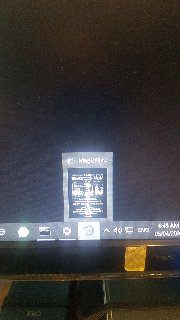
                    If I hover over the Electron icon in the taskbar I can see it must be open somewhere but not visible on one of the screens.

                    information entered like this

                    var config = {electronOptions:{fullscreen:false, x:1920, width: 600, height:800 },
                    alt text

                    S 1 Reply Last reply Reply Quote 0
                    • S Do not disturb
                      sdetweil @Chrisflex
                      last edited by

                      @Chrisflex i haven’t tried on windows… may boot over there today

                      Sam

                      How to add modules

                      learning how to use browser developers window for css changes

                      C 1 Reply Last reply Reply Quote 0
                      • C Offline
                        Chrisflex @sdetweil
                        last edited by

                        @sdetweil Thanks I appreciate your help.

                        S 1 Reply Last reply Reply Quote 0
                        • S Do not disturb
                          sdetweil @Chrisflex
                          last edited by sdetweil

                          @Chrisflex

                          this did what we were talking about

                          var config = {
                          	electronOptions: { x:1920,fullscreen:false , width: 600, height:800},
                          	address: "localhost", 
                          

                          alt text

                          this did on second screen not full screen (MM default size is 800x600)

                          var config = {
                          	electronOptions: { x:1920,fullscreen:false },
                          	address: "localhost", 
                          

                          alt text
                          and this did second screen full screen

                          var config = {
                          	electronOptions: { x:1920},
                          	address: "localhost", 
                          

                          alt text

                          Sam

                          How to add modules

                          learning how to use browser developers window for css changes

                          1 Reply Last reply Reply Quote 1
                          • C Offline
                            Chrisflex
                            last edited by

                            @sdetweil said in Getting MMM to open on the second monitor and correctly size:

                            electronOptions: { x:1920,fullscreen:false , width: 600, height:800},

                            the first option gives me this error

                            var config = {
                            electronOptions: { x:1920,fullscreen:false , width: 600, height:800},

                            WARNING! Could not validate config file. Starting with default configuration. Please correct syntax errors at or above this line: C:\Users\Dell Server\MagicMirror\config\config.js:11
                            var config = {electronOptions:electronOptions: {x:1920,fullscreen:false , width: 600, height:800},
                            ^

                            SyntaxError: Unexpected token :
                            at Module._compile (internal/modules/cjs/loader.js:722:23)
                            at Object.Module._extensions…js (internal/modules/cjs/loader.js:798:10)
                            at Module.load (internal/modules/cjs/loader.js:645:32)
                            at Function.Module._load (internal/modules/cjs/loader.js:560:12)
                            at Module.require (internal/modules/cjs/loader.js:685:19)
                            at require (internal/modules/cjs/helpers.js:16:16)
                            at loadConfig (C:\Users\Dell Server\MagicMirror\js\app.js:69:12)
                            at App.start (C:\Users\Dell Server\MagicMirror\js\app.js:210:3)
                            at Object. (C:\Users\Dell Server\MagicMirror\js\electron.js:115:7)
                            at Module._compile (internal/modules/cjs/loader.js:786:30)

                            The second option
                            var config = {
                            electronOptions: { x:1920,fullscreen:false },
                            address: “localhost”,

                            gives me this error

                            WARNING! Could not validate config file. Starting with default configuration. Please correct syntax errors at or above this line: C:\Users\Dell Server\MagicMirror\config\config.js:11
                            var config = {electronOptions:electronOptions: {x:1920,fullscreen:false},
                            ^

                            SyntaxError: Unexpected token :
                            at Module._compile (internal/modules/cjs/loader.js:722:23)
                            at Object.Module._extensions…js (internal/modules/cjs/loader.js:798:10)
                            at Module.load (internal/modules/cjs/loader.js:645:32)
                            at Function.Module._load (internal/modules/cjs/loader.js:560:12)
                            at Module.require (internal/modules/cjs/loader.js:685:19)
                            at require (internal/modules/cjs/helpers.js:16:16)
                            at loadConfig (C:\Users\Dell Server\MagicMirror\js\app.js:69:12)
                            at App.start (C:\Users\Dell Server\MagicMirror\js\app.js:210:3)
                            at Object. (C:\Users\Dell Server\MagicMirror\js\electron.js:115:7)
                            at Module._compile (internal/modules/cjs/loader.js:786:30)

                            the last option

                            starts MM in a window that can be dragged across to the second monitor but is not sized correctly.
                            It is the size of the normal full screen

                            S bheplerB 2 Replies Last reply Reply Quote 0
                            • S Do not disturb
                              sdetweil @Chrisflex
                              last edited by

                              @Chrisflex u are adding just the electronOptions line

                              I was just showing where it went

                              Sam

                              How to add modules

                              learning how to use browser developers window for css changes

                              1 Reply Last reply Reply Quote 0
                              • C Offline
                                Chrisflex
                                last edited by

                                Copied from my config js file

                                var config = {electronOptions:{x:1920 },
                                address: “localhost”, // Address to listen on, can be:
                                // - “localhost”, “127.0.0.1”, “::1” to listen on loopback interface
                                // - another specific IPv4/6 to listen on a specific interface
                                // - “0.0.0.0”, “::” to listen on any interface
                                // Default, when address config is left out or empty, is “localhost”

                                Is that correct?

                                S 2 Replies Last reply Reply Quote 0
                                • S Do not disturb
                                  sdetweil @Chrisflex
                                  last edited by

                                  @Chrisflex better when on separate lines

                                  That looks ok

                                  Should be full screen on second display

                                  Sam

                                  How to add modules

                                  learning how to use browser developers window for css changes

                                  1 Reply Last reply Reply Quote 0
                                  • S Do not disturb
                                    sdetweil @Chrisflex
                                    last edited by

                                    @Chrisflex posted pics above

                                    Sam

                                    How to add modules

                                    learning how to use browser developers window for css changes

                                    1 Reply Last reply Reply Quote 0
                                    • bheplerB Offline
                                      bhepler Module Developer @Chrisflex
                                      last edited by

                                      @Chrisflex - Please use the markdown features of the forum when posting code or logs.

                                      C 1 Reply Last reply Reply Quote 0
                                      • C Offline
                                        Chrisflex @bhepler
                                        last edited by

                                        @bhepler Thanks I will try

                                        S 1 Reply Last reply Reply Quote 0
                                        • S Do not disturb
                                          sdetweil @Chrisflex
                                          last edited by

                                          @Chrisflex ant progress?

                                          Sam

                                          How to add modules

                                          learning how to use browser developers window for css changes

                                          1 Reply Last reply Reply Quote 0
                                          • C Offline
                                            Chrisflex
                                            last edited by

                                            Hi apologies I have tried but no luck.

                                            I will try again.

                                            C 1 Reply Last reply Reply Quote 0

                                            Hello! It looks like you're interested in this conversation, but you don't have an account yet.

                                            Getting fed up of having to scroll through the same posts each visit? When you register for an account, you'll always come back to exactly where you were before, and choose to be notified of new replies (either via email, or push notification). You'll also be able to save bookmarks and upvote posts to show your appreciation to other community members.

                                            With your input, this post could be even better 💗

                                            Register Login

                                            • 1
                                            • 2
                                            • 1 / 2
                                            • First post
                                              Last post
                                            Enjoying MagicMirror? Please consider a donation!
                                            MagicMirror created by Michael Teeuw.
                                            Forum managed by Sam, technical setup by Karsten.
                                            This forum is using NodeBB as its core | Contributors
                                            Contact | Privacy Policy