Read the statement by Michael Teeuw here.
AmbientWeather call to get swimming pool temp displayed on Mirror
-
I just built a mirror with a portrait 1920x1080 monitor and a Pi 3b. Fun toy, but I had some space left and my kids suggested showing the temperature of our pool.
So I bought a “WS-50-F007PF” from ambientweather.com, which has a floating thermometer, paired with an indoor display that has WiFi and will update ambientweather.net with your systems info.
(note that you can also set up a full weather station, I just want the pool temp)
After getting the unit on the WiFi (it needs a uniquely named 2.4Ghz network - no 5Ghz “smart sharing”) I set up a login at ambientweather.net, added the device and poof, pool data online.
Using my account at ambientweather.net I created a free API key and a app/developer key. Using postman I verified https://api.ambientweather.net/v1/devices?applicationKey=&apiKey= returned json including my pool temp.
[
{
“macAddress”: “DE:AD:E3:12:34:56”,
“lastData”: {
“dateutc”: 1588720380000,
“tempinf”: 74.5,
“humidityin”: 46,
“tempf”: 81.3,
“baromabsin”: 29.97,
“baromrelin”: 29.86,
“battout”: 1,
“feelsLikein”: 73.8,
“dewPointin”: 52.3,
“tz”: “America/New_York”,
“date”: “2020-05-05T23:13:00.000Z”
},
“info”: {
“name”: “Pool”
}
}
]where tempf is the field I need.
I took a look at the available JSON modules and found the unsupported “MMM-json-feed”
using a config of:
            {
                    module: "MMM-json-feed",
                    position: "bottom_right",
                    config: {
                            urls: [
                                    "https://api.ambientweather.net/v1/devices?applicationKey=<key>&apiKey=<key2>
                            ],
                            arrayName: "0",
                            title: "Pool Temp",
                            values: ["lastData.tempf"],
                            replaceName: [["tempf",""]],
                    }
            },
It looks great and updates every 5 minutes.
I also set
wrapper.className = “bright large”;
in MMM-json-feed.js to make the temp easy to read.just FYI for anyone searching ambientweather in the future.
-
Cool! :-)
-
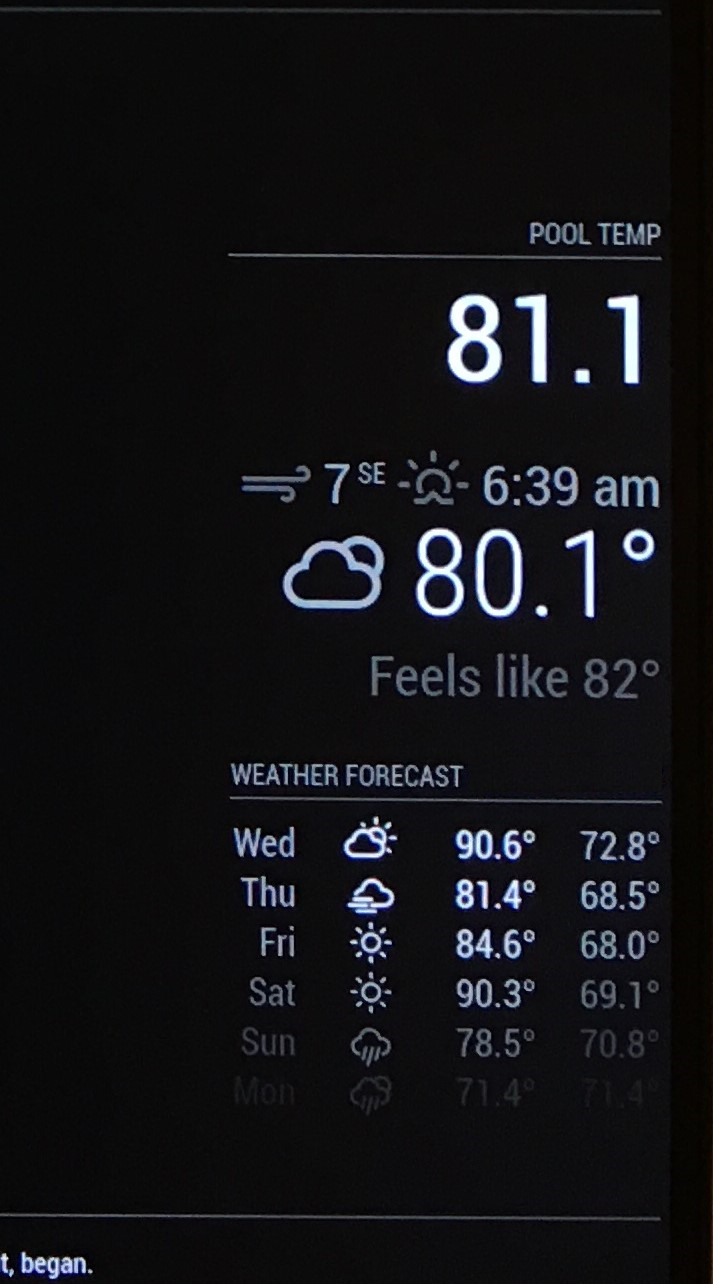
I guess I should add an image. I have “MMM-json-feed”, “currentweather” and “weatherforecast” all “bottom_right” and they stack nicely.

Hello! It looks like you're interested in this conversation, but you don't have an account yet.
Getting fed up of having to scroll through the same posts each visit? When you register for an account, you'll always come back to exactly where you were before, and choose to be notified of new replies (either via email, or push notification). You'll also be able to save bookmarks and upvote posts to show your appreciation to other community members.
With your input, this post could be even better 💗
Register Login