Read the statement by Michael Teeuw here.
Weatherunderground - currently - hourly - daily - configurable
-
@j.e.f.f ok layout change i’m in a horizontale style not verticale
thanks man ;) -
Hi is it possible to combine the horizontal view for the hourly forecast and vertical for daily ?
-
What variables control the size of the large current weather icon and the small forecast icons? I was trying to make the current icon slightly smaller and have somehow managed to make the forecast icon micro sized. Can’t seem to get it back now.
Thanks,
-
@maestro82 Got it, a little trail and error.
-
@maestro82 said in Weatherunderground - currently - hourly - daily - configurable:
Got it, a little trail and error.
Perhaps you’ll share what you have done so that others might benefit from your experience? :-)
-
@Mykle1
So by playing (I do mean playing as I am a newbie) with the MMM_WunderGround.css file, discovered:.MMM-WunderGround .weather-icon (is the small forecast icon)
I was able to adjust size by changing the width..MMM-WunderGround .currentWeatherIcon (is large symbol next to current temp)
I was able to adjust the width and height % to change size. -
Well done mate!
-
Myke1
Can’t seem to figure out what controls font size of the forecasted precipitation % field. Any hints?
Thanks
-
@maestro82 said in Weatherunderground - currently - hourly - daily - configurable:
Any hints?
You can play with these in your custom.css file. GO crazy!.MMM-WunderGround .weathericon { font-size: 45%; line-height: 5px; display: inline-block; -ms-transform: translate(0, -3px); /* IE 9 */ -webkit-transform: translate(0, -3px); /* Safari */ transform: translate(0, -3px); } .MMM-WunderGround .day { padding-left: 0; # padding-right: 10px; } .MMM-WunderGround .vcen { vertical-align: top; } .MMM-WunderGround .weather-icon { padding-left: 0px; text-align: center; width:50px; } .MMM-WunderGround .max-temp { padding-left: 0px; padding-right: 0; } .MMM-WunderGround .min-temp { # padding-left: 10px; # padding-right: 0; } .MMM-WunderGround .forecastText { # padding-left: 10px; # padding-right: 0; # word-wrap: break-word; # text-align: right; # rowspan: 0; } .MMM-WunderGround .tableheader { font-size: 75%; text-align: center; } .MMM-WunderGround .hour { font-size: 75%; text-align: center; } .MMM-WunderGround .pop { font-size: 86%; } .MMM-WunderGround .mm { font-size: 75%; } .MMM-WunderGround .green { color: #83FFB3; } .MMM-WunderGround .yellow { color: yellow; } .MMM-WunderGround .red { color: #FF4C4C; } .MMM-WunderGround .center { text-align: center; padding-right: 10px; } .MMM-WunderGround .left { text-align: left; } .MMM-WunderGround .lpad { padding-left: 10px; } .MMM-WunderGround .currentWeatherIcon { font-size: 75%; line-height: 45px; display: inline-block; -ms-transform: translate(0, -3px); /* IE 9 */ -webkit-transform: translate(0, -3px); /* Safari */ transform: translate(0, -3px); width: 40%; height: 40%; } .MMM-WunderGround .forecastWeatherIcon { font-size: 75%; line-height: 65px; display: inline-block; -ms-transform: translate(0, -3px); /* IE 9 */ -webkit-transform: translate(0, -3px); /* Safari */ transform: translate(0, -3px); width: 50%; } .MMM-WunderGround .moonPhaseIcon { height: 34px; vertical-align: middle; } .MMM-WunderGround .hrDivider { font-size: 10px; } .MMM-WunderGround .sub { vertical-align: sub; font-size: smaller; } .MMM-WunderGround .smaller { font-size: 60%; } -
@Mykle1 thanx
-
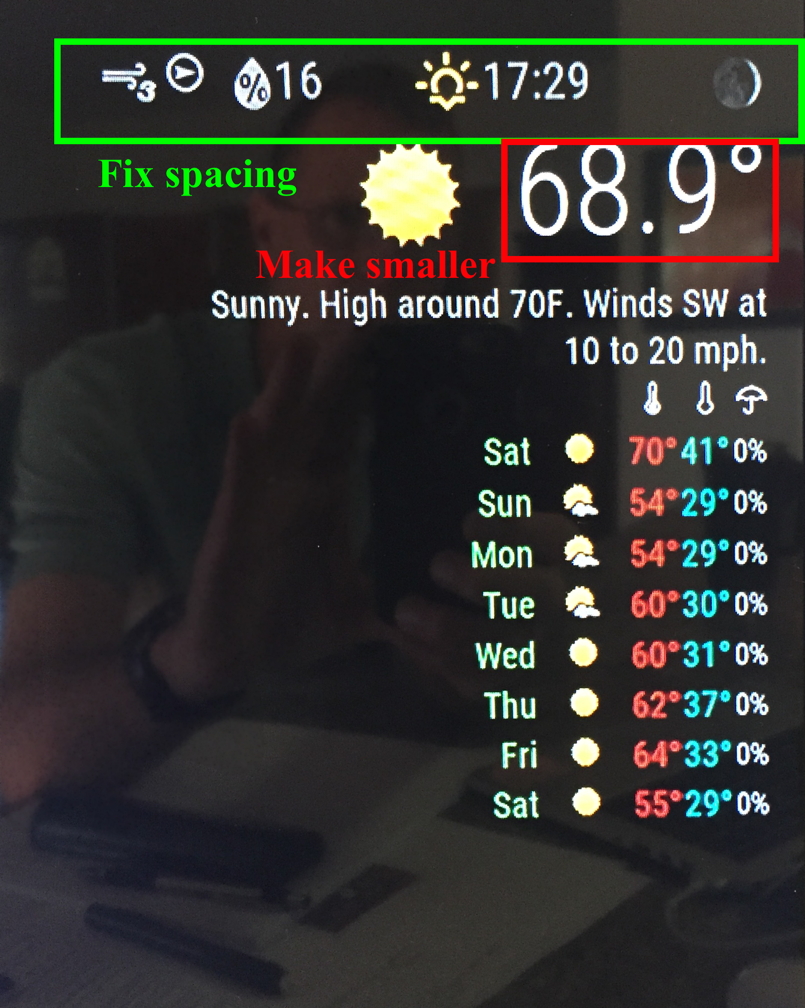
Trying to tighten up my weather module.
See picture.Any hints on changing those areas/fonts?
Thanks
-
Hi, I’m new to this but am trying to increase the number of icons on the horizontal view from 4 to 5. any help would be appreciated.
regards
-
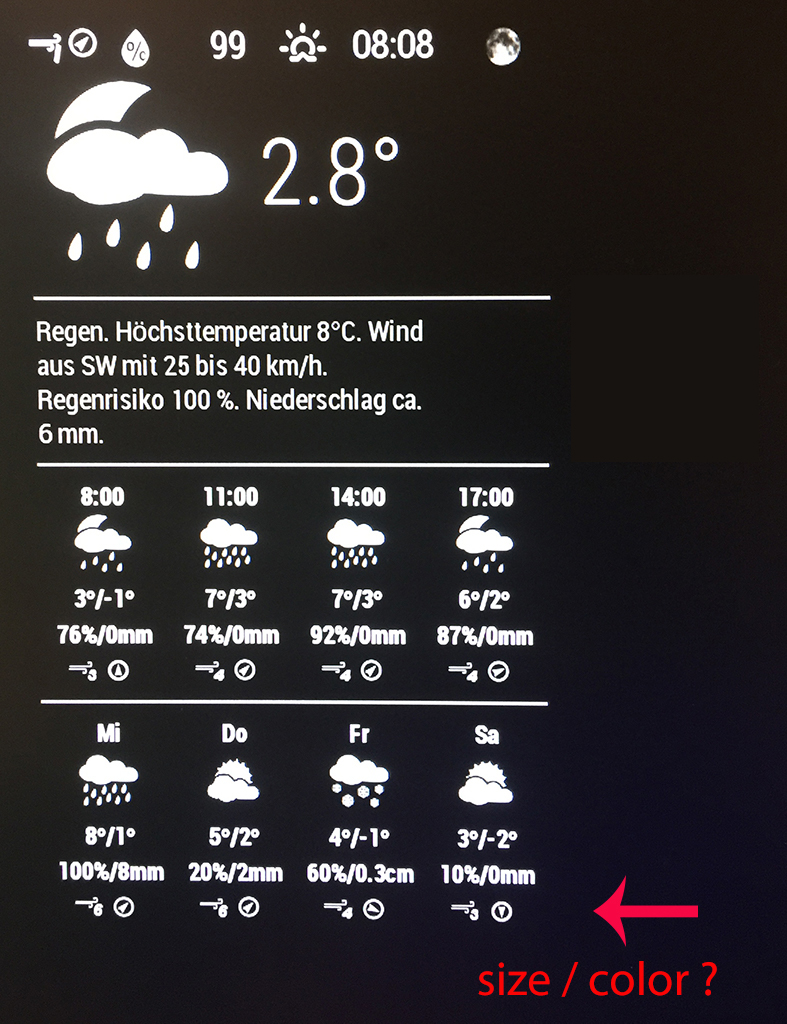
And at the end I need help.
In the last 3days i learned a lot about css in this forum.
But i didn’t find how to change the size for the Icons wind direction and speed.
I found in the MMM-WunderGround.js that there should be a weather-icons-wind.css
but I can’t find it.Can anyone help me how to change the size and maybe the color?
-
@maestro82 The top row is .MMM-WunderGround .pop
This will also affect the row pertaining to rain chance percentage. I’m trying to find a way to address them separately if anyone knows how. -
@sek_is_back add it into your custom.css file. It is referred to as
.MMM-WunderGround .tableheader
You can change
font-size:
and
color:Sorry I don’t know how to post the code for you.
-
@AliAS said in Weatherunderground - currently - hourly - daily - configurable:
Sorry I don’t know how to post the code for you.
https://forum.magicmirror.builders/topic/4247/how-to-post-code-on-the-forum-for-absolute-beginners
-
@AliAS thank you for your help, .MMM-WunderGround .tableheader dosn’t work for me. But Mykle1 wrote a post called “How to find and use key commands in MM” and with ctr + shift + i it opens the dev tool and i played around a little. So it was easy to find that the one that I missed, in my case it was .MMM-WunderGround .center
I like to learn new stuff, thanks a lot guys for your help
-
This post is deleted! -
In a sad turn of events WeatherUnderground is no longer issuing free API keys :(
https://apicommunity.wunderground.com/weatherapi/topics/weather-underground-api-changes
https://www.wunderground.com/weather/api/ -
That has been for some time, I think. Older API keys still seem to work, unless that changes, too.
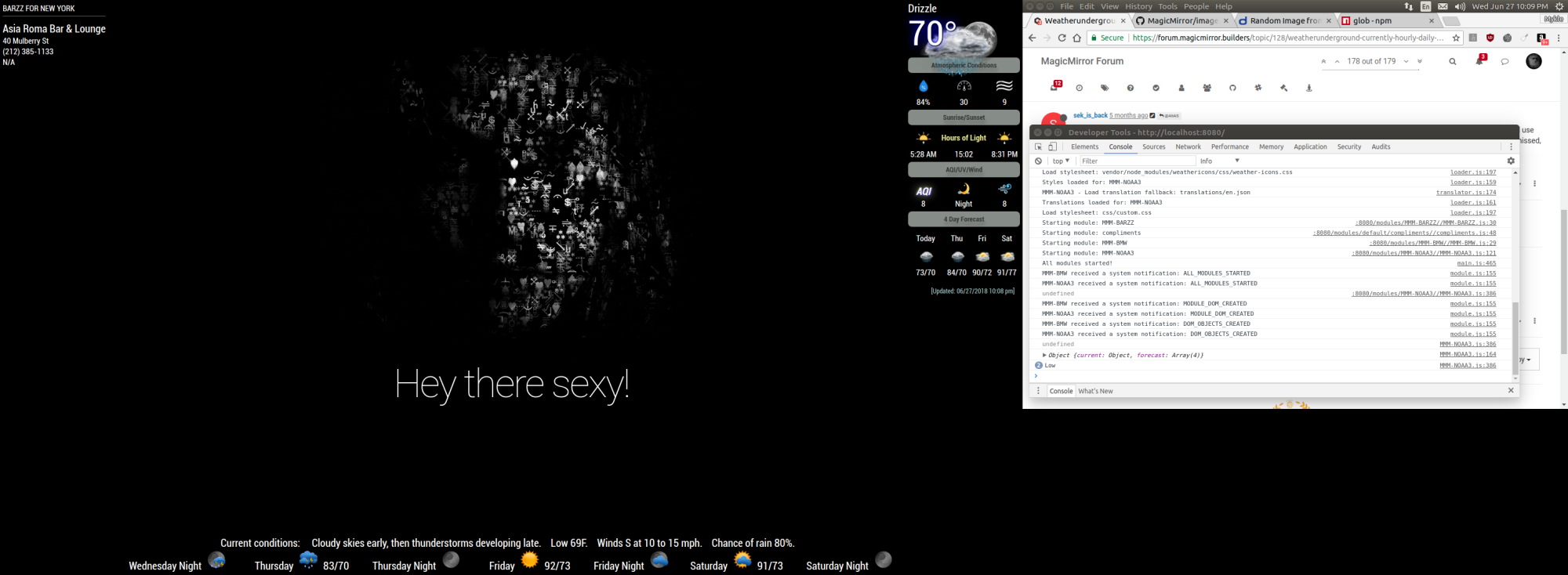
See weather in bottom bar.

Hello! It looks like you're interested in this conversation, but you don't have an account yet.
Getting fed up of having to scroll through the same posts each visit? When you register for an account, you'll always come back to exactly where you were before, and choose to be notified of new replies (either via email, or push notification). You'll also be able to save bookmarks and upvote posts to show your appreciation to other community members.
With your input, this post could be even better 💗
Register Login