Read the statement by Michael Teeuw here.
MTA MODULE MM NEWBIE HERE!
-
 ))
))I hope that everyone is well and healthy at this time. So, I successfully installed magic mirror as well as a module after several attemps and several segues to make it happen.
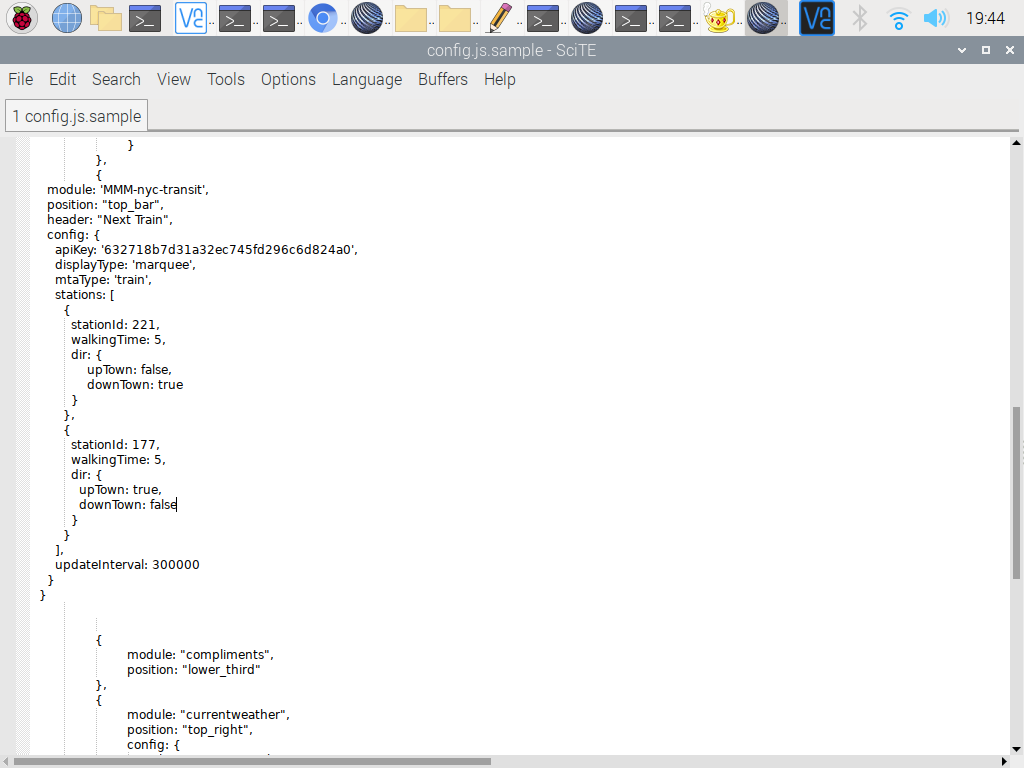
I’ve been struggling trying to install the MTA Subway Module however, after several attempts with use of the newbie guide to modules, It finally worked and didn’t cause my MM to corrupt however, none of the modules that I have personally installed doesn’t seem to work for some strange odd reasoning . I have posted on what I think is a decent config script however, I notice that my line of module is a bit off from the program file…
I’ve included a screenshot .
Thank you
-
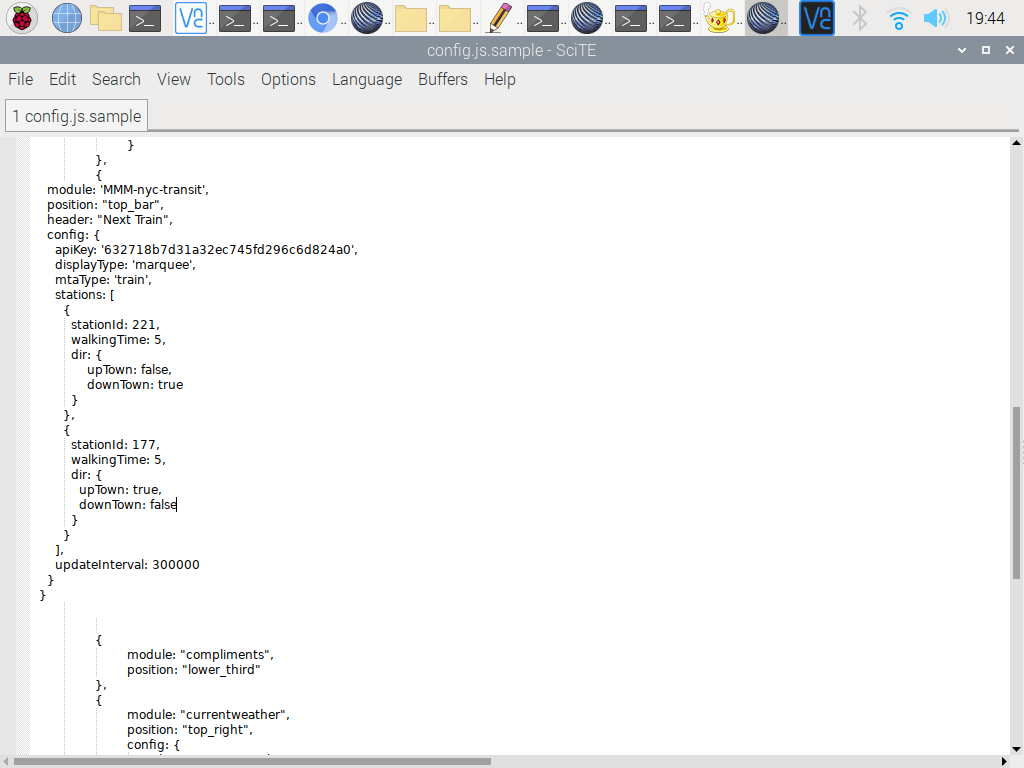
At first glance, I see you’re missing a closing comma at the end of the transit module entry. You can start there. :-)
updateInterval: 300000 } }, -
@Mykle1 Hi Mykle, I appreciate your reply… I see that you’re in the big apple like me , I hope that you’re well and staying healthy.
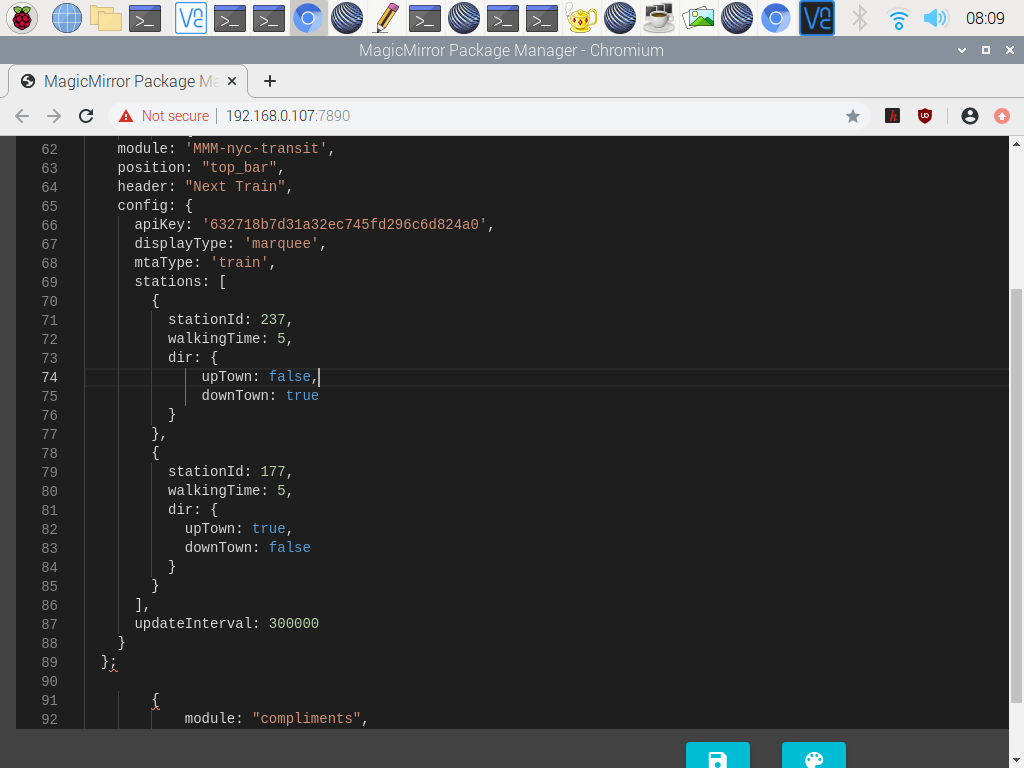
So, I tried adding ; to the last curly and I restarted MM however, a splash screen popped up upon restart.
-
@Mykle1 I followed your posting I believe as much as possible.
-
@jeaniouso he said “a closing comma”, not semicolon,
the config is a list (array ) of module entries
each starts with { and ends with }
if there is another one coming, add a ‘,’ to the end of the 1st, to say ‘more coming’it won’t hurt to have a ‘,’ after the module block }
modules: [ // start of list (array) { // start of a module ... } // end of a module entry , // another entry to follow { ... }, etc etc ] // end of the modules list (array) -
@jeaniouso [0_1589594860883_config.js](Uploading 100%)
-
@Mykle1 /* Magic Mirror Config Sample
*- By Michael Teeuw http://michaelteeuw.nl
- MIT Licensed.
- For more information on how you can configure this file
- See https://github.com/MichMich/MagicMirror#configuration
*/
var config = {
address: “localhost”, // Address to listen on, can be:
// - “localhost”, “127.0.0.1”, “::1” to listen on loopback interface
// - another specific IPv4/6 to listen on a specific interface
// - “0.0.0.0”, “::” to listen on any interface
// Default, when address config is left out or empty, is “localhost”
port: 8080,
ipWhitelist: [“127.0.0.1”, “::ffff:127.0.0.1”, “::1”], // Set [] to allow all IP addresses
// or add a specific IPv4 of 192.168.1.5 :
// [“127.0.0.1”, “::ffff:127.0.0.1”, “::1”, “::ffff:192.168.1.5”],
// or IPv4 range of 192.168.3.0 --> 192.168.3.15 use CIDR format :
// [“127.0.0.1”, “::ffff:127.0.0.1”, “::1”, “::ffff:192.168.3.0/28”],useHttps: false, // Support HTTPS or not, default "false" will use HTTP httpsPrivateKey: "", // HTTPS private key path, only require when useHttps is true httpsCertificate: "", // HTTPS Certificate path, only require when useHttps is true language: "en", timeFormat: 24, units: "metric", // serverOnly: true/false/"local" , // local for armv6l processors, default // starts serveronly and then starts chrome browser // false, default for all NON-armv6l devices // true, force serveronly mode, because you want to.. no UI on this device modules: [ { module: "alert", }, { module: "updatenotification", position: "top_bar" }, { module: "clock", position: "top_left" }, { module: "calendar", header: "US Holidays", position: "top_left", config: { calendars: [ { symbol: "calendar-check", url: "webcal://www.calendarlabs.com/ical-calendar/ics/76/US_Holidays.ics" } ] } }, { { module: "compliments", position: "lower_third" }, { module: "currentweather", position: "top_right", config: { location: "New York", locationID: "", //ID from http://bulk.openweathermap.org/sample/city.list.json.gz; unzip the gz file and find your city appid: "YOUR_OPENWEATHER_API_KEY" } }, { module: "weatherforecast", position: "top_right", header: "Weather Forecast", config: { location: "New York", locationID: "5128581", //ID from http://bulk.openweathermap.org/sample/city.list.json.gz; unzip the gz file and find your city appid: "YOUR_OPENWEATHER_API_KEY" } }, { module: "newsfeed", position: "bottom_bar", config: { feeds: [ { title: "New York Times", url: "http://www.nytimes.com/services/xml/rss/nyt/HomePage.xml" } ], showSourceTitle: true, showPublishDate: true, broadcastNewsFeeds: true, broadcastNewsUpdates: true } }, ]};
/*************** DO NOT EDIT THE LINE BELOW ***************/
if (typeof module !== “undefined”) {module.exports = config;} -
@Mykle1 ```
code_text* * By Michael Teeuw http://michaelteeuw.nl * MIT Licensed. * * For more information on how you can configure this file * See https://github.com/MichMich/MagicMirror#configuration * */ var config = { address: "localhost", // Address to listen on, can be: // - "localhost", "127.0.0.1", "::1" to listen on loopback interface // - another specific IPv4/6 to listen on a specific interface // - "0.0.0.0", "::" to listen on any interface // Default, when address config is left out or empty, is "localhost" port: 8080, ipWhitelist: ["127.0.0.1", "::ffff:127.0.0.1", "::1"], // Set [] to allow all IP addresses // or add a specific IPv4 of 192.168.1.5 : // ["127.0.0.1", "::ffff:127.0.0.1", "::1", "::ffff:192.168.1.5"], // or IPv4 range of 192.168.3.0 --> 192.168.3.15 use CIDR format : // ["127.0.0.1", "::ffff:127.0.0.1", "::1", "::ffff:192.168.3.0/28"], useHttps: false, // Support HTTPS or not, default "false" will use HTTP httpsPrivateKey: "", // HTTPS private key path, only require when useHttps is true httpsCertificate: "", // HTTPS Certificate path, only require when useHttps is true language: "en", timeFormat: 24, units: "metric", // serverOnly: true/false/"local" , // local for armv6l processors, default // starts serveronly and then starts chrome browser // false, default for all NON-armv6l devices // true, force serveronly mode, because you want to.. no UI on this device modules: [ { module: "alert", }, { module: "updatenotification", position: "top_bar" }, { module: "clock", position: "top_left" }, { module: "calendar", header: "US Holidays", position: "top_left", config: { calendars: [ { symbol: "calendar-check", url: "webcal://www.calendarlabs.com/ical-calendar/ics/76/US_Holidays.ics" } ] } }, { { module: "compliments", position: "lower_third" }, { module: "currentweather", position: "top_right", config: { location: "New York", locationID: "", //ID from http://bulk.openweathermap.org/sample/city.list.json.gz; unzip the gz file and find your city appid: "YOUR_OPENWEATHER_API_KEY" } }, { module: "weatherforecast", position: "top_right", header: "Weather Forecast", config: { location: "New York", locationID: "5128581", //ID from http://bulk.openweathermap.org/sample/city.list.json.gz; unzip the gz file and find your city appid: "YOUR_OPENWEATHER_API_KEY" } }, { module: "newsfeed", position: "bottom_bar", config: { feeds: [ { title: "New York Times", url: "http://www.nytimes.com/services/xml/rss/nyt/HomePage.xml" } ], showSourceTitle: true, showPublishDate: true, broadcastNewsFeeds: true, broadcastNewsUpdates: true } }, ] }; /*************** DO NOT EDIT THE LINE BELOW ***************/ if (typeof module !== "undefined") {module.exports = config;} -
@jeaniouso but that is the default config.js, not the one w the module u are having trouble with…
Also, u can edit your forum posts to correct posting errors.
.I worked w u tonight, and u had the modules installed correctly, but the API key was not correct for some reason -
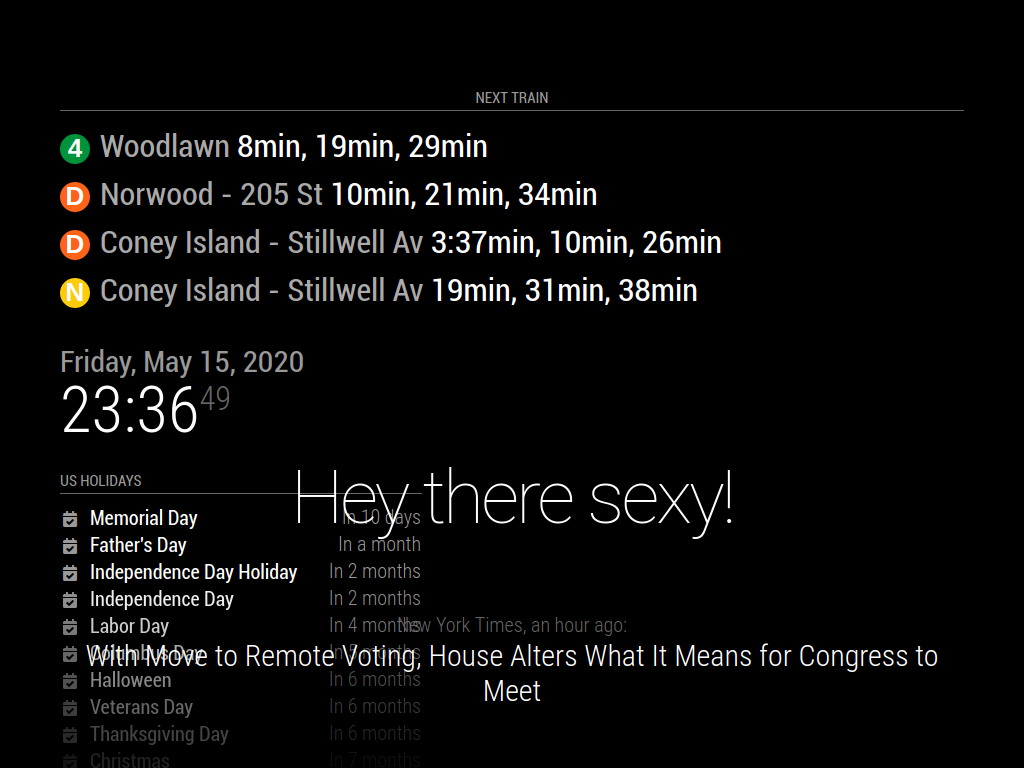
Thank you so much for your tireless efforts! I finally have it working… I played around with the script after getting rid of errors pointed out by @Mykle1 plus his tutorial was excellent as I read it again and I opted for another API key that I found on here as suggested by @sdetweil … I finally got it working thanks to you two!! Now I can rest lol… Man what a workout!!!
-
@jeaniouso said in MTA MODULE MM NEWBIE HERE!:
I opted for another API key that I found on here
u are supposed to create a new apikey on the train providers web site
-
@sdetweil I did but, for some reason it’s not working hence why I used the other one
-
@sdetweil I stand corrected. The APIKEY in the code is mine… I just confirmed
-
Good to see you got it sorted and perhaps a better understanding of how things work. Well done.

Hello! It looks like you're interested in this conversation, but you don't have an account yet.
Getting fed up of having to scroll through the same posts each visit? When you register for an account, you'll always come back to exactly where you were before, and choose to be notified of new replies (either via email, or push notification). You'll also be able to save bookmarks and upvote posts to show your appreciation to other community members.
With your input, this post could be even better 💗
Register Login