MagicMirror Forum
    • Recent
    • Tags
    • Unsolved
    • Solved
    • MagicMirror² Repository
    • Documentation
    • 3rd-Party-Modules
    • Donate
    • Discord
    • Register
    • Login
    A New Chapter for MagicMirror: The Community Takes the Lead
    Read the statement by Michael Teeuw here.

    MMM-soccer : black screen, problem of config.js

    Scheduled Pinned Locked Moved Troubleshooting
    24 Posts 3 Posters 3.7k Views 3 Watching
    Loading More Posts
    • Oldest to Newest
    • Newest to Oldest
    • Most Votes
    Reply
    • Reply as topic
    Log in to reply
    This topic has been deleted. Only users with topic management privileges can see it.
    • R Offline
      RIKKO14
      last edited by

      Hello,
      I have a problem with the module https://github.com/lavolp3/MMM-soccer.
      My screen is black, and i don’t see where is/ are the error(s)
      my config.js :

      	{
          module: 'MMM-soccer',
          position: 'top_left',
          config: {
              api_key: 'a7e82011ccab47a99ec1dd7847096caa',
              show:  ['FL1','CL1'],
              colored: true,
              updateInterval: 60,
              focus_on: {
                  null
              },
              max_teams: 5,
              matchType: 'league',
              widht: 250,
              updateInterval: 60,
              apiCallInterval: 10,
              showMatches: true,
              showTables: true,
              fadeFocus: true,
              max_teams: false,
              logos: true, 
              liveMode: true,
              numberOfNextMatches: 8,
              
          }
      },


      the api_key is the API token after creat an account on https://www.football-data.org/, is that true ?
      thanks for your help

      S 1 Reply Last reply Reply Quote 0
      • S Do not disturb
        sdetweil @RIKKO14
        last edited by

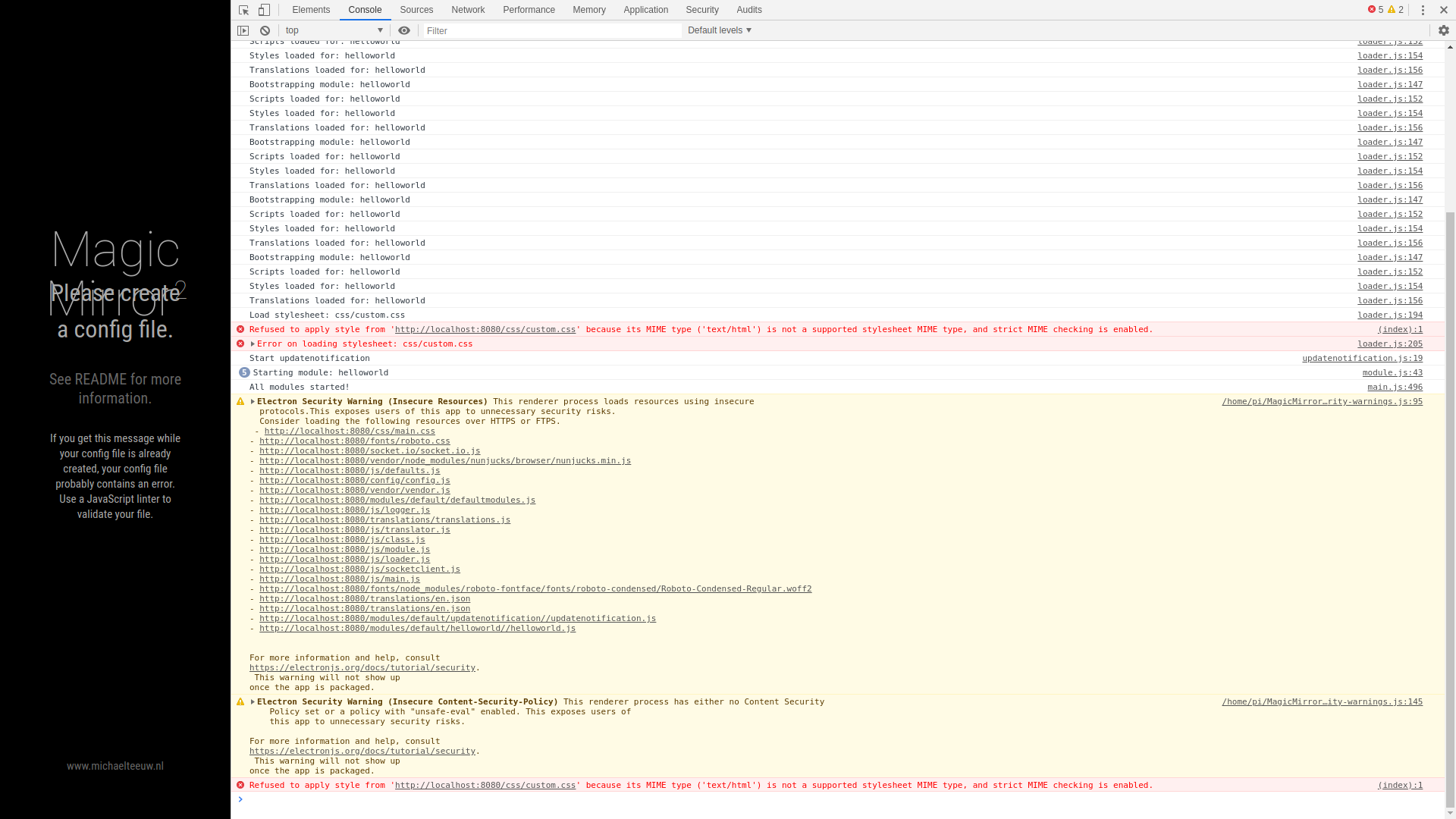
        @RIKKO14 what are the messages in the window where u did npm start?

        if none then open the developers window, ctrl-shift-i on the keyboard, select the tab labeled console, and scroll up for any errors, usually red text

        Sam

        How to add modules

        learning how to use browser developers window for css changes

        1 Reply Last reply Reply Quote 0
        • R Offline
          RIKKO14
          last edited by

          I don’t understand what you’re asking me to do …
          my pm2 logs is :

          pi@raspberrypi:~/MagicMirror/modules/MMM-soccer $ pm2 logs
          [TAILING] Tailing last 15 lines for [all] processes (change the value with --lines option)
          /home/pi/.pm2/pm2.log last 15 lines:
          PM2        | 2020-09-02T16:53:22: PM2 log: ===============================================================================
          PM2        | 2020-09-02T16:53:22: PM2 log: App [mm:0] starting in -fork mode-
          PM2        | 2020-09-02T16:53:22: PM2 log: App [mm:0] online
          PM2        | 2020-09-02T17:31:26: PM2 log: Stopping app:mm id:0
          PM2        | 2020-09-02T17:31:26: PM2 log: pid=568 msg=failed to kill - retrying in 100ms
          PM2        | 2020-09-02T17:31:26: PM2 log: pid=568 msg=failed to kill - retrying in 100ms
          PM2        | 2020-09-02T17:31:26: PM2 log: App [mm:0] exited with code [0] via signal [SIGINT]
          PM2        | 2020-09-02T17:31:26: PM2 log: pid=568 msg=process killed
          PM2        | 2020-09-02T17:31:26: PM2 log: App [mm:0] starting in -fork mode-
          PM2        | 2020-09-02T17:31:26: PM2 log: App [mm:0] online
          PM2        | 2020-09-02T18:38:38: PM2 log: Stopping app:mm id:0
          PM2        | 2020-09-02T18:38:39: PM2 log: App [mm:0] exited with code [0] via signal [SIGINT]
          PM2        | 2020-09-02T18:38:39: PM2 log: pid=4304 msg=process killed
          PM2        | 2020-09-02T18:38:39: PM2 log: App [mm:0] starting in -fork mode-
          PM2        | 2020-09-02T18:38:39: PM2 log: App [mm:0] online
          
          /home/pi/.pm2/logs/mm-error.log last 15 lines:
          0|mm       | [2020-09-02 18:38:41.282] [ERROR]  WARNING! Could not validate config file. Starting with default configuration. Please correct syntax errors at or above this line: /home/pi/MagicMirror/config/config.js:392
          0|mm       |         },
          0|mm       |         ^
          0|mm       | 
          0|mm       | SyntaxError: Unexpected token }
          0|mm       |     at Module._compile (internal/modules/cjs/loader.js:722:23)
          0|mm       |     at Object.Module._extensions..js (internal/modules/cjs/loader.js:798:10)
          0|mm       |     at Module.load (internal/modules/cjs/loader.js:645:32)
          0|mm       |     at Function.Module._load (internal/modules/cjs/loader.js:560:12)
          0|mm       |     at Module.require (internal/modules/cjs/loader.js:685:19)
          0|mm       |     at require (internal/modules/cjs/helpers.js:16:16)
          0|mm       |     at loadConfig (/home/pi/MagicMirror/js/app.js:67:12)
          0|mm       |     at App.start (/home/pi/MagicMirror/js/app.js:202:3)
          0|mm       |     at Object.<anonymous> (/home/pi/MagicMirror/js/electron.js:126:7)
          0|mm       |     at Module._compile (internal/modules/cjs/loader.js:786:30)
          
          /home/pi/.pm2/logs/mm-out.log last 15 lines:
          0|mm       | > magicmirror@2.12.0 start /home/pi/MagicMirror
          0|mm       | > DISPLAY="${DISPLAY:=:0}" ./node_modules/.bin/electron js/electron.js
          0|mm       | 
          0|mm       | [2020-09-02 18:38:41.268] [LOG]    Starting MagicMirror: v2.12.0
          0|mm       | [2020-09-02 18:38:41.277] [LOG]    Loading config ...
          0|mm       | [2020-09-02 18:38:41.285] [LOG]    Loading module helpers ...
          0|mm       | [2020-09-02 18:38:41.330] [LOG]    Initializing new module helper ...
          0|mm       | [2020-09-02 18:38:41.332] [LOG]    Module helper loaded: updatenotification
          0|mm       | [2020-09-02 18:38:41.334] [LOG]    No helper found for module: helloworld.
          0|mm       | [2020-09-02 18:38:41.336] [LOG]    All module helpers loaded.
          0|mm       | [2020-09-02 18:38:41.451] [LOG]    Starting server on port 8080 ... 
          0|mm       | [2020-09-02 18:38:41.465] [LOG]    Server started ...
          0|mm       | [2020-09-02 18:38:41.467] [LOG]    Connecting socket for: updatenotification
          0|mm       | [2020-09-02 18:38:41.469] [LOG]    Sockets connected & modules started ...
          0|mm       | [2020-09-02 18:38:41.550] [LOG]    Launching application.


          1 Reply Last reply Reply Quote 0
          • R Offline
            RIKKO14
            last edited by

            alt text)

            S 1 Reply Last reply Reply Quote 0
            • S Do not disturb
              sdetweil @RIKKO14
              last edited by

              @RIKKO14 that ctrl-shift-i needed to be done on the mirror screen

              Sam

              How to add modules

              learning how to use browser developers window for css changes

              1 Reply Last reply Reply Quote 0
              • R Offline
                RIKKO14
                last edited by

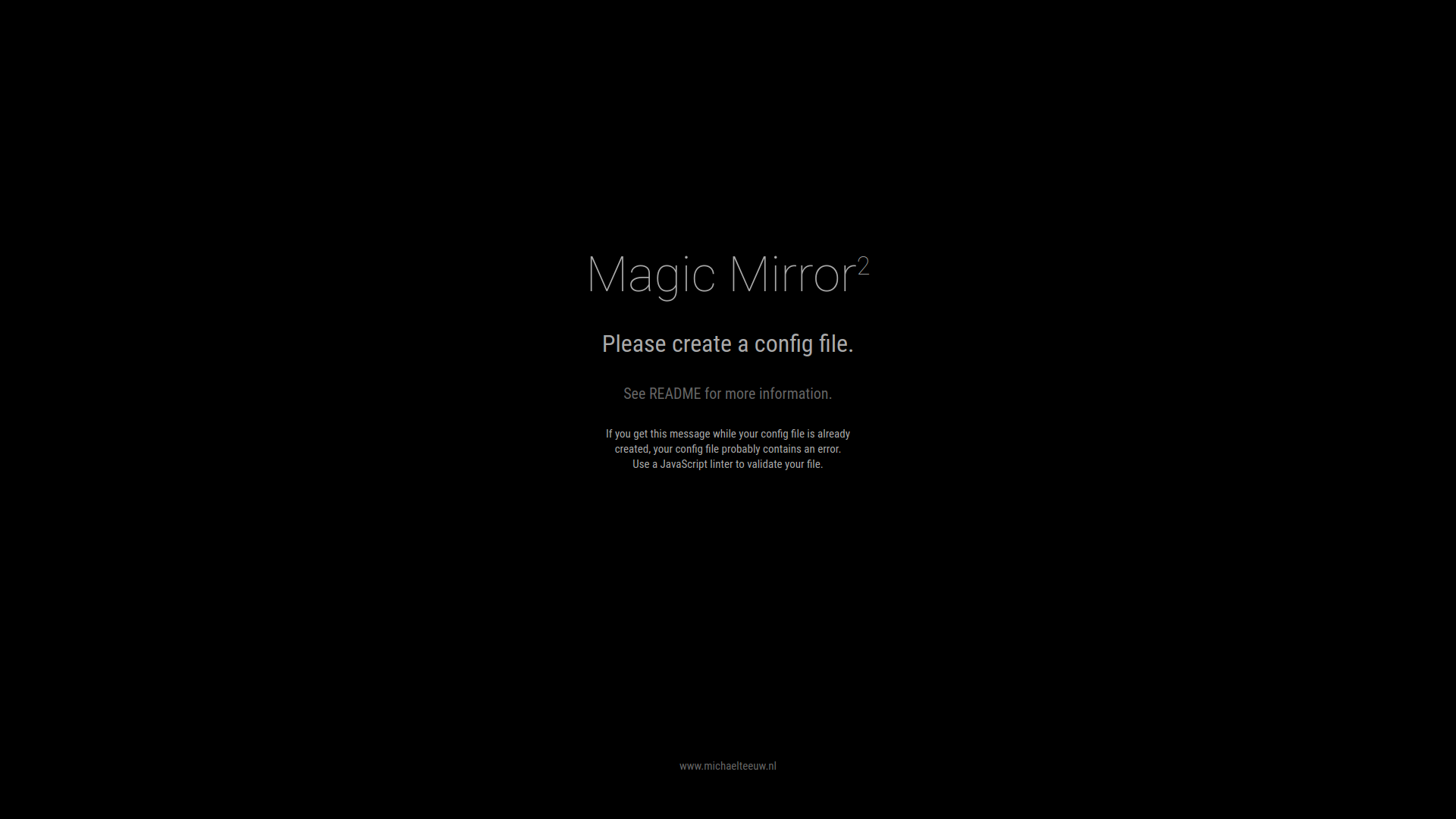
                this is my black screen,
                so my pb comes from my config.js
                2020-09-02-190404_1920x1080_scrot.png

                S 1 Reply Last reply Reply Quote 0
                • R Offline
                  RIKKO14
                  last edited by

                  alt text

                  1 Reply Last reply Reply Quote 0
                  • S Do not disturb
                    sdetweil @RIKKO14
                    last edited by

                    @RIKKO14 ok, that is not a black screen,

                    the pm2 logs says there is a missing close brace, }

                    Sam

                    How to add modules

                    learning how to use browser developers window for css changes

                    1 Reply Last reply Reply Quote 0
                    • ? Offline
                      A Former User
                      last edited by A Former User

                      and where is located you config.js file ?

                      It should in this directory : /home/pi/MagicMirror/config/

                      For me, it’s not a black screen, I’s just because, MagicMirror don’t find you config.js file

                      S 1 Reply Last reply Reply Quote 0
                      • S Do not disturb
                        sdetweil @Guest
                        last edited by

                        @Bugsounet no, he had a syntax error, and it loads the ‘no config’ error page

                        Sam

                        How to add modules

                        learning how to use browser developers window for css changes

                        1 Reply Last reply Reply Quote 0
                        • ? Offline
                          A Former User
                          last edited by A Former User

                          right sam, i don’t read log

                          maybe, this part missing, on the end of the file

                          /*************** DO NOT EDIT THE LINE BELOW ***************/
                          if (typeof module !== "undefined") {module.exports = config;}
                          

                          if missing, config will not be exported (like a file not there)
                          it’s the same for var config = { on the start of the file

                          but by reading the error log:

                          /home/pi/MagicMirror/config/config.js:392
                          

                          there is an error before this ligne (generaly on line-1 … so line 391)

                          So, can you past there your config From line 380 to 410 (don’t forget to remove personal ident)

                          1 Reply Last reply Reply Quote 0
                          • R Offline
                            RIKKO14
                            last edited by

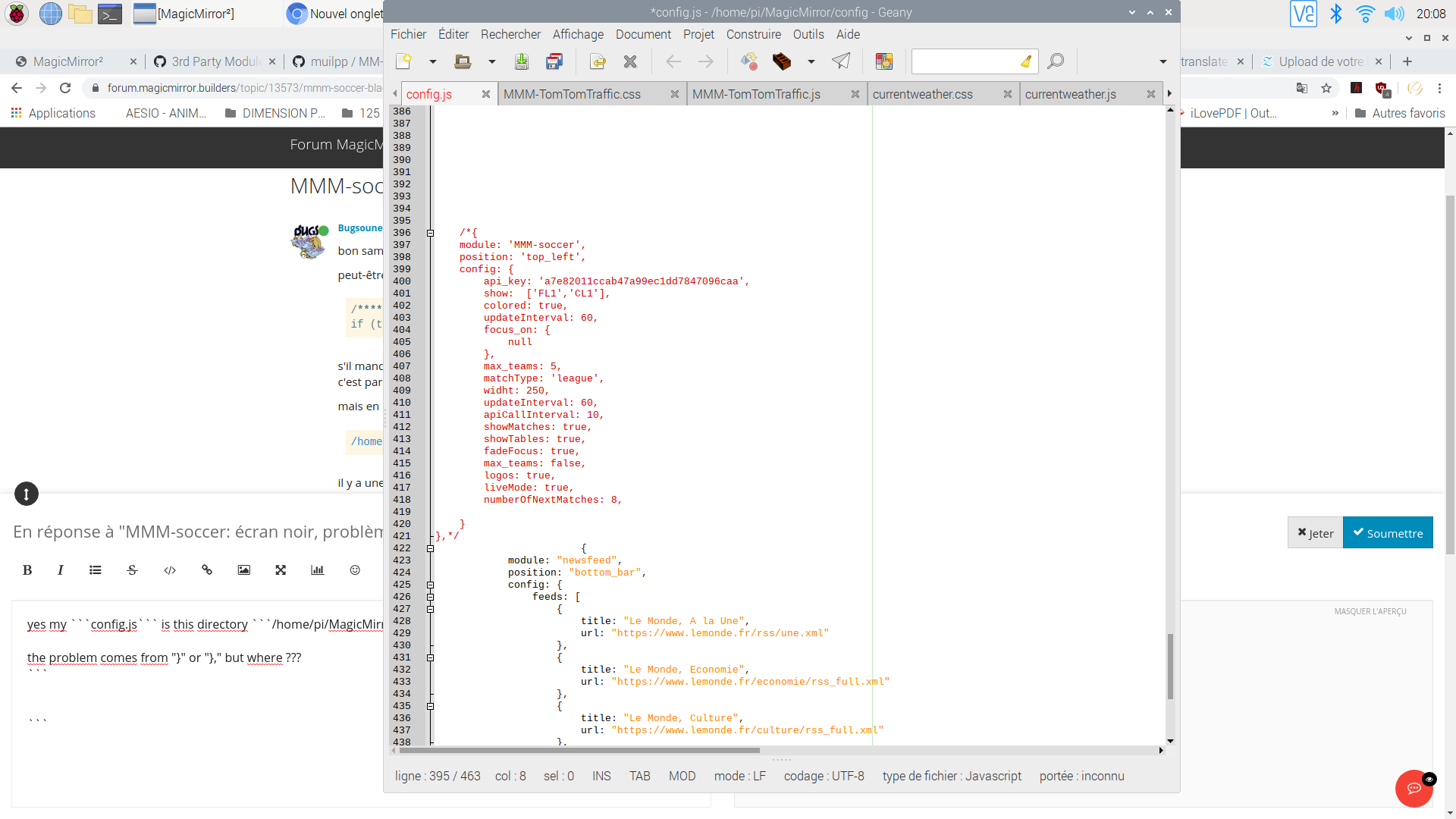
                            yes my config.js is this directory /home/pi/MagicMirror/config/

                            the problem comes from “}” or “},” but where ???
                            2020-09-02-200854_1920x1080_scrot.png

                            S 1 Reply Last reply Reply Quote 0
                            • R Offline
                              RIKKO14
                              last edited by

                              This post is deleted!
                              1 Reply Last reply Reply Quote 0
                              • S Do not disturb
                                sdetweil @RIKKO14
                                last edited by

                                @RIKKO14 says line 392

                                0|mm       |         },
                                0|mm       |         ^
                                0|mm       | 
                                0|mm       | SyntaxError: Unexpected token }
                                

                                Sam

                                How to add modules

                                learning how to use browser developers window for css changes

                                1 Reply Last reply Reply Quote 0
                                • R Offline
                                  RIKKO14
                                  last edited by

                                  I delete focus_on: { null }, and it’s good,

                                  thank you very much to you 2 !

                                  ? 1 Reply Last reply Reply Quote 0
                                  • ? Offline
                                    A Former User
                                    last edited by A Former User

                                    balaye toute la partie doite !
                                    ça tombe tu as caractere de caché, je vois qu’il y a une grande brarre en bas pour se déplacer, déplace la sur la droite.
                                    Regarde toute la partie que tu n’as pas vu
                                    il doit avoir un caractere, c’est sur et certain !

                                    @sam, sorry sometime it’s more simple between french user

                                    I suspect a character in the right part of the file (because not displayed, he have to move the bar to the right)

                                    S 1 Reply Last reply Reply Quote 0
                                    • S Do not disturb
                                      sdetweil @Guest
                                      last edited by

                                      @Bugsounet it’s ok. u exude me all the time! lol

                                      Sam

                                      How to add modules

                                      learning how to use browser developers window for css changes

                                      1 Reply Last reply Reply Quote 0
                                      • ? Offline
                                        A Former User
                                        last edited by

                                        complex to explain in english :(

                                        S 1 Reply Last reply Reply Quote 0
                                        • S Do not disturb
                                          sdetweil @Guest
                                          last edited by

                                          @Bugsounet lol( not for me, french is harder!!)

                                          Sam

                                          How to add modules

                                          learning how to use browser developers window for css changes

                                          1 Reply Last reply Reply Quote 0
                                          • ? Offline
                                            A Former User
                                            last edited by

                                            lol (not a problem french …don’t know why …)

                                            So @RIKKO14 ?

                                            1 Reply Last reply Reply Quote 0

                                            Hello! It looks like you're interested in this conversation, but you don't have an account yet.

                                            Getting fed up of having to scroll through the same posts each visit? When you register for an account, you'll always come back to exactly where you were before, and choose to be notified of new replies (either via email, or push notification). You'll also be able to save bookmarks and upvote posts to show your appreciation to other community members.

                                            With your input, this post could be even better 💗

                                            Register Login

                                            • 1
                                            • 2
                                            • 2 / 2
                                            • First post
                                              Last post
                                            Enjoying MagicMirror? Please consider a donation!
                                            MagicMirror created by Michael Teeuw.
                                            Forum managed by Sam, technical setup by Karsten.
                                            This forum is using NodeBB as its core | Contributors
                                            Contact | Privacy Policy