Read the statement by Michael Teeuw here.
2.12 repeating all day calendar events not shown for today, or weather only showing 2 days and missing analog clock numbers
-
This post is deleted! -
After do this :
cd ~/MagicMirror/node_modules
mv ical old_ical
git clone https://github.com/sdetweil/ical.js.git ical
cd ical
npm install
I do this :
cd ~/MagicMirror
rm package-lock.json
git checkout develop
and here is the answer :
pi@raspberrypi:~/MagicMirror $ rm package-lock.json
pi@raspberrypi:~/MagicMirror $ git checkout develop
error: Vos modifications locales aux fichiers suivants seraient écrasées par l'extraction :
	package.json
Veuillez valider ou remiser vos modifications avant de basculer de branche.
Abandon
the problem is still there about repeating calendar events :
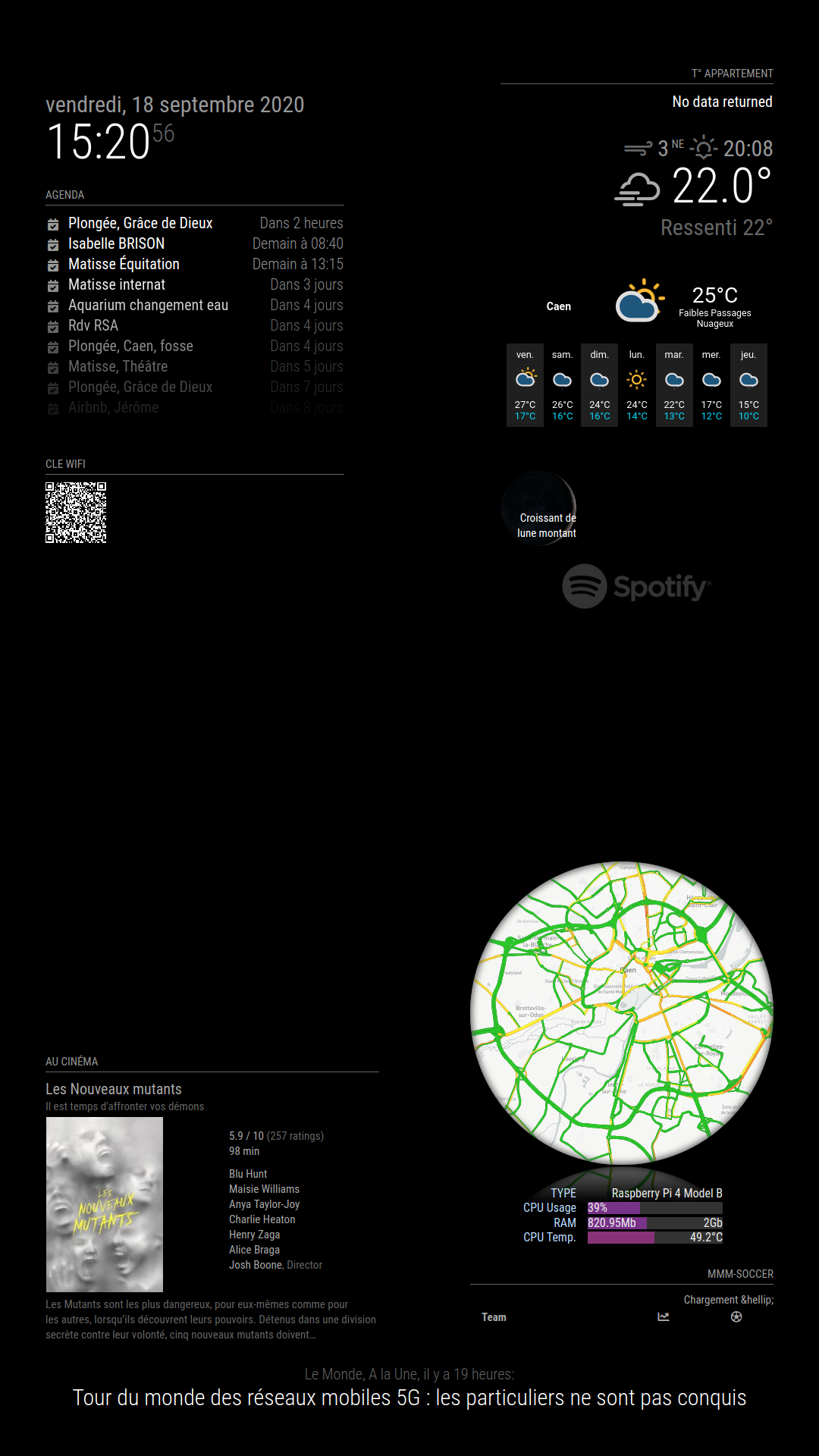
my MM shows 2 hours ahead of google calendarwhat can I do ?
my .ics :https://calendar.google.com/calendar/ical/normandiefinancement14%40gmail.com/private-a887a771c961ca2ba5fa4b44e690aa93/basic.ics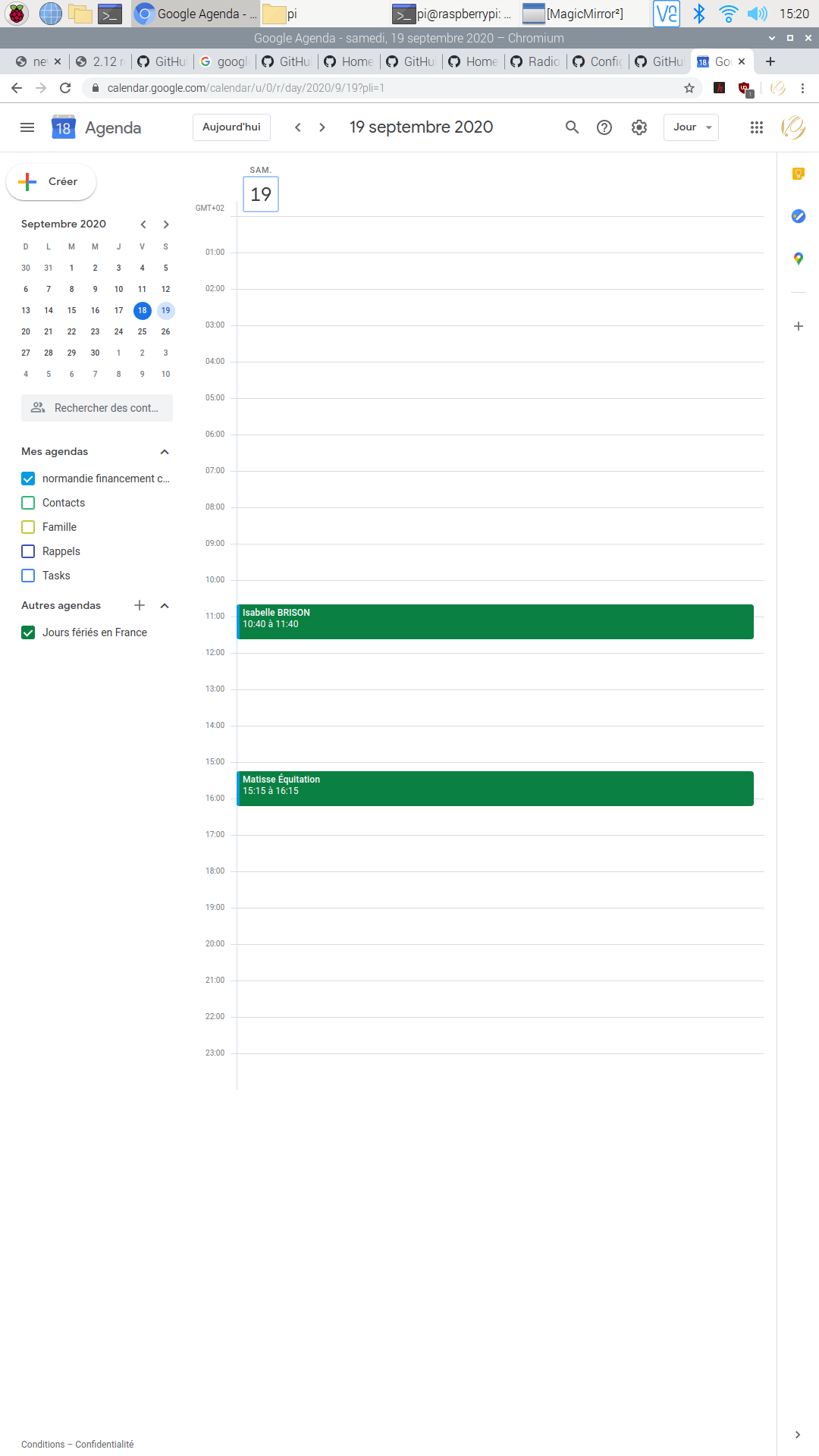
-
-
I do this but the problem sill here after a
pm2 restart mmpi@raspberrypi:~/MagicMirror $ cd ~/MagicMirror pi@raspberrypi:~/MagicMirror $ git stash *** Veuillez me dire qui vous êtes. Lancez git config --global user.email "Vous@exemple.com" git config --global user.name "Votre Nom" pour régler l'identité par défaut de votre compte. Éliminez --global pour ne faire les réglages que dans ce dépôt. fatal: impossible de détecter automatiquement l'adresse ('pi@raspberrypi.(none)' trouvé) Impossible de sauver l'état courant de l'index pi@raspberrypi:~/MagicMirror $ git checkout develop error: Vos modifications locales aux fichiers suivants seraient écrasées par l'extraction : package.json Veuillez valider ou remiser vos modifications avant de basculer de branche. Abandon pi@raspberrypi:~/MagicMirror $ git stash pop Aucune entrée de remisage trouvée. pi@raspberrypi:~/MagicMirror $ pm2 restart mmi think these commands were not carried out
-
@RIKKO14 ggrrrrrr
to stash changes, git needs to know WHO did it, in case it gets forgotten. but u are not a developer registered to gitdo
cd ~/MagicMirror git checkout package.json git checkout develop -
WHAOOOO ! it’s ok.
thanks you much ! -
once I switched to the ‘develop’ branch, how can I switch back to ‘master’?
-
@torte22 git checkout master
you will lose the fixes from develop of course
-
I’m trying to get the weather for 2 days to work. I’ve followed the steps on a new install of mm:
[2020-09-23 18:20:11.758] [ERROR] Error: Cannot find module 'node-ical' Require stack: - /home/pi/MagicMirror/modules/default/calendar/calendarfetcher.js - /home/pi/MagicMirror/modules/default/calendar/node_helper.js - /home/pi/MagicMirror/js/app.js - /home/pi/MagicMirror/js/electron.js - /home/pi/MagicMirror/node_modules/electron/dist/resources/default_app.asar/main.js - at Module._resolveFilename (internal/modules/cjs/loader.js:627:15) at Function.Module._resolveFilename (/home/pi/MagicMirror/node_modules/electron/dist/resources/electron.asar/common/reset-search-paths.js:41:16) at Function.Module._resolveFilename (/home/pi/MagicMirror/node_modules/module-alias/index.js:49:29) at Function.Module._load (internal/modules/cjs/loader.js:531:27) at Module.require (internal/modules/cjs/loader.js:685:19) at require (internal/modules/cjs/helpers.js:16:16) at Object.<anonymous> (/home/pi/MagicMirror/modules/default/calendar/calendarfetcher.js:8:14) at Module._compile (internal/modules/cjs/loader.js:786:30) at Object.Module._extensions..js (internal/modules/cjs/loader.js:798:10) at Module.load (internal/modules/cjs/loader.js:645:32) [2020-09-23 18:20:11.762] [ERROR] Whoops! There was an uncaught exception... [2020-09-23 18:20:11.763] [ERROR] Error: Cannot find module 'node-ical' Require stack: - /home/pi/MagicMirror/modules/default/calendar/calendarfetcher.js - /home/pi/MagicMirror/modules/default/calendar/node_helper.js - /home/pi/MagicMirror/js/app.js - /home/pi/MagicMirror/js/electron.js - /home/pi/MagicMirror/node_modules/electron/dist/resources/default_app.asar/main.js - at Module._resolveFilename (internal/modules/cjs/loader.js:627:15) at Function.Module._resolveFilename (/home/pi/MagicMirror/node_modules/electron/dist/resources/electron.asar/common/reset-search-paths.js:41:16) at Function.Module._resolveFilename (/home/pi/MagicMirror/node_modules/module-alias/index.js:49:29) at Function.Module._load (internal/modules/cjs/loader.js:531:27) at Module.require (internal/modules/cjs/loader.js:685:19) at require (internal/modules/cjs/helpers.js:16:16) at Object.<anonymous> (/home/pi/MagicMirror/modules/default/calendar/calendarfetcher.js:8:14) at Module._compile (internal/modules/cjs/loader.js:786:30) at Object.Module._extensions..js (internal/modules/cjs/loader.js:798:10) at Module.load (internal/modules/cjs/loader.js:645:32) { code: 'MODULE_NOT_FOUND', requireStack: [ '/home/pi/MagicMirror/modules/default/calendar/calendarfetcher.js', '/home/pi/MagicMirror/modules/default/calendar/node_helper.js', '/home/pi/MagicMirror/js/app.js', '/home/pi/MagicMirror/js/electron.js', '/home/pi/MagicMirror/node_modules/electron/dist/resources/default_app.asar/main.js', undefined ] } [2020-09-23 18:20:11.775] [ERROR] MagicMirror will not quit, but it might be a good idea to check why this happened. Maybe no internet connection? [2020-09-23 18:20:11.776] [ERROR] If you think this really is an issue, please open an issue on GitHub: https://github.com/MichMich/MagicMirror/issues -
@natrlhy ah, sorry, late change forgot to update instructions… we fixed calendar, but had to use a different library,
cd ~/MagicMirror
npm installwill be fixed on next release (Oct 1)
-
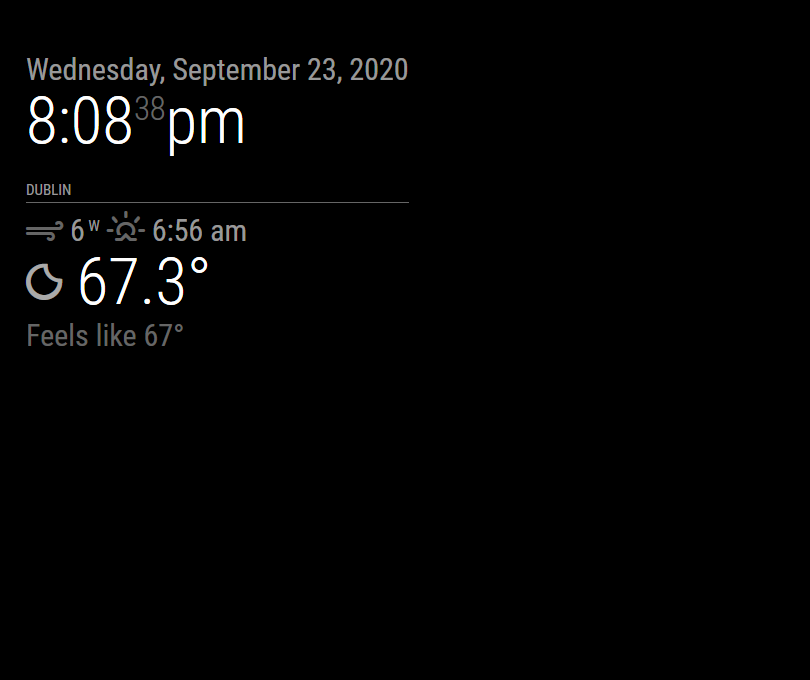
Thanks for the extra step!
For the life of me, it just wont load the forecast…
{ disabled: false, module: "weatherforecast", header: "Weather Forecast", config: { location: "Dublin", locationID: "5344157", //ID from http://bulk.openweathermap.org/sample/city.list.json.gz; unzip the gz file and find your city appid: "myappid", // maxNumberOfDays: "10", // fade: "false" } }, -
@natrlhy open the developers window, ctrl-shift-i on the keyboard, select the console tab and scroll up to see any errors usually red text
and the console where u start mm
npm start
or
pm2 logs --lines=?????? is a number, default 15
-
Nothing in the dev window…
pm2 log (20 lines):
PM2 | 2020-09-23T20:08:10: PM2 log: App [MagicMirror:0] starting in -fork mode- PM2 | 2020-09-23T20:08:10: PM2 log: App [MagicMirror:0] online /home/pi/.pm2/logs/MagicMirror-error.log last 20 lines: 0|MagicMir | at Function.Module._resolveFilename (/home/pi/MagicMirror/node_modules/module-alias/index.js:49:29) 0|MagicMir | at Function.Module._load (internal/modules/cjs/loader.js:531:27) 0|MagicMir | at Module.require (internal/modules/cjs/loader.js:685:19) 0|MagicMir | at require (internal/modules/cjs/helpers.js:16:16) 0|MagicMir | at Object.<anonymous> (/home/pi/MagicMirror/modules/default/calendar/calendarfetcher.js:8:14) 0|MagicMir | at Module._compile (internal/modules/cjs/loader.js:786:30) 0|MagicMir | at Object.Module._extensions..js (internal/modules/cjs/loader.js:798:10) 0|MagicMir | at Module.load (internal/modules/cjs/loader.js:645:32) { 0|MagicMir | code: 'MODULE_NOT_FOUND', 0|MagicMir | requireStack: [ 0|MagicMir | '/home/pi/MagicMirror/modules/default/calendar/calendarfetcher.js', 0|MagicMir | '/home/pi/MagicMirror/modules/default/calendar/node_helper.js', 0|MagicMir | '/home/pi/MagicMirror/js/app.js', 0|MagicMir | '/home/pi/MagicMirror/js/electron.js', 0|MagicMir | '/home/pi/MagicMirror/node_modules/electron/dist/resources/default_app.asar/main.js', 0|MagicMir | undefined 0|MagicMir | ] 0|MagicMir | } 0|MagicMir | [2020-09-23 18:20:11.775] [ERROR] MagicMirror will not quit, but it might be a good idea to check why this happened. Maybe no internet connection? 0|MagicMir | [2020-09-23 18:20:11.776] [ERROR] If you think this really is an issue, please open an issue on GitHub: https://github.com/MichMich/MagicMirror/issues /home/pi/.pm2/logs/MagicMirror-out.log last 20 lines: 0|MagicMir | [2020-09-23 20:08:16.677] [LOG] Module helper loaded: updatenotification 0|MagicMir | [2020-09-23 20:08:16.678] [LOG] No helper found for module: clock. 0|MagicMir | [2020-09-23 20:08:16.680] [LOG] No helper found for module: currentweather. 0|MagicMir | [2020-09-23 20:08:16.682] [LOG] No helper found for module: weatherforecast. 0|MagicMir | [2020-09-23 20:08:17.796] [LOG] Initializing new module helper ... 0|MagicMir | [2020-09-23 20:08:17.797] [LOG] Module helper loaded: newsfeed 0|MagicMir | [2020-09-23 20:08:17.798] [LOG] All module helpers loaded. 0|MagicMir | [2020-09-23 20:08:18.142] [LOG] Starting server on port 8080 ... 0|MagicMir | [2020-09-23 20:08:18.161] [LOG] Server started ... 0|MagicMir | [2020-09-23 20:08:18.162] [LOG] Connecting socket for: updatenotification 0|MagicMir | [2020-09-23 20:08:18.164] [LOG] Connecting socket for: newsfeed 0|MagicMir | [2020-09-23 20:08:18.165] [LOG] Starting node helper for: newsfeed 0|MagicMir | [2020-09-23 20:08:18.166] [LOG] Sockets connected & modules started ... 0|MagicMir | [2020-09-23 20:08:18.476] [LOG] Launching application. 0|MagicMir | [2020-09-23 20:08:22.215] [LOG] Create new news fetcher for url: https://rss.nytimes.com/services/xml/rss/nyt/HomePage.xml - Interval: 300000 0|MagicMir | [2020-09-23 20:08:23.231] [INFO] Newsfeed-Fetcher: Broadcasting 60 items. 0|MagicMir | [2020-09-23 20:08:29.750] [LOG] Use existing news fetcher for url: https://rss.nytimes.com/services/xml/rss/nyt/HomePage.xml 0|MagicMir | [2020-09-23 20:08:29.751] [INFO] Newsfeed-Fetcher: Broadcasting 60 items. 0|MagicMir | [2020-09-23 20:08:30.224] [INFO] Newsfeed-Fetcher: Broadcasting 60 items. 0|MagicMir | [2020-09-23 20:13:30.985] [INFO] Newsfeed-Fetcher: Broadcasting 59 items. -
@natrlhy u need to do
cd ~/MagicMirror
npm installbecause u switched to the develop branch which has a new required library
-
@sdetweil
After I switched to the develop branch, I did cd ~/MagicMirror and ran npm install.I refreshed my MM window with inspector and did see this:
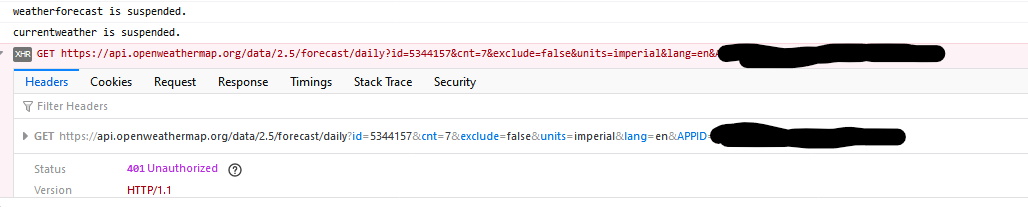
Yet currentweather loads fine with the same appid key…
-
@natrlhy well there is a 401 error on openweather, and a module not found for calendar…
-
pi@teslamate:~/MagicMirror $ npm install > magicmirror@2.13.0-develop install /home/pi/MagicMirror > echo "Installing vendor files ... " && cd vendor && npm install --loglevel=error Installing vendor files ... audited 24 packages in 2.71s 1 package is looking for funding run `npm fund` for details found 0 vulnerabilities > magicmirror@2.13.0-develop postinstall /home/pi/MagicMirror > npm run install-fonts && echo "MagicMirror installation finished successfully! " > magicmirror@2.13.0-develop install-fonts /home/pi/MagicMirror > echo "Installing fonts ... " && cd fonts && npm install --loglevel=error Installing fonts ... audited 1 package in 0.981s found 0 vulnerabilities MagicMirror installation finished successfully! npm WARN optional SKIPPING OPTIONAL DEPENDENCY: fsevents@2.1.3 (node_modules/fsevents): npm WARN notsup SKIPPING OPTIONAL DEPENDENCY: Unsupported platform for fsevents@2.1.3: wanted {"os":"darwin","arch":"any"} (current: {"os":"linux","arch":"arm"}) audited 1124 packages in 60.578s 87 packages are looking for funding run `npm fund` for details found 3 low severity vulnerabilities run `npm audit fix` to fix them, or `npm audit` for details -
Ok thanks for bearing with me :)
I started from scratch again. Generated a new API key from openweathermap, made my changes to the config.js config file. Waited a while since inspector was showing my API was invalid since it was newly generated…
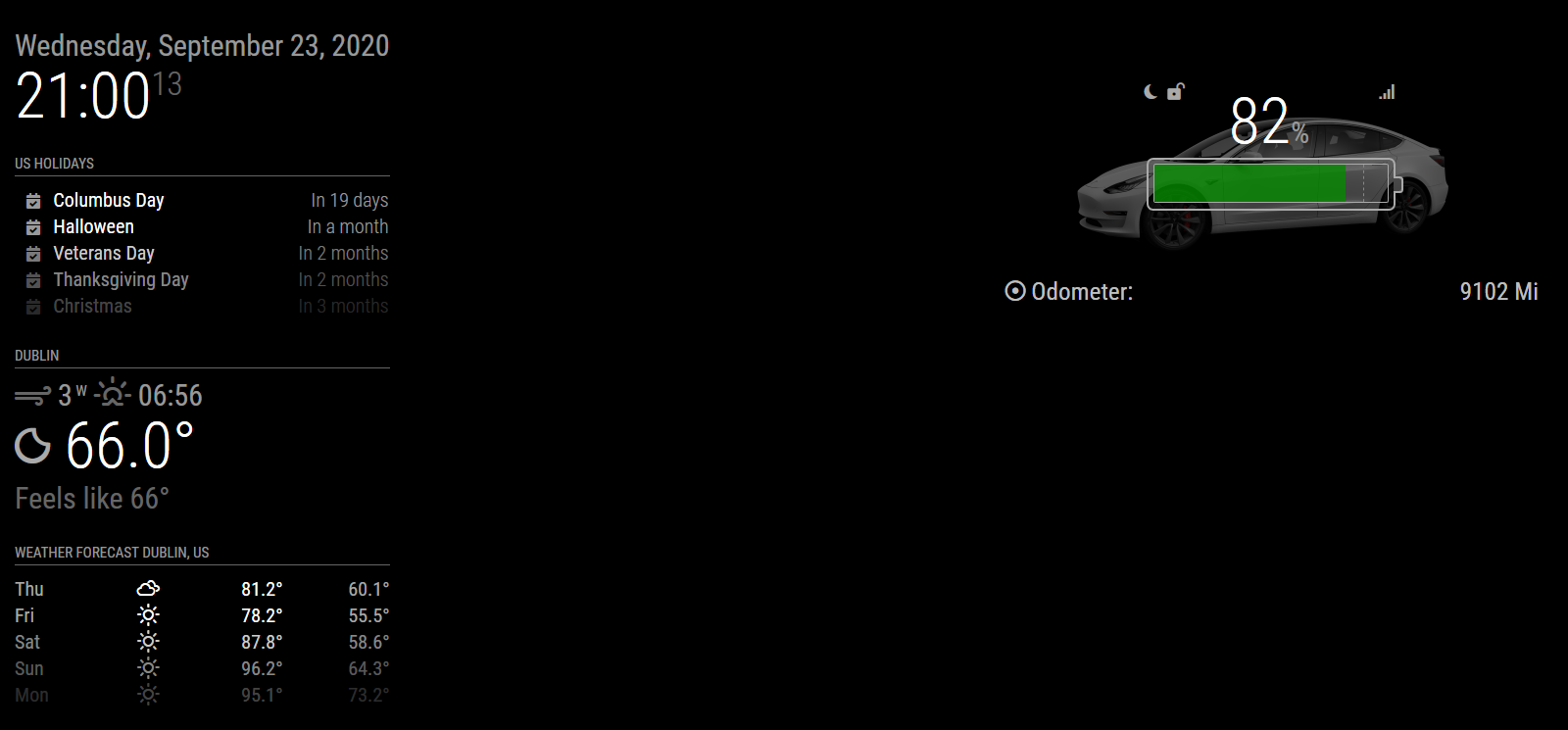
Thanks for the help!
-
So I have Calendar to show two upcoming birthdays. It is showing them one day too early. Is it the same problem as mentioned earlier? And will the same fix fix them for me?
Hello! It looks like you're interested in this conversation, but you don't have an account yet.
Getting fed up of having to scroll through the same posts each visit? When you register for an account, you'll always come back to exactly where you were before, and choose to be notified of new replies (either via email, or push notification). You'll also be able to save bookmarks and upvote posts to show your appreciation to other community members.
With your input, this post could be even better 💗
Register Login