Read the statement by Michael Teeuw here.
MMM-BoschSmartHome
-
Hi community,
Here is my MMM-BoschSmartHome module. It is a client interface for the Bosch Smart Home System.
Download and instructions on GitHub.Note: This module is a private and inofficial project without any relation to Robert Bosch Smart Home GmbH. I do not give any warranty, nor am I responsible for any damage.
Features
- Support for multiple rooms
- Window-/Door Contacts
- Room Climate Controls
- Thermostats
- Twinguards
- Visualization of Temperature, Humidity and Purity
- Bosch Home Connect Dishwashers (experimental!)
- Philips Hue Bridge
- Languages: English, German
Screenshots
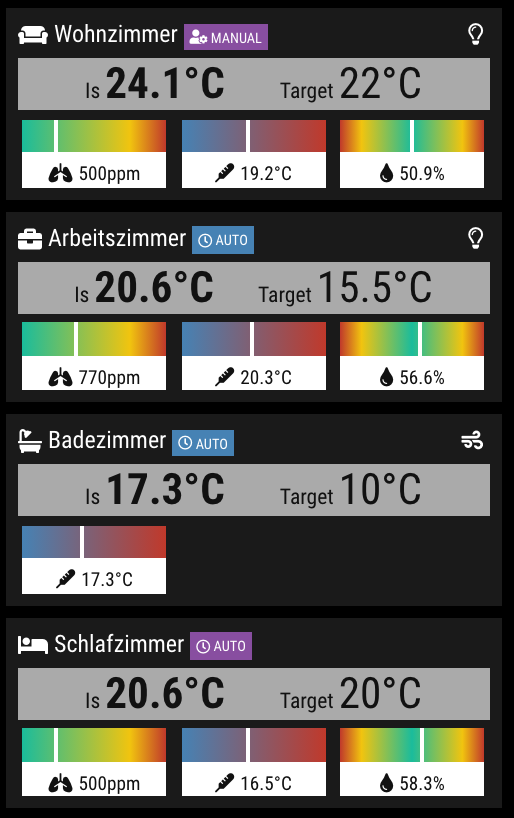
Visualization with bars
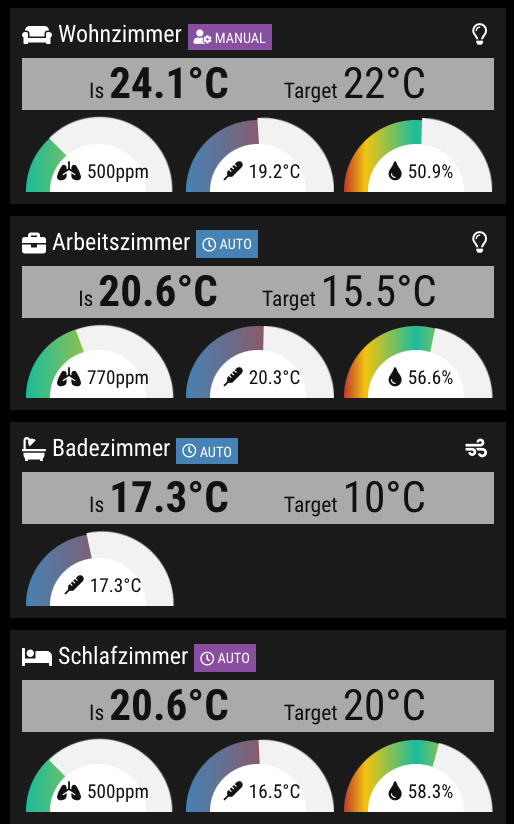
Visualization with donuts
Thank you
To all testers, their and your feedback.
Support
If you like this module and want to thank, please buy me a beer.
-
@Jalibu Looking good. Well done.
-
I have two rooms equipped with Bosch since one week and happy to test your module.
-
The latest version also supports the Twinguard AirQualityLevel (updated Screenshot on first post)
-
I followed the instructions. Within generate certificate I was ask a couple of questions I was not sure about. (Country ID, Company, E-Mail, …).
I included the config with my Bosch-IP address and the password. Pressed the button and reboot my raspberry.
But nothing is shown on the screen.
-
@MajorC There was a wrong/old value in my sample config (replace MMM-BSH with MMM-BoschSmartHome)
-
I see, now it is working just fine! Great work @Jalibu !
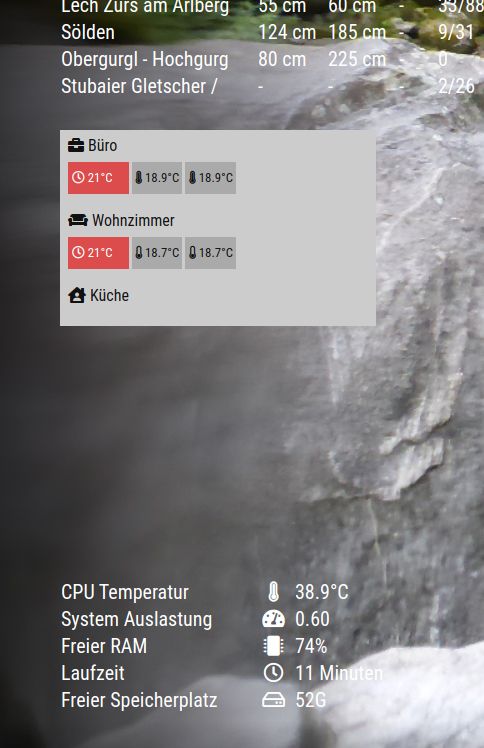
Next step to work on, some CSS functionalities.
-
I played a little bit with custom.css
/** * MMM-BoschSmartHome */ .MMM-BoschSmartHome .bsh-wrapper { background-color: rgba(0,0,0,0.00); color: #fff; font-size: 20px; } .MMM-BoschSmartHome .bsh-room-icon { margin-right: 8 px; } .MMM-BoschSmartHome .bsh-tiles { font-size: 18px; } -
I released a new version and updated my first Topic post with the latest Features and Screenshots.
Features
- Support for multiple rooms
- Shutter Contacts
- Room Climate Controls
- Thermostats
- Twinguards
- Visualization of Temperature, Humidity and Purity
- Bosch Home Connect Dishwashers (experimental!)
- Philips Hue Bridge
- Languages: English, German
Thanks to all testers!
-
Update with
git pullwas working fine.
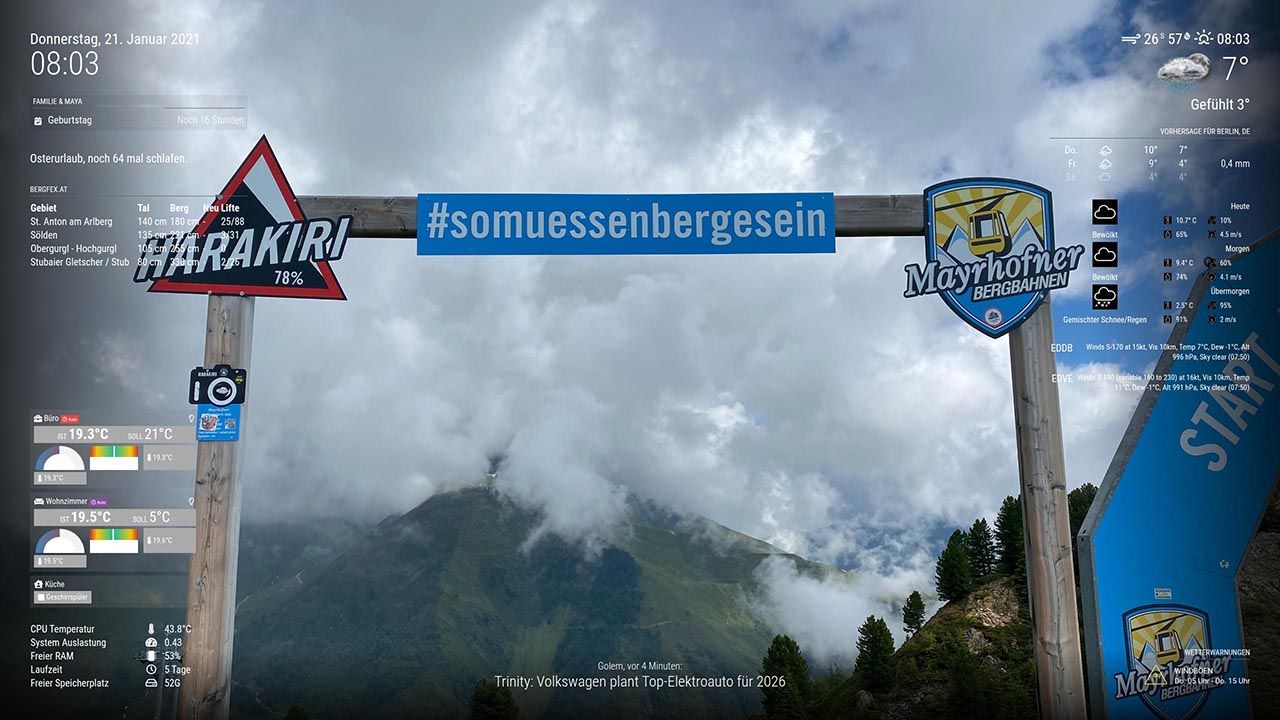
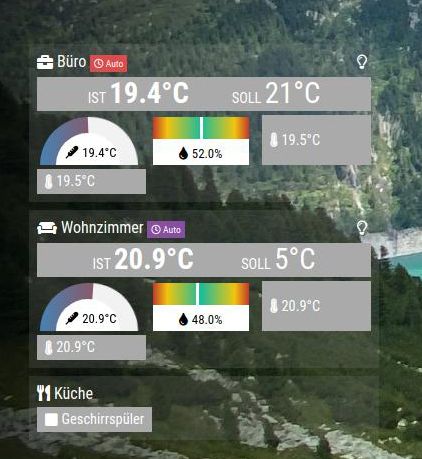
I am not sure about the new grafic-elements. This is how it looks on my system without custom.css.
		module: "MMM-BoschSmartHome",
			position: "bottom_left",
			config: {
				host: "192.168.2.XX", // Local IP Address
				name: "MMM-BoschSmartHome", // Display name for App
				identifier: "MMM-BoschSmartHome", // Unique Identifier for app
				password: "XXX", // Password for Bosch Smart Home Bridge
				refreshIntervalInSeconds: 60, // Default: 60
				width: "340px",
				displayRoomIcons: true, // Default: false
				displayThermostats: true, // Default: false
				airquality: {
					purity: "none", // one of [tile, bar, donut, none]. Default: bar
					humidity: "bar", // one of [tile, bar, donut, none]. Default: bar
					temperature: "donut", // one of [tile, bar, donut, none]. Default: bar
					preferredTemperatureProvider: "ClimateControl", // Twinguard or ClimateControl. Default: Twinguard, but falls back to CC
					preferredHumidityProvider: "ClimateControl" // Twinguard or ClimateControl. Default: Twinguard, but falls back to CC
				}
			}
		},
-
The latest version fixes a few bugs and supports an option to hide individual components per room.
Example:config: { hideComponents: { "Livingroom": ["temperature", "purity", "humidity"], "Bed Room": ["battery", "climateControl", "temperatureLevel", "hue"], "Kitchen": ["shutters", "dishwasher", "thermostats"] } } -
Looking good for me so fare after a couple of minutes.
-
@jalibu is it possible, that the hide room option is not working at the moment? I can hide hue and other things, but not the entire room with:
hideComponents: { "Flur": ["room"], "Küche": ["room"]// hides entire room }, -
@majorc
I can not reproduce your problem. Could you send me a Debug Dump of your environment again? -
@majorc said in MMM-BoschSmartHome:
@jalibu is it possible, that the hide room option is not working at the moment? I can hide hue and other things, but not the entire room with:
hideComponents: {
					"Flur": ["room"],
					"Küche": ["room"]// hides entire room
				},
My mistake. I had not installed the latest version of MMM-BoschSmartHome. I used git pull again, now everything works as expected.
-
@Jalibu
Hi, I just updated to MM 2.18 and the MM will not come up, if the MMM-BoschSmartHome module is active.If I disable/comment out the module, everything is working fine.
Have you checked your module with MM 2.18?
Update: I did a
npm install rxjsin the MMM-BoschSmartHome folder, that seams to do the fix.
-
@majorc That’s strange. The only module dependency is bosch-smart-home-bridge which uses rxjs but also has it in its dependencies: https://github.com/holomekc/bosch-smart-home-bridge/blob/master/package.json
I am running the module on 2.18 without problems
-
@majorc so, after you did the git pull did you do another npm install in the module folder?
sometimes update add new or changed dependencies.
general rule
if the module contains a package json
ALWAYS do npm install (or follow the module instructions, as for bugsounet’s stuff)
on install or update -
@sdetweil I am sure i did that. But I am not able to check it again, because now it is working fine.
-
Is there an option to sort the shown rooms. I would like to change the order of the rooms.


Hello! It looks like you're interested in this conversation, but you don't have an account yet.
Getting fed up of having to scroll through the same posts each visit? When you register for an account, you'll always come back to exactly where you were before, and choose to be notified of new replies (either via email, or push notification). You'll also be able to save bookmarks and upvote posts to show your appreciation to other community members.
With your input, this post could be even better 💗
Register Login