MagicMirror Forum
    • Recent
    • Tags
    • Unsolved
    • Solved
    • MagicMirror² Repository
    • Documentation
    • 3rd-Party-Modules
    • Donate
    • Discord
    • Register
    • Login
    A New Chapter for MagicMirror: The Community Takes the Lead
    Read the statement by Michael Teeuw here.

    Auto Black Screen (save mode of monitor?) after a few minutes

    Scheduled Pinned Locked Moved Troubleshooting
    11 Posts 2 Posters 5.5k Views 2 Watching
    Loading More Posts
    • Oldest to Newest
    • Newest to Oldest
    • Most Votes
    Reply
    • Reply as topic
    Log in to reply
    This topic has been deleted. Only users with topic management privileges can see it.
    • PeterPangP Offline
      PeterPang
      last edited by

      Auto Black Screen (save mode of monitor?) after a few minutes , already change to
      #xserver-command=X -s 0 -dpms ,
      but still BLACK again & again

      [Seat:*]
      #type=local
      #pam-service=lightdm
      #pam-autologin-service=lightdm-autologin
      #pam-greeter-service=lightdm-greeter
      #xserver-backend=
      #xserver-command=X -s 0 -dpms
      #xmir-command=Xmir
      #xserver-config=
      #xserver-layout=
      #xserver-allow-tcp=false

      wishmaster270W 1 Reply Last reply Reply Quote 0
      • wishmaster270W Offline
        wishmaster270 Module Developer @PeterPang
        last edited by

        @peterpang Hi,
        sdetweil wrote a script which can be used to disable the screensaver. You may look at GitHub.

        PeterPangP 1 Reply Last reply Reply Quote 0
        • PeterPangP Offline
          PeterPang @wishmaster270
          last edited by

          @wishmaster270 said in Auto Black Screen (save mode of monitor?) after a few minutes:

          disable the screensaver

          Firstly , thanks for your reply soon , but thaere’s not about screensaver , its seem a monitor auto sleep/save mode , just black screen no screensaver.

          wishmaster270W 1 Reply Last reply Reply Quote 0
          • wishmaster270W Offline
            wishmaster270 Module Developer @PeterPang
            last edited by

            @peterpang Hi, Raspberry OS has an built in feature called screen blanking. Maybe that is the problem. You can disable it by adding a “consoleblank=0” to the line in “/boot/cmdline.txt” and reboot the pi.
            But i did not have this problem in my recent installations.

            PeterPangP 2 Replies Last reply Reply Quote 0
            • PeterPangP Offline
              PeterPang @wishmaster270
              last edited by

              @wishmaster270
              Thanks again , try later ^^

              1 Reply Last reply Reply Quote 0
              • PeterPangP Offline
                PeterPang @wishmaster270
                last edited by

                @wishmaster270
                I open the File Manager , then open the " boot " folder , then click into the " cmdline.txt , see there’s a text :
                " console=serial0,115200 console=tty1 root=PARTUUID=7e583fb6-02 rootfstype=ext4 elevator=deadline fsck.repair=yes rootwait quiet splash plymouth.ignore-serial-consoles "
                add “consoleblank=0” here ? add in the first place or where else ?
                sorry , I’m just a very very Beginner , the first time in writing progamme

                wishmaster270W 1 Reply Last reply Reply Quote 0
                • wishmaster270W Offline
                  wishmaster270 Module Developer @PeterPang
                  last edited by

                  @peterpang Hi, that’s the right file. Simply add it at the end before the closing "

                  PeterPangP 1 Reply Last reply Reply Quote 0
                  • PeterPangP Offline
                    PeterPang @wishmaster270
                    last edited by

                    @wishmaster270
                    I try to add " consoleblank=0 " to the cmdline.txt ,
                    but
                    failed to save the document Permission denied
                    =,="
                    What I can do ?=.="
                    Please help

                    wishmaster270W 1 Reply Last reply Reply Quote 0
                    • PeterPangP Offline
                      PeterPang
                      last edited by

                      https://github.com/sdetweil/MagicMirror_scripts

                      additional scripts that may be useful
                      the install has two sections of additional support I have provided those separately too, in case u need to run one separately, or changed your mind after install

                      turn off screen saver and setup pm2 to autostart MM on boot…
                      screensaveroff.sh, cut/paste this line into the terminal window on your device

                      bash -c “$(curl -sL https://raw.githubusercontent.com/sdetweil/MagicMirror_scripts/master/screensaveroff.sh)”

                      fixuppm2.sh, cut/paste this line into the terminal window on your device

                      bash -c “$(curl -sL https://raw.githubusercontent.com/sdetweil/MagicMirror_scripts/master/fixuppm2.sh)”

                      1 Reply Last reply Reply Quote 0
                      • wishmaster270W Offline
                        wishmaster270 Module Developer @PeterPang
                        last edited by

                        @peterpang Hi, you need to run the editor with root privileges “sudo vi …” or “sudo nano …”

                        PeterPangP 1 Reply Last reply Reply Quote 0
                        • PeterPangP Offline
                          PeterPang @wishmaster270
                          last edited by

                          @wishmaster270
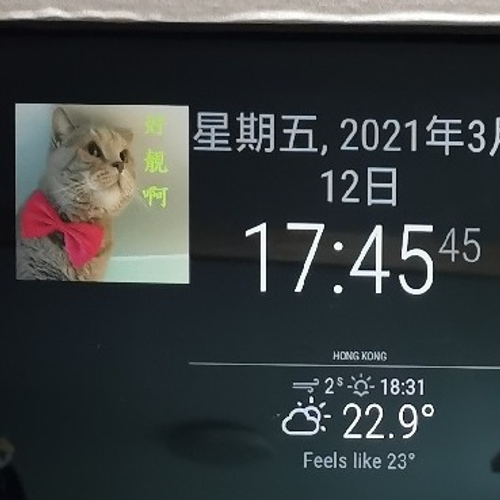
                          Thanks you man , I solved ^^
                          1 Reply Last reply Reply Quote 0

                          Hello! It looks like you're interested in this conversation, but you don't have an account yet.

                          Getting fed up of having to scroll through the same posts each visit? When you register for an account, you'll always come back to exactly where you were before, and choose to be notified of new replies (either via email, or push notification). You'll also be able to save bookmarks and upvote posts to show your appreciation to other community members.

                          With your input, this post could be even better 💗

                          Register Login

                          • 1 / 1
                          • First post
                            Last post
                          Enjoying MagicMirror? Please consider a donation!
                          MagicMirror created by Michael Teeuw.
                          Forum managed by Sam, technical setup by Karsten.
                          This forum is using NodeBB as its core | Contributors
                          Contact | Privacy Policy
