Read the statement by Michael Teeuw here.
Problems With Weather
-
Having trouble getting weather forecast to display. Current weather is displaying, although it is giving incorrect temperature readings and time. I have confirmed that I have the correct location id as well as API key id on both modules. Does anyone know what might be going on?
-
@brendan_c23 Actually just realized the temperature is in Celsius lol. So current weather is actually ok, but am still having trouble getting the forecast to display. Anybody know how to change celsius to Fahrenheit?
-
@brendan_c23 said in Problems With Weather:
Anybody know how to change celsius to Fahrenheit?
At the top of your config,js file, are your ‘units’ set to imperial?
var config = { address: "0.0.0.0", port: 8080, ipWhitelist: [], // Set [] to allow all IP addresses language: "en", timeFormat: 12, units: "imperial", -
@mykle1 Worked perfectly! Thank you! was just not sure where to find the units. Still having trouble to get the forecast displaying though. Any help on that?
-
I don’t use the default weather modules but I loaded up the weather forecast module and it errors, stating:
Failed to load resource: the server responded with a status of 401 (Unauthorized)
weatherforecast.js:261 weatherforecast: Your AppID does not support long term forecasts.
So, it looks like the appKey from open weather is the problem, or, the module is asking for data that is not available to holders of the free api.
Run your mirror by using
npm start devand see if that is the error you are getting -
Correction, the module loads eventually but with only one day of weather, today.
-
-
@mykle1 Hourly forecast: unavailable
Daily forecast: unavailable
Calls per minute: 60
3 hour forecast: 5 days
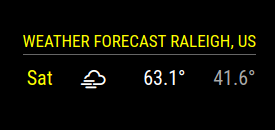
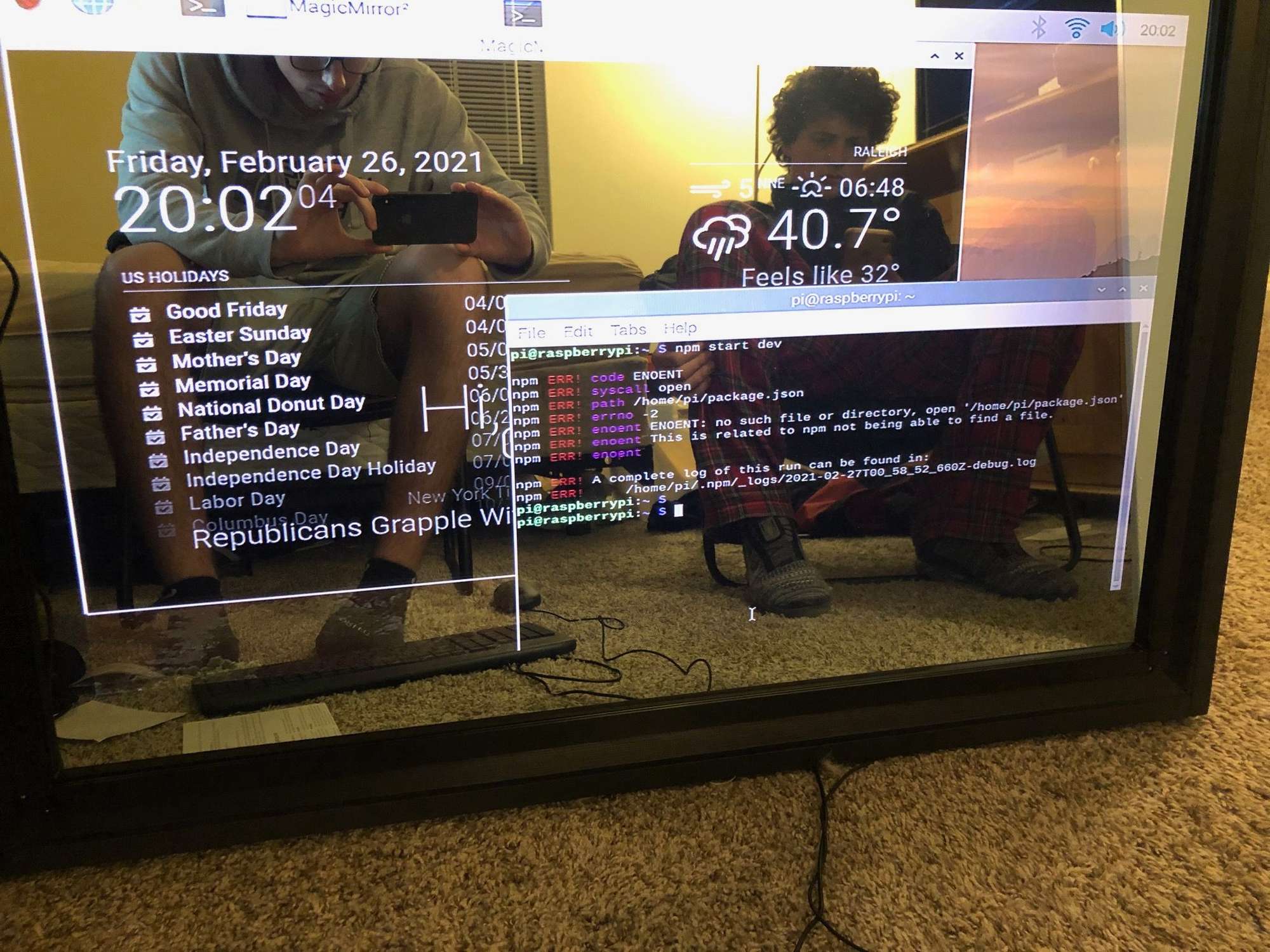
It seems these are limits for the free API key I have now. Is there a way to tweak the code so it would be compatible? I tried the npm start dev, and got a couple errors popping up, will take picture and post on here -
-
@brendan_c23 Current Weather
Minute Forecast 1 hour*
Hourly Forecast 2 days*
Daily Forecast 7 days*
National Weather Alerts*
Historical weather 5 days*
Climatic Forecast 30 days
Actually, 7 day forecast should be available with the free API from openweathermap.org -
You trying to run the mirror from the wrong folder. ENOENT error.
Start the mirror from within the MagicMirror directory
-
@mykle1 I am sorry Im a noob. How do I run the mirror from within the directory? cd MagicMirror?
-
-
-
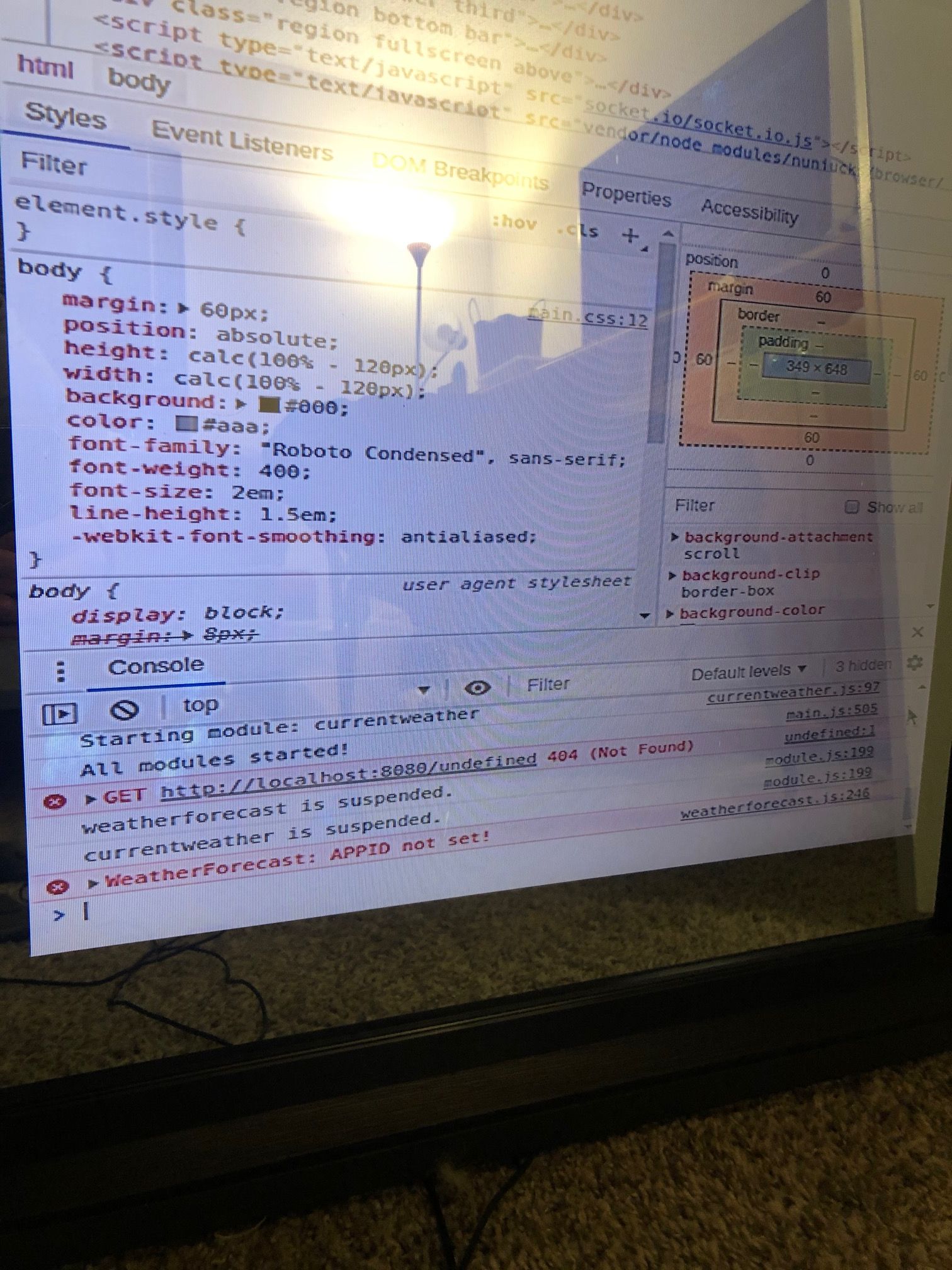
Well, it says right in the error message that your appid is not set. Hmmm
-
-
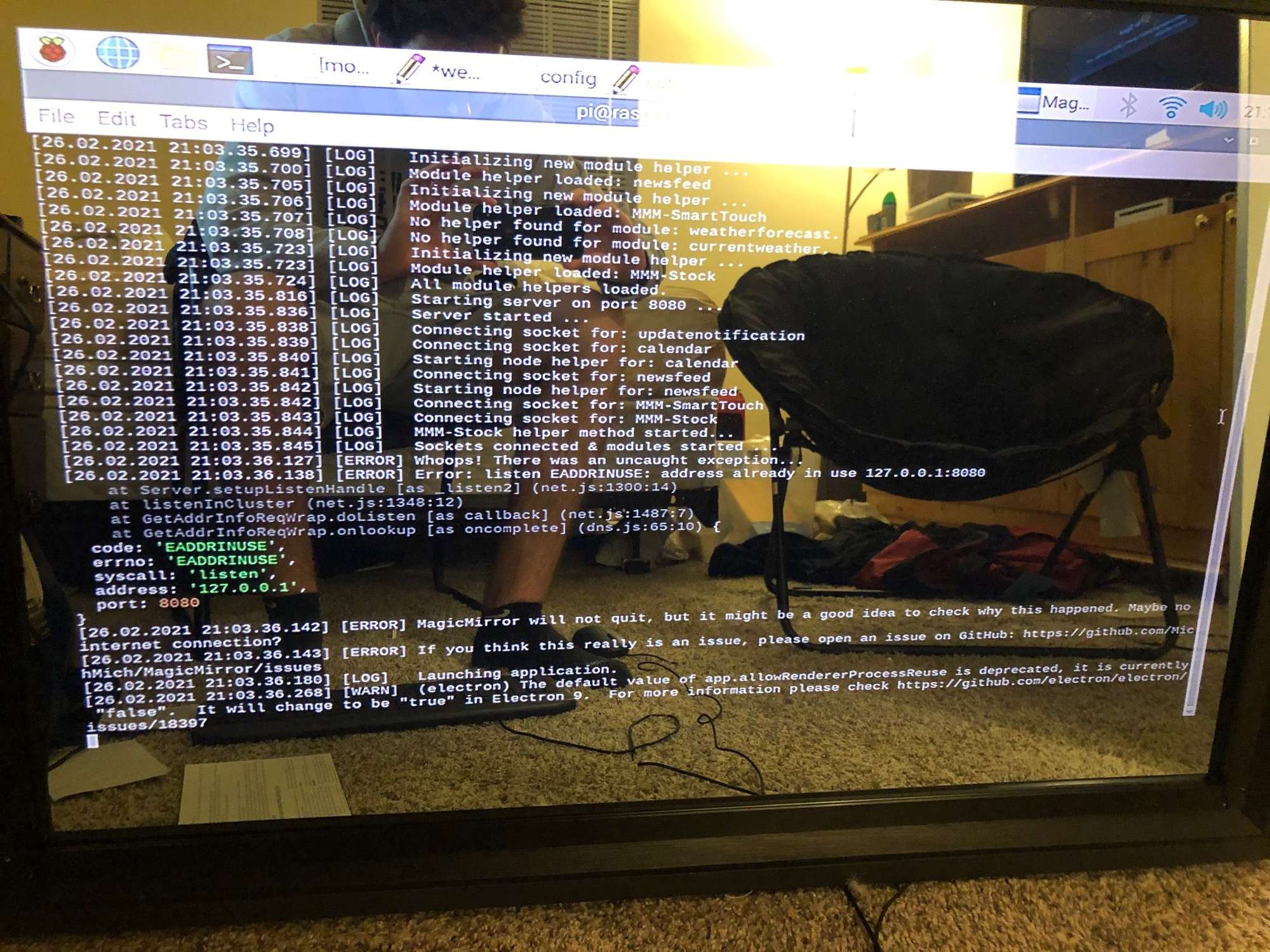
Something else is using port 8080. Most commonly it is because you have more than one instance of MM running at the same time. Or, there is another program on your pi using the same port.
-
@mykle1 Is it because I am using the same APPid for both weather modules? I have triple checked that I have the correct appid that was also working for the current weather.
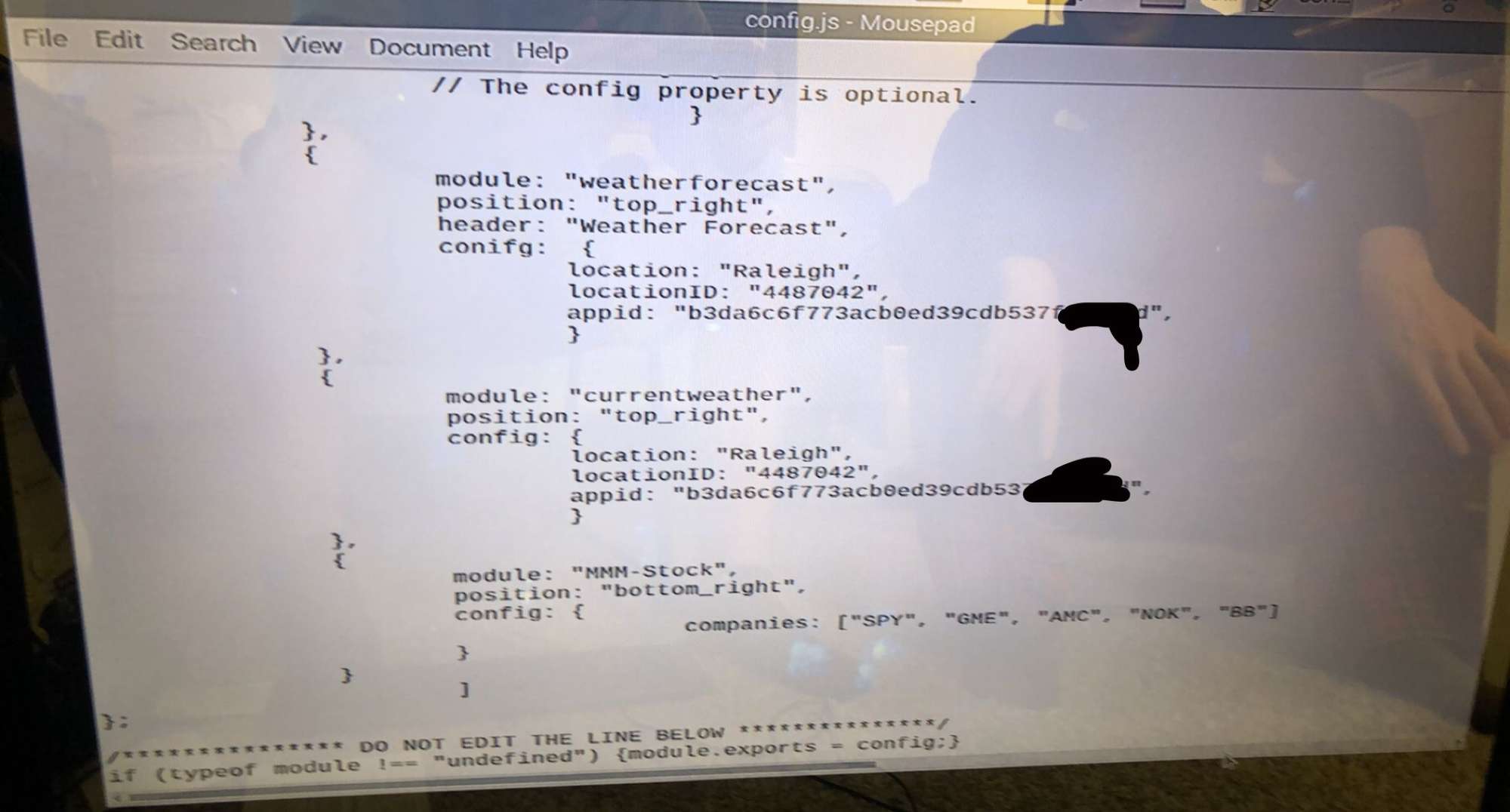
-
@brendan_c23 said in Problems With Weather:
Is it because I am using the same APPid for both weather modules?
No, you can use the appid twice. However, MM can not share port 8080
-
@mykle1 How could I try fixing this?

Hello! It looks like you're interested in this conversation, but you don't have an account yet.
Getting fed up of having to scroll through the same posts each visit? When you register for an account, you'll always come back to exactly where you were before, and choose to be notified of new replies (either via email, or push notification). You'll also be able to save bookmarks and upvote posts to show your appreciation to other community members.
With your input, this post could be even better 💗
Register Login