MagicMirror Forum
    • Recent
    • Tags
    • Unsolved
    • Solved
    • MagicMirror² Repository
    • Documentation
    • 3rd-Party-Modules
    • Donate
    • Discord
    • Register
    • Login
    A New Chapter for MagicMirror: The Community Takes the Lead
    Read the statement by Michael Teeuw here.

    MMM-Carousel not displaying

    Scheduled Pinned Locked Moved Forum
    96 Posts 4 Posters 60.0k Views 4 Watching
    Loading More Posts
    • Oldest to Newest
    • Newest to Oldest
    • Most Votes
    Reply
    • Reply as topic
    Log in to reply
    This topic has been deleted. Only users with topic management privileges can see it.
    • P Offline
      pastormingle @sdetweil
      last edited by

      @sdetweil I am having an intermittent issue now with displaying my office 365 work calendar… Sometimes it comes back with an "error in calendar module check logs for more details. I don’t see anything in the development console… Any direction here, please?

      P 1 Reply Last reply Reply Quote 0
      • P Offline
        pastormingle @pastormingle
        last edited by

        @pastormingle i changed the time intervals on the fetch and that seems to have worked… thanks…

        1 Reply Last reply Reply Quote 0
        • S Do not disturb
          sdetweil
          last edited by

          @pastormingle messages for fetching would be in the place u start mm

          npm start or pm2

          Sam

          How to add modules

          learning how to use browser developers window for css changes

          P 1 Reply Last reply Reply Quote 0
          • P Offline
            pastormingle @sdetweil
            last edited by

            @sdetweil Thanks Sam…
            Can you help me with an mmm-calendarext issue? I have a basic config for it and all I get is a blank screen… If I do console window it just hangs…

            {
                      module: 'MMM-CalendarExt',
                      position: "center",
                      config: {
                       calendars: [
                       {
                  url:"https://calendar.google.com/calendar/ical/pastormike%40htni.org/private-349ihavethisblocked/basic.ics"
                     }
                      ]
              }
            	},
            
            S 1 Reply Last reply Reply Quote 0
            • S Do not disturb
              sdetweil @pastormingle
              last edited by

              @pastormingle see
              https://forum.magicmirror.builders/topic/15778/fix-for-black-screen-in-2-16-and-later

              Sam

              How to add modules

              learning how to use browser developers window for css changes

              P 1 Reply Last reply Reply Quote 0
              • P Offline
                pastormingle @sdetweil
                last edited by

                @sdetweil Still not able to display… I ran the following command and it didn’t return any errors…

                pi@raspberrypi:~/MagicMirror/modules/MMM-CalendarExt $ npm init -y
                Wrote to /home/pi/MagicMirror/modules/MMM-CalendarExt/package.json:
                
                {
                  "name": "MMM-CalendarExt",
                  "version": "1.0.0",
                  "description": "Alternative calendar module for [MagicMirror](https://magicmirror.builders/)",
                  "main": "MMM-CalendarExt.js",
                  "scripts": {
                    "test": "echo \"Error: no test specified\" && exit 1"
                  },
                  "repository": {
                    "type": "git",
                    "url": "git+https://github.com/eouia/MMM-CalendarExt.git"
                  },
                  "keywords": [],
                  "author": "",
                  "license": "ISC",
                  "bugs": {
                    "url": "https://github.com/eouia/MMM-CalendarExt/issues"
                  },
                  "homepage": "https://github.com/eouia/MMM-CalendarExt#readme",
                  "dependencies": {
                    "all": "0.0.0"
                  },
                  "devDependencies": {}
                }


                S 1 Reply Last reply Reply Quote 0
                • S Do not disturb
                  sdetweil @pastormingle
                  last edited by

                  @pastormingle all that does is built the empty packjson,which will be used by the
                  npm install xxx -save

                  that second step is what fixes the missing library xxx once you figure out it’s name from the log messages.

                  ps. there are more than one potential missing library… so I teach u how to find it so next time you don’t have to post here to find the fix.

                  Sam

                  How to add modules

                  learning how to use browser developers window for css changes

                  P 1 Reply Last reply Reply Quote 0
                  • P Offline
                    pastormingle @sdetweil
                    last edited by

                    @sdetweil guess i"m not following what the xxx file would be?

                    P 1 Reply Last reply Reply Quote 0
                    • P Offline
                      pastormingle @pastormingle
                      last edited by

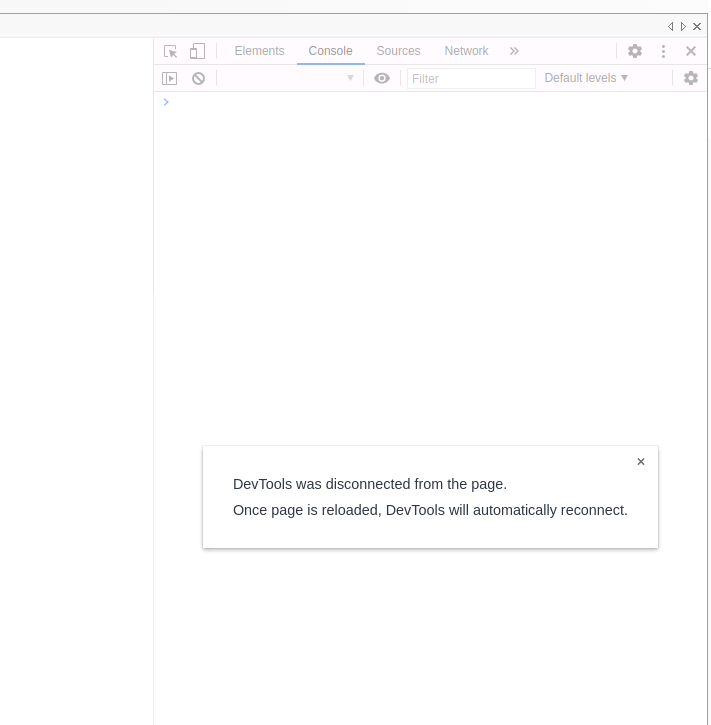
                      @pastormingle if i do a ctrl I i get the following
                      ?
                      ba69f498-8078-42ba-bd19-fccb95993f66-image.png

                      S 1 Reply Last reply Reply Quote 0
                      • S Do not disturb
                        sdetweil @pastormingle
                        last edited by

                        @pastormingle from the linked topic

                        then regardless do

                        npm install xxx
                        where xxx is the library noted in the message

                        cannot find module xxx

                        to find this message, look in the output of npm start. or if you use pm2 to launch mm do
                        pm2 logs --lines=50

                        __----------------

                        so you look for the message and get the name from it and replace xxx with the name

                        Sam

                        How to add modules

                        learning how to use browser developers window for css changes

                        P 1 Reply Last reply Reply Quote 0
                        • P Offline
                          pastormingle @sdetweil
                          last edited by

                          @sdetweil ```
                          pi@raspberrypi:~ $ pm2 logs --lines=50 MagicMirror
                          [TAILING] Tailing last 50 lines for [MagicMirror] process (change the value with --lines option)
                          /home/pi/.pm2/logs/MagicMirror-error.log last 50 lines:
                          0|MagicMir | - /home/pi/MagicMirror/js/electron.js
                          0|MagicMir | - /home/pi/MagicMirror/node_modules/electron/dist/resources/default_app.asar/main.js
                          0|MagicMir | -
                          0|MagicMir | [14.12.2021 16:02.14.185] [ERROR] App threw an error during load
                          0|MagicMir | [14.12.2021 16:02.14.187] [ERROR] Error: Cannot find module ‘valid-url’
                          0|MagicMir | Require stack:
                          0|MagicMir | - /home/pi/MagicMirror/modules/MMM-CalendarExt/node_helper.js
                          0|MagicMir | - /home/pi/MagicMirror/js/app.js
                          0|MagicMir | - /home/pi/MagicMirror/js/electron.js
                          0|MagicMir | - /home/pi/MagicMirror/node_modules/electron/dist/resources/default_app.asar/main.js
                          0|MagicMir | -
                          0|MagicMir | at Module._resolveFilename (internal/modules/cjs/loader.js:972:15)
                          0|MagicMir | at Function.n._resolveFilename (electron/js2c/browser_init.js:249:921)
                          0|MagicMir | at Function.Module._resolveFilename (/home/pi/MagicMirror/node_modules/module-alias/index.js:49:29)
                          0|MagicMir | at Module._load (internal/modules/cjs/loader.js:848:27)
                          0|MagicMir | at Function.f._load (electron/js2c/asar_bundle.js:5:12633)
                          0|MagicMir | at Module.require (internal/modules/cjs/loader.js:1032:19)
                          0|MagicMir | at require (internal/modules/cjs/helpers.js:72:18)
                          0|MagicMir | at Object. (/home/pi/MagicMirror/modules/MMM-CalendarExt/node_helper.js:3:18)
                          0|MagicMir | at Module._compile (internal/modules/cjs/loader.js:1152:30)
                          0|MagicMir | at Object.Module._extensions…js (internal/modules/cjs/loader.js:1173:10)
                          0|MagicMir | [14.12.2021 16:02.14.197] [ERROR] Whoops! There was an uncaught exception…
                          0|MagicMir | [14.12.2021 16:02.14.203] [ERROR] Error: Cannot find module ‘valid-url’
                          0|MagicMir | Require stack:
                          0|MagicMir | - /home/pi/MagicMirror/modules/MMM-CalendarExt/node_helper.js
                          0|MagicMir | - /home/pi/MagicMirror/js/app.js
                          0|MagicMir | - /home/pi/MagicMirror/js/electron.js
                          0|MagicMir | - /home/pi/MagicMirror/node_modules/electron/dist/resources/default_app.asar/main.js
                          0|MagicMir | -
                          0|MagicMir | at Module._resolveFilename (internal/modules/cjs/loader.js:972:15)
                          0|MagicMir | at Function.n._resolveFilename (electron/js2c/browser_init.js:249:921)
                          0|MagicMir | at Function.Module._resolveFilename (/home/pi/MagicMirror/node_modules/module-alias/index.js:49:29)

                          S 1 Reply Last reply Reply Quote 0
                          • S Do not disturb
                            sdetweil @pastormingle
                            last edited by

                            @pastormingle said in MMM-Carousel not displaying:

                            Error: Cannot find module ‘valid-url’

                            what is so hard about this?

                            Sam

                            How to add modules

                            learning how to use browser developers window for css changes

                            P 1 Reply Last reply Reply Quote 0
                            • P Offline
                              pastormingle @sdetweil
                              last edited by

                              @sdetweil the module name is valid-url… i though it’s looking for a URL… http://url…

                              S 1 Reply Last reply Reply Quote 0
                              • S Do not disturb
                                sdetweil @pastormingle
                                last edited by sdetweil

                                @pastormingle then

                                npm install valid-url --save

                                in the mm module folder

                                because xxx is valid-url in that error message

                                Sam

                                How to add modules

                                learning how to use browser developers window for css changes

                                P 1 Reply Last reply Reply Quote 0
                                • P Offline
                                  pastormingle @sdetweil
                                  last edited by

                                  @sdetweil ```
                                  ^C
                                  pi@raspberrypi:~ $ npm install valid-url --save
                                  npm WARN tsutils@3.21.0 requires a peer of typescript@>=2.8.0 || >= 3.2.0-dev || >= 3.3.0-dev || >= 3.4.0-dev || >= 3.5.0-dev || >= 3.6.0-dev || >= 3.6.0-beta || >= 3.7.0-dev || >= 3.7.0-beta but none is installed. You must install peer dependencies yourself.
                                  npm WARN optional SKIPPING OPTIONAL DEPENDENCY: fsevents@2.3.2 (node_modules/fsevents):
                                  npm WARN notsup SKIPPING OPTIONAL DEPENDENCY: Unsupported platform for fsevents@2.3.2: wanted {“os”:“darwin”,“arch”:“any”} (current: {“os”:“linux”,“arch”:“arm”})

                                  • valid-url@1.0.9
                                    updated 1 package and audited 964 packages in 19.443s

                                  112 packages are looking for funding
                                  run npm fund for details

                                  found 22 vulnerabilities (19 moderate, 3 high)
                                  run npm audit fix to fix them, or npm audit for details
                                  pi@raspberrypi:~ $ cd MagicMirror
                                  pi@raspberrypi:~/MagicMirror $ cd modules
                                  pi@raspberrypi:~/MagicMirror/modules $ dir
                                  Archive calendar_monthly default MMM-CalendarExt MMM-CalendarExtMinimonth MMM-CalendarExtTimeline MMM-Carousel MMM-GoogleTasks MMM-ip MMM-PaprikaMenu MMM-RAIN-MAP MMM-RAIN-MAP-L MMM-RAIN-MAPold
                                  pi@raspberrypi:~/MagicMirror/modules $ npm install valid-url --save
                                  npm WARN tsutils@3.21.0 requires a peer of typescript@>=2.8.0 || >= 3.2.0-dev || >= 3.3.0-dev || >= 3.4.0-dev || >= 3.5.0-dev || >= 3.6.0-dev || >= 3.6.0-beta || >= 3.7.0-dev || >= 3.7.0-beta but none is installed. You must install peer dependencies yourself.
                                  npm WARN optional SKIPPING OPTIONAL DEPENDENCY: fsevents@2.3.2 (node_modules/fsevents):
                                  npm WARN notsup SKIPPING OPTIONAL DEPENDENCY: Unsupported platform for fsevents@2.3.2: wanted {“os”:“darwin”,“arch”:“any”} (current: {“os”:“linux”,“arch”:“arm”})

                                  • valid-url@1.0.9
                                    added 1 package and audited 967 packages in 20.435s

                                  112 packages are looking for funding
                                  run npm fund for details

                                  found 20 vulnerabilities (18 moderate, 2 high)
                                  run npm audit fix to fix them, or npm audit for details
                                  pi@raspberrypi:~/MagicMirror/modules $

                                  S 1 Reply Last reply Reply Quote 0
                                  • S Do not disturb
                                    sdetweil @pastormingle
                                    last edited by

                                    @pastormingle said in MMM-Carousel not displaying:

                                    pi@raspberrypi:~/MagicMirror/modules

                                    in the folder of the mm module having trouble

                                    /home/pi/MagicMirror/modules/MMM-CalendarExt

                                    Sam

                                    How to add modules

                                    learning how to use browser developers window for css changes

                                    P 1 Reply Last reply Reply Quote 0
                                    • P Offline
                                      pastormingle @sdetweil
                                      last edited by

                                      @sdetweil ```
                                      pi@raspberrypi:~/MagicMirror/modules/MMM-CalendarExt $ npm install valid-url --save

                                      • valid-url@1.0.9
                                        added 1 package and audited 2 packages in 0.951s
                                        found 0 vulnerabilities
                                      S P 2 Replies Last reply Reply Quote 0
                                      • S Do not disturb
                                        sdetweil @pastormingle
                                        last edited by

                                        @pastormingle yes and then start MagicMirror

                                        if u still get a black screen the check again…

                                        Sam

                                        How to add modules

                                        learning how to use browser developers window for css changes

                                        1 Reply Last reply Reply Quote 0
                                        • P Offline
                                          pastormingle @pastormingle
                                          last edited by

                                          @pastormingle ```
                                          pi@raspberrypi:~/MagicMirror/modules/MMM-CalendarExt $ pm2 logs --lines=50 MagicMirror
                                          [TAILING] Tailing last 50 lines for [MagicMirror] process (change the value with --lines option)
                                          /home/pi/.pm2/logs/MagicMirror-error.log last 50 lines:
                                          0|MagicMir | -
                                          0|MagicMir | [14.12.2021 16:02.14.185] [ERROR] App threw an error during load
                                          0|MagicMir | [14.12.2021 16:02.14.187] [ERROR] Error: Cannot find module ‘valid-url’
                                          0|MagicMir | Require stack:
                                          0|MagicMir | - /home/pi/MagicMirror/modules/MMM-CalendarExt/node_helper.js
                                          0|MagicMir | - /home/pi/MagicMirror/js/app.js
                                          0|MagicMir | - /home/pi/MagicMirror/js/electron.js
                                          0|MagicMir | - /home/pi/MagicMirror/node_modules/electron/dist/resources/default_app.asar/main.js
                                          0|MagicMir | -
                                          0|MagicMir | at Module._resolveFilename (internal/modules/cjs/loader.js:972:15)
                                          0|MagicMir | at Function.n._resolveFilename (electron/js2c/browser_init.js:249:921)
                                          0|MagicMir | at Function.Module._resolveFilename (/home/pi/MagicMirror/node_modules/module-alias/index.js:49:29)
                                          0|MagicMir | at Module._load (internal/modules/cjs/loader.js:848:27)
                                          0|MagicMir | at Function.f._load (electron/js2c/asar_bundle.js:5:12633)
                                          0|MagicMir | at Module.require (internal/modules/cjs/loader.js:1032:19)
                                          0|MagicMir | at require (internal/modules/cjs/helpers.js:72:18)
                                          0|MagicMir | at Object. (/home/pi/MagicMirror/modules/MMM-CalendarExt/node_helper.js:3:18)
                                          0|MagicMir | at Module._compile (internal/modules/cjs/loader.js:1152:30)
                                          0|MagicMir | at Object.Module._extensions…js (internal/modules/cjs/loader.js:1173:10)
                                          0|MagicMir | [14.12.2021 16:02.14.197] [ERROR] Whoops! There was an uncaught exception…
                                          0|MagicMir | [14.12.2021 16:02.14.203] [ERROR] Error: Cannot find module ‘valid-url’
                                          0|MagicMir | Require stack:
                                          0|MagicMir | - /home/pi/MagicMirror/modules/MMM-CalendarExt/node_helper.js
                                          0|MagicMir | - /home/pi/MagicMirror/js/app.js
                                          0|MagicMir | - /home/pi/MagicMirror/js/electron.js
                                          0|MagicMir | - /home/pi/MagicMirror/node_modules/electron/dist/resources/default_app.asar/main.js
                                          0|MagicMir | -
                                          0|MagicMir | at Module._resolveFilename (internal/modules/cjs/loader.js:972:15)
                                          0|MagicMir | at Function.n._resolveFilename (electron/js2c/browser_init.js:249:921)
                                          0|MagicMir | at Function.Module._resolveFilename (/home/pi/MagicMirror/node_modules/module-alias/index.js:49:29)
                                          0|MagicMir | at Module._load (internal/modules/cjs/loader.js:848:27)
                                          0|MagicMir | at Function.f._load (electron/js2c/asar_bundle.js:5:12633)
                                          0|MagicMir | at Module.require (internal/modules/cjs/loader.js:1032:19)
                                          0|MagicMir | at require (internal/modules/cjs/helpers.js:72:18)
                                          0|MagicMir | at Object. (/home/pi/MagicMirror/modules/MMM-CalendarExt/node_helper.js:3:18)
                                          0|MagicMir | at Module._compile (internal/modules/cjs/loader.js:1152:30)
                                          0|MagicMir | at Object.Module._extensions…js (internal/modules/cjs/loader.js:1173:10) {
                                          0|MagicMir | code: ‘MODULE_NOT_FOUND’,
                                          0|MagicMir | requireStack: [
                                          0|MagicMir | ‘/home/pi/MagicMirror/modules/MMM-CalendarExt/node_helper.js’,
                                          0|MagicMir | ‘/home/pi/MagicMirror/js/app.js’,
                                          0|MagicMir | ‘/home/pi/MagicMirror/js/electron.js’,
                                          0|MagicMir | ‘/home/pi/MagicMirror/node_modules/electron/dist/resources/default_app.asar/main.js’,
                                          0|MagicMir | undefined

                                          S 1 Reply Last reply Reply Quote 0
                                          • S Do not disturb
                                            sdetweil @pastormingle
                                            last edited by sdetweil

                                            @pastormingle that message is from
                                            16:02.14.187

                                            so not recently

                                            pm2 stop all
                                            pm2 flush
                                            pm2 start 0

                                            wait
                                            pm2 stop all
                                            pm2 logs…

                                            Sam

                                            How to add modules

                                            learning how to use browser developers window for css changes

                                            P 1 Reply Last reply Reply Quote 0

                                            Hello! It looks like you're interested in this conversation, but you don't have an account yet.

                                            Getting fed up of having to scroll through the same posts each visit? When you register for an account, you'll always come back to exactly where you were before, and choose to be notified of new replies (either via email, or push notification). You'll also be able to save bookmarks and upvote posts to show your appreciation to other community members.

                                            With your input, this post could be even better 💗

                                            Register Login

                                            • 1
                                            • 2
                                            • 3
                                            • 4
                                            • 5
                                            • 4 / 5
                                            • First post
                                              Last post
                                            Enjoying MagicMirror? Please consider a donation!
                                            MagicMirror created by Michael Teeuw.
                                            Forum managed by Sam, technical setup by Karsten.
                                            This forum is using NodeBB as its core | Contributors
                                            Contact | Privacy Policy
