MagicMirror Forum
    • Recent
    • Tags
    • Unsolved
    • Solved
    • MagicMirror² Repository
    • Documentation
    • 3rd-Party-Modules
    • Donate
    • Discord
    • Register
    • Login
    A New Chapter for MagicMirror: The Community Takes the Lead
    Read the statement by Michael Teeuw here.

    MMM-CalendarExt3

    Scheduled Pinned Locked Moved Utilities
    689 Posts 82 Posters 2.8m Views 86 Watching
    Loading More Posts
    • Oldest to Newest
    • Newest to Oldest
    • Most Votes
    Reply
    • Reply as topic
    Log in to reply
    This topic has been deleted. Only users with topic management privileges can see it.
    • M Offline
      MMRIZE @furry131
      last edited by MMRIZE

      @furry131
      It might mean;

      1. Your module was not properly installed. I think this would be the solution in your case generally.
      cd ~/MagicMirror/modules/MMM-CalendarExt3
      git checkout main
      git pull
      npm install
      git submodule update --init --recursive
      
      1. Or your MM (Or Chromium/Browser what you are using) is somewhat old, update it.
      F 1 Reply Last reply Reply Quote 0
      • F Offline
        furry131 @MMRIZE
        last edited by

        @MMRIZE

        OK thanks. I just ran your suggestions and restarted MM. It is running.

        I just installed MM last week and I used sdetweil’s install script. Also just ran the the update script he has. seems to only needing to update Node.js from v16.13.0 to v16.13.1.

        Must have been something odd with the install of the module then.

        Appreciate everyone’s help.

        1 Reply Last reply Reply Quote 0
        • M Offline
          MMRIZE
          last edited by

          UPDATE 1.5.0

          4ca1e0a9-5e0e-4260-8dd3-8f3ee200308b-image.png
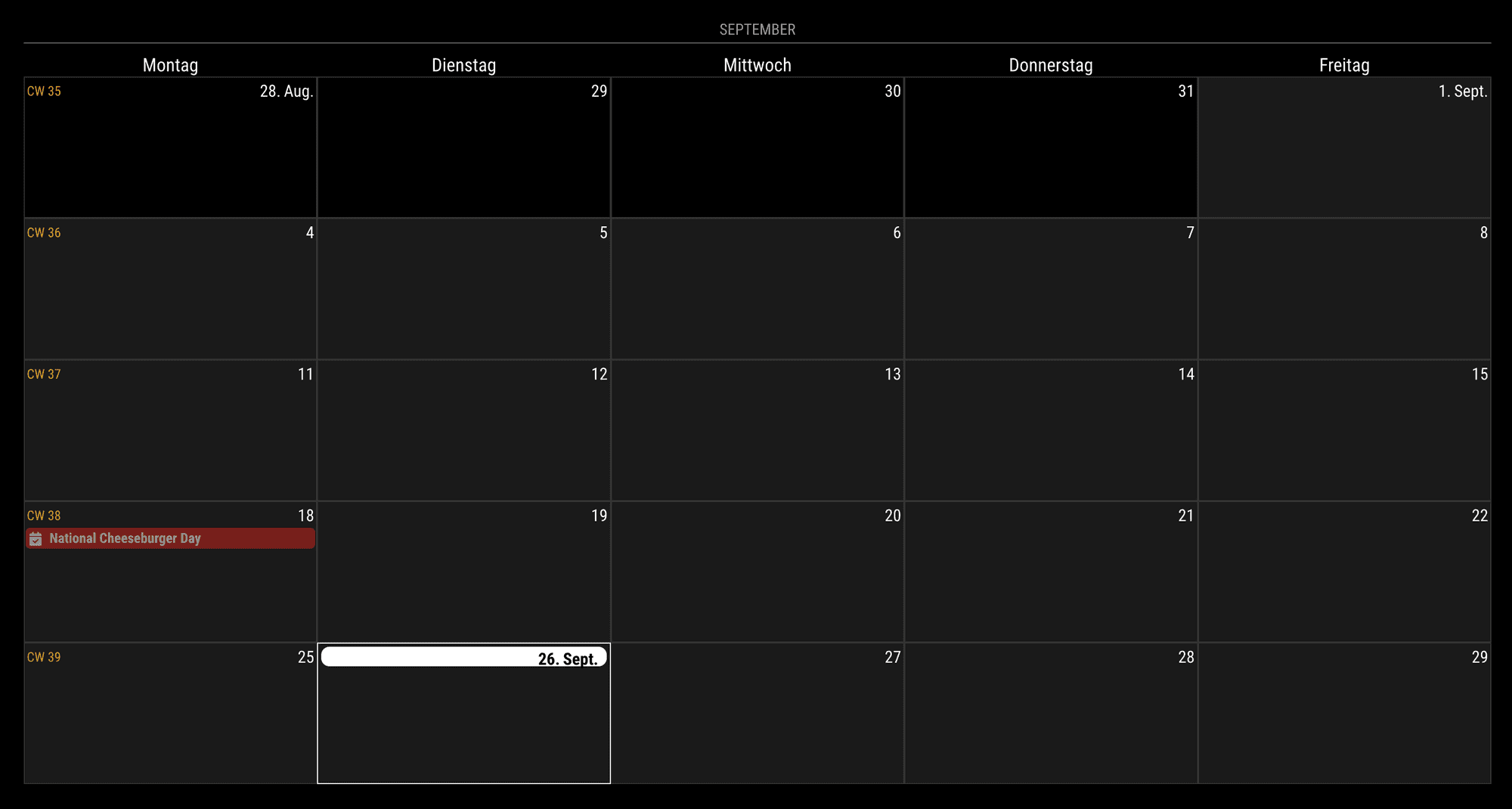
          Now, the module has a new mode, day; it could show a relatively week-like view. You can adjust the beginning of the seven-day cells from today (or relatively by dayIndex).

          G 1 Reply Last reply Reply Quote 0
          • G Offline
            gonzonia @MMRIZE
            last edited by

            @MMRIZE Thank you! That’s just what I wanted!

            1 Reply Last reply Reply Quote 0
            • B Offline
              bicolorbore586 @MMRIZE
              last edited by

              @MMRIZE
              Is there a way to change the height of a calendar so it’s either nothing, or very thin?

              Using the “manipulateDateCell” I get the desired effect of having an icon in the cell header, however I’d like to not have a “blank” entry in the day view (see picture)

              dd955139-2d6e-4bf4-b71a-596e7c6c73c2-image.png

              M 1 Reply Last reply Reply Quote 0
              • M Offline
                MMRIZE @bicolorbore586
                last edited by

                @bicolorbore586
                What is that ‘blank’? I cannot guess what it is pointing. Could you show me a bigger picture? and to reproduce your case, send or show me the config and css with real ical urls. (eouia0819@gmail.com)

                1 Reply Last reply Reply Quote 1
                • A Offline
                  aircliff
                  last edited by

                  Have a question I’m hoping others may have seen and resolved.

                  Currently I run my MagicMirror in server mode and have popover enabled on my calendar. When I access from a computer with a mouse and click the individual calendar events the popover comes up as expected. When I access from my tablet the popover will not come up when I touch the individual events. Other modules I have such as MMM-OnScreenMenu responds appropriately to touch on the tablets.

                  I’m hoping others may have seen this and have a recommendation for what I should look at. I’m assuming there is a setting somewhere in one of the files I need to enable or define in some specific way in the config file.

                  Everything with the module otherwise works perfectly, just the one item I’m trying to resolve with popover when using with a tablet touchscreen.

                  Thank you

                  S M 2 Replies Last reply Reply Quote 0
                  • S Offline
                    sdetweil @aircliff
                    last edited by

                    @aircliff it’s probable that the tablet doesn’t support the right level of JavaScript for the pop-up to happen

                    Sam

                    How to add modules

                    learning how to use browser developers window for css changes

                    1 Reply Last reply Reply Quote 0
                    • M Offline
                      MMRIZE @aircliff
                      last edited by MMRIZE

                      @aircliff
                      I’m using new way to handle popover thing, the “popover” API which is suggested recently as standard, but not all the browser supports it yet.

                      https://github.com/MMRIZE/MMM-CalendarExt3/discussions/80

                      S 1 Reply Last reply Reply Quote 0
                      • S Offline
                        sdetweil @MMRIZE
                        last edited by

                        @MMRIZE and tablets and TVs and fix devices are using fairly old browsers and don’t generally have any mechanism to upgrade them to the latest releases so it’s unlikely that the tablet will ever support the pop-up the same way as a native browser will

                        Sam

                        How to add modules

                        learning how to use browser developers window for css changes

                        1 Reply Last reply Reply Quote 0
                        • C Offline
                          CurlyQ12391
                          last edited by

                          Hello, I hope that this is the correct place to ask about this…

                          I’ve been playing around with adding backgrounds to my CalX3 for US holidays (example of the Valentines background below):
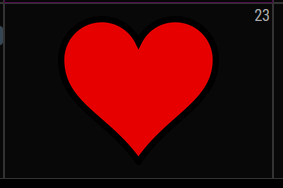
                          1964916b-3525-40e5-a81b-7f691ef45676-image.png

                          Since the CSS is applying the background to a specific month/date combo I am unsure how I can accommodate holidays that occur on the same day but different dates each year (e.g., Thanksgiving, Labor Day, etc).

                          The below CSS is all the dates Labor Day could fall on, but this wouldn’t work unless I comment out the incorrect dates each year :/ any ideas/suggestions?

                          /* Labor Day - First Monday in September */
                          .CX3 .month_9.date_1,
                          .CX3 .month_9.date_2,
                          .CX3 .month_9.date_3,
                          .CX3 .month_9.date_4,
                          .CX3 .month_9.date_5,
                          .CX3 .month_9.date_6,
                          .CX3 .month_9.date_7,
                          .CX3 .month_9.date_8 {
                            background-image: url("/modules/MMM-CalendarExt3/Backgrounds/LaborDay");
                            background-position: center center;
                            background-size: 60%;
                            background-repeat: no-repeat;
                          }
                          

                          Thank you!

                          M 1 Reply Last reply Reply Quote 0
                          • M Offline
                            MMRIZE @CurlyQ12391
                            last edited by MMRIZE

                            @CurlyQ12391
                            There is the selector “.weekday_N”(0-6). ATM I cannot remember exactly but “weekday_0” probably is “Sunday” (or Monday), anyway try it.
                            https://github.com/MMRIZE/MMM-CalendarExt3#styling-with-css

                            C 1 Reply Last reply Reply Quote 0
                            • C Offline
                              CurlyQ12391 @MMRIZE
                              last edited by

                              @MMRIZE,

                              That did the trick! Adding “weekday” prevented the image from populating on multiple cells :) This module is by far my favorite because of how customizable it is.

                              /* Labor Day - First Monday in September */
                              .CX3 .month_9.date_1.weekday_1,
                              .CX3 .month_9.date_2.weekday_1,
                              .CX3 .month_9.date_3.weekday_1,
                              .CX3 .month_9.date_4.weekday_1  {
                                background-image: url("/modules/MMM-CalendarExt3/Backgrounds/LaborDay");
                                background-position: center center;
                                background-size: 60%;
                                background-repeat: no-repeat;
                              }
                              

                              The only one I haven’t been able to figure out is Easter Sunday because it is the first between March 22 and April 25. I dont believe CSS can handle that type of logic, maybe JS but thats a little too complex for me. For now I will just leave Easter off the calendar.

                              M 2 Replies Last reply Reply Quote 0
                              • M Offline
                                MMRIZE @CurlyQ12391
                                last edited by

                                @CurlyQ12391
                                I think it is possible with “manipulateDateCell”. I will show example after my return from a business trip in a few days.

                                1 Reply Last reply Reply Quote 0
                                • M Offline
                                  MMRIZE @CurlyQ12391
                                  last edited by MMRIZE

                                  @CurlyQ12391

                                  {
                                    module: "MMM-CalendarExt3",
                                    position: "bottom_bar",
                                    config: {
                                      mode: 'month',
                                      manipulateDateCell: (dom, events) => {
                                        let date = new Date(+dom.dataset.date)
                                        if (date.getMonth() == 8 && date.getDate() == 2) { // specific cell by absolute date
                                          dom.classList.add('specialHoliday')
                                          dom.style.backgroundColor = 'red'
                                          // do whatever you want.
                                        }
                                  
                                        if (events.some(e => e.title.search("Gelber") > -1)){ // specific cell by event
                                          dom.classList.add('specialEvent')
                                          dom.style.backgroundColor = 'yellow'
                                          // do whatever you want.
                                        }
                                      }
                                    }
                                  },
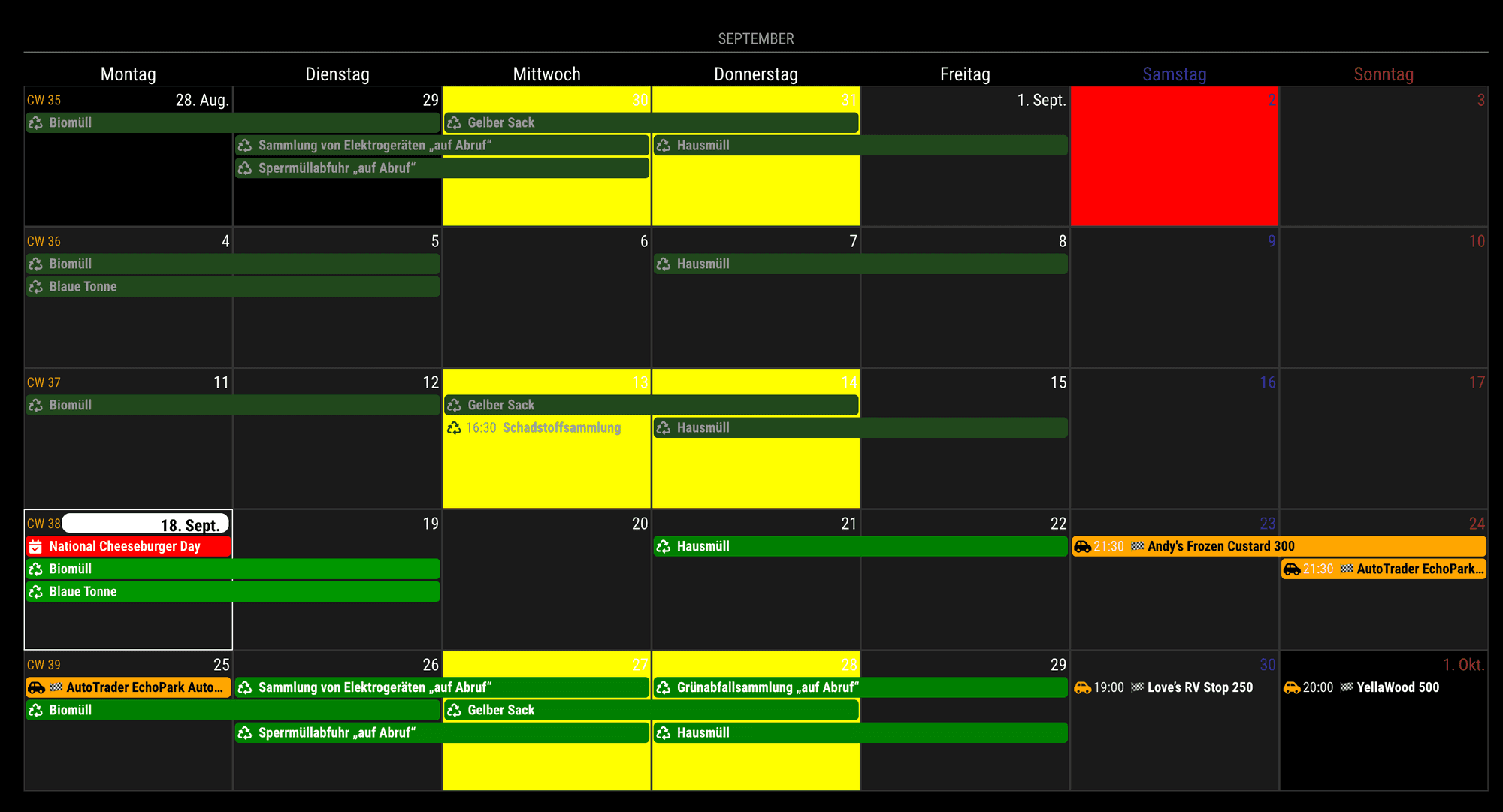
                                  

                                  107e15de-2d5a-4b38-bab6-0eb97f9dbe53-image.png

                                  1 Reply Last reply Reply Quote 0
                                  • N Offline
                                    nekreg9
                                    last edited by

                                    How can I delay the start of the MMM-CalendarExt3 module? I have the default calendar module showing and I can see the 3 calendars load events into it. The problem is CalendarExt3 starts while the calendars are still loading. I changed the refreshInterval to more frequent to deal with that, but really a delay start would be more efficient.

                                    I supposed this would only be a problem while I am troubleshooting.

                                    M 1 Reply Last reply Reply Quote 0
                                    • M Offline
                                      MMRIZE @nekreg9
                                      last edited by

                                      @nekreg9
                                      There is a configurable option “waitFetch”.
                                      But I doubt your real issue would be that. Because, CX3 starts rendering after one calendar which has at least one event have fetched successfully. (and in a “waitFetch”, no more calendar is fetched)
                                      So if your CX3 starts late, It means your events source provider(usually default calendar module) might have timing issue to fetch calendars(e.g. too frequent fetch cycles or something else)

                                      1 Reply Last reply Reply Quote 0
                                      • K Offline
                                        Kaisies 0
                                        last edited by

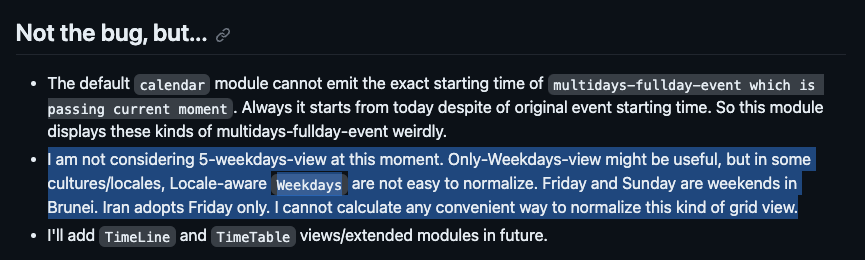
                                        Is it at all possible to alter the grid to only divide the screen into 5 sections? I was able to alter code to only show m-f, but the sat and sun sections are still there. Just completely blank. For the life of me I can’t figure out where in the code it sets this part up.

                                        M 2 Replies Last reply Reply Quote 0
                                        • M Offline
                                          MMRIZE @Kaisies 0
                                          last edited by

                                          @Kaisies-0
                                          1f6f210b-dd20-4887-b394-f2525233ad7b-image.png

                                          1 Reply Last reply Reply Quote 0
                                          • M Offline
                                            MMRIZE @Kaisies 0
                                            last edited by MMRIZE

                                            @Kaisies-0
                                            Anyway,
                                            For the firstDayOfWeek: 1 (Week starts from Monday), It could be achieved like below;

                                            .CX3 .weekGrid {
                                              grid-template-columns: repeat(5, [cell-start] 1fr [cell-end]) 0fr 0fr;
                                            }
                                            
                                            .CX3 .weekday.weekday_6,
                                            .CX3 .weekday.weekday_0 {
                                              display: none;
                                            }
                                            
                                            .CX3 .cell.weekday_6,
                                            .CX3 .cell.weekday_0 {
                                              display: none;
                                            }
                                            

                                            This will work.
                                            ca91b736-4bef-46da-8af9-93877ca4a0e0-image.png
                                            But for the firstDayOfWeek:0 or another case, .weekGrid should be adjusted more heavily. And not sure side-effects.
                                            BKeyportB 1 Reply Last reply Reply Quote 0

                                            Hello! It looks like you're interested in this conversation, but you don't have an account yet.

                                            Getting fed up of having to scroll through the same posts each visit? When you register for an account, you'll always come back to exactly where you were before, and choose to be notified of new replies (either via email, or push notification). You'll also be able to save bookmarks and upvote posts to show your appreciation to other community members.

                                            With your input, this post could be even better 💗

                                            Register Login

                                            • 1
                                            • 2
                                            • 26
                                            • 27
                                            • 28
                                            • 29
                                            • 30
                                            • 34
                                            • 35
                                            • 28 / 35
                                            • First post
                                              Last post
                                            Enjoying MagicMirror? Please consider a donation!
                                            MagicMirror created by Michael Teeuw.
                                            Forum managed by Sam, technical setup by Karsten.
                                            This forum is using NodeBB as its core | Contributors
                                            Contact | Privacy Policy