MagicMirror Forum
    • Recent
    • Tags
    • Unsolved
    • Solved
    • MagicMirror² Repository
    • Documentation
    • 3rd-Party-Modules
    • Donate
    • Discord
    • Register
    • Login
    A New Chapter for MagicMirror: The Community Takes the Lead
    Read the statement by Michael Teeuw here.

    NPM run start cannot be used

    Scheduled Pinned Locked Moved Unsolved Troubleshooting
    44 Posts 4 Posters 16.9k Views 4 Watching
    Loading More Posts
    • Oldest to Newest
    • Newest to Oldest
    • Most Votes
    Reply
    • Reply as topic
    Log in to reply
    This topic has been deleted. Only users with topic management privileges can see it.
    • S Do not disturb
      sdetweil @史新瑞
      last edited by

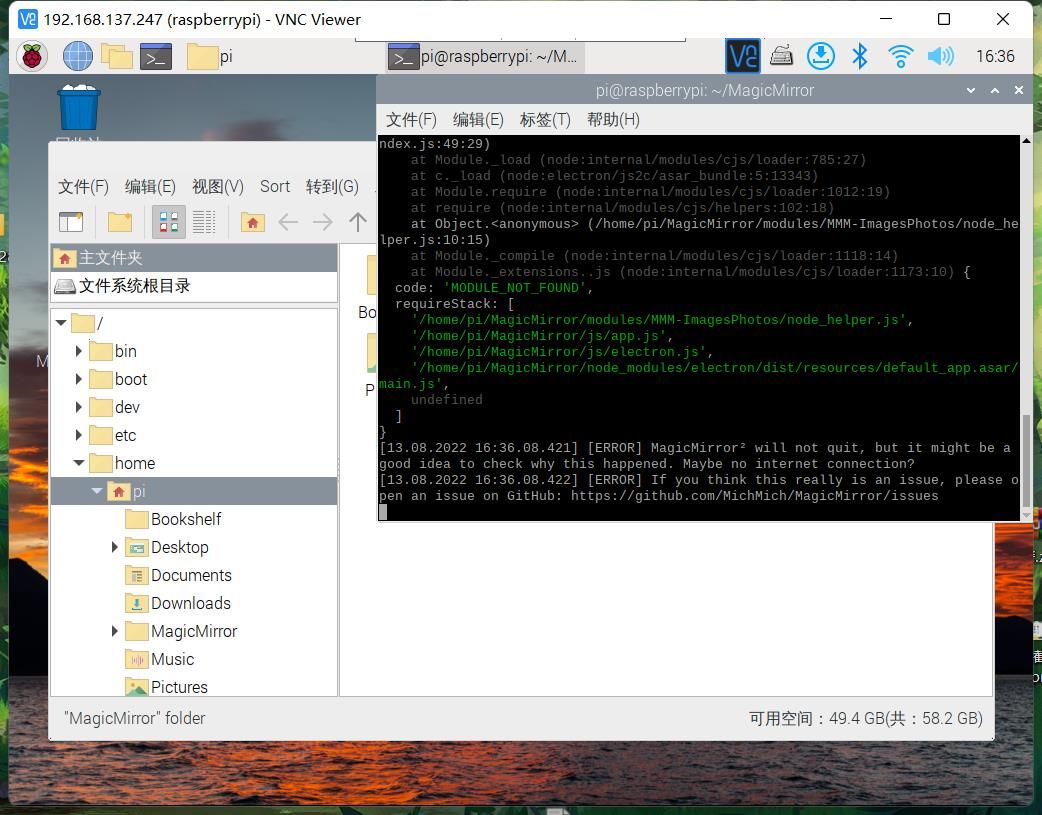
      @史新瑞 the messages where mm is started

      npm start or
      pm2 logs

      Sam

      How to add modules

      learning how to use browser developers window for css changes

      史 1 Reply Last reply Reply Quote 0
      • 史 Offline
        史新瑞 @sdetweil
        last edited by

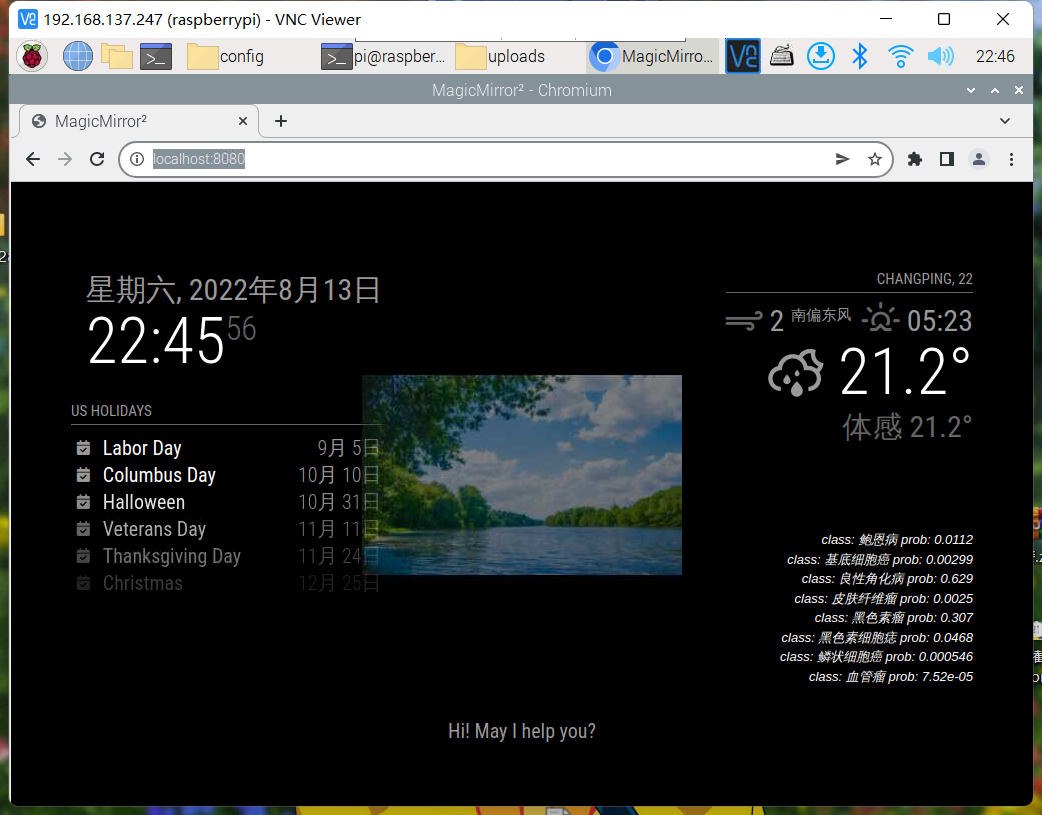
        @sdetweil What is described here is my latest problem. Sorry, I didn’t make it clear

        S 2 Replies Last reply Reply Quote 0
        • S Do not disturb
          sdetweil @史新瑞
          last edited by

          @史新瑞 is it current or forecast mode? which provider?

          Sam

          How to add modules

          learning how to use browser developers window for css changes

          1 Reply Last reply Reply Quote 0
          • S Do not disturb
            sdetweil @史新瑞
            last edited by

            @史新瑞 I just added my openweather api key to the starting config.js

            		{
            			module: "weather",
            			position: "top_right",
            			config: {
            				weatherProvider: "openweathermap",
            				type: "current",
            				location: "New York",
            				locationID: "5128581", //ID from http://bulk.openweathermap.org/sample/city.list.json.gz; unzip the gz file and find your city
            				apiKey: "a6bf9feaa86bc2677df1e5fsdasdasd46bd79d"
            			}
            		},
            		{
            			module: "weather",
            			position: "top_right",
            			header: "Weather Forecast",
            			config: {
            				weatherProvider: "openweathermap",
            				type: "forecast",
            				location: "New York",
            				locationID: "5128581", //ID from http://bulk.openweathermap.org/sample/city.list.json.gz; unzip the gz file and find your city
            				apiKey: "a6bf9feaa86bc2677df1e5f46bd79dsdasd"
            			}
            		},
            

            and both worked (the apikeys are mangled here so won’t work anywhere else)

            Sam

            How to add modules

            learning how to use browser developers window for css changes

            史 2 Replies Last reply Reply Quote 0
            • 史 Offline
              史新瑞 @sdetweil
              last edited by

              @sdetweil I don’t use the same API as you, and your last reply revealed your key which is not good

              S 1 Reply Last reply Reply Quote 0
              • S Do not disturb
                sdetweil @史新瑞
                last edited by

                @史新瑞 my key was mangled, so not useable… just wanted it to be clear for you…
                default provider is openweather

                I asked you what provider and type… (current or forecast)

                I can get api keys to test too

                Sam

                How to add modules

                learning how to use browser developers window for css changes

                史 1 Reply Last reply Reply Quote 0
                • 史 Offline
                  史新瑞 @sdetweil
                  last edited by

                  @sdetweil If possible, I would like to try your API tomorrow, but this is only a test, and this is based on your consent. Generally, I will not use your API, I will continue to use my own API, I hope you can agree

                  S 1 Reply Last reply Reply Quote 0
                  • S Do not disturb
                    sdetweil @史新瑞
                    last edited by

                    @史新瑞 I don’t understand ‘API’

                    API is the method of getting data… we don’t expose that outside the module.
                    of course u could change the code if u know javascript.

                    you could certainly use the openeweather source…

                    Sam

                    How to add modules

                    learning how to use browser developers window for css changes

                    1 Reply Last reply Reply Quote 0
                    • 史 Offline
                      史新瑞 @sdetweil
                      last edited by

                      @sdetweil To tell the truth, I didn’t remember it. Please allow me to check it tomorrow morning and tell you

                      S 1 Reply Last reply Reply Quote 0
                      • S Do not disturb
                        sdetweil @史新瑞
                        last edited by

                        @史新瑞 ok… I am US central time… Sunday Aug 14, 11:30 am .

                        Sam

                        How to add modules

                        learning how to use browser developers window for css changes

                        史 1 Reply Last reply Reply Quote 0
                        • 史 Offline
                          史新瑞 @sdetweil
                          last edited by

                          @sdetweil I mean only the weather API, that is, the key of your openweather. I will come back to you for advice in nine hours, that is, around 8:00 p.m. us time. I hope you have time, and I hope you don’t hate me. Thank you again. I wish you good health and good luck. I’ll be with you all the time

                          S 1 Reply Last reply Reply Quote 0
                          • S Do not disturb
                            sdetweil @史新瑞
                            last edited by

                            @史新瑞 no opinion of you. just working on problems. many new users come and we work thru things…

                            see u later

                            Sam

                            How to add modules

                            learning how to use browser developers window for css changes

                            史 1 Reply Last reply Reply Quote 0
                            • 史 Offline
                              史新瑞 @sdetweil
                              last edited by

                              @sdetweil
                              Good evening. I just woke up

                              /* MagicMirror² Config Sample
                              *
                              * By Michael Teeuw https://michaelteeuw.nl
                              * MIT Licensed.
                              *
                              * For more information on how you can configure this file
                              * see https://docs.magicmirror.builders/configuration/introduction.html
                              * and https://docs.magicmirror.builders/modules/configuration.html
                              */
                                 
                              let config = {
                                 address: "localhost", 	// Address to listen on, can be:
                                 						// - "localhost", "127.0.0.1", "::1" to listen on loopback interface
                                 						// - another specific IPv4/6 to listen on a specific interface
                                 						// - "0.0.0.0", "::" to listen on any interface
                                 						// Default, when address config is left out or empty, is "localhost"
                                 port: 8080,
                                 basePath: "/", 	// The URL path where MagicMirror² is hosted. If you are using a Reverse proxy
                                 				// you must set the sub path here. basePath must end with a /
                                 ipWhitelist: ["127.0.0.1", "::ffff:127.0.0.1", "::1"], 	// Set [] to allow all IP addresses
                                 														// or add a specific IPv4 of 192.168.1.5 :
                                 														// ["127.0.0.1", "::ffff:127.0.0.1", "::1", "::ffff:192.168.1.5"],
                                 														// or IPv4 range of 192.168.3.0 --> 192.168.3.15 use CIDR format :
                                 														// ["127.0.0.1", "::ffff:127.0.0.1", "::1", "::ffff:192.168.3.0/28"],
                              
                                 useHttps: false, 		// Support HTTPS or not, default "false" will use HTTP
                                 httpsPrivateKey: "", 	// HTTPS private key path, only require when useHttps is true
                                 httpsCertificate: "", 	// HTTPS Certificate path, only require when useHttps is true
                              
                                 language: "zh-cn",
                                 locale: "zh",
                                 logLevel: ["INFO", "LOG", "WARN", "ERROR"], // Add "DEBUG" for even more logging
                                 timeFormat: 24,
                                 units: "metric",
                                 // serverOnly:  true/false/"local" ,
                                 // local for armv6l processors, default
                                 //   starts serveronly and then starts chrome browser
                                 // false, default for all NON-armv6l devices
                                 // true, force serveronly mode, because you want to.. no UI on this device
                              
                                 modules: [
                                 	{
                                 		module: "alert",
                                 	},
                                 	{
                                 		module: "updatenotification",
                                 		position: "top_bar"
                                 	},
                                 	{
                                 		module: "clock",
                                 		position: "top_left"
                                 	},
                                 	{
                                 		module: "calendar",
                                 		header: "US Holidays",
                                 		position: "top_left",
                                 		config: {
                                 			calendars: [
                                 				{
                                 					symbol: "calendar-check",
                                 					url: "webcal://www.calendarlabs.com/ical-calendar/ics/76/US_Holidays.ics"
                                 				}
                                 			]
                                 		}
                                 	},
                                 //	{
                                 //		module: "compliments",
                                 //		position: "lower_third"
                                 //	},
                                 		{
                                 	module: "weather",
                                 	position: "top_right",
                                 	config: {
                                 		weatherProvider:"weatherbit",
                                 		weatherEndpoint:"/current/forecast/daily",
                                 		apiKey:"aa03f670e4944ac3a086f92482a5e25e",
                                 		// See 'Configuration options' for more information.
                                 		lat:"40.5",
                                 		lon:"116.5",
                                 		showSun:"true",
                                 		colored:"true",
                                 		maxNumberOfDays:"5"
                                 	}
                                 },
                                 	
                                 
                                 	/*  显示图片
                                 	 **/ {
                                 			module: "MMM-ImagesPhotos",
                                 			position: "middle_center",
                                 			config: {
                                 				opacity: 0.5,
                                 				animationSpeed: 1000,
                                 				updateInterval: 5000,
                                 				maxWidth:"500px",
                                 				maxHeight:"200px",
                                 				backgroundColor: 'grey',  // not used if fill is true
                                 				fill: false,   // fill around image with blurred copy of image
                                 				blur: 10,   // only used if fill is true
                                 			}
                                 		},
                                 		{
                                 	module: "helloworld",
                                 	position: "bottom_bar",	// This can be any of the regions.
                                 	config: {
                                 		// See 'Configuration options' for more information.
                                 		
                                 		text: "Hi! May I help you?"
                                 		
                                 	}
                                 },


                                 {
                              	module: 'MMM-SimpleText',
                              	position: 'bottom_right',
                              	config: {
                                 		fontURL: {
                                 		  'value': 'Tahoma, Geneva, sans-serif'
                                 		},
                                 		fontSize: {
                                 		  'value': 'small'
                                 		},
                                 		fontStyle: {
                                 		  'value': 'italic'
                                 		},
                                 		color: {
                                 		  'value': '#FFFFFF'
                                 		},
                                 		refreshMs: {
                                 		  'value': '10000'
                                 		},
                                 		filePath: {
                                 		  'value': '123.txt'
                                 		},
                                 	}
                              },


                                 ]
                              };
                              
                              /*************** DO NOT EDIT THE LINE BELOW ***************/
                              if (typeof module !== "undefined") {module.exports = config;}
                              
                              
                              S 1 Reply Last reply Reply Quote 0
                              • S Do not disturb
                                sdetweil @史新瑞
                                last edited by sdetweil

                                @史新瑞 remove the weatherEndpoint
                                add

                                type:'current'
                                

                                Sam

                                How to add modules

                                learning how to use browser developers window for css changes

                                史 1 Reply Last reply Reply Quote 0
                                • 史 Offline
                                  史新瑞 @sdetweil
                                  last edited by

                                  @sdetweil 2.png
                                  Is that so?

                                  S 1 Reply Last reply Reply Quote 0
                                  • S Do not disturb
                                    sdetweil @史新瑞
                                    last edited by sdetweil

                                    @史新瑞 no. in the weather config… that is the issue we are working on

                                    make it look like mine, use your apikey
                                    and your provider
                                    https://forum.magicmirror.builders/topic/17093/npm-run-start-cannot-be-used/14?_=1660526689873

                                    Sam

                                    How to add modules

                                    learning how to use browser developers window for css changes

                                    史 1 Reply Last reply Reply Quote 0
                                    • 史 Offline
                                      史新瑞 @sdetweil
                                      last edited by

                                      @sdetweil 1.png 2.png
                                      The first or the second?

                                      S 1 Reply Last reply Reply Quote 0
                                      • S Do not disturb
                                        sdetweil @史新瑞
                                        last edited by

                                        @史新瑞 either, both, whatever

                                        just trying to get it to work

                                        Sam

                                        How to add modules

                                        learning how to use browser developers window for css changes

                                        史 1 Reply Last reply Reply Quote 0
                                        • 史 Offline
                                          史新瑞 @sdetweil
                                          last edited by

                                          @sdetweil Different weather configurations should be configured in different ways。https://docs.magicmirror.builders/modules/weather.html#configuration-options
                                          The way I learned from here

                                          S 1 Reply Last reply Reply Quote 0
                                          • S Do not disturb
                                            sdetweil @史新瑞
                                            last edited by

                                            @史新瑞 there are two options current weather and forecast

                                            the new module eliminates having to use a lot of parms…

                                            just try it my way, for a test

                                            Sam

                                            How to add modules

                                            learning how to use browser developers window for css changes

                                            史 1 Reply Last reply Reply Quote 0

                                            Hello! It looks like you're interested in this conversation, but you don't have an account yet.

                                            Getting fed up of having to scroll through the same posts each visit? When you register for an account, you'll always come back to exactly where you were before, and choose to be notified of new replies (either via email, or push notification). You'll also be able to save bookmarks and upvote posts to show your appreciation to other community members.

                                            With your input, this post could be even better 💗

                                            Register Login

                                            • 1
                                            • 2
                                            • 3
                                            • 1 / 3
                                            • First post
                                              Last post
                                            Enjoying MagicMirror? Please consider a donation!
                                            MagicMirror created by Michael Teeuw.
                                            Forum managed by Sam, technical setup by Karsten.
                                            This forum is using NodeBB as its core | Contributors
                                            Contact | Privacy Policy