MagicMirror Forum
    • Recent
    • Tags
    • Unsolved
    • Solved
    • MagicMirror² Repository
    • Documentation
    • 3rd-Party-Modules
    • Donate
    • Discord
    • Register
    • Login
    A New Chapter for MagicMirror: The Community Takes the Lead
    Read the statement by Michael Teeuw here.

    multiple modules in a region

    Scheduled Pinned Locked Moved Unsolved Troubleshooting
    42 Posts 5 Posters 20.1k Views 6 Watching
    Loading More Posts
    • Oldest to Newest
    • Newest to Oldest
    • Most Votes
    Reply
    • Reply as topic
    Log in to reply
    This topic has been deleted. Only users with topic management privileges can see it.
    • M Offline
      MMRIZE @roth_nj
      last edited by

      @roth_nj
      See “.region.top.bar”. I put a gradient layer there.

      R 1 Reply Last reply Reply Quote 0
      • R Offline
        roth_nj @MMRIZE
        last edited by

        @MMRIZE

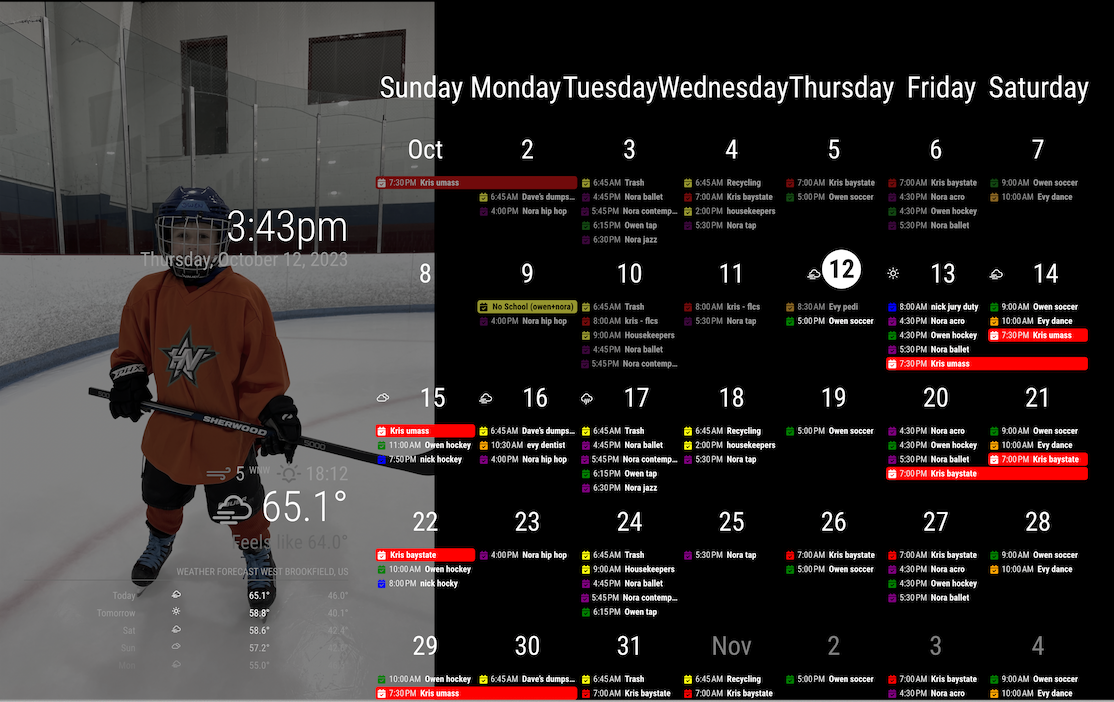
        bingo… awesome thanks again. I was looking for anything with fade. gradient makes sense — I’m not a programmer in any sense. after changing that, I spread the wallpaper out to 40% but left the calendar overlapping a little bit still at 66%

        its getting real close now. but like I said I’m not going to mess with too much more until I get it up on my pi+monitor

        thanks again for the help
        22378d8d-0e62-4506-87c5-b0ba0d0367a6-image.png

        BKeyportB 1 Reply Last reply Reply Quote 0
        • BKeyportB Offline
          BKeyport Module Developer @roth_nj
          last edited by

          @roth_nj Been playing around, and here’s what I came up with.

          alt text

          The "E" in "Javascript" stands for "Easy"

          1 Reply Last reply Reply Quote 0
          • R Offline
            roth_nj
            last edited by

            @MMRIZE it got my pi programmed and the mirror up and running on the screen. i have started doing some minor graphical tweaks like font/color/size etc and changed the 33% wallpaper size to 40%… all that stuff is pretty clear to me on what/where to edit and theres a ton of into on the forum/github

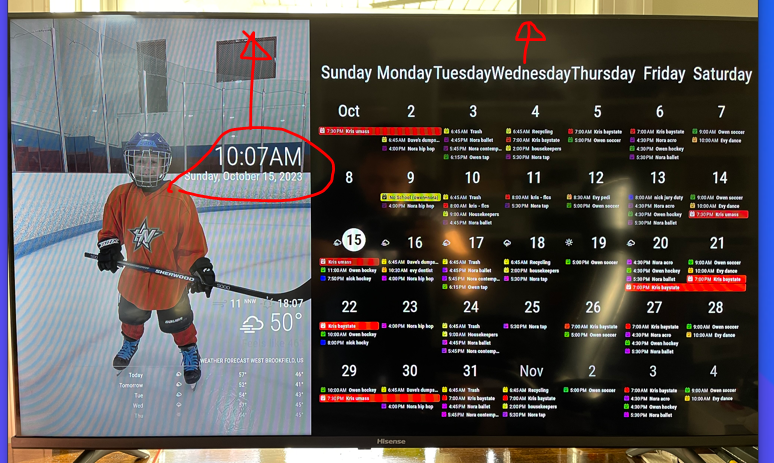
            i have a couple follow up questions for you now: i want to adjust the position of the calendar top and clock. you can see in this picture that they are off set from the “top” of the screen. i want to get them to the edge. thanks again

            1 Reply Last reply Reply Quote 0
            • R Offline
              roth_nj
              last edited by

              62cb8a94-3900-40c5-bf6a-5ab709cce016-image.png

              1 Reply Last reply Reply Quote 0
              • R Offline
                roth_nj
                last edited by sdetweil

                i was able to fix the clock alignment. digging into the custom.css, i found that the top right and top left were formatted the same. i split them out and modified the top left to alight and fix the position:

                .region.top.left {
                  box-sizing: border-box;
                  text-align: right;
                  top: 20px;
                  right: 20px;
                  position: absolute;//unset
                }
                
                .region.top.right {
                  box-sizing: border-box;
                  text-align: right;
                  bottom: 0;
                  position: unset;
                }
                
                S 1 Reply Last reply Reply Quote 0
                • S Do not disturb
                  sdetweil @roth_nj
                  last edited by sdetweil

                  @roth_nj please try to use the code block wrapper for css and js

                  paste stuff into post, select pasted
                  hit the </> button

                  Sam

                  How to add modules

                  learning how to use browser developers window for css changes

                  1 Reply Last reply Reply Quote 0
                  • R Offline
                    roth_nj
                    last edited by

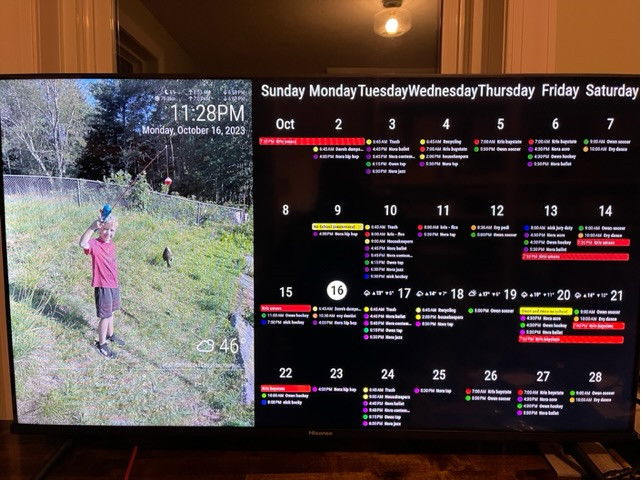
                    this is the latest. im pretty happy with the formatting now. i have no idea if it did it “right” but i got it to look how i wanted. only big thing left i think is to get it to be a 4-5 week rolling calendar vs just the whole month. then some minor stuff like color/font/etc.
                    b7f0c9cb-6de8-49fe-ac71-e91796f93864-image.png

                    this is what i ended up changing in the custom css you shared. split apart the top right and top left to be different. made the top left position absolute and moved it to where it looked good. used the same px as the padding for other regions. added in the bottom bar (wasn’t in there - calendar is in the bottom bar). again made that absolute and moved it until it looked good. im going to guess if i tried adding the header in, it would be off the screen.

                    .region.bottom.bar {
                      padding: 20px;
                      position: absolute;
                      top: -100px;
                    }
                    
                    .region.top.left {
                      box-sizing: border-box;
                      text-align: right;
                      top: 20px;
                      right: 20px;
                      position: absolute;//unset
                    }
                    
                    .region.top.right {
                      box-sizing: border-box;
                      text-align: right;
                      bottom: 0;
                      position: unset;
                    }
                    
                    1 Reply Last reply Reply Quote 0
                    • R Offline
                      roth_nj
                      last edited by

                      i need a little bit of css help.
                      how do i write a small section of code for the custom css change all various texts in a module to a certain color? for instance, for the clock and weather, i want all the text to be white. not gray/dimmed. i can find in the main css, and custom css where its been set but i only want to do it for those modules becuase it will mess up the calendar.

                      ive been trying to use dev mode and everything. i understand the basic concepts on what im trying to do, i just dont know how to code it.

                      ive been following this but still stuck

                      https://forum.magicmirror.builders/topic/6808/css-101-getting-started-with-css-and-understanding-how-css-works

                      heres a couple things i;ve tried. both inside a section of code and new. this was just me testing around. ive tried a bunch of other stuff but at the point of needing help

                      .module.clock .digital {
                        display: flex;
                        flex-direction: column-reverse;
                        color-text: #fff;
                      }
                      
                      .module.clock .digital {
                        color-text: #FFF;
                      }
                      
                      1 Reply Last reply Reply Quote 0
                      • R Offline
                        roth_nj
                        last edited by

                        ok im actually getting some where but i have another question. i got the code figured out to change part of it. why does the whole module not work?

                        this changed the color of the date text to white

                        .module.clock .date{
                          color: #FFF;
                        }
                        

                        but when i do this, nothing happens. this all in the custom.css by the way

                        .module.clock .module{
                          color: #FFF;
                        }
                        
                        S 1 Reply Last reply Reply Quote 0
                        • S Do not disturb
                          sdetweil @roth_nj
                          last edited by sdetweil

                          @roth_nj because most of the html elements do not inherit their parents styles

                          so you changed the element with the module class, but the child module_content does use or pass the style on. you can see it’s missing in the developers window

                          you can pass multiple parts of the selector clause using the , (comma) between them

                          .clock  .date, .time {
                               color:blue
                          }
                          

                          Sam

                          How to add modules

                          learning how to use browser developers window for css changes

                          1 Reply Last reply Reply Quote 0
                          • R Offline
                            roth_nj
                            last edited by

                            thank you!

                            i changed this:

                            .module.clock .date{
                              color: #FFF;
                            }
                            
                            .module.clock .sun{
                              color: #FFF;
                            }
                            
                            .module.clock .moon{
                              color: #FFF;
                            }
                            
                            .module.MMM-MoonPhase .module-header{
                              color: #FFF;
                              }
                              
                            #moonphase-phase, #moonphase-age, #moonphase-phase-age {
                            	color: #FFF;
                            }
                            

                            to this, but in a few modules, so its quite bit neater now:

                            .module.clock .date,.sun,.moon,.module-header,#moonphase-phase, #moonphase-age, #moonphase-phase-age{
                              color: #FFF;
                            }
                            

                            is there a way to change ALL the text color in a module to a certain color? i did this the hard way and found each displayed text figured out how to code it. just want to know for future added modules or i decide to change these are going to add in more code

                            S 1 Reply Last reply Reply Quote 0
                            • S Do not disturb
                              sdetweil @roth_nj
                              last edited by sdetweil

                              @roth_nj there are no enforceable standards or any training for novice developers like on magic mirror. So everybody does it different.
                              that means the short answer is, no there’s no simple way

                              some document their class uses, but most do not. so you have to go through the developers console or read their code to figure out what they do so that you can override it

                              many times a module will provide a css file with a list of all the classes they use, and default values

                              Sam

                              How to add modules

                              learning how to use browser developers window for css changes

                              BKeyportB 1 Reply Last reply Reply Quote 0
                              • BKeyportB Offline
                                BKeyport Module Developer @sdetweil
                                last edited by

                                @sdetweil and there’s those like me who hack through things, and have to re-remember how they did stuff when they come back to it. It’s the wild, wild, west out there.

                                The "E" in "Javascript" stands for "Easy"

                                S 1 Reply Last reply Reply Quote 1
                                • S Do not disturb
                                  sdetweil @BKeyport
                                  last edited by

                                  @BKeyport yes, true, but the net answer for him, is , No there is no simple way to do all the text, all the time…

                                  Sam

                                  How to add modules

                                  learning how to use browser developers window for css changes

                                  1 Reply Last reply Reply Quote 0
                                  • R Offline
                                    roth_nj
                                    last edited by

                                    @MMRIZE

                                    i do have a question for you since im using the code you helped set up in this thread.

                                    im thinking of adding in a week view and day view or task list/agenda as well. i would like to have that group change in and out with the 5 week calendar view.

                                    what is your suggestion on the best module to do that? ive read about pages and carousel. tips for implementation given the custom css work already done here?

                                    thanks again

                                    BKeyportB 1 Reply Last reply Reply Quote 0
                                    • BKeyportB Offline
                                      BKeyport Module Developer @roth_nj
                                      last edited by

                                      @roth_nj Agenda view is best served by MMM-CalendarExt3Agenda. Great module…

                                      The "E" in "Javascript" stands for "Easy"

                                      1 Reply Last reply Reply Quote 1
                                      • A Offline
                                        arlaro85
                                        last edited by

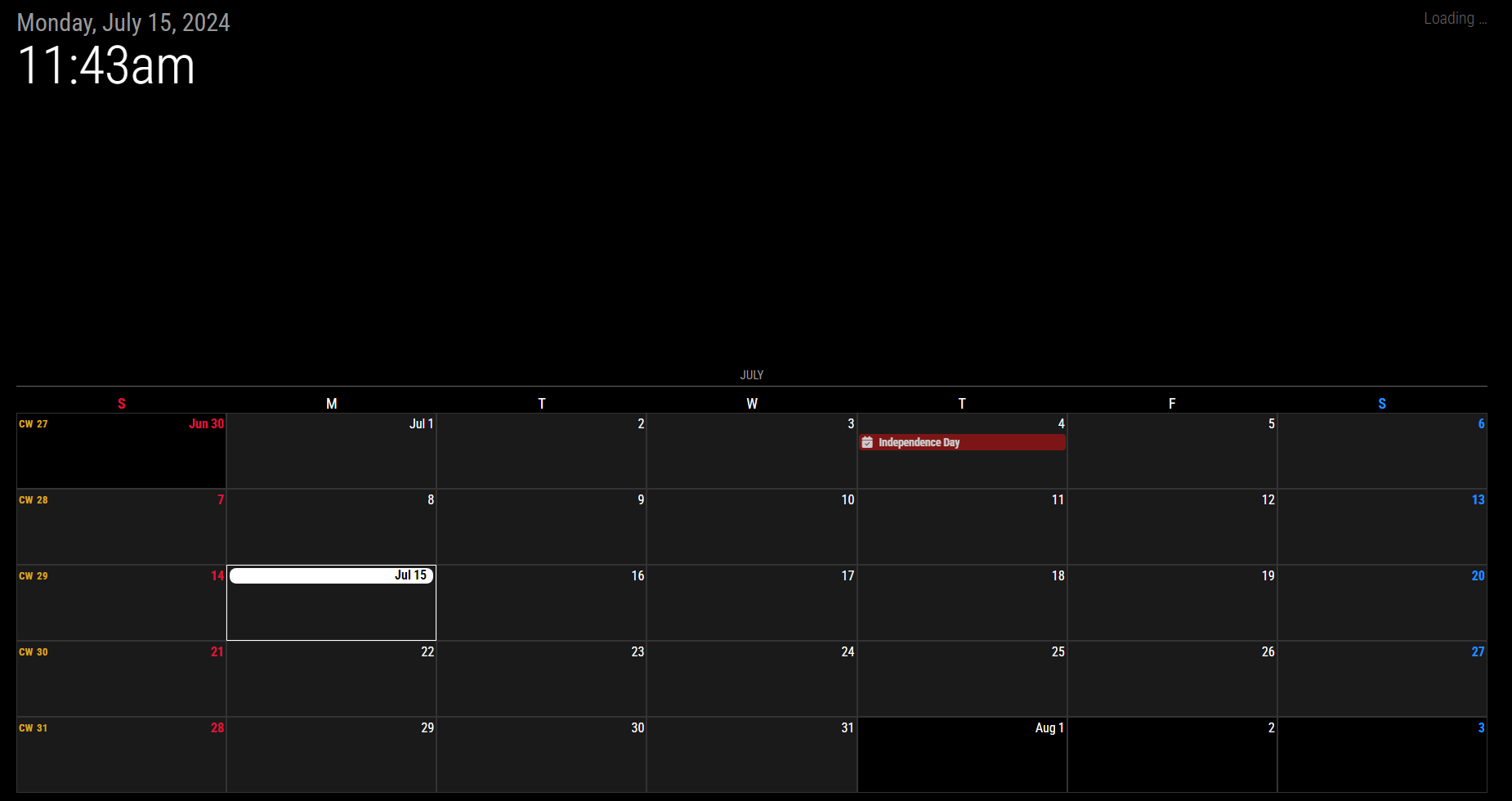
                                        Would you be able to post a final config and custom css file? This is exactly what i’ve been looking for but when updating my custom css file i only get this
                                        0f77f53d-78b9-4a61-b005-118bba329256-image.png

                                        1 Reply Last reply Reply Quote 1
                                        • M MMRIZE referenced this topic on

                                        Hello! It looks like you're interested in this conversation, but you don't have an account yet.

                                        Getting fed up of having to scroll through the same posts each visit? When you register for an account, you'll always come back to exactly where you were before, and choose to be notified of new replies (either via email, or push notification). You'll also be able to save bookmarks and upvote posts to show your appreciation to other community members.

                                        With your input, this post could be even better 💗

                                        Register Login

                                        • 1
                                        • 2
                                        • 3
                                        • 3 / 3
                                        • First post
                                          Last post
                                        Enjoying MagicMirror? Please consider a donation!
                                        MagicMirror created by Michael Teeuw.
                                        Forum managed by Sam, technical setup by Karsten.
                                        This forum is using NodeBB as its core | Contributors
                                        Contact | Privacy Policy