Read the statement by Michael Teeuw here.
Version 2.30.0 weather module, stuck loading, worked fine before upgrade
-
@sdetweil said in Version 2.30.0 weather module, stuck loading, worked fine before upgrade:
leave off those parms.
Which ones, sorry?
-
@Richard238 all the openweather ones you showed
-
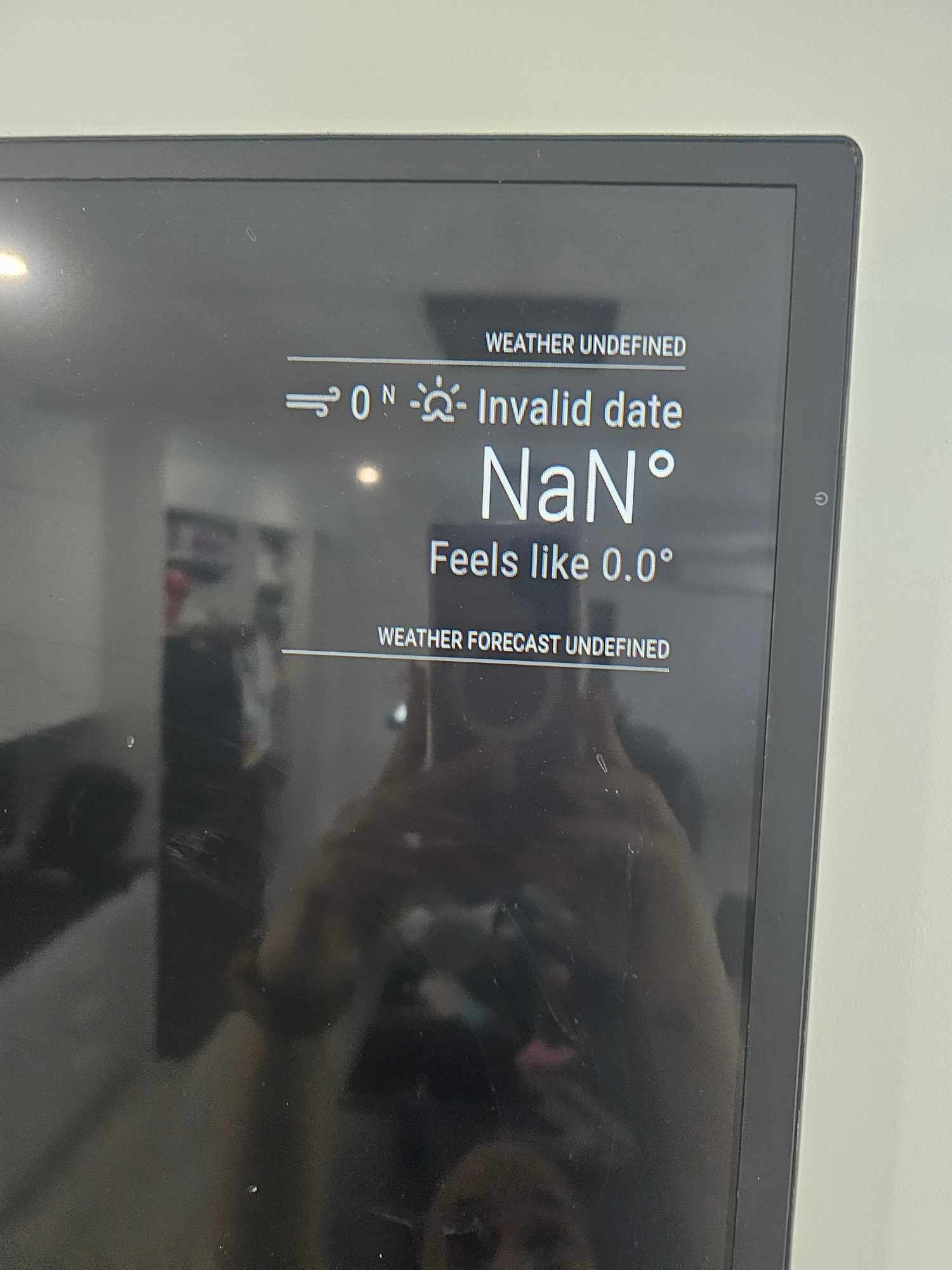
This gives the ‘undefined, invalid date’ error on the MM
{ module: 'weather', header: 'Current xxxxxxxxxxxxxxx weather: ', position: 'top_right', config: { weatherProvider: "openweathermap", lat: 11111111, lon: 2222222, apiKey: "33333333333" } }, -
@Richard238 and you used real lat/lon
-
Yes, real Lat:Lon used
-
Do the L:L and API key live in the openweathermap.js file, or the config.js file? Or both?
-
@Richard238 all config goes in config.js
Never need to edit any other file -
openweathermap.js is unchanged
WeatherProvider.register("openweathermap", {


	providerName: "OpenWeatherMap",

	// Set the default config properties that is specific to this provider
	defaults: {
		apiVersion: "3.0",
		apiBase: "https://api.openweathermap.org/data/",
		// weatherEndpoint is "/onecall" since API 3.0
		// "/onecall", "/forecast" or "/weather" only for pro customers
		weatherEndpoint: "/onecall",
		locationID: false,
		location: false,
		// the /onecall endpoint needs lat / lon values, it doesn't support the locationId
		lat: 0,
		lon: 0,
		apiKey: ""
	},


config.js shows
{ module: 'weather', header: 'Current zzzzzzzzzzzzzzzz weather: ', position: 'top_right', config: { //weatherProvider: "openweathermap", providerName: "OpenWeatherMap", type: "current", lat: nnnnnnnnnnn, lon: -nnnnnnnnnnnnn, apiKey: "aaaaaaaaaaaaaaaaaaaaaaaaaaa" //type: 'current', //location: 'xxxxxxxxxxxxxx', //locationID: 'zzzzzzzz', //ID from https://www.openweathermap.org //apiKey: 'aaaaaaaaaaaaaaaaaaaaaaaaaaa' } }, -
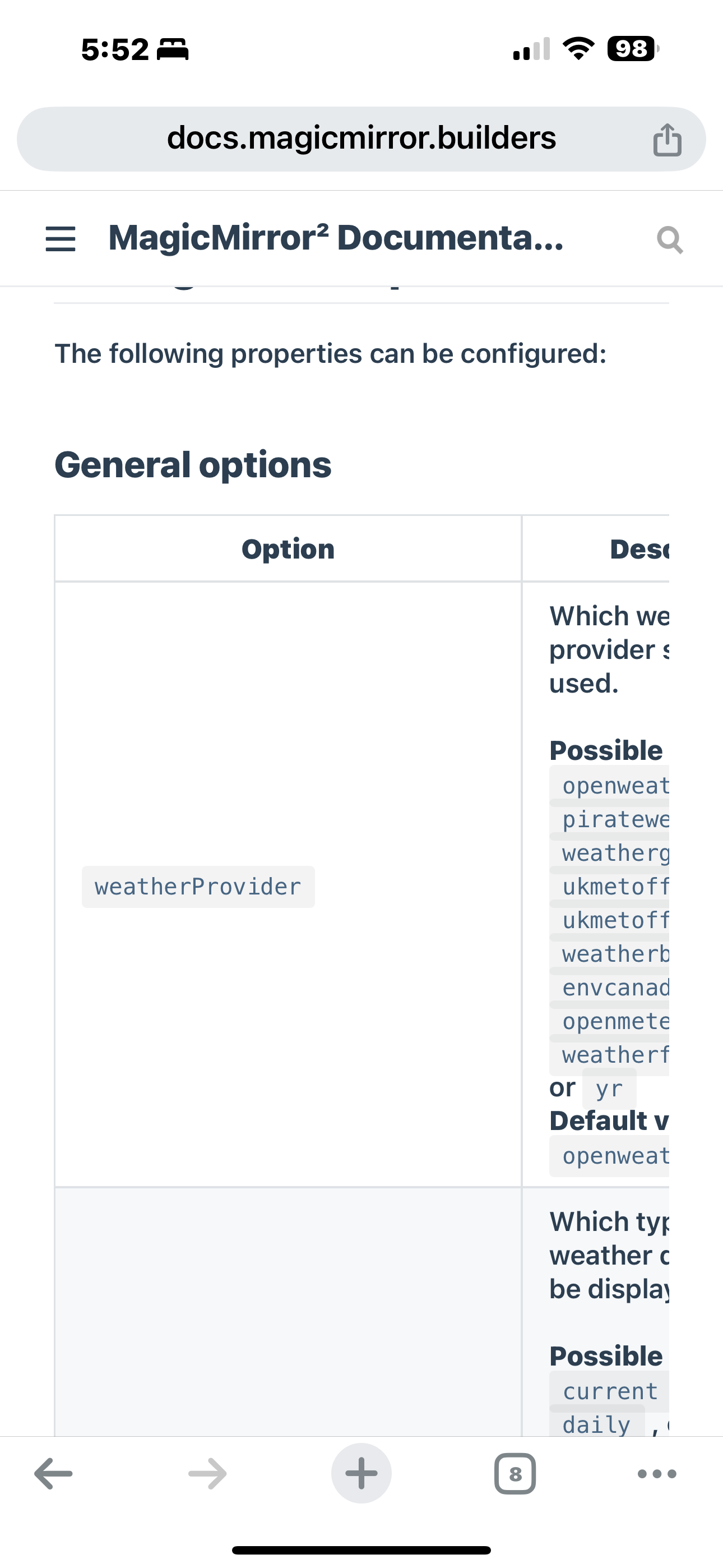
providerName: “OpenWeatherMap”
That is not the correct property name
From the doc
https://docs.magicmirror.builders/modules/weather.html#usage
-
-
@Richard238 again show the whole config, xxx out the api key
Start w
position
and config
provider
type ( default is current)
apikey
lat
lonthe 3.0 apikey requires a credit card backing, right?
-
		{
			module: 'weather',
			header: 'Current zzzzzzzzzzzzz  weather: ',
			position: 'top_right',
			config: {
				weatherProvider: "openweathermap",
				lat: 111111111111111,
				lon: 1111111111111111111111,
				apiKey: "aaaaaaaaaaaaaaaaaaaaaaaaaaaaaa",
				type: 'current',
				units: 'config.units'
				//location: 'zzzzzzzzzzzzzzz',
		}
		},
I must have had that API key for aeons, don’t ever remember it having a c/card behind it.
Maybe it’s out-of-date. -
@Richard238 yes they told us the old free api was being terminated. only the new api exists, so we changed the defaults
but other users have reported the 2.5 apikey still works
see the 1st post on this topic -
S sdetweil referenced this topic on
-
S sdetweil referenced this topic on
-
@sdetweil hi Sam,
I have added a credit card and added the extra codes from the article and it doesn’t load.

-
@Rberry91 if you have the 3.0 apikey you dont add any extra parms
just type, apikey, lat and lon
-
-
@Rberry91 open the developers window, ctrl-shift-i,
select the console tab,
and enter weath in the filter fielddo you see errors? like 401, 403
-
@sdetweil
Hi yes error 401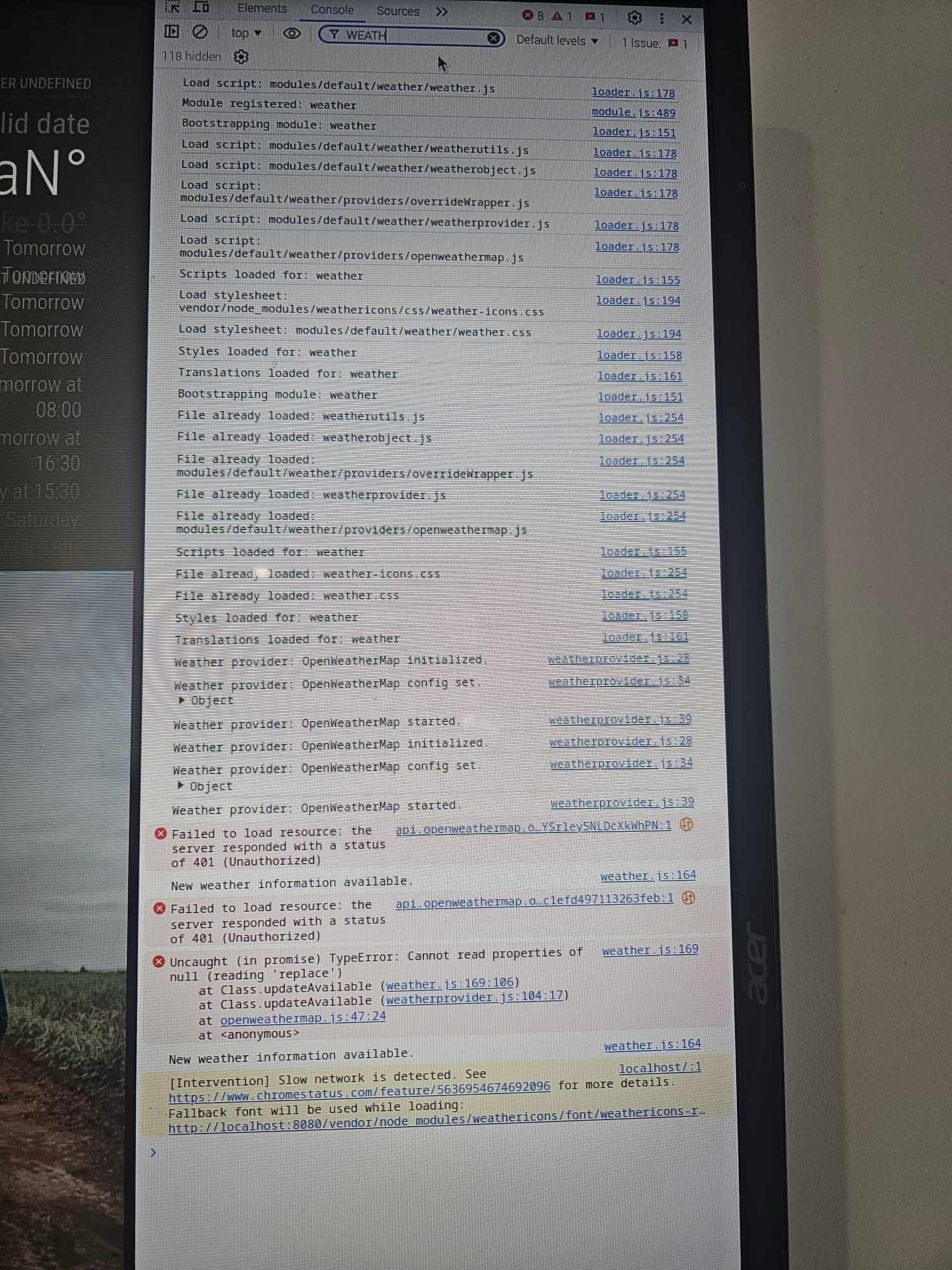
-
@Rberry91 401 means the apikey is invalid
-
@sdetweil
Hi Sam,So I got it to work however the header is Australia/Brisbane, which is not correct. But the weather details are correct, how do I change the name of the header. I have added location and locationID

Hello! It looks like you're interested in this conversation, but you don't have an account yet.
Getting fed up of having to scroll through the same posts each visit? When you register for an account, you'll always come back to exactly where you were before, and choose to be notified of new replies (either via email, or push notification). You'll also be able to save bookmarks and upvote posts to show your appreciation to other community members.
With your input, this post could be even better 💗
Register Login