MagicMirror Forum
    • Recent
    • Tags
    • Unsolved
    • Solved
    • MagicMirror² Repository
    • Documentation
    • 3rd-Party-Modules
    • Donate
    • Discord
    • Register
    • Login
    A New Chapter for MagicMirror: The Community Takes the Lead
    Read the statement by Michael Teeuw here.

    Version 2.30.0 weather module, stuck loading, worked fine before upgrade

    Scheduled Pinned Locked Moved Troubleshooting
    52 Posts 6 Posters 20.1k Views 7 Watching
    Loading More Posts
    • Oldest to Newest
    • Newest to Oldest
    • Most Votes
    Reply
    • Reply as topic
    Log in to reply
    This topic has been deleted. Only users with topic management privileges can see it.
    • A Offline
      angeliKITTYx @sdetweil
      last edited by

      @sdetweil screenshot

      you can see on the right module it says “America/New_York” which is my timezone city, but my lat/lon is set to my home many states south. They used to both say that, but I added the “appendLocationNameToHeader” parameter to the left one to see what it would look like.

      Before the API update, it would properly display my home city. I’m pretty sure it’s displaying the correct weather information, but we surprisingly have similar weather to NY right now so it’s hard to confidently confirm.

      S 1 Reply Last reply Reply Quote 0
      • S Offline
        sdetweil @angeliKITTYx
        last edited by sdetweil

        @angeliKITTYx yes, new openweather api does not return the location info anymore. so you have to add
        appendLocationToHeader: false
        and add your own header

        i will add that info to the top entry as well

        Sam

        How to add modules

        learning how to use browser developers window for css changes

        A 1 Reply Last reply Reply Quote 0
        • A Offline
          angeliKITTYx @sdetweil
          last edited by

          @sdetweil yeah that’s what I ended up doing. Thank you again for all your help the last few days! Glad to have everything back to normal.

          1 Reply Last reply Reply Quote 0
          • R Offline
            Richard238
            last edited by

            Ran the update, weather module failed , read this thread and can now have either weather or forecast. Can we no longer have both, like before?

            S 1 Reply Last reply Reply Quote 0
            • S Offline
              sdetweil @Richard238
              last edited by sdetweil

              @Richard238 two instances, type: as appropriate. NO endpoint setting. The v3 openweather api only supports /onecall (already set as default)
              https://forum.magicmirror.builders/post/123079
              The config.js.sample shows two instances

              Sam

              How to add modules

              learning how to use browser developers window for css changes

              1 Reply Last reply Reply Quote 0
              • R Offline
                Richard238
                last edited by

                @sdetweil said in Version 2.30.0 weather module, stuck loading, worked fine before upgrade:

                ionToHeader: false

                default config sample works, but that’s using openmeteo, not openweathermap, is that correct?

                		{
                			module: "weather",
                			position: "top_right",
                			config: {
                				weatherProvider: "openmeteo",
                				type: "current",
                				lat: 40.776676,
                				lon: -73.971321
                			}
                		},
                		{
                			module: "weather",
                			position: "top_right",
                			header: "Weather Forecast",
                			config: {
                				weatherProvider: "openmeteo",
                				type: "forecast",
                				lat: 40.776676,
                				lon: -73.971321
                			}
                		},
                		{
                

                openweathermap.js I have as

                		apiVersion: "3.0",
                		apiBase: "https://api.openweathermap.org/data/",
                		// weatherEndpoint is "/onecall" since API 3.0
                		// "/onecall", "/forecast" or "/weather" only for pro customers
                		weatherEndpoint: "/onecall",
                
                S 1 Reply Last reply Reply Quote 0
                • S Offline
                  sdetweil @Richard238
                  last edited by sdetweil

                  @Richard238 leave off those parms. Defaults to 3.0 etc

                  Just put in your 3.0 apikey and lat/lon
                  And of course set the provider

                  Sam

                  How to add modules

                  learning how to use browser developers window for css changes

                  R 1 Reply Last reply Reply Quote 0
                  • R Offline
                    Richard238 @sdetweil
                    last edited by

                    @sdetweil said in Version 2.30.0 weather module, stuck loading, worked fine before upgrade:

                    leave off those parms.

                    Which ones, sorry?

                    S 1 Reply Last reply Reply Quote 0
                    • S Offline
                      sdetweil @Richard238
                      last edited by

                      @Richard238 all the openweather ones you showed

                      Sam

                      How to add modules

                      learning how to use browser developers window for css changes

                      R 1 Reply Last reply Reply Quote 0
                      • R Offline
                        Richard238 @sdetweil
                        last edited by

                        @sdetweil

                        This gives the ‘undefined, invalid date’ error on the MM

                        		{
                        			module: 'weather',
                        			header: 'Current xxxxxxxxxxxxxxx  weather: ',			
                        			position: 'top_right',
                        			config: {
                        				weatherProvider: "openweathermap",
                        				lat: 11111111, 
                        				lon:   2222222,
                        				apiKey: "33333333333"
                        
                        			}
                        		},
                        
                        S 1 Reply Last reply Reply Quote 0
                        • S Offline
                          sdetweil @Richard238
                          last edited by sdetweil

                          @Richard238 and you used real lat/lon

                          Sam

                          How to add modules

                          learning how to use browser developers window for css changes

                          R 2 Replies Last reply Reply Quote 0
                          • R Offline
                            Richard238 @sdetweil
                            last edited by

                            @sdetweil

                            Yes, real Lat:Lon used

                            1 Reply Last reply Reply Quote 0
                            • R Offline
                              Richard238 @sdetweil
                              last edited by

                              @sdetweil

                              Do the L:L and API key live in the openweathermap.js file, or the config.js file? Or both?

                              S 1 Reply Last reply Reply Quote 0
                              • S Offline
                                sdetweil @Richard238
                                last edited by

                                @Richard238 all config goes in config.js
                                Never need to edit any other file

                                Sam

                                How to add modules

                                learning how to use browser developers window for css changes

                                R 1 Reply Last reply Reply Quote 0
                                • R Offline
                                  Richard238 @sdetweil
                                  last edited by

                                  @sdetweil

                                  openweathermap.js is unchanged

                                  WeatherProvider.register("openweathermap", {
                                  
                                  
                                  	providerName: "OpenWeatherMap",
                                  
                                  	// Set the default config properties that is specific to this provider
                                  	defaults: {
                                  		apiVersion: "3.0",
                                  		apiBase: "https://api.openweathermap.org/data/",
                                  		// weatherEndpoint is "/onecall" since API 3.0
                                  		// "/onecall", "/forecast" or "/weather" only for pro customers
                                  		weatherEndpoint: "/onecall",
                                  		locationID: false,
                                  		location: false,
                                  		// the /onecall endpoint needs lat / lon values, it doesn't support the locationId
                                  		lat: 0,
                                  		lon: 0,
                                  		apiKey: ""
                                  	},
                                  
                                  
                                  config.js shows
                                  
                                  
                                  	{
                                  		module: 'weather',
                                  		header: 'Current zzzzzzzzzzzzzzzz  weather: ',			
                                  		position: 'top_right',
                                  		config: {
                                  			//weatherProvider: "openweathermap",
                                  			providerName: "OpenWeatherMap",
                                  			type: "current",
                                  			lat: nnnnnnnnnnn,
                                  			lon: -nnnnnnnnnnnnn,
                                  			apiKey: "aaaaaaaaaaaaaaaaaaaaaaaaaaa"
                                  			//type: 'current',
                                  			//location: 'xxxxxxxxxxxxxx',
                                  			//locationID: 'zzzzzzzz',  //ID from https://www.openweathermap.org
                                  			//apiKey: 'aaaaaaaaaaaaaaaaaaaaaaaaaaa'
                                  		}
                                  	},
                                  
                                  S 1 Reply Last reply Reply Quote 0
                                  • S Offline
                                    sdetweil @Richard238
                                    last edited by

                                    @Richard238

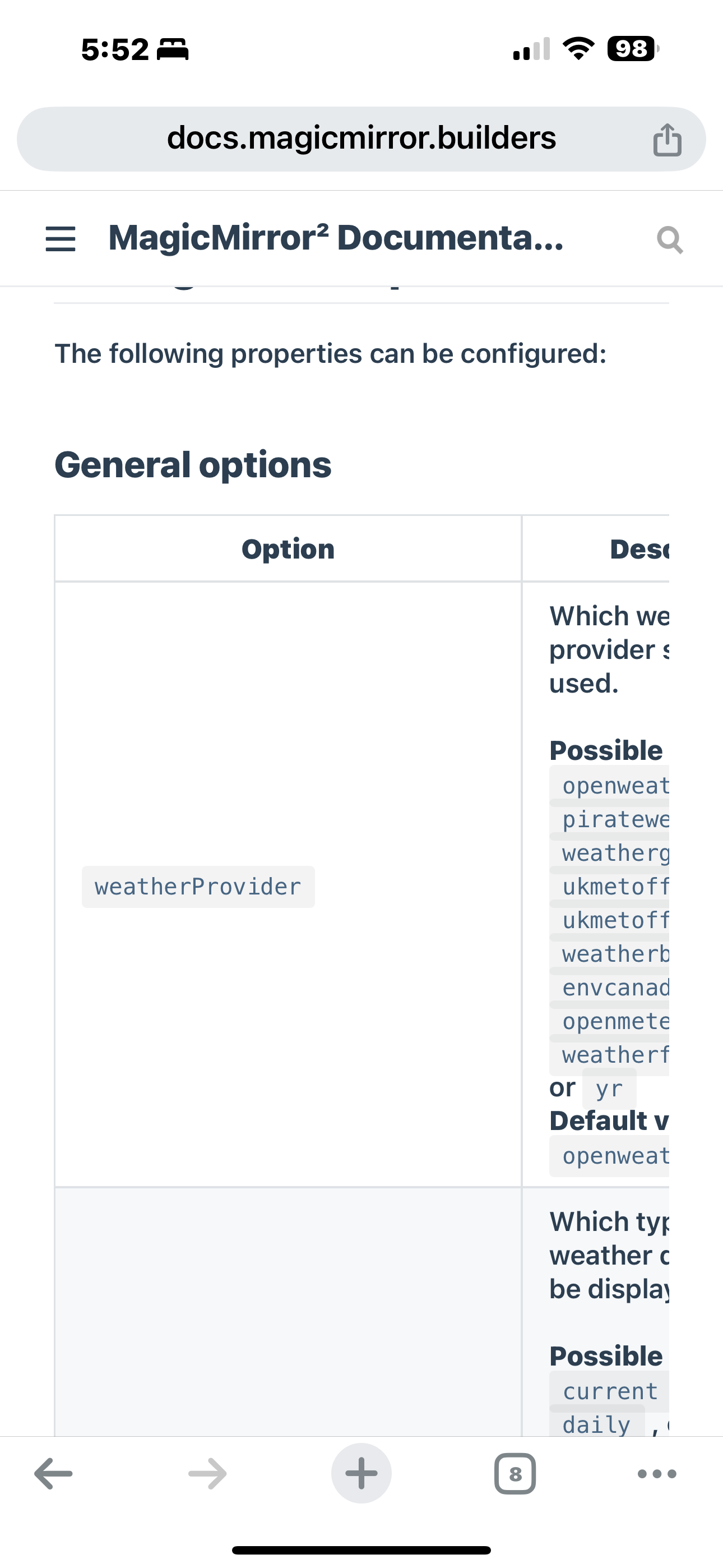
                                    providerName: “OpenWeatherMap”

                                    That is not the correct property name

                                    From the doc
                                    https://docs.magicmirror.builders/modules/weather.html#usage
                                    IMG_0721.png

                                    Sam

                                    How to add modules

                                    learning how to use browser developers window for css changes

                                    R 1 Reply Last reply Reply Quote 0
                                    • R Offline
                                      Richard238 @sdetweil
                                      last edited by

                                      @sdetweil

                                      With no caps? Still doesn’t work.

                                      config: {
                                      				weatherProvider: "openweathermap",
                                      
                                      S 1 Reply Last reply Reply Quote 0
                                      • S Offline
                                        sdetweil @Richard238
                                        last edited by sdetweil

                                        @Richard238 again show the whole config, xxx out the api key

                                        Start w
                                        position
                                        and config
                                        provider
                                        type ( default is current)
                                        apikey
                                        lat
                                        lon

                                        the 3.0 apikey requires a credit card backing, right?

                                        Sam

                                        How to add modules

                                        learning how to use browser developers window for css changes

                                        R 1 Reply Last reply Reply Quote 0
                                        • R Offline
                                          Richard238 @sdetweil
                                          last edited by

                                          @sdetweil

                                          		{
                                          			module: 'weather',
                                          			header: 'Current zzzzzzzzzzzzz  weather: ',			
                                          			position: 'top_right',
                                          			config: {
                                          				weatherProvider: "openweathermap",
                                          				lat: 111111111111111, 
                                          				lon: 1111111111111111111111,
                                          				apiKey: "aaaaaaaaaaaaaaaaaaaaaaaaaaaaaa",
                                          				type: 'current',
                                          				units: 'config.units'
                                          				//location: 'zzzzzzzzzzzzzzz',
                                          		}
                                          		},


                                          I must have had that API key for aeons, don’t ever remember it having a c/card behind it.
                                          Maybe it’s out-of-date.

                                          S 1 Reply Last reply Reply Quote 0
                                          • S Offline
                                            sdetweil @Richard238
                                            last edited by

                                            @Richard238 yes they told us the old free api was being terminated. only the new api exists, so we changed the defaults

                                            but other users have reported the 2.5 apikey still works
                                            see the 1st post on this topic

                                            Sam

                                            How to add modules

                                            learning how to use browser developers window for css changes

                                            1 Reply Last reply Reply Quote 0
                                            • S sdetweil referenced this topic on
                                            • S sdetweil referenced this topic on

                                            Hello! It looks like you're interested in this conversation, but you don't have an account yet.

                                            Getting fed up of having to scroll through the same posts each visit? When you register for an account, you'll always come back to exactly where you were before, and choose to be notified of new replies (either via email, or push notification). You'll also be able to save bookmarks and upvote posts to show your appreciation to other community members.

                                            With your input, this post could be even better 💗

                                            Register Login

                                            • 1
                                            • 2
                                            • 3
                                            • 1 / 3
                                            • First post
                                              Last post
                                            Enjoying MagicMirror? Please consider a donation!
                                            MagicMirror created by Michael Teeuw.
                                            Forum managed by Sam, technical setup by Karsten.
                                            This forum is using NodeBB as its core | Contributors
                                            Contact | Privacy Policy