Read the statement by Michael Teeuw here.
MMM-MyTado
-
MMM-MyTado
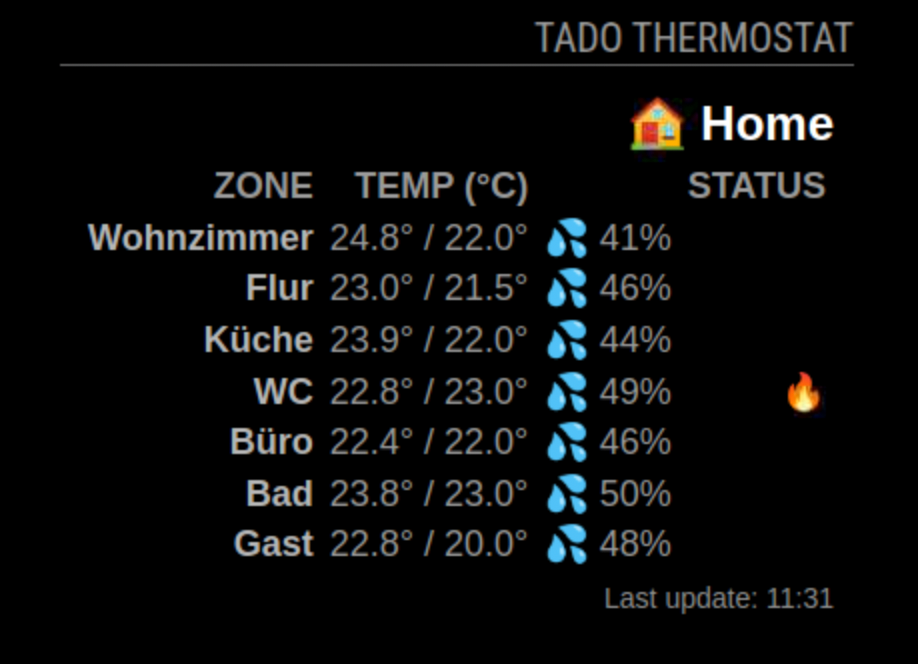
This a Magic Mirror² module for your TADO Thermostat.
The module is based on the idea from WouterEekhout, but his module is not maintained anymore.
I like the idea and built a version with a modern look and feel.The module displays the following information:
- The Home name (🏠)
- The Zone names (Configurable names)
- A symbol (🔥) to show if the heater is currently active.
- The current temperature and the target temperature
- The humidity (💦)
- The hot water temperature (🩸)
- Frost Protection (❄️)
- Open Window (🪟)
Installation
Clone this repository in your modules folder, and install dependencies:
cd ~/MagicMirror/modules
git clone https://github.com/htilburgs/MMM-MyTado.git
cd MMM-MyTado
npm install
Update
When you need to update this module:
cd ~/MagicMirror/modules/MMM-MyTado
git pull
npm install
Config
Go to the MagicMirror/config directory and edit the config.js file.
Add the module to your modules array in your config.js.{ module: "MMM-MyTado", position: "top_right", header: "TADO Thermostaat", disabled: false, config: { // Settings updateInterval: 1800000, // 30 min - because of limitation free account showZones: [], // [] = all zones, otherwise use zonename ["zone 1","zone 2"] showHomeName: true, // Show Home Name as defined within the Tado environment showColumnHeaders: true, // true = show Columns Headers, false = Hide Columns Headers useColors: false, // Show colors for the Temperature column showLastUpdate: true, // Show last update debug: false, // Show debug information in logging // Custom Names zoneColumnName: "ZONE", // Custom Zone Column Name - default = ZONE tempColumnName: "TEMP (°C)", // Custom Temperature Column Name - default = TEMP (°C) humidityColumnName: "", // empty for no title (default) statusColumnName: "STATUS", // Custom Status Column Name - default = STATUS lastUpdateName: "Last update" // Custom Last update name - default = Last update } },Authentication
The first time you run the module, you will need to authenticate with the Tado API.
No username or password is stored in MMM-MyTado, everything works with OAuth Authentication.
The module will log a URL that you need to visit in your browser to complete the authentication process.
Check the logs for a message like this:MMM-MyTado: Device authentication required. Open this URL to authenticate: https://login.tado.com/oauth2/device?user_code=XXXXXXVisit the URL in your browser and follow the instructions to authenticate the module with your Tado account.
Configuration Options
Option Description updateIntervalREQUIRED - The interval the information is updated (in milliseconds)
Default:1800000
This value cannot be lower than1800000without a monthly subscription.
Otherwise users get aTado block.
More info at https://help.tado.com/en/articles/12165739-limitation-for-rest-api-usageshowZonesTADO uses Zones. When you use []all zones will be shown (default)
You can also choose which zones you like to see, just fill in the zones["Zone 1","Zone 2", etc]showHomeNameShow the Home name as defined in the Tapo environment
Default:trueshowColumnHeadersShow the Column Headers
Default:trueuseColorsUse Colors for the Temperature Column
Default:falsedebugShow debug information in logs
DefaultfalsezoneColumnNameCustom Zone Column Name - default: ZONEtempColumnNameCustom Temperature Column Name - default: TEMP (°C)humidityColumnNameCustom Humidity Column Name - default: Empty(Column Name is not shown)statusColumnNameCustom Status Column Name - default: STATUSVersions
v1.0.0 - Initial release
v1.0.1 - Add Last update option
v1.0.2 - Allignment Home name and Status icons always on the right (CSS)
v1.0.3 - Add debug option, to prevent to many loggings in the logfilesCredits
This module is inspired by the MMM-Tado module from WouterEekhout
Using the NPM package node-tado-client -
@htilburgs
Thank you. It is working. Had the latest MMM-Tado, but this better with the colors :) -
@mishu28nmv
You’re welcome! -
Very good!
The old version did not work any longer, probably due to API issues.
It’s a bit tricky because the code has to be entered with the link in the browser when MM is running.
The image of the house on the left of ‘Home’ is missing for me.
What could be the reason for this?
Is it possible to insert a line: Last update on: <date/time>?
Thank you for the module! -
@MyMirror
I know it is not easy with the link, but that is what it is.
When everything works ok then you only have to do it once.
There is an automatic “refresh” mechanism built in.
I will take a look at the image of the house.(still trying to learn JS, but not afraid to ask and AI is my best friend) ☺
-
@htilburgs
Yes, i know. it only needs to be done once.
Is it possible to insert a line: Last update on: <date/time>?
Thanks -
@mymirror
I looked into the code and tested it, but there is nothing that can explain why the house is not showing.🏠 is an emoji, that is in the code.
So what you can check is if you see it in the code at your installation~/MagicMirror/modules/MMM-MyTado/MMM-MyTado.jsit should be on line 50
homeTitle.textContent = `🏠 ${home.name}`;I will look for your request " Last update on: <date/time>?"
This is a good addition, I let you know. -
@htilburgs
Line 50 is like yours … but no image on my screen.
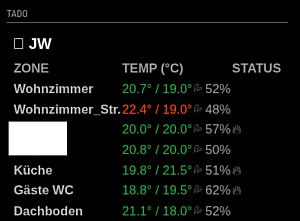
I’ve the module on the left side, is it possible to place the “Status” to the right? -
Hmm - other images are also not visible
-
@MyMirror
I will take a look into it. That doesn’t seems right.
Do they show if you place the module on the right?I updated the current version for the Last update option.
Please do agit pullIn the config.js you have to add to options:
showLastUpdate: true// Show last update
lastUpdateName: "Last update"// Custom Last update name - default = Last updateI will take a look into the emoji problem and come back to you
-
I just quickly tested some things, but my icons are always shown. When I load the module on the left, then the house name goes to the left also. I will fix this in the next release.
On which version MagicMirror are you?
Which browser do you use?
Can you put the MMM-MyTado part of the config.js? -
@htilburgs
Ok, let’s start with the MM Version: 2.34.0
Browser?: I use the default Chronium Browser: V 144.0.7559.109
MMM-MyTado:// https://forum.magicmirror.builders/topic/20128/mmm-mytado { module: "MMM-MyTado", position: "top_left", header: "TADO", disabled: false, config: { updateInterval: 1800000, // 30 min - because of limitation free account showZones: [], // [] = all zones, otherwise use zonename ["zone 1","zone 2"] showHomeName: true, // Show Home Name as defined within the Tado environment showColumnHeaders: true, // true = show Columns Headers, false = Hide Columns Headers useColors: true, //false, // Show colors for the Temperature column zoneColumnName: "ZONE", // Custom Zone Column Name - default = ZONE showLastUpdate: true, // Show last update lastUpdateName: "Last update", // Custom Last update name - default = Last update tempColumnName: "TEMP (°C)", // Custom Temperature Column Name - default = TEMP (°C) humidityColumnName: "", // empty for no title (default) statusColumnName: "STATUS" // Custom Status Column Name - default = STATUS } },Tado on the left side:
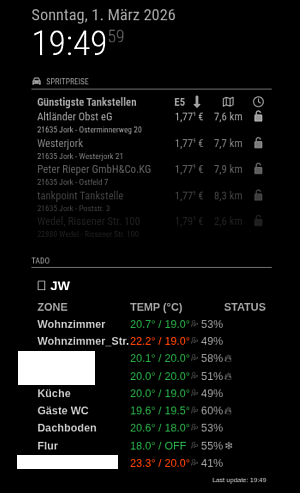
Tado on the right side:
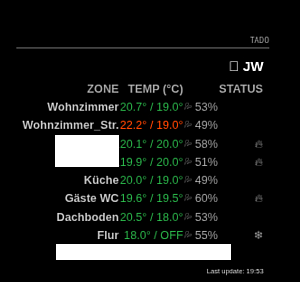
-
And: All with OS Trixie
-
@MyMirror
I don’t see anything strange.
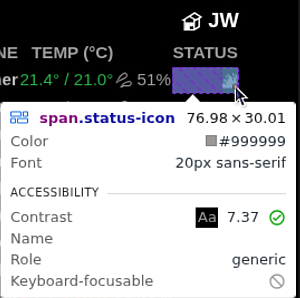
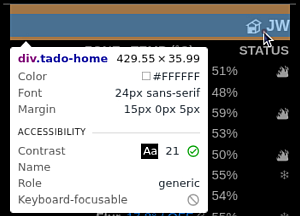
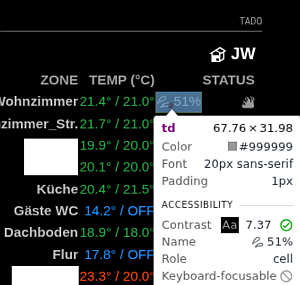
Have you looked with the developer tools?Open browser, go to your MagicMirror site (http://IP:8080)
Right click on the icon before JW and select “inspect”
Now you can see the elements and styles.Do you see something like this?
<div class="tado-home">🏠 JW</div>If not, what do you see?
For the align I found how to fix this.
This is just an CSS issue and will be fixed. -
@htilburgs
Crazy …
See this: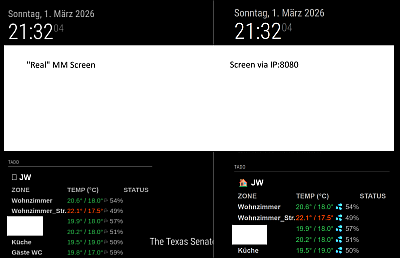
Left on the real MM: no pictures
Right over IP:8080: all needed images -
@MyMirror
This is a font issue on the Raspberry Pi.
Can you trysudo apt install fonts-symbolareboot your PI and look again?This issues with the alignement of the Home Name and the Status icons is fixed also. Just published an update.
-
-
@MyMirror
I didn’t have any colors either.Then I installed the “Noto Color Emoji” font.
After that, I added the following to custom.css:
/* Do NOT use Symbola */
.MMM-MyTado {font-family: “Noto Color Emoji”, sans-serif !important;
}
Now the colors are there :-)
-
@JoeFranz
Yes !! - This “Noto Color Emoji” font works!
Now i’ve colors and pictures.The steps:
sudo apt update
sudo apt install fonts-noto-color-emoji
fc-cache -fv- change font in css
and reboot your mirror
Thanks for your help and one more time: Thanks for the module
- change font in css
-





Hello! It looks like you're interested in this conversation, but you don't have an account yet.
Getting fed up of having to scroll through the same posts each visit? When you register for an account, you'll always come back to exactly where you were before, and choose to be notified of new replies (either via email, or push notification). You'll also be able to save bookmarks and upvote posts to show your appreciation to other community members.
With your input, this post could be even better 💗
Register Login