Read the statement by Michael Teeuw here.
Calendar CustomEvents
-
Sorry for the delayed response. Work and life got in the way. I went to the regex tester and used the example from the calendar config for customEvents {keyword: ‘in Hamburg’, transform: { search: ’ in Hamburg$’ , replace: ‘’}} and I could not make it work as per the example in the documentation.
(https://fossa.com/resources/devops-tools/regex-tester/)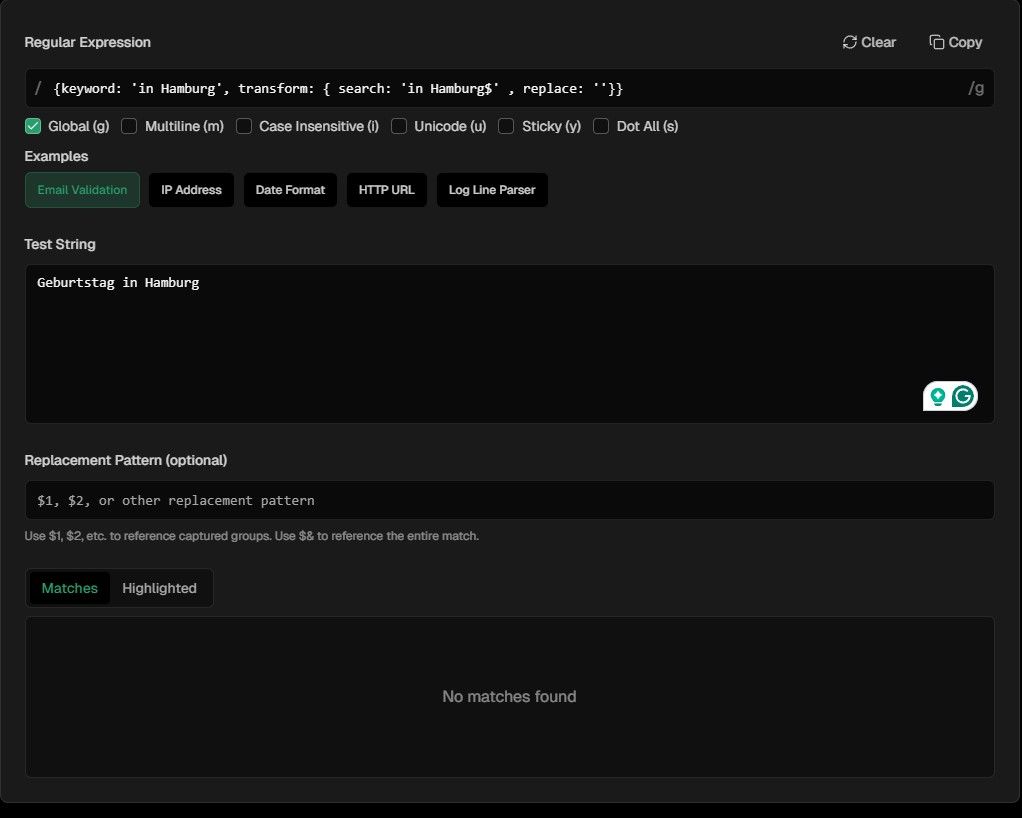
I also tried the other checker with a simplier transform.
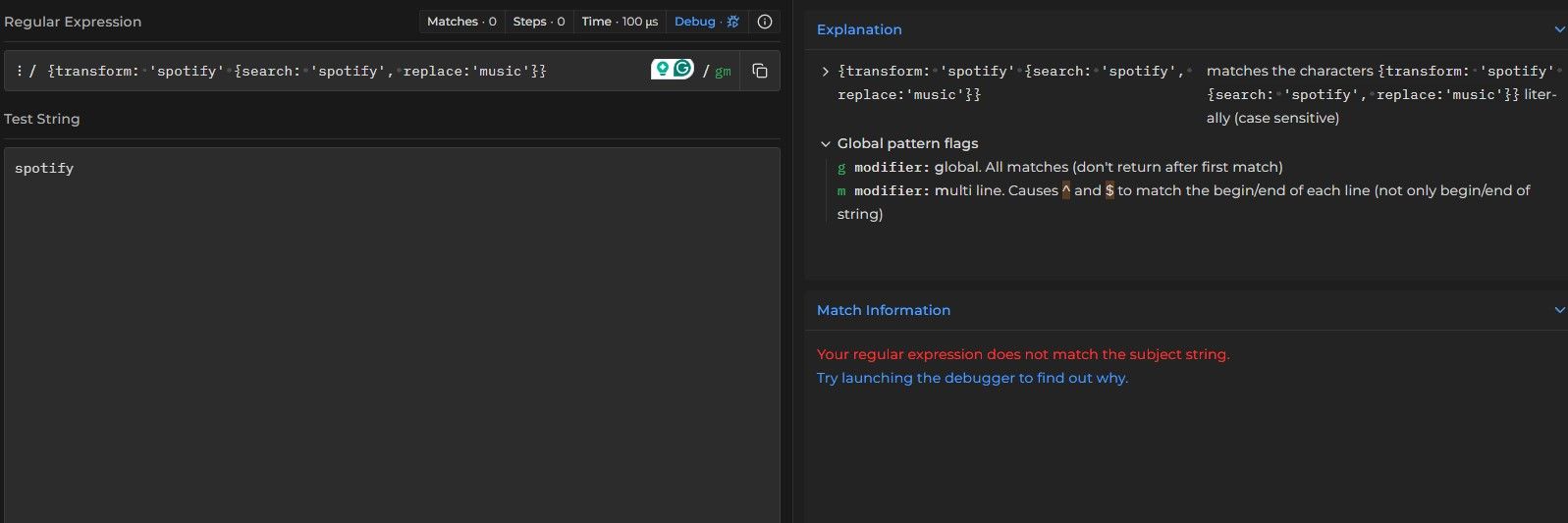
I am struggling to understand what I am doing wrong.
Your help is appreciated.
David
-
The ‘Regular Expression’ is your ‘search’ from the config line, hence ‘in Hamburg$’.
The ‘Replacement Pattern’ is your ‘Replace’ from the config line, hence ‘’ (nothing)
The ‘Test String’ is what is triggered by your ‘keyword’ so in this case ‘Geburtstag in Hamburg’ will trigger the search and replace.So, fill in:
Regular Expression: in Hamburg$
Test String: Geburtstag in Hamburg
Replacement Pattern: ‘’Then your Match will be ‘in Hamburg’ and your Highlighted will be ‘Geburtstag’ (that what remains white).
For testing search & replace on https://regex101.com, you will need to choose Function - Substitution on the left side.
Regular Expression: .in.Hamburg$
Test String: Geburtstag in Hamburg
Substitution:
This will result in: GeburtstagThis will only match on ‘in Hamburg’, so to make it more flexible you will need to make use of so called grouping:
Regular Expression: (Geburtstag).+$
Substitution: $1
This will result in: Geburtstag -
Thanks for explaining this in a language I can understand. I got that to work.
In my calendar I have “amex” typed in lower case and I want the transform it to upper “AMEX” to show this works.
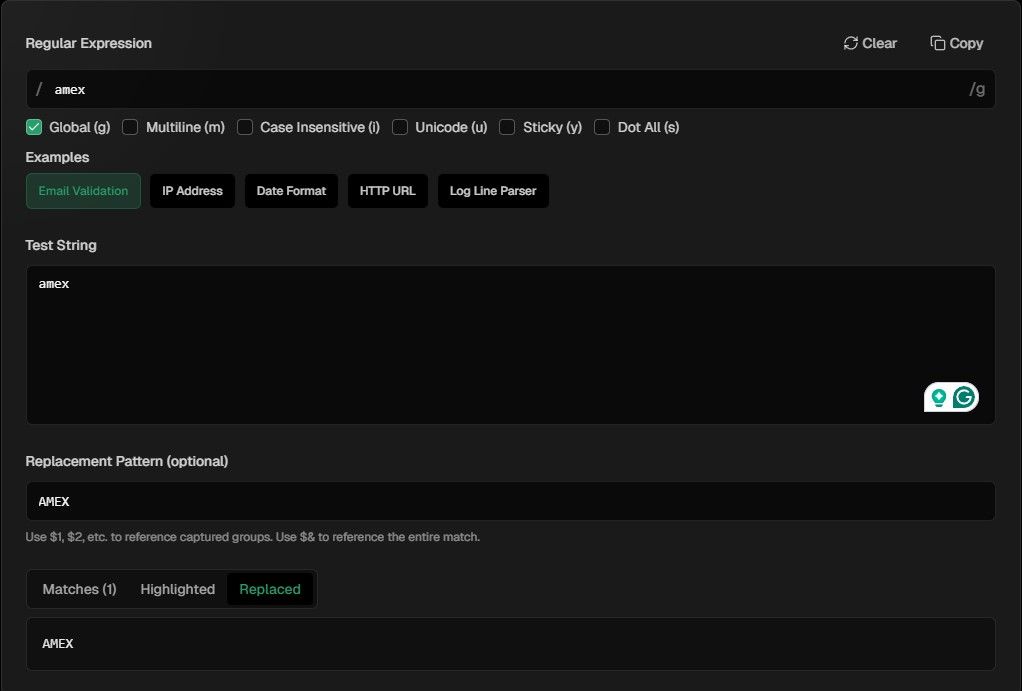
However when I use the below code on a calendar event that only has an event titled ‘amex’ in lower case does not work.
{keyword: 'amex', transform: { search: 'amex', replace: 'AMEX'}},This simple thing is confusing me. I have removed all variables, and it still does not work.
Thanks again for everyone help.
-
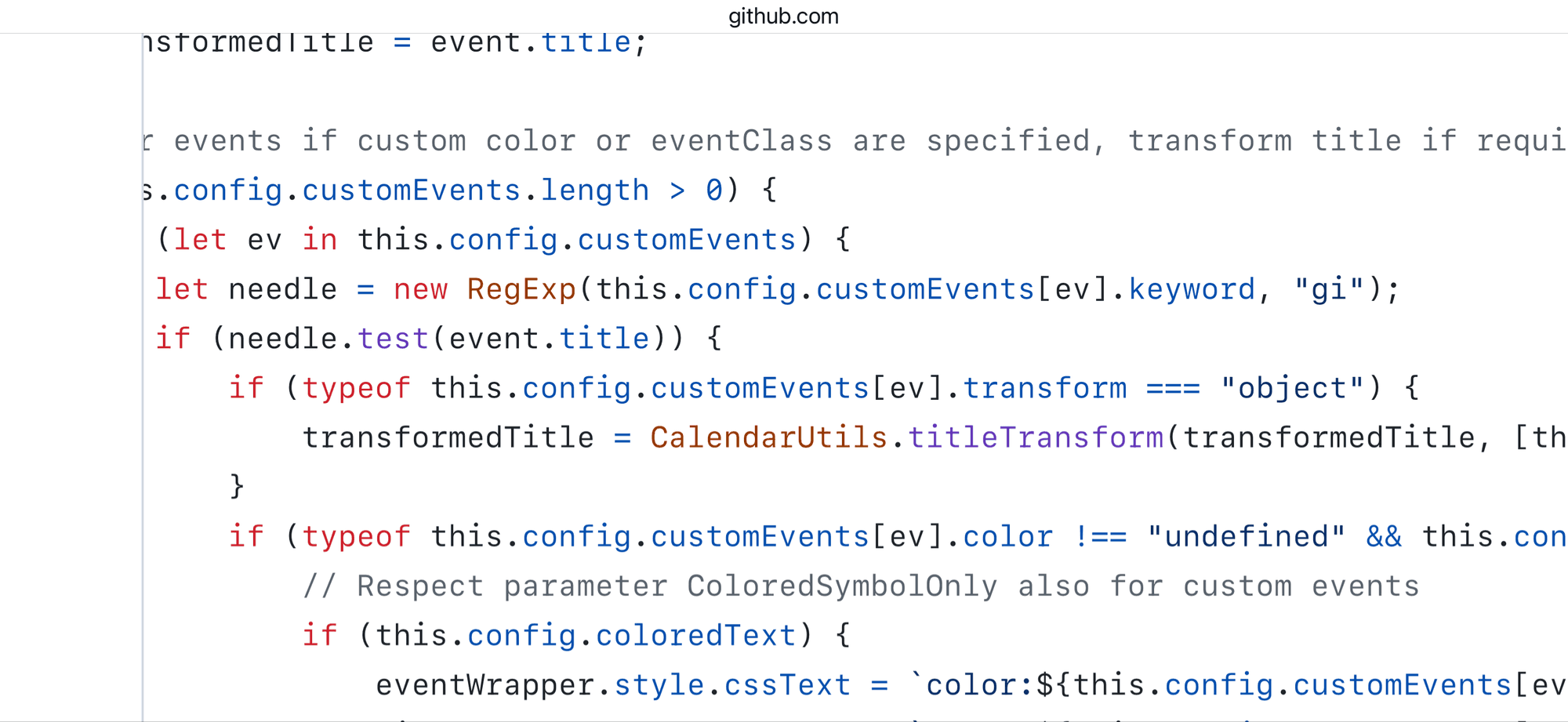
@daportelli I’m not sure of the effect, but the keyword is treated as a regular expression. I don’t know if single quotes make a difference
Also don’t know if js regex works the same, from the code
-
The comments in the code are very confusing, but I think I get it now, more or less.
Try this:
{keyword: '.*', transform: { search: 'Spotify', replace: 'Music'}},
{keyword: '.*', transform: { search: 'Canterbury-Bankstown Bulldogs', replace: 'Bulldogs'},
The
keywordis the event title string you want to change, in format regex.
Thesearchis the substring that you want to replace, in format regex
Thereplaceis what will be replaced based on your searchSo in this case, let’s say the event title string is:
‘Spotify play list’
Then you search the complete string (.*) for the substring fromsearchand you replace it by the string fromreplace.
Hence, the event title now becomes:
‘Music play list’I hope it is a little bit more clear.
Should it not work, then please supply a event title and in short what you want to be replaced.
-
@evroom keyword means find this(via regex) in the title, then work rest of customization . ONLY For events that find keyword string
.* Means all events
-
@evroom keyword means find this(via regex) in the title, then work rest of customization . ONLY For events that find keyword string
.* Means all events
Yes, it is a double regex, right?
First look if this an event title that you would like to change, then search for the string you want to replace.
Still do not understand why the examples from the first post do not work, but for that we would need the exact event titles.{keyword: ‘this event’, transform: { search: ‘changed’, replace: ‘modified’}
Event title: ‘we want this event to be changed’.
New title: ‘we want this event to be modified’.Do you happen to know how to make the keyword case insensitive?
string/i or m/string/i do not work.
Neither does (?i)
which means ‘match the reminder of the pattern with the i modifier. -
@evroom keyword is not insensitive and cannot be set that way.
the search can be
-
@sdetweil to remove as many variables as I can, I have created a reoccuring event called “Spotify” and I want to change it to “Music”

And I have tried the code below with single and double quotes with no success
{keyword: '.*', transform: { search: 'Spotify', replace: 'Music'}},For something so simple this is driving me crazy.
-
@daportelli ok, I just setup an event, happening every day
‘Spotify Event’added the custom event def you showed
                {
                        module: "calendar",
                        header: "US Holidays",
                        position: "top_left",
                        config: {
                                customEvents: [
                                        { keyword:'.*', transform :{ search:'Spotify', replace:'Music'} }
                                        ],
                                calendars: [
                                        {
                                                fetchInterval: 7 * 24 * 60 * 60 * 1000,
                                                symbol: "calendar-check",
                                                url: "https://ics.calendarlabs.com/76/mm3137/US_Holidays.ics"
                                        },
and got this result
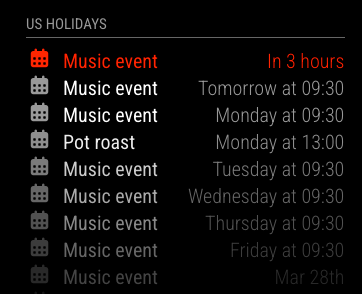
MM 2.34
I changed the customEvent definition to
{ keyword:'event', transform :{ search:'Spotify', replace:'Music'} }and it produced the same resutlts
-
@daportelli Ah, you are using MMM-GoogleCalendar
which doesn’t support the text replacement
I am talking about the default module:‘calendar’
-
@sdetweil well that explains it. I thought the default calendar configs were available to the MMM-GoogleCalendar.
Sorry, i did not make it clearer. Everyone thanks for the assist in getting to the bottom of it.
-
@daportelli looks like cloned config, but not implemetation
-
S sdetweil has marked this topic as solved on
-
@daportelli if you change the module name for a test, does it work?
What do you get from MMM-GoogleCalendar that the default does not provide?
never mind, it won’t work with the google side config…
as for the purpose of this configuration.
the content is protected by https encryption and no user will see it, its only exposed ON the system where MagicMirror runs, same for both modules.you can get the secret URL from the calendar.google.com settings,

Hello! It looks like you're interested in this conversation, but you don't have an account yet.
Getting fed up of having to scroll through the same posts each visit? When you register for an account, you'll always come back to exactly where you were before, and choose to be notified of new replies (either via email, or push notification). You'll also be able to save bookmarks and upvote posts to show your appreciation to other community members.
With your input, this post could be even better 💗
Register Login