Read the statement by Michael Teeuw here.
[MMM-RTSPStream] - Video Streaming from Live Feeds & Security Cameras
-
seems to be quite tricky with that stream…
But thank you for all your efforts so far and again great that we did it at least to run stand alone…!
You are right, channel changing options seems to be a limitation using avm_stream. I wonder if there is a way of “operating” the avm_stream, at least to switch one particular channel/stream on and off without using the terminal…?
-
I will look if there is a module that can trigger linux commands at will.
Would be interested in that myself. -
if we could find one, it could be probably used to start/stop the stream. On the other hand it could be an option to define several “stand alone streams” and call those individually. Position of the streams could be even offset to each other…Just a thought…
-
Btw, do you “fancy” stuff like Voice Control or Alexa ?
I don’t, but those would be modules that could trigger something. -
@evroom
me neither -
Hi,
I used this Sunday to setup a second Pi, whilst watching F1.
Used a new SD, installed Debian Buster and Magic Mirror v2.8.0.After I made sure I did not have any errors after rebooting, restarting MM, etc, I setup MMM-RTSPStream.
It now works for Bucks Bunny, my IP cam and my SAT receiver.
I can even rotate 2 SAT channels.I also tested the little fix with
--audio_queue 4and that works to (although I cannot check audio, as I have no speaker).It does not say that this method will work for you (my RTSP was dead as a dodo), but it could be something to consider.
I will play a bit with single quotes, double quotes, etc, as that is a potential problem in your URL.And it still leaves the issue with selecting a channel at will, through a trigger.
-
Hi and sorry for the late response.
Sounds pretty good and promising!
How do you “rotate” your SAT channels? Does it change based on time (after x seconds)?
For me it could be good enough to have a few channels to change, of course better to select from a small list. -
@bill22
In the config part addrotateStreams: true, rotateStreamTimeout: 60,and add 2 or more streams (stream1 and stream2).
-
Silly question - is there a way within the RTSP protocal to detect when the camera detects motion, so you can trigger something? What I was thinking is to flash the screen background if the camera sees motion…
Thanks!
-
Is there a way to hide the play/pause button? I’m not using a mouse on my mirror so it’s useless. Also, i’s creating its own separate gigantic white box that doesn’t line up with my actual video stream (which I have to force its position using moduleOffset).
-
The white box is easy to get rid of:
In ~/MagicMirror/css/custom.css
/* This removes the white border around the RTSP feed(s). */
.MMM-RTSPStream .innerWrapper {
  border: 0;
}
As far as the play button, I’ve never seen it, so I don’t know how to get rid of it, I don’t use keyboard or mouse on my mirror.
FYI, other css that might be useful:
/* This shrinks the left and right regions so that RTSPStream don't overlap. */
.region.right .module-content,
.region.left .module-content {
  min-width: 450px;
  max-width: 450px;
}
– B
-
@BKeyport That worked to remove the white box, thanks!
I’m still struggling with getting the module to just show where I want it. I don’t know why it doesn’t just listen to “position” like every other module where I can tell them all to be top_right and they’d all line up in the appropriate order. I’m fighting with moduleOffset entering random numbers to see if I can find a decent spot, but it still overlaps, causes indentation, and is just a mess. Then often times the module will just disappear after being on screen for a couple minutes.
-
Odd - I’m having no problem moving it around - although, if you’re using OMXPlayer, it’s overlaying on top of the screen, it won’t play nice with other modules in the same position…
-
Hello, I’m Peter,
when I add RTSTStream to my MagicMirror, I have a little problem with RTSPStream module.When display is in normal mode on 27’ screen, everything is ok, picture from Cam is good, normal dimensions etc
https://photos.app.goo.gl/czoZvwryGmqfJRDg6But when in /boot/config.txt in rpi3 the display_rotation=1, picture form cam is cut like on screen.
https://photos.app.goo.gl/VRycUb7zMw9LQVxh6
Someone could help me with this problem?
Many thanks to You All
Peter -
Try using the GL driver to rotate…
https://github.com/michmich/magicmirror/wiki/configuring-the-raspberry-pi#enable-the-open-gl-driver-to-decrease-electrons-cpu-usageI’ll post my config.txt and autostart settings tonight, don’t have access to them right now.
-
Is it possible to define a stream for playing a local file (e.g. .mp4 or .avi)?
-
works with
		{
			module: "MMM-RTSPStream",
			position: "middle_center",
			config: {
				autoStart			: true,
				rotateStreams		: false,
				rotateStreamTimeout	: 30,
				moduleWidth			: 354,
				moduleHeight		: 240,
				localPlayer			: 'omxplayer',
				shutdownDelay		: 0,

					stream1: {
						name: 'Test Stream',
						url: 'file:///home/pi/MagicMirror/modules/MMM-RTSPStream/Videos/Feuer.mp4',
					},
				}
		},
but no sound !
in bash console works with: omxplayer -o alsa Feuer.mp4
How to set hdmi sound as default ? -
Just wanted to cross-post this in case people are looking in this thread for a way to monitor and restart streams that have stopped:
-
hello, I have a problem with this module, I have the displays which are truncated and this since the update.
bonjour, j’ai un probleme avec ce module, j’ai les affichages qui sont tronqué et ce depuis la mise a jour.
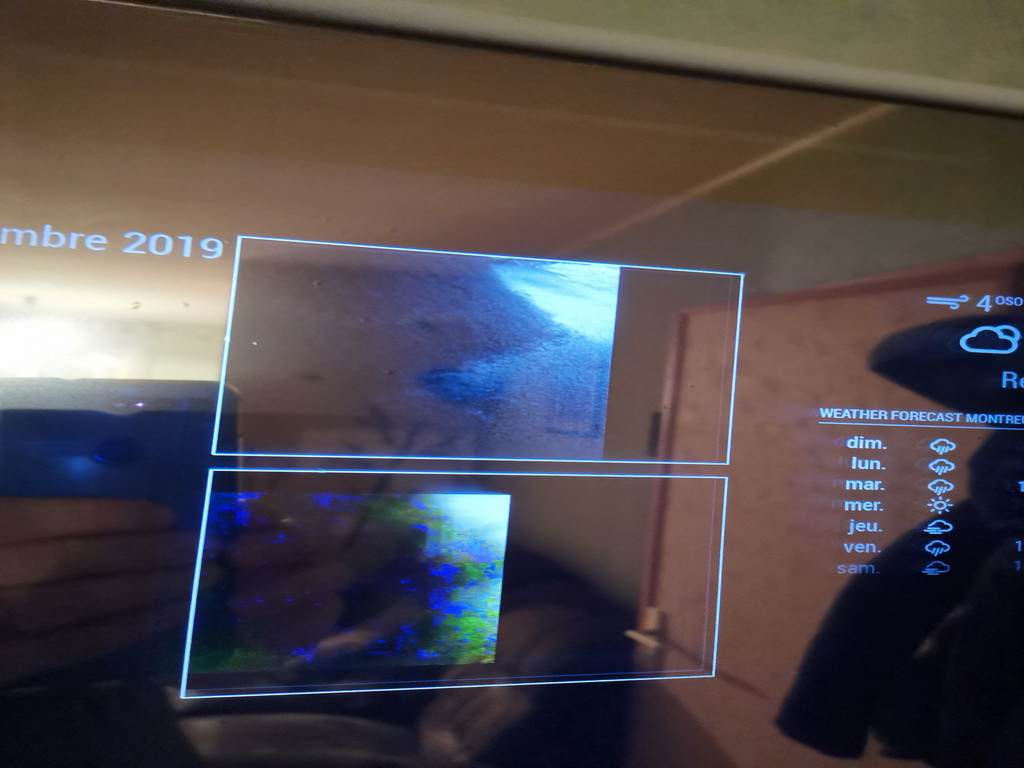
Merci.
-
nobody to tell me how to solve my cut image problem? Thank you




Hello! It looks like you're interested in this conversation, but you don't have an account yet.
Getting fed up of having to scroll through the same posts each visit? When you register for an account, you'll always come back to exactly where you were before, and choose to be notified of new replies (either via email, or push notification). You'll also be able to save bookmarks and upvote posts to show your appreciation to other community members.
With your input, this post could be even better 💗
Register Login