Read the statement by Michael Teeuw here.
Motion Detector
-
Thank you guys for having a look!!
-
@trividar before I spend some time creating a dev branch, could you please run the magic mirror from the terminal on RPI with the following command line:
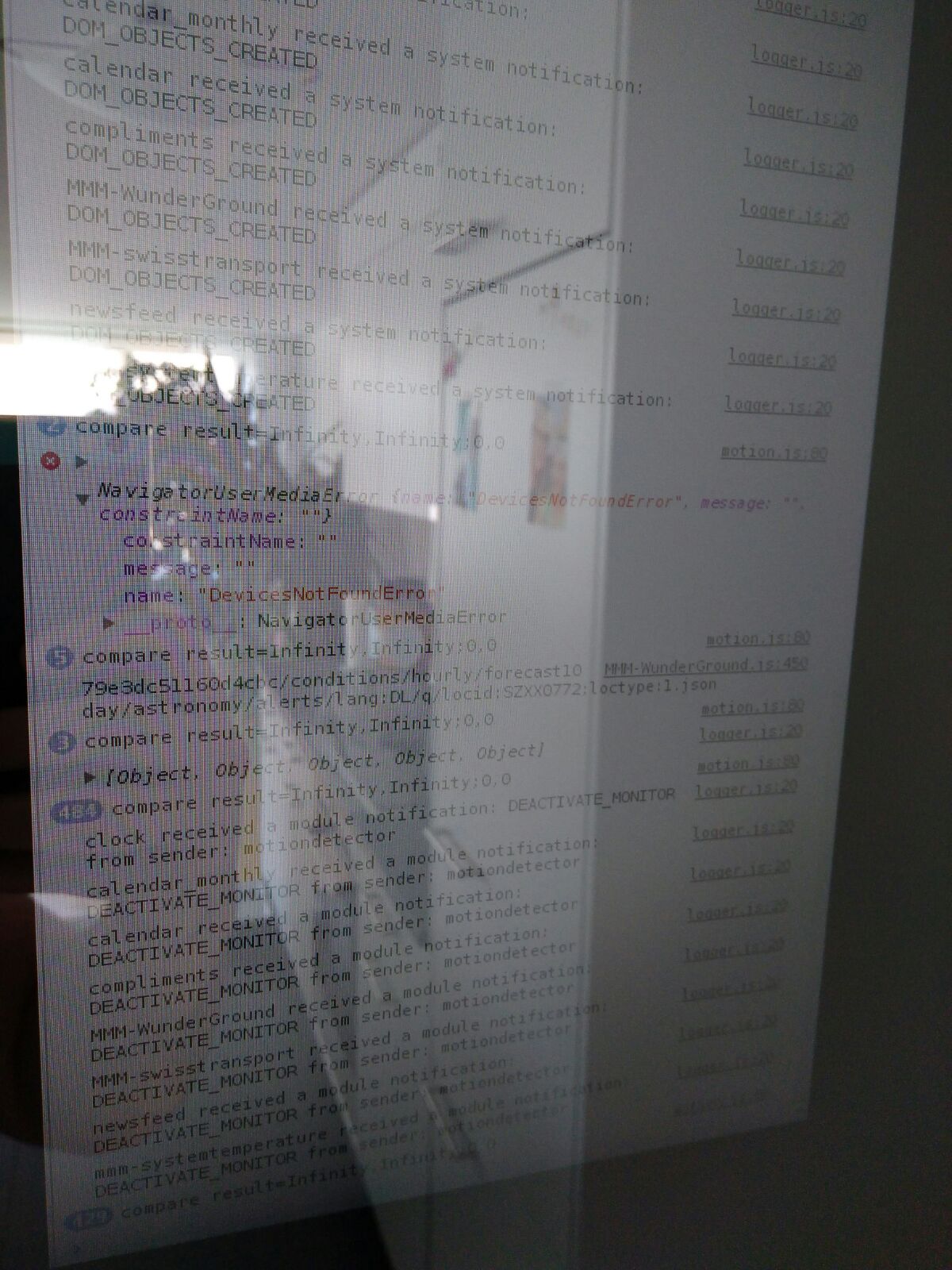
npm start devThe magic mirror will be started with dev tools enabled. Switch to the 'Console" tab in the dev tools and you should be able to see the following output:
“compare result=Infinity,Infinity;0,0” when there’s no movement before your camera and something like “compare result=49,44;31,47” when there’s some movement.
Also if you could also look for errors in this console as well (red colored lines).
-
For me the I get the compare result=Infinity,Infinity:0,0 but it’s not sensing any movement… so it’s the camera that’s the problem here…
I did get an error its says:
NavigatorUserMediaError {name: "DeviceNotFoundError", message "", constaintName: ""}That tells me it can’t access the camera…
How does one fix that?
-
@cowboysdude this is what I had suspected. What kind of camera do you have? Web camera over usb?
-
I use the pi NoIR camera V1. Sorry for the bad image!
-
this sounds that your cam is not getting recognized as a valid webcam
-
@strawberry-3.141 said in Motion Detector:
this sounds that your cam is not getting recognized as a valid webcam
I am using the NOIR Picamera that’s interesting because outside the module the camera works fine LOL
Hummmmmmm…
-
can you guys try
sudo modprobe bcm2835-v4l2in the console before starting the mirror -
I got this error:

-
strange this is the driver for the camera module
do you have enabled the camera module?
-
Yes I have… And the camera works, i can take picutres abd see live pictures.
-
then it’s really strange that you can’t find the driver, did you wrote v412 or v4l2 ?
looks like you typed 1 but it should be a lowercase L
-
This post is deleted! -
Now It works… juhuuuuuuuuuuu;o) My monitor turn off… and recognize motion and turns on. In dev Mode i see now also motions!
-
hopefully this works for @cowboysdude as well
-
I just typed in the
sudo modprobe bcm2835-v4l2and it returned nothing so I’m guessing that’s a good thing LOL -
So this is what I’ve done and it solved it…
I took your
sudo modprobe bcm2835-v4l2and entered before I started the mirror and no more error so I started the mirror in dev and it was registering movement…Great!So I closed the mirror and restarted… same error, driver not loaded…
so I did this in case of a power out,e tc…in a terminal window:
sudo crontab -eEnter this on the last line:
@reboot sudo modprobe bcm2835-v4l2Saved and exited.
Reboot
Restart mirror in dev mode
NO error and tracks movement
close mirror and restart in dev
NO error and tracks movement.PROBLEM SOLVED!! Thank you guys for being patient!! It’s working.
-
Thank you guys! you are amazing!
-
Same here, works like a charm!
Thanks guys :) -
Huge thank you to @strawberry-3-141 for helping to troubleshoot this issue and suggesting the solution! While I know all kinds of dev languages and tools, I am pretty new RPI and Linux.


Hello! It looks like you're interested in this conversation, but you don't have an account yet.
Getting fed up of having to scroll through the same posts each visit? When you register for an account, you'll always come back to exactly where you were before, and choose to be notified of new replies (either via email, or push notification). You'll also be able to save bookmarks and upvote posts to show your appreciation to other community members.
With your input, this post could be even better 💗
Register Login