MagicMirror Forum
    • Recent
    • Tags
    • Unsolved
    • Solved
    • MagicMirror² Repository
    • Documentation
    • 3rd-Party-Modules
    • Donate
    • Discord
    • Register
    • Login
    A New Chapter for MagicMirror: The Community Takes the Lead
    Read the statement by Michael Teeuw here.

    Internet Monitor
    Scheduled Pinned Locked Moved Utilities
    108 Posts 27 Posters 145.7k Views 30 Watching
    Loading More Posts
    • Oldest to Newest
    • Newest to Oldest
    • Most Votes
    Reply
    • Reply as topic
    Log in to reply
    This topic has been deleted. Only users with topic management privileges can see it.
    • R Offline
      ronny3050 Module Developer @cowboysdude
      last edited by

      @cowboysdude Usually preferred = harder ;)

      cowboysdudeC strawberry 3.141S 2 Replies Last reply Reply Quote 1
      • cowboysdudeC Offline
        cowboysdude Module Developer @ronny3050
        last edited by

        @ronny3050 said in Internet Monitor:

        @cowboysdude Usually preferred = harder ;)

        LOL yeah me too but for once thought I’d go the easier route…

        1 Reply Last reply Reply Quote 1
        • A Offline
          Advokaten @ronny3050
          last edited by Advokaten

          @ronny3050 Option 1 would be quite amazing, yes! Another question, would it be possible to remove everything in the module except for the wi-fi indicator part, to make it smaller and quicker (maybe easier to configure for nubs like me)? Like remove all unnecessary files and coding. I’m afraid I’ll break it if I tinker with it lol.

          R 1 Reply Last reply Reply Quote 1
          • strawberry 3.141S Offline
            strawberry 3.141 Project Sponsor Module Developer @ronny3050
            last edited by

            @ronny3050 you could achieve this with css3 filters

            Please create a github issue if you need help, so I can keep track

            R cowboysdudeC 2 Replies Last reply Reply Quote 3
            • R Offline
              ronny3050 Module Developer @Advokaten
              last edited by

              @Advokaten sure, I’ll clean it up :)

              1 Reply Last reply Reply Quote 0
              • R Offline
                ronny3050 Module Developer @strawberry 3.141
                last edited by

                @strawberry-3.141 Hey bro, thanks for the heads up! I was going to go that route except not sure whether everyone’s raspberry browser supports css3.

                1 Reply Last reply Reply Quote 2
                • cowboysdudeC Offline
                  cowboysdude Module Developer @strawberry 3.141
                  last edited by

                  @strawberry-3.141 said in Internet Monitor:

                  @ronny3050 you could achieve this with css3 filters

                  I swear to God I’m calling you “Magic Man”… :)

                  1 Reply Last reply Reply Quote 0
                  • pjkoelemanP Offline
                    pjkoeleman @ronny3050
                    last edited by

                    @ronny3050 Thanks for taking up the challenge.
                    I would prefer option #1 as well. So the user can choose its own colors.

                    1 Reply Last reply Reply Quote 2
                    • pjkoelemanP Offline
                      pjkoeleman @Advokaten
                      last edited by

                      @Advokaten said in Internet Monitor:

                      Don’t know what is turning the strength bars into a white color

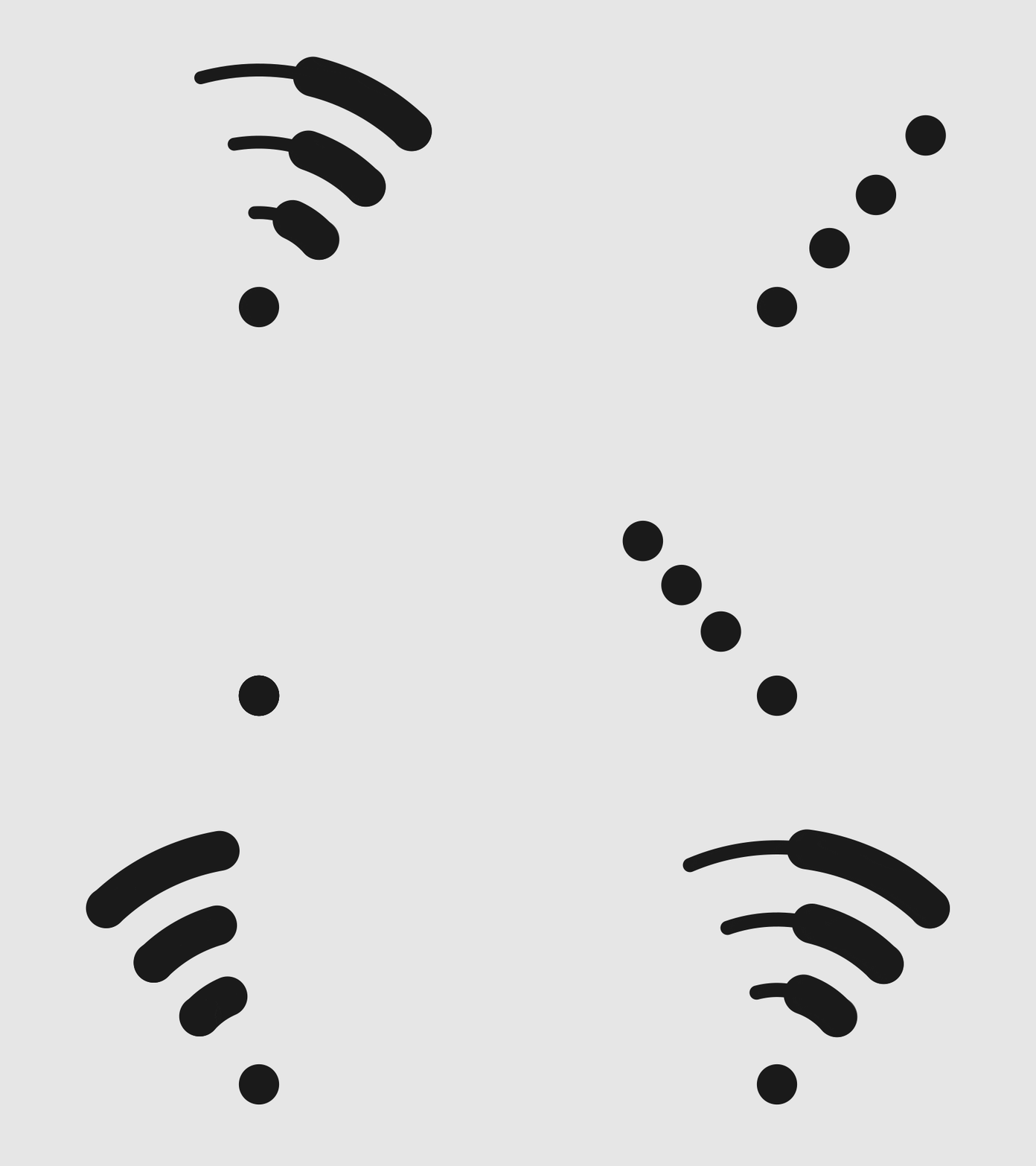
                      There are four images (white) used for the strength. You can find them in the sub-folder ‘images’.

                      1 Reply Last reply Reply Quote 1
                      • I Offline
                        illskool
                        last edited by illskool

                        Great Module. Does it monitor the speed of my internet from my modem or the speed that my raspberry pi is reaching? Is there a way to maintain a log of speeds?

                        R 1 Reply Last reply Reply Quote 1
                        • R Offline
                          ronny3050 Module Developer @illskool
                          last edited by

                          @illskool Thank you. It is the speed that your pi is reaching.
                          I am currently logging the speed and it can be found in your mirror’s logs by typing pm2 logs in the command line. I am removing this in my next update due to the massive amounts of logs produced. You can set an updateInterval for the mirror to refresh and update the speed if needed.

                          1 Reply Last reply Reply Quote 0
                          • I Offline
                            illskool
                            last edited by illskool

                            @ronny3050 Thank you for the quick response and for the work you did to create this module. I think its fantastic that I can glance at the mirror and see what speeds I am getting. On a side note, do you think it is possible to display the speeds that the modem receives? I would love to show that and then be able to keep a log. That way I could show my ISP whats up with their lying lol

                            R 1 Reply Last reply Reply Quote 1
                            • R Offline
                              ronny3050 Module Developer @illskool
                              last edited by

                              @illskool haha, I am not aware of any way to get your exact modem speeds, but you can connect through LAN to get the closest modem speed ;)

                              1 Reply Last reply Reply Quote 0
                              • R Offline
                                ronny3050 Module Developer
                                last edited by

                                @pjkoeleman @Advokaten customizable WiFi symbol is updated on github. Unfortunately, I could not test on my Mirror yet (especially the animations). I would greatly appreciate any feedback :D

                                I hope this is what you were looking for.

                                pjkoelemanP 1 Reply Last reply Reply Quote 1
                                • pjkoelemanP Offline
                                  pjkoeleman @ronny3050
                                  last edited by

                                  @ronny3050 said in Internet Monitor:

                                  @pjkoeleman @Advokaten customizable WiFi symbol is updated on github. Unfortunately, I could not test on my Mirror yet (especially the animations). I would greatly appreciate any feedback
                                  I hope this is what you were looking for.

                                  Thanks for your work in updating the module, but I now have a black screen with nothing on it.
                                  Here is my part of config.js what I’am using.

                                   {
                                  	 module: 'internet-monitor',
                                  	 position: 'bottom_right',
                                  	 config: {
                                  		 type: 'minimal',
                                  		 maxTime: 7000,
                                  		 updateInterval: 120000,
                                  		 verbose: false,
                                  		 displayStrength: true,
                                  		 displaySpeed: false,
                                  		 strengthIconSize: 40,
                                  		 maxGaugeScale: 25,
                                  		 wifiSymbol:{
                                  			 size: 50,
                                  			 fullColor: '#3afc25',
                                  			 almostColor: '#ffff0c',
                                  			 halfColor: '#ff8c00',
                                  			 noneColor: '#ff1111'
                                  		 }
                                  	 }
                                   },
                                  

                                  I have nothing in custom.css regarding internet-monitor.
                                  When I start with npm start dev, I see one error in the panel, this is the following;

                                  loader.js:189 GET http://localhost:8080/modules/internet-monitor//convert.js 
                                  loadFile @ loader.js:189
                                  loadFile @ loader.js:236
                                  loadNextScript @ module.js:236
                                  (anonymous function) @ module.js:238
                                  script.onload @ loader.js:187
                                  

                                  Personaly I think animated gif’s are a bit to much, change them back to PNG-files with the option to color them.
                                  One other thing; is color options not something for the custom.css?

                                  strawberry 3.141S 1 Reply Last reply Reply Quote 1
                                  • strawberry 3.141S Offline
                                    strawberry 3.141 Project Sponsor Module Developer @pjkoeleman
                                    last edited by strawberry 3.141

                                    @pjkoeleman he forgot to push the file convert.js which leads to the black screen

                                    Please create a github issue if you need help, so I can keep track

                                    pjkoelemanP 1 Reply Last reply Reply Quote 1
                                    • pjkoelemanP Offline
                                      pjkoeleman @strawberry 3.141
                                      last edited by

                                      @strawberry-3.141 Thanks, waiting for @ronny3050 reaction.

                                      R 1 Reply Last reply Reply Quote 1
                                      • R Offline
                                        ronny3050 Module Developer @pjkoeleman
                                        last edited by

                                        @pjkoeleman Oops, forgot to remove convert.js from the script. Should work now.

                                        The color option is currently part of the config, mostly because editing the css will take quite a bit of work as a lot of classes/places need to be updated, so I thought of just having a variable inside the config.

                                        Animation can be turned off in the config in my next update, but I would like to hear your feedback currently.

                                        Thank you!

                                        pjkoelemanP 1 Reply Last reply Reply Quote 1
                                        • F Offline
                                          fischi87
                                          last edited by

                                          hello @all

                                          it is possible to motoring the internet from a other device in the same network?

                                          thanks

                                          R 1 Reply Last reply Reply Quote 0
                                          • R Offline
                                            ronny3050 Module Developer @fischi87
                                            last edited by

                                            @fischi87 not exactly sure I understand your question. If you mean you would like to monitor the internet speed on another device (not a mirror), you can visit speednet and you should get similar results.

                                            1 Reply Last reply Reply Quote 0

                                            Hello! It looks like you're interested in this conversation, but you don't have an account yet.

                                            Getting fed up of having to scroll through the same posts each visit? When you register for an account, you'll always come back to exactly where you were before, and choose to be notified of new replies (either via email, or push notification). You'll also be able to save bookmarks and upvote posts to show your appreciation to other community members.

                                            With your input, this post could be even better 💗

                                            Register Login

                                            • 1
                                            • 2
                                            • 3
                                            • 4
                                            • 5
                                            • 6
                                            • 3 / 6
                                            • First post
                                              Last post
                                            Enjoying MagicMirror? Please consider a donation!
                                            MagicMirror created by Michael Teeuw.
                                            Forum managed by Sam, technical setup by Karsten.
                                            This forum is using NodeBB as its core | Contributors
                                            Contact | Privacy Policy
