Read the statement by Michael Teeuw here.
Internet Monitor
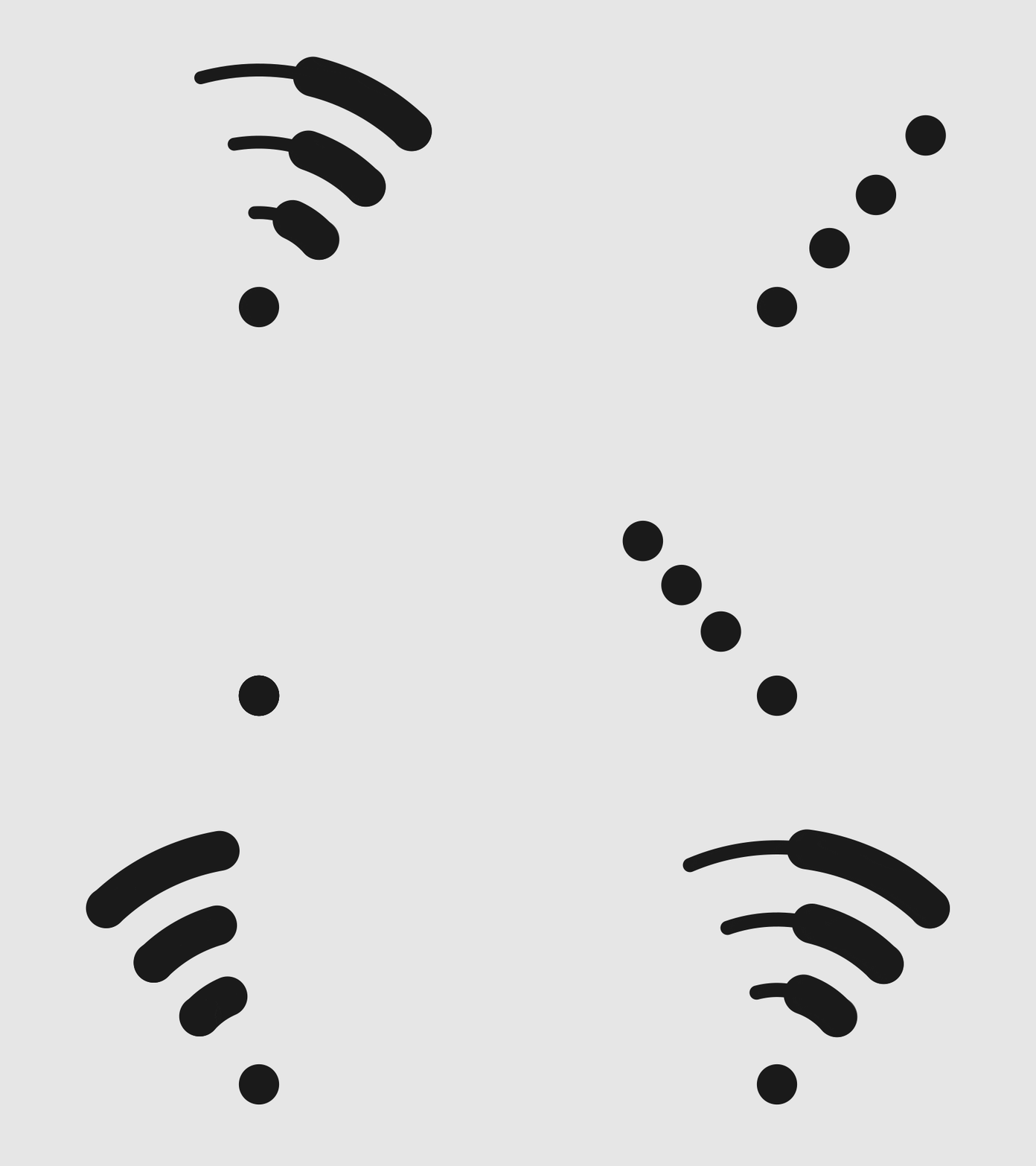
-
@strawberry-3.141 Thanks, waiting for @ronny3050 reaction.
-
@pjkoeleman Oops, forgot to remove convert.js from the script. Should work now.
The color option is currently part of the config, mostly because editing the css will take quite a bit of work as a lot of classes/places need to be updated, so I thought of just having a variable inside the config.
Animation can be turned off in the config in my next update, but I would like to hear your feedback currently.
Thank you!
-
hello @all
it is possible to motoring the internet from a other device in the same network?
thanks
-
-
@ronny3050 said in Internet Monitor:
Oops, forgot to remove convert.js from the script. Should work now.
Just installed the latest update and it’s running like an well-oiled machine.
One question I still have and can’t find an solution for. I have the internet-monitor in te ‘bottom_right’ location and added the following to my custom.css
.wifi-symbol-1 [foo], .wifi-symbol-1, .wifi-symbol-2 [foo], .wifi-symbol-2, .wifi-symbol-3 [foo], .wifi-symbol-3, .wifi-symbol-4 [foo], .wifi-symbol-4 {
position: absolute;
float: right;
margin-top: 35px;
}
Now it looks like this;
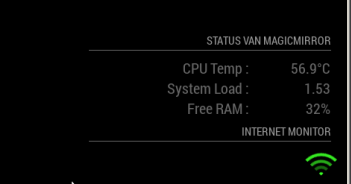
How can I give it a little right-margin so it lines out to the right side of my screen, now its a little to much to the right.
Already tried margin-left an padding but no one is giving me the result I want.
-
@pjkoeleman Thank you! By the way, the symbol looks great, if I say so myself :stuck_out_tongue_closed_eyes:
In the code for your custom.css, try to change
positionfromabsolutetorelative. -
@ronny3050 said in Internet Monitor:
In the code for your custom.css, try to change position from absolute to relative.
When I do that, that gives not the result I’am looking for. With the following code in the custom.css
position: relative;
float: right;
margin-top: 5px;
margin-right: 5px;
It gives me the following on my screen
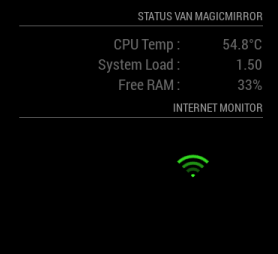
Much lower and to the left. Now your guess is as good as mine !
-
@pjkoeleman remove all margins from the custom.css (or remove just the top and adjust the right as needed).
-
@ronny3050 said in Internet Monitor:
remove all margins from the custom.css
I have been testing for some time and found a solution !
My custom.css looks like this now.wifi-symbol-1 [foo], .wifi-symbol-1, .wifi-symbol-2 [foo], .wifi-symbol-2, .wifi-symbol-3 [foo], .wifi-symbol-3, .wifi-symbol-4 [foo], .wifi-symbol-4 { position: relative; float: right; margin-top: -30px; margin-right: -20px; }The result on the screen looks like this
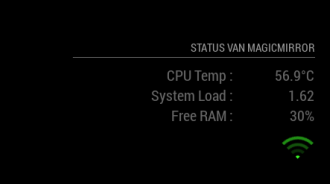
Now it looks like this I took out the header of Internet-monitor, now it belongs to the header with my status. Didn’t now negative numbers in margins were also possible till I tested it.
-
@pjkoeleman That’s correct since you float it to right, but then half of the symbol will be out of bounds on the right, so you can indeed use negative margin-right. :)
-
@ronny3050 Never to old to learn.
-
Thanks for the great module. I can see that it will be a fine product once I have one little issue sorted.
The verbose display shows that the speed test is always referencing one specific server in China (not in my home country) and as such the meter readings are showing at 1/10th of what a manual speed test shows (using ookla to a local server in another browser).
Is there any way to specify the server in use or at least limit the servers to a local list or “geofence”?
-
According to the documentation, it pulls down a list of servers and their associated ping times. The default is to pick the server with the smallest ping. This is quite curious.
It does look like you can pass in a serverID and have it use that server. You can get the ID of a specific server here. I think with a little editing of the
node_helper.jsfile, you can pass in an object that specifies a particular server.For bonus points, make the server ID and/or server URL a parameter that you can specify in the
config.jsentry for the module. Test it and then submit a pull request to the module developer.Huh. I just tried this and it’s picking servers in Norway, which is very much not nearby.
ETA: Looking at it, it doesn’t seem to be terribly hard. The Start() function sends the socket notification that gets it all going, passing in the config argument. The only option passed in is maxTime. If you can figure out the format that speedtest wants, you could pretty easily pass in whatever you wanted to extract from the config object (payload in the node_helper.js).
I may play with this later myself, just to learn some things.
-
Well. That was frustrating. I’ll spare you the details, but I modified the module and submitted a PR. Hopefully @ronny3050 will fix my amateurish code and accept it.
Anyhow, if you want to try it before then, you can clone from my fork of ronny3050’s module. Remember to run
npm install. -
Hi, only just discovered this module and it seems like a great idea however I cannot get the wifi symbol to appear.
Here’s my config for the module:
module: “internet-monitor”,
position: “bottom_center”,
header: “Internet Monitor”,
config: {
type: " ",
maxTime: “20000”,
updateInterval: “0”,
verbose: “false”,
displayStrength: “true”,
displaySpeed: “false”,
strengthIconSize: “80”,
maxGaugeScale: “100”,
wifiSymbol: {
size: “50”,
fullColor: “3afc25”,
almostColour: “#ffff0c”,
halfColor: “#ff8c00”,
noneColor: “#ff1111”
},
}
}Am I being thick and have missed something?
Additionally is the wifi symbol a measure of internet speed on the pi or wifi strength to my AP?
-
@nickthebeer - The WiFi symbol is actually a ping test to the testing server. Ping times > 150ms are marked as no signal, ping < 70ms is full strength.
Looking at the speedtest documentation, the API returns a “list of closest servers” after testing. Who knows how long that takes, especially if you’re using the original code without my updates. The
node_helper.jsthen pulls the closest server and does a ping test.I think this is just going to be a patience thing. Watch the console log for the line:
ping. That’s the notification from thenode_helper.jsthat the ping is complete. If the Wifi symbol doesn’t appear after that, come back and we’ll look at it. -
@bhepler Confirming…100% working as suggested. I have included the local speedtest server to the config (serverID), the verbose now displays this server…and the speed gauges show the expected speeds, DLs and ULs. Nice work.
-
@bhepler ok, I’m seriously missing something here…I removed the internet monitor folder and did a git pull from your page (https://github.com/BrianHepler/internet-monitor) and also cleared down my config.js to a simple config but it just doesn’t look right (see attached image) I’m missing the wifi symbol and it defaults to a speedtest server in Norway and not the one specified in the file (12667 in the US).
Please help, it’s slowly driving me insane.
/* Magic Mirror Config Sample
 *
 * By Michael Teeuw http://michaelteeuw.nl
 * MIT Licensed.
 *
 * For more information how you can configurate this file
 * See https://github.com/MichMich/MagicMirror#configuration
 *
 */

var config = {
        address: "localhost", // Address to listen on, can be:
                              // - "localhost", "127.0.0.1", "::1" to listen on loopback interface
                              // - another specific IPv4/6 to listen on a specific interface
                              // - "", "0.0.0.0", "::" to listen on any interface
                              // Default, when address config is left out, is "localhost"
        port: 8080,
        ipWhitelist: ["127.0.0.1", "::ffff:127.0.0.1", "::1"], // Set [] to allow all IP addresses
                                                               // or add a specific IPv4 of 192.168.1.5 :
                                                               // ["127.0.0.1", "::ffff:127.0.0.1", "::1", "::ffff:192.168.1.5"],
                                                               // or IPv4 range of 192.168.3.0 --> 192.168.3.15 use CIDR format :
                                                               // ["127.0.0.1", "::ffff:127.0.0.1", "::1", "::ffff:192.168.3.0/28"],

        language: "en",
        timeFormat: 24,
        units: "metric",

modules: [
        {
            module: 'internet-monitor',
            position: 'top_center',
            header: 'Internet Monitor',
            config:{
                type: '',
                maxTime: '20000',
                updateInterval: '0',
                verbose: 'true',
                serverID: '12667',
                displayStrength: 'true',
                displaySpeed: 'true',
                strengthIconSize: '80',
                maxGaugeScale: '100',
                wifiSymbol:{
                    size: '50',
                    fullColor: '#3afc25',
                    almostColor: '#ffff0c',
                    halfColor: '#ff8c00',
                    noneColor: '#ff1111'
                },
            },
        }
]
};

/*************** DO NOT EDIT THE LINE BELOW ***************/
if (typeof module !== "undefined") {module.exports = config;}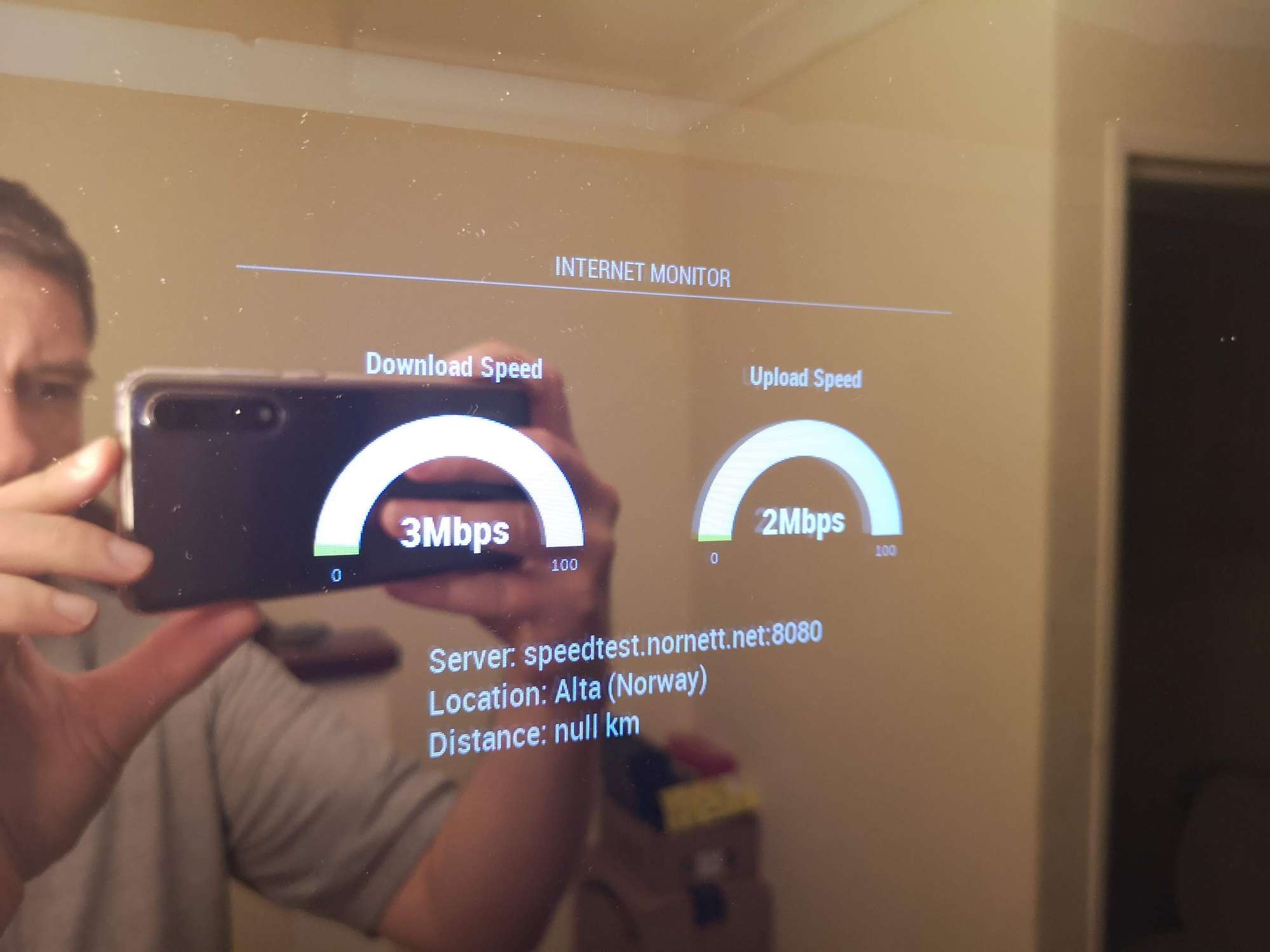
-
@nickthebeer - Dude I am so sorry! I just saw your post now. I don’t know why I didn’t get a notification. Let’s get you fixed up.
The problem is in the capitalization of the
ServerIdvariable. You haveIdin all caps. It’s uppercase “I” and lowercase “d”. Copy & paste this:{ module: 'internet-monitor', position: 'top_center', header: 'Internet Monitor', config:{ type: '', maxTime: '20000', updateInterval: '0', verbose: 'true', serverId: '12667', displayStrength: 'true', displaySpeed: 'true', strengthIconSize: '80', maxGaugeScale: '100', wifiSymbol:{ size: '50', fullColor: '#3afc25', almostColor: '#ffff0c', halfColor: '#ff8c00', noneColor: '#ff1111' }, } }, -
Yeah I am not able to get the plain WiFi symbol to appear as well. The heading size responds to the new sizing of where a symbol should be, but no symbol appears.

Hello! It looks like you're interested in this conversation, but you don't have an account yet.
Getting fed up of having to scroll through the same posts each visit? When you register for an account, you'll always come back to exactly where you were before, and choose to be notified of new replies (either via email, or push notification). You'll also be able to save bookmarks and upvote posts to show your appreciation to other community members.
With your input, this post could be even better 💗
Register Login