Read the statement by Michael Teeuw here.
DailyDilbert
-
I know there is a dailyxkcd module which of course works great in the mirror since it is b/w by nature.
Would there also be a possibility to build a Daily Dilbert.
Here in Germany I’d also be interested in a Daily Nichtlustig.Was thinking about catching the daily picture somehow and including it into an iframe. But I’m not good at this and someone surely knows a more elegant way :-)
Looking forward to your ideas!
-
I’m currently working on a DailyDilbert module. I threw together a web scraper for it already, it’s just a matter of putting together the actual module component of it. I was trying to think if there was a simple way to build a web scraping module to make it agnostic of the web site, but the only solutions I could come up with are more time intensive than I wish to spend on this. That being said, but you could probably modify the code to accommodate the other comic site you’re looking for once I publish MMM-DailyDilbert.
-
Great news!
Thanks, I’m looking forward to it!
A website agnostic module may not be worth the work. I was only looking for DailyDilbert, dailyxkcd already exists. -
I know this topic is quite old, but I was trying to change the Dilbert module to work with the Garfield daily comic (see https://garfield.com/comic or RSS at https://www.comicsrss.com/preview/garfield). But I can’t for the life of me figure out how to do this (complete newbie).
Any ideas or suggestions?
-
This post is deleted! -
Hi! Is there anyone that could tell me how to shrink the size of the DailyDilbert comic?
-
@maximillium I did it like this but had to search for a while as well.
You can put this in your custom.css and use whatever value you prefer
.MMM-DailyDilbert #dilbert-content {
  width: 900px;
}
A tip if you’re interested:
If you open the mirror in your browser (I’m using chrome mirror_ip:8080) and open the developer’s console with F12 you can see all the css involved (in the “styles” tab). Then you can right-click on the image and press “investigate” or whatever it’s called in english and you can see all the css affecting this picture. You can even toggle properties on/off live. Just discovered all the possibilites with this function working on this problem. -
Hi there - in the hope someone could point me in the right direction, any ideas on how to create a module for the daily Garfield comic?
-
@loengard What you would need basically is a scraping function.
One of my (too many) projects currently is to create a module like MMM-WebScraper.
However, I think it should be possible to take MMM-DailyXKCD or MMM-DailyDilbert as a start. There is a scraper included somehow, haven’t looked at the code yet.Then you could change the basic url to the Garfield comic.
I’ll check it out as well.
-
@loengard Well it’s done. The changes were quite easy :-)
Try it out, it is very rough and there are several things still called “Dilbert” :-).https://github.com/lavolp3/MMM-DailyDilbert
I think it would make sense to eventually create a “ComicStrip” module and let the user choose between Dilbert, Garfield, xkcd and what else can be created. @kjb085 was already mentioning a website agnostic module.
But I’d like to leave the decision to @andrecarlucci (or is it @kjb085?) and/or @Blastitt who have put much more work into it.
-
I only saw your message now. Thank you so much!!
-
Thanks @lavolp3 - worked well.
-
@lavolp3
i need help. i can’t get it to work. the screen stays black when the module is active. during installation i get the following message:pi@MagicMirrorPi:~/MagicMirror/modules/MMM-ComicStrips $ npm install npm WARN saveError ENOENT: no such file or directory, open '/home/pi/MagicMirror/modules/package.json' npm WARN enoent ENOENT: no such file or directory, open '/home/pi/MagicMirror/modules/package.json' npm WARN modules No description npm WARN modules No repository field. npm WARN modules No README data npm WARN modules No license field. up to date in 0.568s -
It appears that the installation instructions on MMM-ComicStrips didn’t include everything from MMM-DailyDilbert. Try this instead:
npm install -p cheerio. -
@bhepler
Thanks bhelper, that’s it.In my opinion it would be a nice option for the module if you could select multiple comics to be displayed at selectable intervals, not just one as in the current version. I find it hard to choose one ;)
-
@surger13 You know what? I have this nearly finished. Multiple comics to choose from, adjustable intervals etc etc.
It’s not easy however, since the comics have different sizes.
I’ll send a link for beta testing as soon as I’m finished. -
@lavolp3
Glad to hear it and thank you for your efforts.
With the current MMM-ComicStrips module, “garfield” and “peanuts” remain black.
Also the parameter timeForDaily doesn’t seem to work for me. Only one comic is displayed the whole day. -
Hi, I’ve just installed MMM-ComicStrips module, everything worked fine, but only one thing I can’t solve, is the width of the comic. I’ve tried to change the comicWidth value on config.js from 500 to 300 but no result.
Before that, I’d tried MMM-DailyDilbert module, and editing custom.css as @lavolp3 said on another post, but same result.
This is how it shows the comic Dilbert on my mirror:
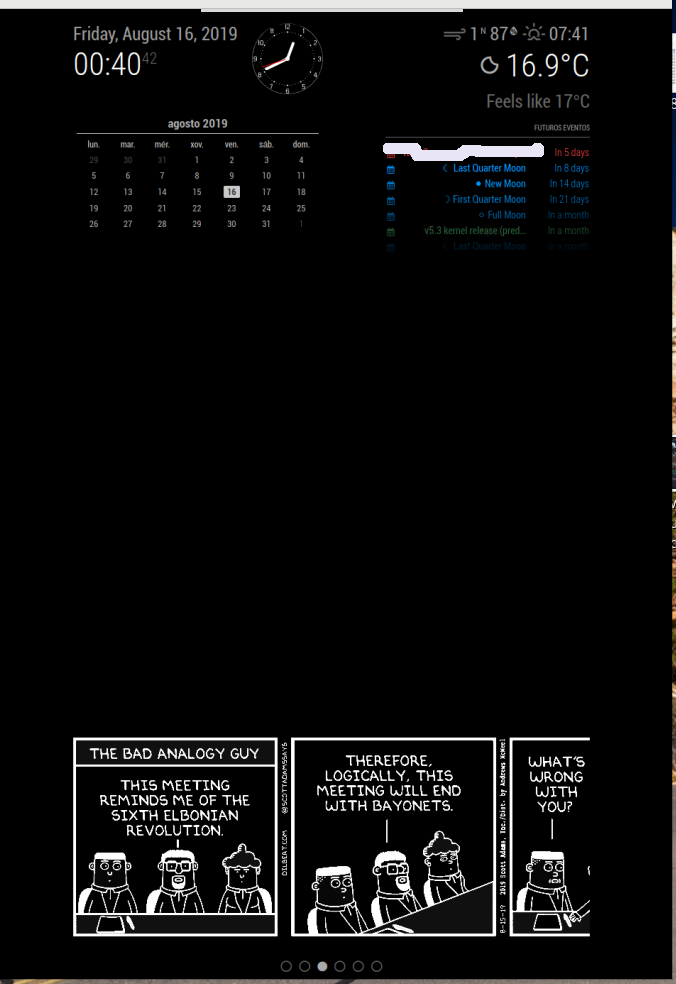
Any idea on how to solve it?
-
@qu1que
Hi, please do agit pull(maybe also annpm installsince I now introduced a package.json) and try it again.
Had a small mistake in the image width description. Thanks for noticing!I guess I should “publish” this module here so we can move discussion and bugs to another thread.
-
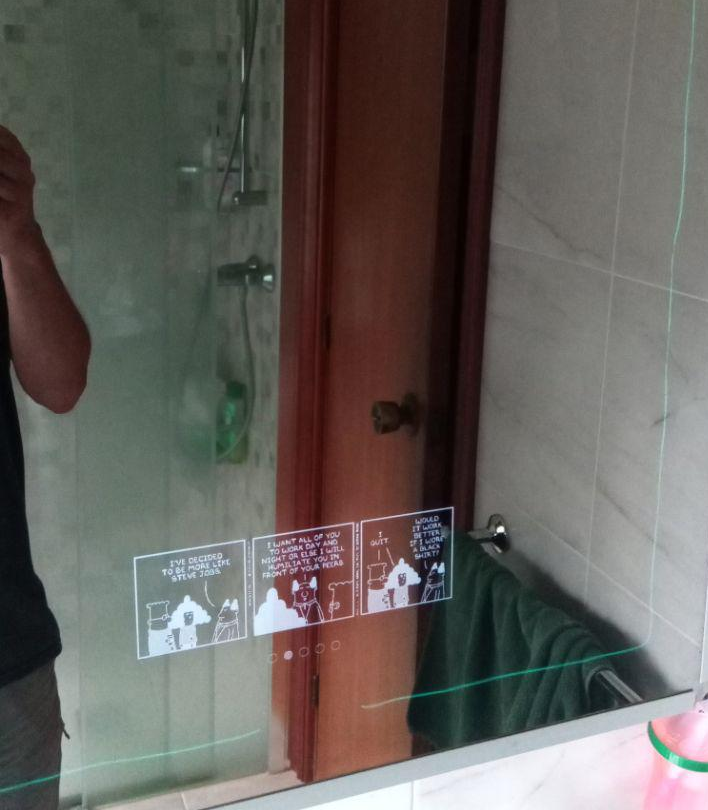
Now it fits perfectly!!
I’ve just have to make git pull inside the module folder. There’s no need to do npm install
Another question, I see that your module is not in the 3rd Party Modules of MM project
https://github.com/MichMich/MagicMirror/wiki/3rd-party-modules
It would be a good idea to include it.
Thanks for your work!!



Hello! It looks like you're interested in this conversation, but you don't have an account yet.
Getting fed up of having to scroll through the same posts each visit? When you register for an account, you'll always come back to exactly where you were before, and choose to be notified of new replies (either via email, or push notification). You'll also be able to save bookmarks and upvote posts to show your appreciation to other community members.
With your input, this post could be even better 💗
Register Login