MagicMirror Forum
    • Recent
    • Tags
    • Unsolved
    • Solved
    • MagicMirror² Repository
    • Documentation
    • 3rd-Party-Modules
    • Donate
    • Discord
    • Register
    • Login
    A New Chapter for MagicMirror: The Community Takes the Lead
    Read the statement by Michael Teeuw here.

    MMM-GooglePhotos

    Scheduled Pinned Locked Moved Entertainment
    294 Posts 56 Posters 341.2k Views 59 Watching
    Loading More Posts
    • Oldest to Newest
    • Newest to Oldest
    • Most Votes
    Reply
    • Reply as topic
    Log in to reply
    This topic has been deleted. Only users with topic management privileges can see it.
    • ? Offline
      A Former User @kivlow
      last edited by

      @kivlow At your first execution, have you countered allowance process?

      K 1 Reply Last reply Reply Quote 0
      • R Offline
        richfreeman
        last edited by

        Hi Sean,

        Great work.

        Just set this up, all went ok to the point where the photo’s don’t display.
        I have a section on the MM screen cleared where the default 800x600 image would be displayed, but it is a black screen. I have the following error on the console after starting MM.sh appearing every refresh interval.
        “There is no scanned photo currently.”
        The album has several photo’s within it, The album name appeared next to the Album ID, I’ve copied the Album ID only into my config.

        Any pointers would be great.

        Thanks again!

        R 1 Reply Last reply Reply Quote 0
        • R Offline
          richfreeman @richfreeman
          last edited by

          @richfreeman
          DOH
          Remove the <>
          Change “<>” to simply “Album ID”
          No <> needed.
          Photo’s appeared !
          Thanks.

          1 Reply Last reply Reply Quote 0
          • K Offline
            kivlow @Guest
            last edited by

            @sean said in MMM-GooglePhotos:

            At your first execution, have you countered allowance process?

            At myr first execution terminal not react over 5min after auth_and_test command and i have info to kill suspended process.
            After that when i wrote auth_and_test i get only info that is started :/

            ? 1 Reply Last reply Reply Quote 0
            • ? Offline
              A Former User @kivlow
              last edited by

              @kivlow
              I suspect you have executed node auth_and_test.js in shell terminal on your PC via SSH. right?
              If you run that commands on your RPI directly, it should try to open a browser for authenticating process.

              1 Reply Last reply Reply Quote 0
              • K Offline
                kivlow
                last edited by

                @sean
                i power on RPI with raspbian then open from upper taskbar terminal and wrote node auth_and_test.js
                how to wrote it directly ??

                ? 1 Reply Last reply Reply Quote 0
                • ? Offline
                  A Former User @kivlow
                  last edited by

                  @kivlow
                  What kind of RPI do you use? As you said “taskbar”, Is it RPI 2 or 3 with Jessie or Stretch Desktop, right?
                  And, Have RPI had any browser (Chromium or Midori?)?

                  I’ll change some code for the case of not opening browser automatically, Please wait a while.

                  1 Reply Last reply Reply Quote 0
                  • K Offline
                    kivlow
                    last edited by

                    I use raspberry pi 3b with raspbian borwser chromium.
                    cool i wait :] p.s. express response

                    ? 1 Reply Last reply Reply Quote 0
                    • ? Offline
                      A Former User @kivlow
                      last edited by A Former User

                      @kivlow
                      I’ve fixed.

                      cd ~/MagicMirror/modules/MMM-GooglePhotos
                      git pull
                      node auth_and_test.js
                      

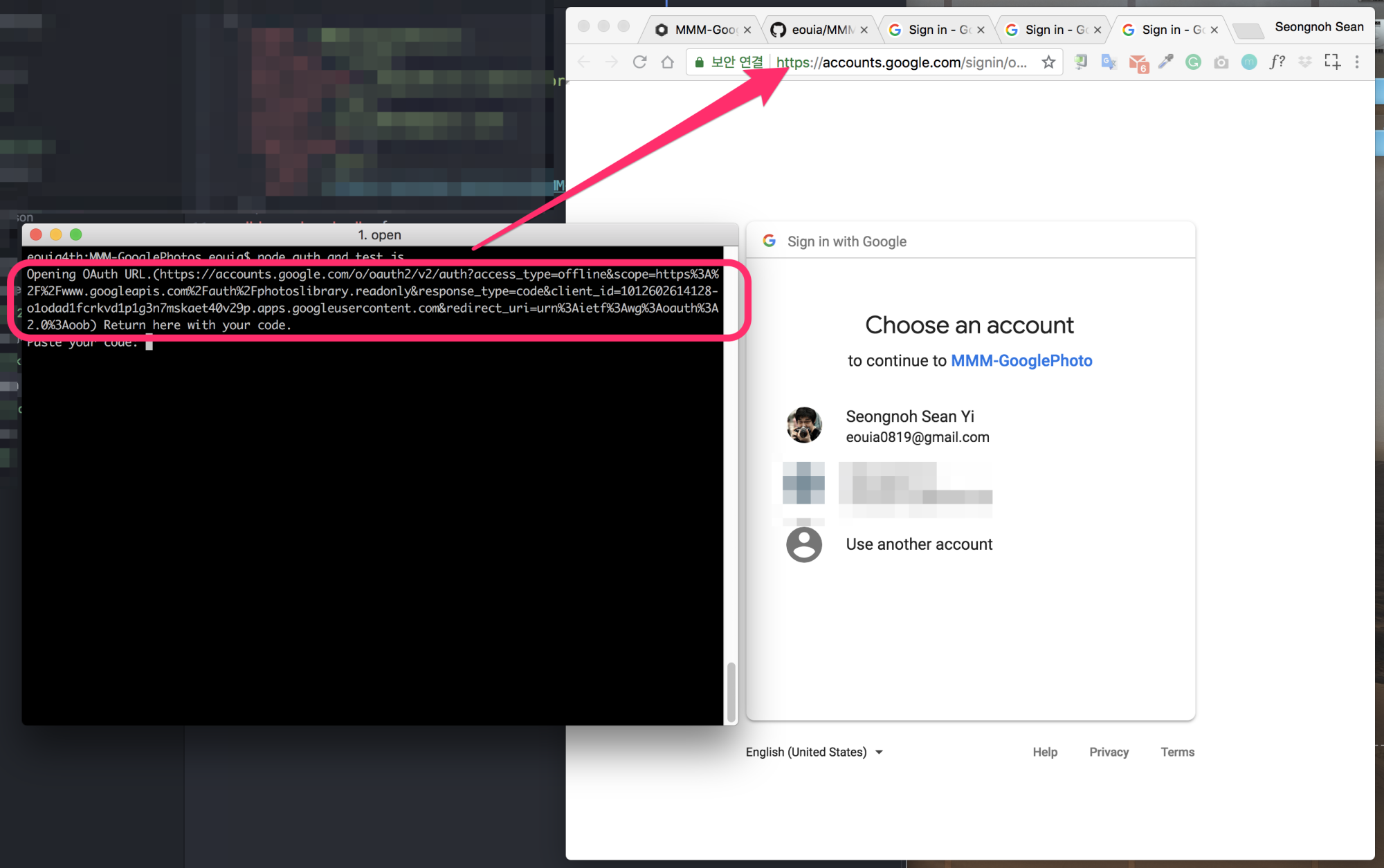
                      You can see like this image;
                      0_1533301658779_tt.png

                      When the browser is not be opened automatically, copy the url and paste it into your browser manually.

                      K 1 Reply Last reply Reply Quote 0
                      • N Offline
                        NathTheDude
                        last edited by

                        Hi Sean,

                        Firstly thank you for this, it has great potential and is something that has been missing for such a long time compared to the alternative dakboard that I was forced to use to get photos displayed.

                        I have an issue though, I believe I have been through the steps correctly but can not get it to work. When I reboot my RPI2 it looks like the ‘auth_and_test.js’ is ran and this brings up the browser with googlin login and if I follow this through it gives me the code which is the same experience I have when running ‘auth_and_test.js’ in order to get the album id.

                        This then repeats itself every 5mins or so…

                        I have added the album id in the config.js but it does not seem to matter if I put a correct or incorrect one in here the same happens. It does not look like it trys to put images on the desktop so I don’t think the module is getting that far.

                        Any idea what I have done wrong?

                        Thanks

                        Nathan

                        ? 1 Reply Last reply Reply Quote 0
                        • ? Offline
                          A Former User @NathTheDude
                          last edited by

                          @naththedude
                          You mean, your MM is trying to re-auth again(every 5 mins.) right?
                          First, you should check whether you have token.json in root directory of MMM-GooglePhotos.

                          cd ~/MagicMirror/modules/MMM-GooglePhotos
                          cat token.json
                          

                          It should be something similar with this;

                          {"access_token":"...","token_type":"Bearer","scope":"https://www.googleapis.com/auth/photoslibrary.readonly","expiry_date":1533304224450,"refresh_token":"..."}
                          

                          Your simptom would happen when token.json is missed.

                          token.json should be generated as result of auth_and_test.js

                          1 Reply Last reply Reply Quote 0
                          • N Offline
                            NathTheDude
                            last edited by

                            Hey @Sean ,

                            Thank you for your quite reply, you are correct the token.josn file was missing. Looks like I needed to run ‘node auth_and_test’ as sudo for this file to be created. Once I did this the photos started to appear :) just need to configure the size and position now.

                            Thank you again.

                            Regards

                            Nathan

                            ? 1 Reply Last reply Reply Quote 0
                            • ? Offline
                              A Former User @NathTheDude
                              last edited by

                              @naththedude good to you.
                              The only thing I worry is, if you run as sudo there could be a possibility of a problem to refresh token with proper authority.

                              1 Reply Last reply Reply Quote 0
                              • K Offline
                                kivlow @Guest
                                last edited by kivlow

                                @sean
                                hello :]
                                I make git pull but nothing change :/
                                still when i wrote in terminal even sudo node auth_and_test.js i get only info that is started.
                                my chromium not open and i dont have any link it termina to past it in chromium :[.

                                ? 1 Reply Last reply Reply Quote 0
                                • ? Offline
                                  A Former User @kivlow
                                  last edited by A Former User

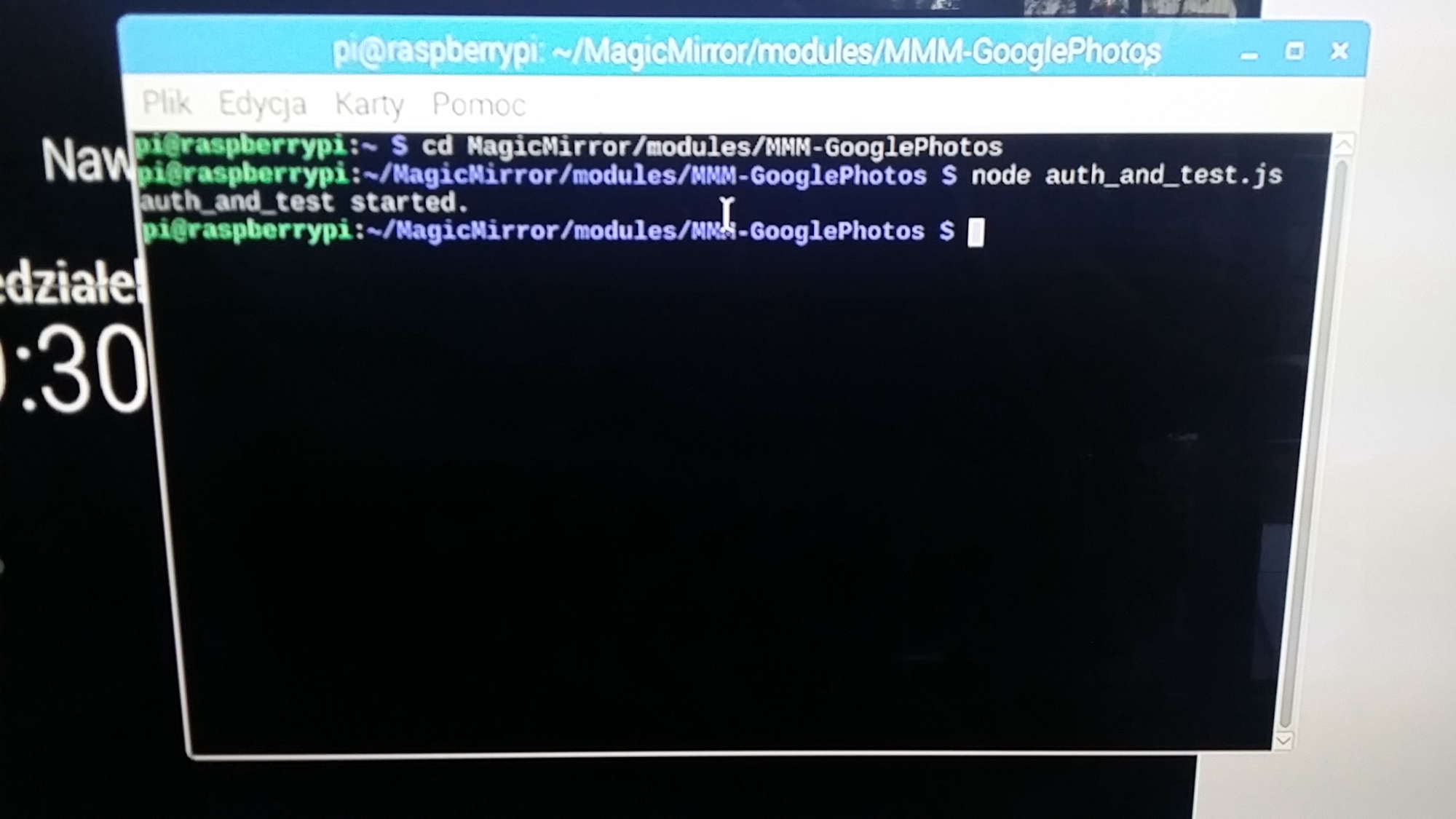
                                  @kivlow show me what is seen when you execute node auth_and_test.js. (Do not need to use sudo)

                                  cd ~/MagicMirror/modules/MMM-GooglePhotos
                                  node auth_and_test.js
                                  
                                  1 Reply Last reply Reply Quote 0
                                  • K Offline
                                    kivlow
                                    last edited by

                                    0_1533576642010_1533576615368-64525124.jpg

                                    ? 1 Reply Last reply Reply Quote 0
                                    • ? Offline
                                      A Former User @kivlow
                                      last edited by A Former User

                                      @kivlow
                                      Hmmm… very weird.
                                      Could you try this?

                                      cd ~/MagicMirror/modules/MMM-GooglePhotos
                                      nano test.js
                                      

                                      Then, copy below and paste

                                      'use strict';
                                      
                                      const request = require('request')
                                      
                                      const Auth = require('./auth.js')
                                      
                                      var authConfig = {
                                        keyFilePath: "./credentials.json",
                                        savedTokensPath: "./token.json",
                                        scope: "https://www.googleapis.com/auth/photoslibrary.readonly"
                                      }
                                      
                                      const auth = new Auth(authConfig)
                                      
                                      auth.on('ready', (client) => {
                                        console.log("auth_and_test started.")
                                        var token = client.credentials.access_token
                                        console.log("token:", token)
                                        function getAlbum(client, pageSize=50, pageToken="") {
                                          var url = 'https://photoslibrary.googleapis.com/v1/albums'
                                          url = url + "?pageSize=" + pageSize + "&pageToken=" + pageToken
                                          console.log("url:", url)
                                          request.get(
                                            url,
                                            {
                                              json:true,
                                              auth: {"bearer": token},
                                            },
                                      
                                            (err, res, body) => {
                                              console.log("response:", body)
                                              if (err) {
                                                console.log("Error: ", err)
                                                process.exit(1);
                                              }
                                              var found = 0
                                              for (var i in body.albums) {
                                                var album = body.albums[i]
                                                console.log (album.title, " : ", album.id)
                                                found++;
                                              }
                                              if (body.nextPageToken && found > 0) {
                                                getAlbum(client, pageSize, body.nextPageToken)
                                              }
                                            }
                                          )
                                        }
                                        getAlbum(client, 50)
                                      })
                                      

                                      Then, close and save (Ctrl+X and Y and enter)
                                      Then try.

                                      node test.js
                                      

                                      And show me the result.

                                      1 Reply Last reply Reply Quote 0
                                      • K Offline
                                        kivlow
                                        last edited by kivlow

                                        :] thx you are the best :]

                                        ? 2 Replies Last reply Reply Quote 0
                                        • ? Offline
                                          A Former User @kivlow
                                          last edited by A Former User

                                          @kivlow
                                          Ok. Now I think I’ve found what’s wrong.
                                          https://github.com/eouia/MMM-GooglePhotos#get-auth-and-albumid
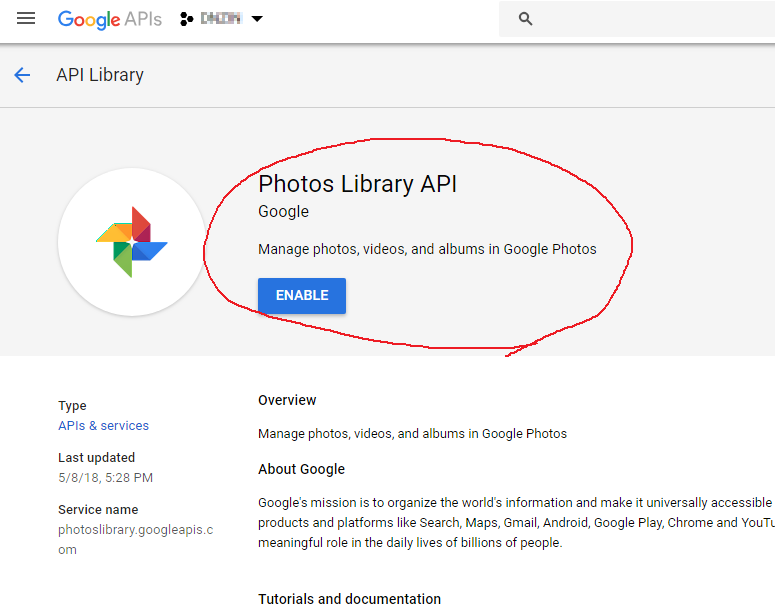
                                          You seem to have missed 4. Search for "Google Photos Library API". Select the correct result and click Enable. (You may need to enable "Google Plus" also.)
                                          Do 1~4 again.
                                          You can access your developer console with URL in the screen also.

                                          1 Reply Last reply Reply Quote 0
                                          • ? Offline
                                            A Former User @kivlow
                                            last edited by

                                            @kivlow 0_1533622629700_이미지 2.png

                                            1 Reply Last reply Reply Quote 0

                                            Hello! It looks like you're interested in this conversation, but you don't have an account yet.

                                            Getting fed up of having to scroll through the same posts each visit? When you register for an account, you'll always come back to exactly where you were before, and choose to be notified of new replies (either via email, or push notification). You'll also be able to save bookmarks and upvote posts to show your appreciation to other community members.

                                            With your input, this post could be even better 💗

                                            Register Login

                                            • 1
                                            • 2
                                            • 3
                                            • 4
                                            • 5
                                            • 6
                                            • 7
                                            • 14
                                            • 15
                                            • 5 / 15
                                            • First post
                                              Last post
                                            Enjoying MagicMirror? Please consider a donation!
                                            MagicMirror created by Michael Teeuw.
                                            Forum managed by Sam, technical setup by Karsten.
                                            This forum is using NodeBB as its core | Contributors
                                            Contact | Privacy Policy