Read the statement by Michael Teeuw here.
How add transparent background to modules
-
@sean
I have attached a screen shot of the output of one of my calendars:
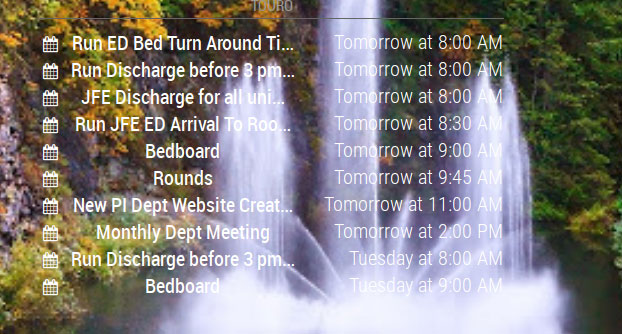
I would like to be able to have the “background” of the calendar a shade of a transparent gray so that I am able to read the text but still be able to tell what is under the gray “background”.
I hope I did a better job of explaining what I am attempting to do. I know it is very important that the appropriate verbiage is used when attempting to explain an issue. Otherwise everyone remains confused.
Again…
Thanks for all you help.
Johnny
-
@johnny_swindle
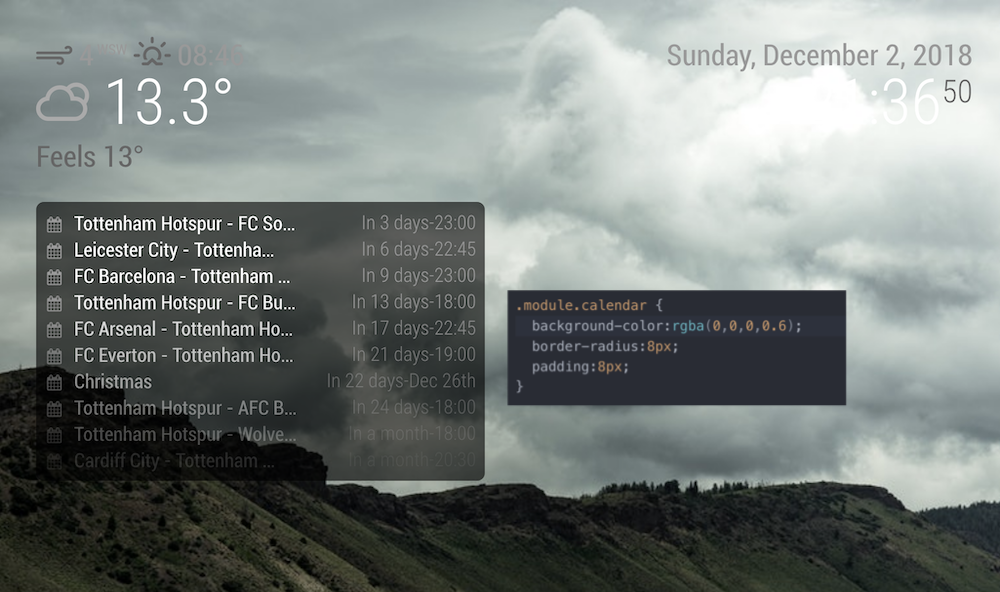
(Sorry, my captured image was too huge to upload, so I resized, but image became somewhat blurred)add this into your
~/MagicMirror/css/custom.css.module.calendar { background-color:rgba(0,0,0,0.6); border-radius:8px; padding:8px; }If it work,
Instead you can use this also..module { background-color:rgba(0,0,0,0.6); border-radius:8px; padding:8px; } -
This bg css is working great @Sean .
I actually used this in the @shbatm mmm-carousel as a custom css class.
-
@sean
Thank you…that did the trick.
-
I have the same problem.
Was searching for this on the forum.
Will try Sean’s solution tonight. -
@Sean said in How add transparent background to modules:
.module.calendar {
  background-color:rgba(0,0,0,0.6);
  border-radius:8px;
  padding:8px;
}I have tried this format …
.module.calendar {
  background-color:rgba(0,0,0,0.6);
  border-radius:8px;
  padding:8px;
}
and it works perfect for most modules but simply will not work for currentweather, weatherforecast or compliments?
Any ideas folks? -
Show us your css code that you are trying to use
@JonoGee said in How add transparent background to modules:
I have tried this format …
.module.calendar {
  background-color:rgba(0,0,0,0.6);
  border-radius:8px;
  padding:8px;
}
and it works perfect for most modules but simply will not work for currentweather, weatherforecast or compliments?
Any ideas folks? -
@broberg Hi mate. Thanks for taking the time.
I will copy it below… The PushBullet Notification one works fine but ones i mentioned don’t…body { .module.currentweather { background-color:rgba(0,0,0,0.6); border-radius:8px; padding:8px; } } .module.MMM-PushBulletNotifications { background-color:rgba(0,0,0,0.6); border-radius:8px; padding:8px; } } .module.compliments { background-color:rgba(0,0,0,0.6); border-radius:8px; padding:8px; } } } .module.weatherforecast { background-color:rgba(0,0,0,0.6); border-radius:8px; padding:8px; }Regards
-
Okey,
I see your problem.You have put the
.module.currentweather{}within thebody{ }Just remove the first line
body {and the lonely}before.module.MMM-PushBulletNotifications {Then it will work just fine.
And btw, You have a lot of stray
}-brackets remove them aswell -
@broberg I have sorted it this morning. I really appreciate your taking the time to help me, Thankyou Broberg. So many on here seem unwilling to help. Youre a legend!
-
I am not having any success with this either. Here is my CSS. Can someone help me out?
body {
	color: #aaa;
}

.dimmed {
  color: #666;
}

.normal {
  color: #999;
}

.bright {
  color: #fff;
}

.module.clock {
  background-color:rbga(255,255,255,0.4);
  border-radius:8px;
  padding:8px;
}

Hello! It looks like you're interested in this conversation, but you don't have an account yet.
Getting fed up of having to scroll through the same posts each visit? When you register for an account, you'll always come back to exactly where you were before, and choose to be notified of new replies (either via email, or push notification). You'll also be able to save bookmarks and upvote posts to show your appreciation to other community members.
With your input, this post could be even better 💗
Register Login