MagicMirror Forum
    • Recent
    • Tags
    • Unsolved
    • Solved
    • MagicMirror² Repository
    • Documentation
    • 3rd-Party-Modules
    • Donate
    • Discord
    • Register
    • Login
    A New Chapter for MagicMirror: The Community Takes the Lead
    Read the statement by Michael Teeuw here.

    MMM-DarkSkyForecast - Yet ANOTHER weather module

    Scheduled Pinned Locked Moved Utilities
    334 Posts 67 Posters 836.1k Views 74 Watching
    Loading More Posts
    • Oldest to Newest
    • Newest to Oldest
    • Most Votes
    Reply
    • Reply as topic
    Log in to reply
    This topic has been deleted. Only users with topic management privileges can see it.
    • S Offline
      sdetweil @sdetweil
      last edited by sdetweil

      @BD0G to git clone, find the project on github, push the green clone or download button, then push the clipbpard icon. it will copy the repo url to the clipboard for you

      past that behind git clone

      1 Reply Last reply Reply Quote 0
      • B Offline
        BD0G @sdetweil
        last edited by BD0G

        @sdetweil

        I renamed the Directory under modules to reflect a capital D in the name DarkSkyForecast. Since there is already a capital D within the name of the module within the config.js file then no change is needed to the config.js. Correct?

        S 1 Reply Last reply Reply Quote 0
        • S Offline
          sdetweil @BD0G
          last edited by

          @BD0G said in MMM-DarkSkyForecast - Yet ANOTHER weather module:

          Since there is already a capital D within the config.js file

          the error says otherwise

          Could not find main module js file for MMM-darkSkyForecast

          this means Mirror went to the folder, and tried to find MMM-darkSkyForecast.js,
          but it wasn’t present… ONLY way to get that is from the config.js

          1 Reply Last reply Reply Quote 0
          • B Offline
            BD0G
            last edited by BD0G

            OK. I checked and the name of the directory is
            MMM-DarkSkyForecast (with a capital D)
            The name of the file below that directory is
            MMM-DarkSkyForecast.js (with capital D)

            and the entry in the config.js is
            module: “MMM-DarkSkyForecast”, (with capital D)

            S 1 Reply Last reply Reply Quote 0
            • S Offline
              sdetweil @BD0G
              last edited by

              @BD0G ok, fire it up…

              1 Reply Last reply Reply Quote 0
              • B Offline
                BD0G
                last edited by

                This is the exact way I installed as per the instructions upon the GitHub.com page for MMM-DarkSkyForecast

                Installation
                Navigate into your MagicMirror modules folder and execute
                git clone https://github.com/jclarke0000/MMM-DarkSkyForecast.git.
                Enter the new MMM-DarkSkyForecast directory and execute npm install.

                It created a directory with a lowercase d within the name MMM-DarkSkyForecast under /MagicMirror/modules

                S 1 Reply Last reply Reply Quote 0
                • S Offline
                  sdetweil @BD0G
                  last edited by

                  @BD0G ok, never seen that happen

                  1 Reply Last reply Reply Quote 0
                  • B Offline
                    BD0G
                    last edited by

                    Wow! Now I see the weather! Now I will change the Celsius to Fahrenheit and wind speed to Miles Per Hour instead of Kilometers Per Hour

                    S 1 Reply Last reply Reply Quote 0
                    • S Offline
                      sdetweil @BD0G
                      last edited by

                      @BD0G cool…

                      1 Reply Last reply Reply Quote 0
                      • M Offline
                        mrdenmark
                        last edited by mrdenmark

                        @j-e-f-f
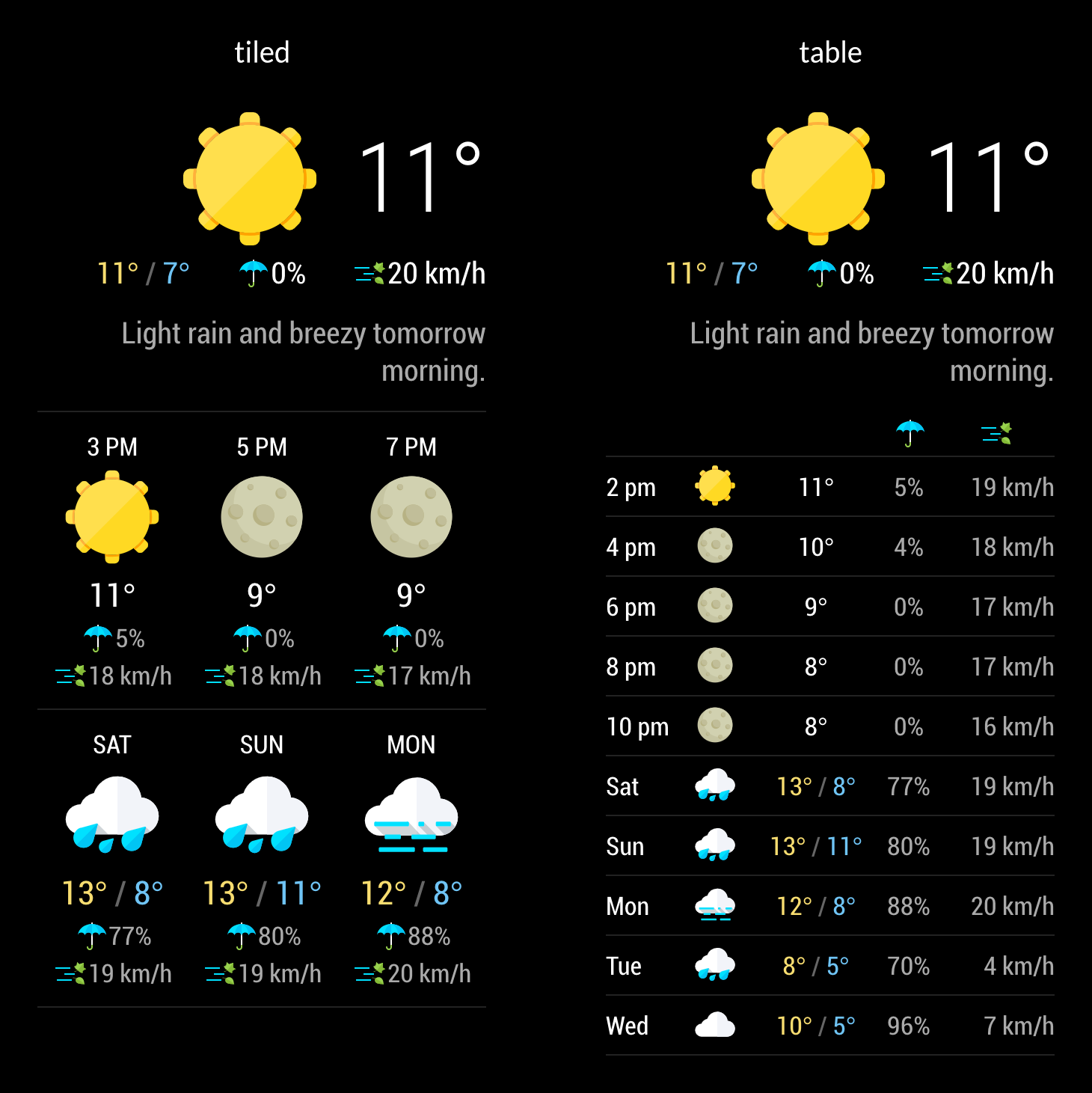
                        is it possible to have a space/blank line between the hourly and daily forecasts in the table view?
                        0_1573805852909_049e9b43-8acb-488d-b5b5-a6763601c424-image.png

                        S 1 Reply Last reply Reply Quote 0
                        • S Offline
                          sdetweil @mrdenmark
                          last edited by

                          This post is deleted!
                          M 1 Reply Last reply Reply Quote 0
                          • M Offline
                            mrdenmark @sdetweil
                            last edited by

                            @sdetweil sorry,posted the question to the wrong person-changed now!

                            lavolp3L 1 Reply Last reply Reply Quote 0
                            • lavolp3L Offline
                              lavolp3 Module Developer @mrdenmark
                              last edited by

                              @mrdenmark well, you COULD go into the .njk template file and put in an <hr> just above this part

                                      {# Daily #}
                                      {% if config.showDailyForecast %}
                              

                              or give the forecast-item hourly classes a border-top: 1px solid #cccvia css.

                              How to troubleshoot modules
                              MMM-soccer v2, MMM-AVStock

                              M 1 Reply Last reply Reply Quote 0
                              • M Offline
                                mrdenmark @lavolp3
                                last edited by

                                @lavolp3
                                it worked,thankyou:)

                                lavolp3L 1 Reply Last reply Reply Quote 0
                                • lavolp3L Offline
                                  lavolp3 Module Developer @mrdenmark
                                  last edited by

                                  @mrdenmark thinking about that again the better way would be to give the daily forecast part a border-top in your custom css. That way you would not have to struggle when you want to update the module.
                                  Let me know if you need help with that.

                                  How to troubleshoot modules
                                  MMM-soccer v2, MMM-AVStock

                                  1 Reply Last reply Reply Quote 0
                                  • B Offline
                                    BD0G
                                    last edited by

                                    I do. :)

                                    lavolp3L 1 Reply Last reply Reply Quote 0
                                    • lavolp3L Offline
                                      lavolp3 Module Developer @BD0G
                                      last edited by

                                      @BD0G
                                      The css way is not as easy as I would have assumed.

                                      All the elements in the forecast belong have “.forecast-item .hourly” classes so are not distinguishable.
                                      I currently don’t know of a pure css way to get in between them and give the first daily forecast a margin or a border.

                                      How to troubleshoot modules
                                      MMM-soccer v2, MMM-AVStock

                                      1 Reply Last reply Reply Quote 0
                                      • T Offline
                                        trividar
                                        last edited by

                                        It’s possible to add animated .mov format icons to this module? I have found some amazing icons, but just bevor I buy it i will be shure that it will be working… animated weather icons…
                                        THX!

                                        1 Reply Last reply Reply Quote 0
                                        • T Offline
                                          TyFusion
                                          last edited by sdetweil

                                          Hey guys,
                                          I’m trying to use this model and this stucks in loading :

                                          {
                                          		  module: "MMM-DarkSkyForecast",
                                          		  header: "Weather",
                                          		  position: "top_right",
                                          		  classes: "default everyone",
                                          		  disabled: false,
                                          		  config: {
                                          		    		apikey: "xxxxx",
                                          		    		latitude: "39,462900",
                                          		    		longitude: "-8.473200",      
                                          		    		iconset: "4c",
                                          		    		concise: false,
                                          		    		forecastLayout: "table"
                                          	  	}
                                          	},
                                          

                                          What 's the problem here?

                                          LordyL T 2 Replies Last reply Reply Quote 0
                                          • LordyL Offline
                                            Lordy @TyFusion
                                            last edited by Lordy

                                            @TyFusion said in MMM-DarkSkyForecast - Yet ANOTHER weather module:

                                            MMM-DarkSkyForecast

                                            Installation

                                            1)Navigate into your MagicMirror modules folder and execute
                                            git clone https://github.com/jclarke0000/MMM-DarkSkyForecast.git.
                                            2)Enter the new MMM-DarkSkyForecast directory and execute npm install.                                                       3) reboot
                                            

                                            Did you follow these instructions?

                                            1 Reply Last reply Reply Quote 0

                                            Hello! It looks like you're interested in this conversation, but you don't have an account yet.

                                            Getting fed up of having to scroll through the same posts each visit? When you register for an account, you'll always come back to exactly where you were before, and choose to be notified of new replies (either via email, or push notification). You'll also be able to save bookmarks and upvote posts to show your appreciation to other community members.

                                            With your input, this post could be even better 💗

                                            Register Login

                                            • 1
                                            • 2
                                            • 3
                                            • 4
                                            • 5
                                            • 6
                                            • 16
                                            • 17
                                            • 4 / 17
                                            • First post
                                              Last post
                                            Enjoying MagicMirror? Please consider a donation!
                                            MagicMirror created by Michael Teeuw.
                                            Forum managed by Sam, technical setup by Karsten.
                                            This forum is using NodeBB as its core | Contributors
                                            Contact | Privacy Policy