Read the statement by Michael Teeuw here.
MMM-CalendarExt2
-
@rmcelwee said in MMM-CalendarExt2:
My calendar flashes every 60 seconds but as far as I can tell, I have all my calendars updating every 180 seconds.
					{
			  module: 'MMM-CalendarExt2',
			  config: {

				calendars : [

				  {
				    className: "vacation",
					scanInterval: "1000*180",
					url: "https://calendar.google.com/calendar/ical/...",
				  },
I forgot to post what fixed this for me. I added (without quotes):
" updateInterval: 1000*600, "
in between config: { and calendars : [ at the top. scanInterval does something completely different but I don’t know what. Now my calendar only updates every 10 minutes. Hopefully this will help someone. Thanks!
-
@DJ6sTep said in MMM-CalendarExt2:
Still having these issues:
- What parameter do I use for weeksFormat? I tried using false & disabled & it still didn’t remove the weekly count on the left.
I am still learning this but I put this in my custom.css to get rid of the week count:
.CX2 .weeksmark {
display:none;
} -
@DJ6sTep said in MMM-CalendarExt2:
- Is there any way I could make the calendar size smaller? So it doesn’t take up the whole screen?
I had a ton of trouble with the sizing on my modules and basically fixed them via trial and error. Go to your config.js and add this to your views config (play with your px number and you will see):
slotMaxHeight: “105px”,
I think I also messed with this as well (in the same section):
slotCount: 8,
Good luck! Glad to see another newbie in here. Makes me feel a little better with the two month struggle I went through to get my mirror looking right!
-
@rmcelwee said in MMM-CalendarExt2:
slotCount: 8,
Appreciate the tips man, adding that weekformat line in the custom.css file did the trick.
Sorry man, I have a few more questions if you know :)
-
How do I change the font size & the size of that background color that’s behind all my events? I find the default font size is too big. And I could probably fit more event slots in each day, if it was smaller font.
-
How to update the calendar so it just shows the days of that month? Instead of it showing the previous days of the month before, because it’s on the last week as the new month. Same with it showing the days of the next month in the last week of the current month. Hopefully that makes sense. lol
Thanks for all the encouragement man & us newbies gotta help each other out. I’m on week 4 of this & I’m starting to see the finish line :)
-
-
I almost have my calendar how I want it to be, how would I move my calendar just a few inches down from it’s current position? Closer to my WIFI password module.
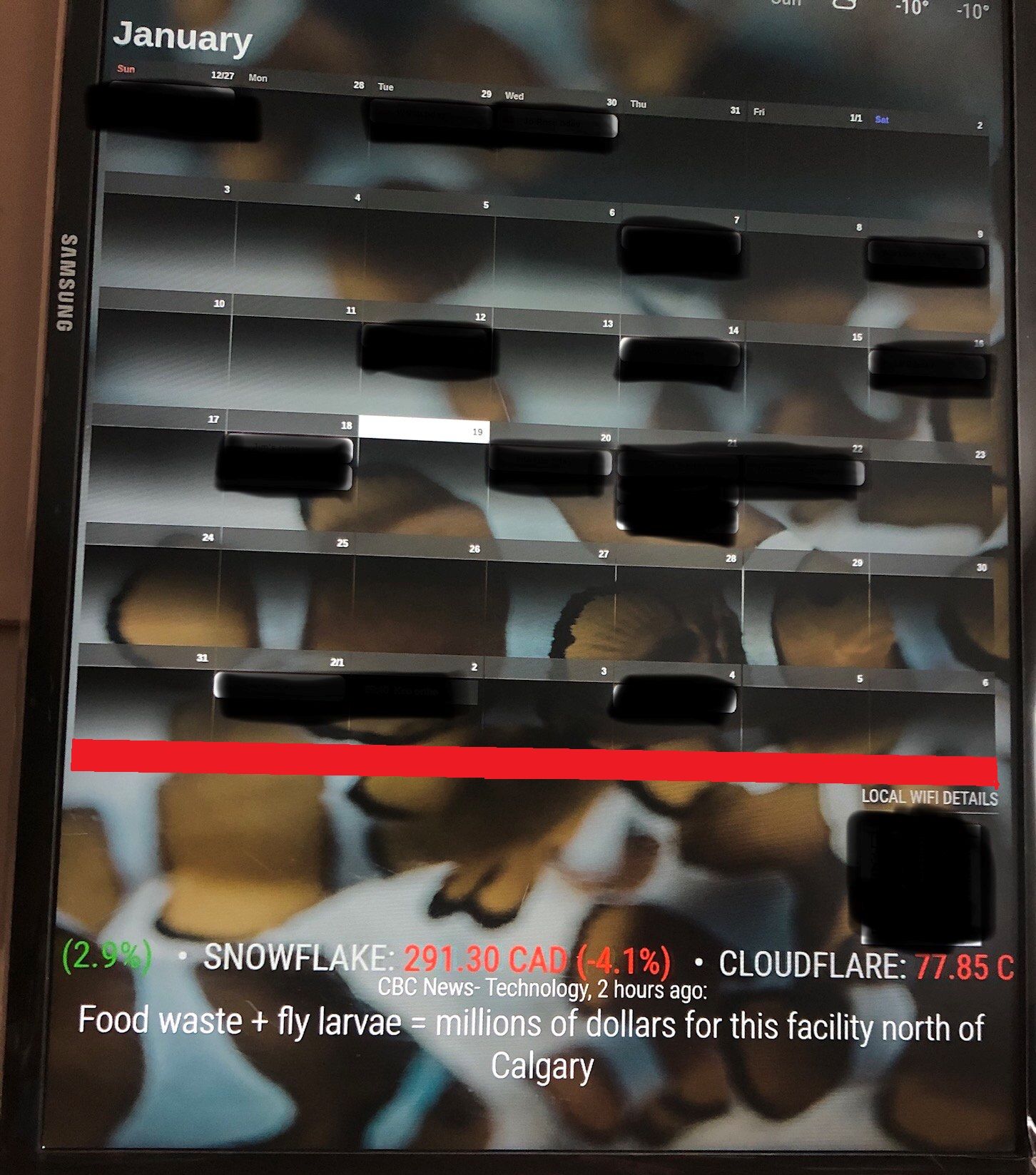
I’ve attached a pic of what I’m talking about & highlighted in RED the empty space I want to lower my calendar to.
Do I have to exit the custom.css with something like this? I could be way off on this one. lol.
.cx2 {
width: 800px;
} -
@DJ6sTep said in MMM-CalendarExt2:
I almost have my calendar how I want it to be, how would I move my calendar just a few inches down from it’s current position? Closer to my WIFI password module.
I did this in the custom.css to move my photos around (note the negative numbers):
.MMM-GooglePhotos {
margin-top: -300px;
margin-left: -123;
}*/
#GPHOTO_INFO {
display:none;
} -
@rmcelwee That worked & it moved my calendar down, where I wanted it to be. Thanks so much for the pro tip man!
-
@DJ6sTep It took me DAYS of trial and error to get everything where I wanted it. I still have a weird problem where my weather forecast window changes size from time to time. Not sure why. I don’t have a picture of it but my upper left window will shrink and leave a thick black line between the picture and the weather.
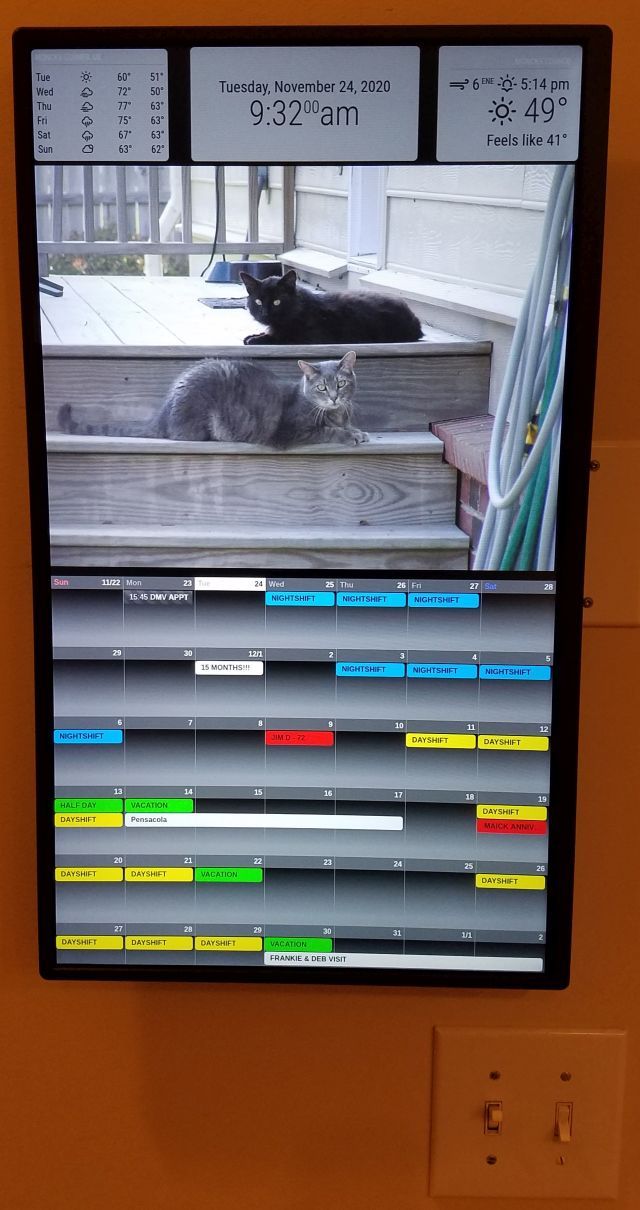
-
@rmcelwee I had that problem when I used MMM-JAST module (stock ticker) & it made my current weather module disappear. I ended up contacting the developer of that module & he made updates to it to resolve my issue. It could be the wallpaper module you’re using. Which wallpaper module are you using? I’m using MMM-Wallpaper & I’m having issues of it displaying my pictures in the correct orientation. I’ve contacted the developer on that one as well. So I might try the same wallpaper module you’re using.
BTW- Your MM looks dope man!
-
@rmcelwee I can’t change the background of my events. Say I want to have all my “bday events” a certain color. I tried to add that to my custom.css, I’ve tried the following:
.CX2 .bday, .bday.event.fullday {
background-color: #00FFFF;
}.CX2 .bday {
background-color: #00FFFF;
}Nothing works :( What am I missing?
-
@DJ6sTep said in MMM-CalendarExt2:
Which wallpaper module are you using?
BTW- Your MM looks dope man!
No wallpaper, only google photos. Thanks!
-
@DJ6sTep said in MMM-CalendarExt2:
@rmcelwee I can’t change the background of my events.
Nothing works :( What am I missing?
.CX2 .vacation.fullday {
background-color:#00FF00;
color:#000;
}
.CX2 .nights.fullday {
background-color:#009DFF;
color:#000;
}
.CX2 .days.fullday {
background-color:#FFFF00;
color:#000;
}BTW, here is what the weather forecast does (note that it is smaller on the bottom than in my other picture). I have changed nothing…
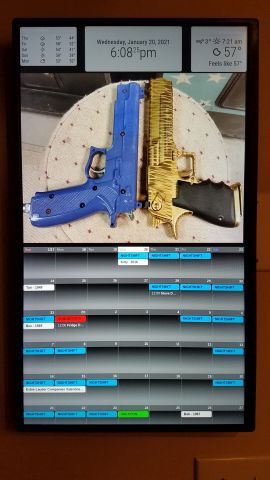
-
@rmcelwee So would I just change,
.CX2 .vacation.fullday -> .CX2 .bday.fullday in my case?What was the module you added after your weather forecast size changed? I had a similar issue just after I added my stock ticker module & contacted the developer. So that might be an option too.
Do you have a module that prevents burn ins on your screen? I run MMM-MagicMover on mine, to prevent screen burn in. With MMM-MagicMover it does move my modules around ever so slightly, where my modules won’t be spaced out perfectly. But it’s not very noticeable.
-
This post is deleted! -
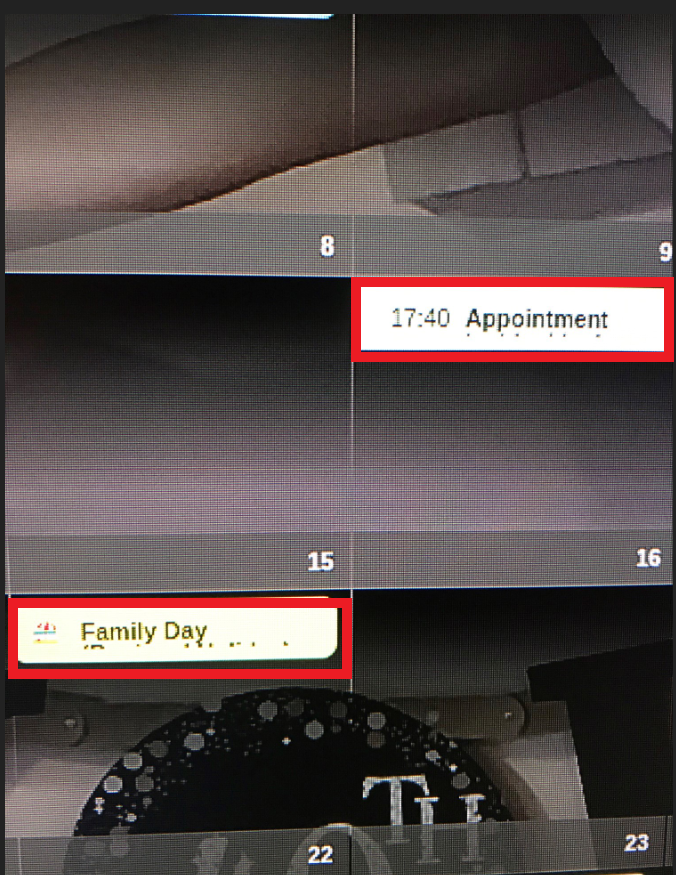
Does anyone know how to increase the event cells? So it will display on the line below? I’ve included a screenshot, you can see that my event doesn’t fit on one line & I’ve been able to wrap the text & it shows the overflow text below, but the cell is too small. I’ve looked online into wrap & flex styles for the custom.css file.
Let me know if anyone has ran into this issue & what the fix is.
Cheers,
-
@jerrylein @Sean how did you get your event cells larger to display an event that has a long description to the line below as well? I’ve tried using wrap & flex in my custom.css file & no dice.
Any help would be appreciated.
I couldn’t post a screenshot of what I’m talking about, but I was able to post it in the link below:
https://forum.magicmirror.builders/topic/9279/mmm-calendarext2/375?page=38
-
@dj6step Sean has left the forums due to family issues. no one has taken over this module.
-
@sdetweil I’m sorry to hear that about Sean. I guess I’ll keep my fingers crossed to see if @Jerrylein or anyone can point me in the right direction. This is the last piece I need to complete my MM.
Appreciate the quick response on this. This calendar module is the best out there.
-
To have different calendars on different pages MMM-Pages uses:
    notifications: {
      "PAGE_INCREMENT" : {
            exec: "sceneNext",
      },
      "PAGE_DECREMENT" : {
             exec: "scenePrevious",
       },
    } }
What would the equivalent be for MMM-Carousel, where the notification is constant and the payload changes?
notification: "REMOTE_ACTION", payload: { action: "CAROUSEL_NEXT" } notification: "REMOTE_ACTION", payload: { action: "CAROUSEL_PREVIOUS" } -
This sort of works:
notifications: {
    "REMOTE_ACTION" : {
         payload: "CAROUSEL_NEXT",
         exec: "sceneNext",
    }
 },
Except in the view config, for page 2 only one scene is listed instead of both as it is with MMM-Pages (otherwise both are shown). However, when I switch to page 2: the calendar from page 1 is drawn for a few milliseconds, then the correct calendar is drawn, but then is immediately redrawn.

Hello! It looks like you're interested in this conversation, but you don't have an account yet.
Getting fed up of having to scroll through the same posts each visit? When you register for an account, you'll always come back to exactly where you were before, and choose to be notified of new replies (either via email, or push notification). You'll also be able to save bookmarks and upvote posts to show your appreciation to other community members.
With your input, this post could be even better 💗
Register Login