Read the statement by Michael Teeuw here.
MMM-Console
-
MMM-Console - On screen console output.
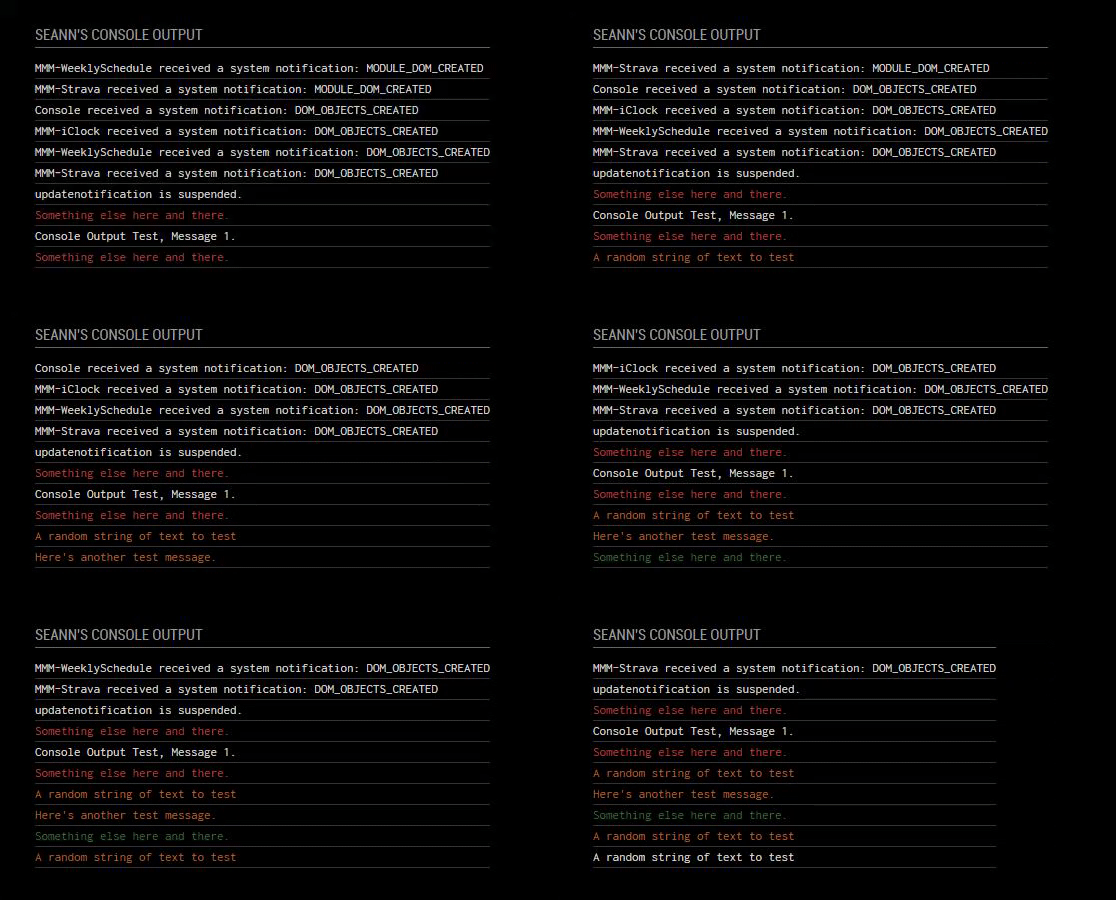
I created this module to give more of a "nerdy" feel to my mirror. Displaying the developers console log directly to the mirror.
For the moment it's quite basic. The current config only allows you to change the number of lines displayed and the color for each function.Preview
Installation
Installation is very simple, just clone the git into your modules directory then add the module to your config.
cd ~/MagicMirror/modules
git clone https://github.com/aSeann/MMM-Console
Using the module
To use this module, add the following configuration block to the modules array in the
config/config.jsfile:var config = { modules: [ { module: "MMM-Console", header: "Console Output", position: "bottom_left", config: { lines: 15, } }, -
Pretty darn cool! :thumbsup:
-
@Seann There he is, again with a cool module! :thumbs_up:

Hello! It looks like you're interested in this conversation, but you don't have an account yet.
Getting fed up of having to scroll through the same posts each visit? When you register for an account, you'll always come back to exactly where you were before, and choose to be notified of new replies (either via email, or push notification). You'll also be able to save bookmarks and upvote posts to show your appreciation to other community members.
With your input, this post could be even better 💗
Register Login