@sdetweil I believe he have script to detect wifi/internet running on the same Pi, so he should be able to reload the mirror which is also running on same Pi.
A
Offline
A New Chapter for MagicMirror: The Community Takes the Lead
Read the statement by Michael Teeuw here.
Read the statement by Michael Teeuw here.
Posts
-
RE: Reload when online
-
RE: Reload when online
@fillilutten Better WIFI dongle is the useful, but if you want to reload or restart the mirror then you can use Remote control module and can send command from your script.
-
RE: Local .ics file access error
@kai as @lolo suggested the files will be accessible if it is in modules directory. Not all files on root level are accessible directly. Below directories and their child directories and files are accessible from browser.
"/config", "/css", "/fonts", "/modules", "/vendor", "/translations", "/tests/configs" -
RE: MM Docker with MMM-Todoist & MMM-Admin-Interface
@irontamoor The error suggests that instead of .css or .js file it is responding with html (could be 404 or other error details). Go to network tab and filter with mmm-todo and check the response from server.
Did you do npm install for this modules in docker ? I think you need that for external modules in docker.
-
RE: set 'X-Frame-Options' to 'sameorigin'.
@MichaelKrems Considering you know what you are doing suggesting below.
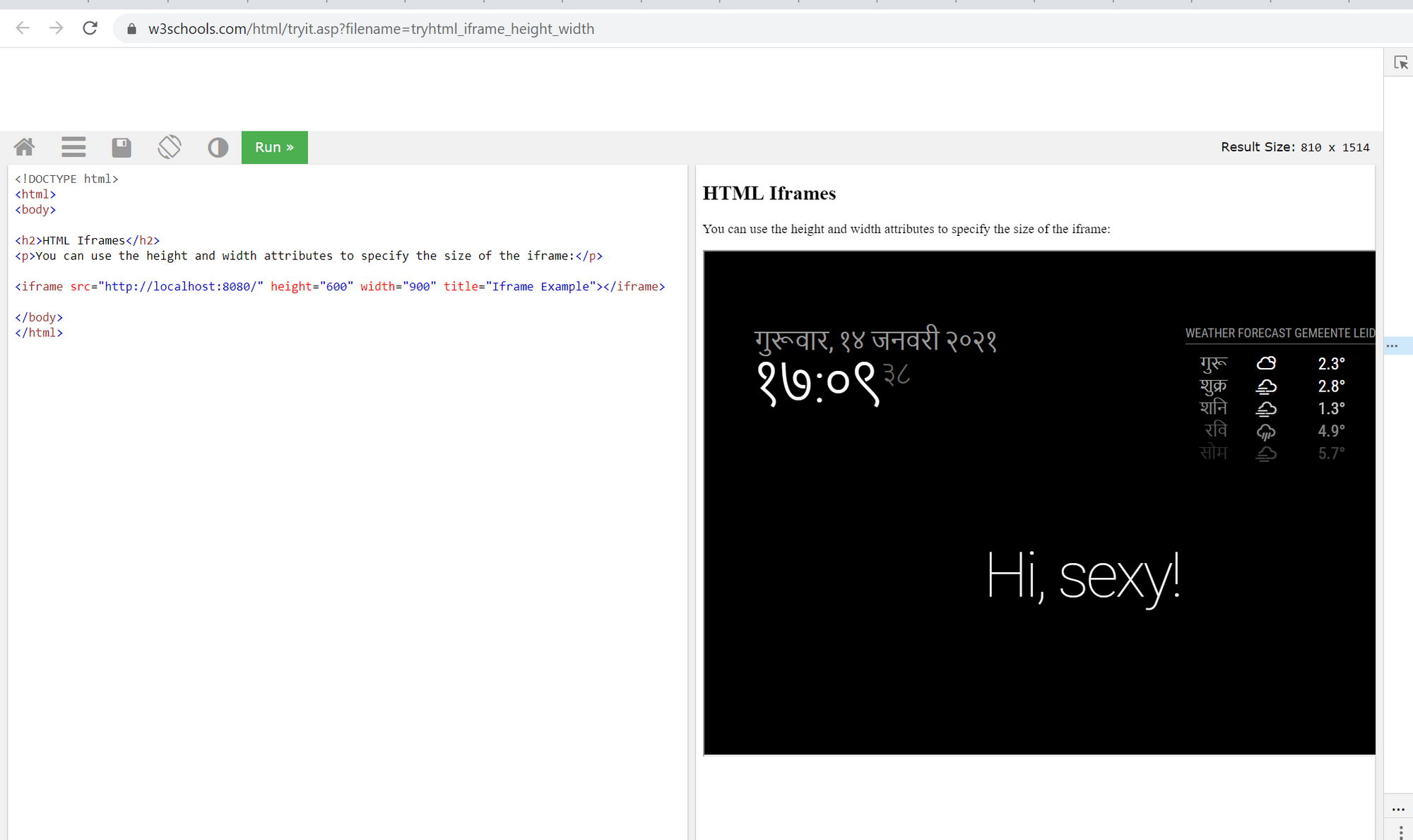
Change below line in server.js, let me know if that works.
app.use(helmet({ contentSecurityPolicy: false }));to
app.use(helmet({ contentSecurityPolicy: false, frameguard: false }));It should work as below
-
RE: Can I rotate the pages (MMM-Pages) with MMM-TelegramBot or MMM-RemoteControl?
@MiguelDAD said in Can I rotate the pages (MMM-Pages) with MMM-TelegramBot or MMM-RemoteControl?:
> config: { > telegramAPIKey : 'thisisokey', > allowedUser : ['MiguelDAD'], // This is NOT the username of bot. > } < ---------------------------------Comma is missing here > customCommands: [ > { > command: "nextpage", >@MiguelDAD Are you able to get it working after adding comma here as @Bugsounet have suggested ?
-
RE: Occasional white screen
@murrayg77 Yes, that’s Anti burn module :) it will show white screen for 5 seconds.
-
RE: Compliments Remote
@gkchimz It is not working because there are few errors with your JSON file. Check your json here https://jsonformatter.curiousconcept.com


after adding missing , (comma) it should work.
-
RE: Display
@Bolovai you can use slim power strip to power the display and pi and only one cable needs to be managed. you can also manually switch off both of them after shutting down pi (optional) from the power strip button or cable.
-
RE: Display random gif from folder
@fillilutten There few modules which can be used to display image or html content MMM-HTMLSnippet and MMM-iFrame but not sure if you can just use them or can send notification to change the content or url.
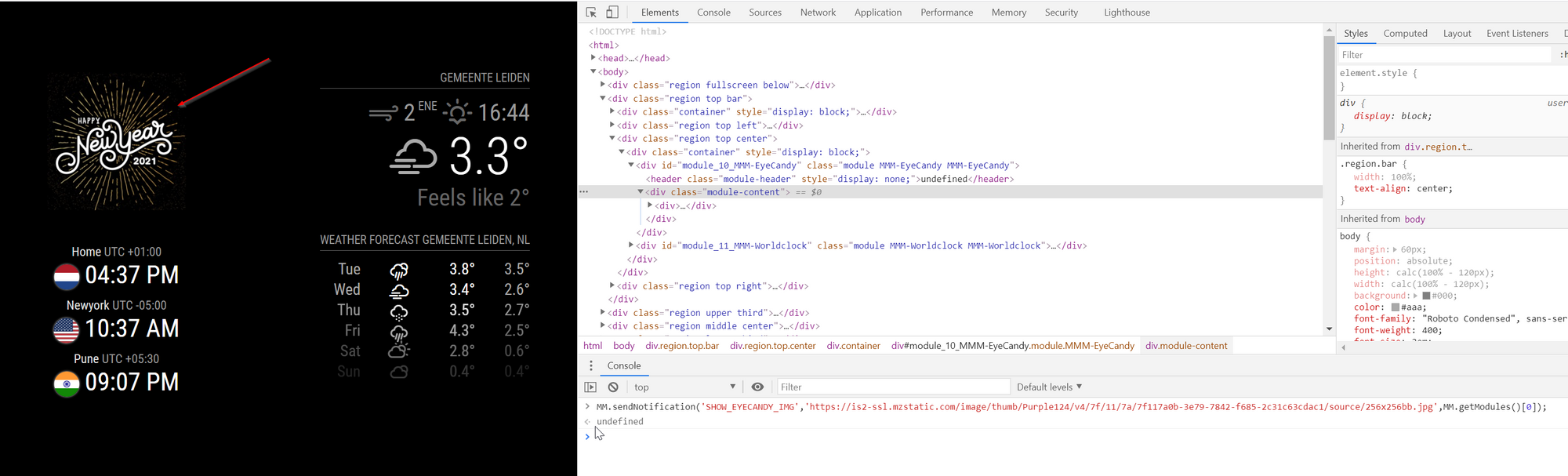
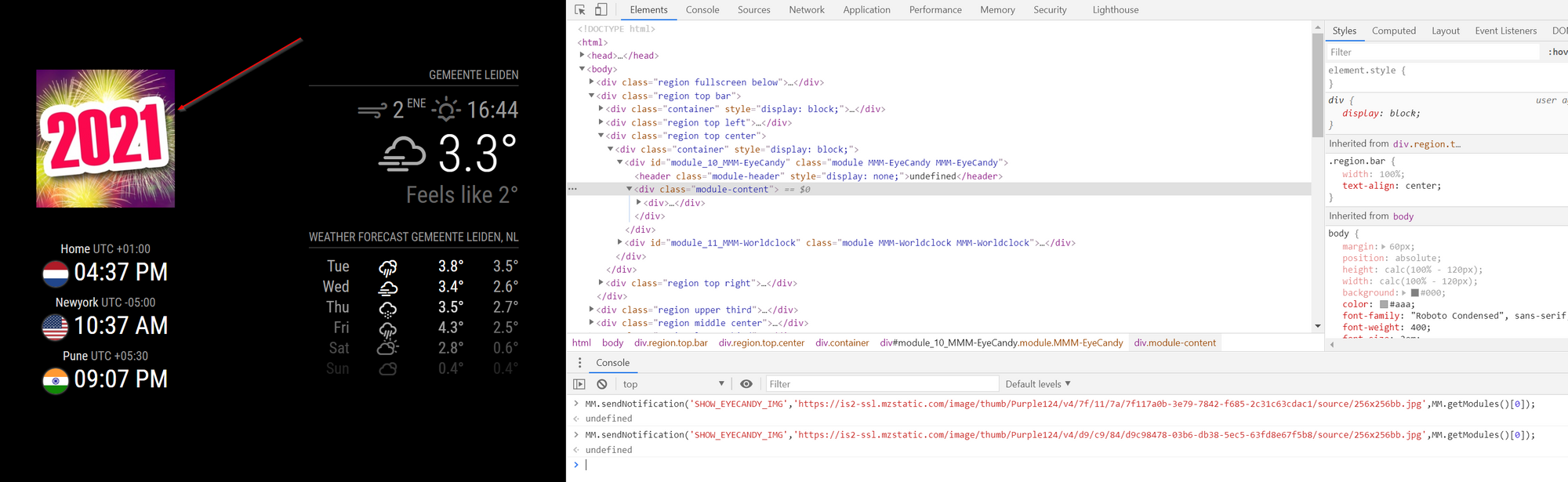
If you learn html, css and JS it would be useful and fun :) . I have used MMM-EyeCandy module to show image from notification.
Do below
- get MMM-EyeCandy from https://github.com/mykle1/MMM-EyeCandy
- edit the MMM-EyeCandy.js file and add below code.
else if (notification === 'SHOW_EYECANDY_IMG') { this.url = payload; this.updateDom(); }- full function should look like below
notificationReceived: function(notification, payload) { if (notification === 'HIDE_EYECANDY') { this.hide(); } else if (notification === 'SHOW_EYECANDY') { this.show(1000); } else if (notification === 'SHOW_EYECANDY_IMG') { this.url = payload; this.updateDom(); } },- Using telegram or remote control module you can send notification SHOW_EYECANDY_IMG with image url to Eye candy to display different image.
-
RE: Display random gif from folder
@fillilutten That is what I said :) you need to stop the loop to either show one image or you can also tell it to only show images from one specific folder. I think https://github.com/AdamMoses-GitHub/MMM-ImageSlideshow should be easily changed to achieve your requirements
-
RE: Display random gif from folder
@fillilutten Did you checked https://github.com/AdamMoses-GitHub/MMM-ImageSlideshow ? this is showing random images from folder(s) on disk. You need to stop the loop to show one image which should be easily doable.
-
RE: Extend table / insert TD - please help
@c1olli Not sure what exactly you are asking.
-
RE: Question/help
@innovation Just search for Raspberry Pi TTS and you should get plenty of tutorials for it
-
RE: How to use the Alert module?
@keineAhnung123 said in How to use the Alert module?:
MMM-Buttons
you could do something like this below. I did not tested it my self and it based on documentation of both MMM-Buttons and Alert module.
{ pin: 24, name: "alert", longPress: { title: "Show Alert", message: "Keep pressed for 3 seconds to show alert", imageFA: "alert image here", notification: "SHOW_ALERT", payload: { type: 'notification', title : 'Title of notification', message : 'Message text here', timer : 3000 } }, shortPress: undefined } -
RE: Blank Screen after reboot
@anishfer said in Blank Screen after reboot:
Error: listen EADDRINUSE: address already in use 127.0.0.1:8080
here is the clue
Error: listen EADDRINUSE: address already in use 127.0.0.1:8080
some other process or another instance of MM is using the 8080 port. so either you need to stop that application or need to use another port.
You can use another port in config.js file by changing it to some other value.port: 8080,also looks like there are issues with config.js correct them as well.
roundTemp: true, ^^^^^^^^^ -
RE: After update, nothing happens.
@Richard238 you need at least 3 reputation to post more often. It will be visible in your profile.