@sdetweil doh how could I not think about it lol! :rolling_on_the_floor_laughing: :rolling_on_the_floor_laughing:
Thanks working now!
 Offline
@sdetweil doh how could I not think about it lol! :rolling_on_the_floor_laughing: :rolling_on_the_floor_laughing:
Thanks working now!
So I did the update and ended up with the black empty screen.
I then made backup of my config and modules and deleted the whole MagicMirror folder to make a fresh install.
I keep getting the black empty Electron screen and this with everything default (no custom config, no custom modules added yet)… :disappointed_face:
Ran also sudo apt-get update and sudo apt-get upgrade
Here is what comes up from the console:
pi@raspberrypi:~/MagicMirror $ npm start

> magicmirror@2.6.0 start /home/pi/MagicMirror
> sh run-start.sh

Starting MagicMirror: v2.6.0
Loading config ...
Loading module helpers ...
No helper found for module: alert.
Initializing new module helper ...
Module helper loaded: updatenotification
No helper found for module: clock.
Initializing new module helper ...
Module helper loaded: calendar
No helper found for module: compliments.
No helper found for module: currentweather.
No helper found for module: weatherforecast.
Initializing new module helper ...
Module helper loaded: newsfeed
All module helpers loaded.
Starting server on port 8080 ...
Server started ...
Connecting socket for: updatenotification
Connecting socket for: calendar
Starting node helper for: calendar
Connecting socket for: newsfeed
Starting module: newsfeed
Sockets connected & modules started ...
Whoops! There was an uncaught exception...
{ Error: listen EADDRINUSE 127.0.0.1:8080
    at Object._errnoException (util.js:1024:11)
    at _exceptionWithHostPort (util.js:1046:20)
    at Server.setupListenHandle [as _listen2] (net.js:1351:14)
    at listenInCluster (net.js:1392:12)
    at GetAddrInfoReqWrap.doListen [as callback] (net.js:1501:7)
    at GetAddrInfoReqWrap.onlookup [as oncomplete] (dns.js:97:10)
  code: 'EADDRINUSE',
  errno: 'EADDRINUSE',
  syscall: 'listen',
  address: '127.0.0.1',
  port: 8080 }
MagicMirror will not quit, but it might be a good idea to check why this happened. Maybe no internet connection?
If you think this really is an issue, please open an issue on GitHub: https://github.com/MichMich/MagicMirror/issues
Launching application.
Please help as my mirror is almost done. :confounded_face:
@goldjunge_chriz just saying mate.
@goldjunge_chriz honestly speaking and at least imho your glass price is too expensive compared to what is ie the price of similar products (Pilkington MirroPane/MirroView or Saint-Gobain Antelio) by a local glass store.
I don’t know in Germany, but I can get here at a local industrial glass company a 130x80 cm 6mm Pilkington MirroView or a Saint-Gobain 6mm Antelio “Havana” for about € 120,00-130,00 instead of spending 400-500 for your glass (and we still need to add the shipping costs).
Not to mention that if we add the shipping cost again it becomes even more expensive, so expensive that someone might think 10 times before spending soooo much into a glass.
Please understand that I am just replying to your question and there’s no will to sound harsh. ;)
@axled oh now I understand.
Thanks for the information.
However I don’t have MMM-Remote-Control and I rather prefer to control everything by voice commands (MMM-AssistantMk2).
Sorry, but then this module doesn’t suit my needs. :winking_face:
@axled the situation now is like in the below screenshot and I still don’t know how I am supposed to stream a channel (if I don’t have to specify its url). :smiling_face_with_open_mouth_cold_sweat:
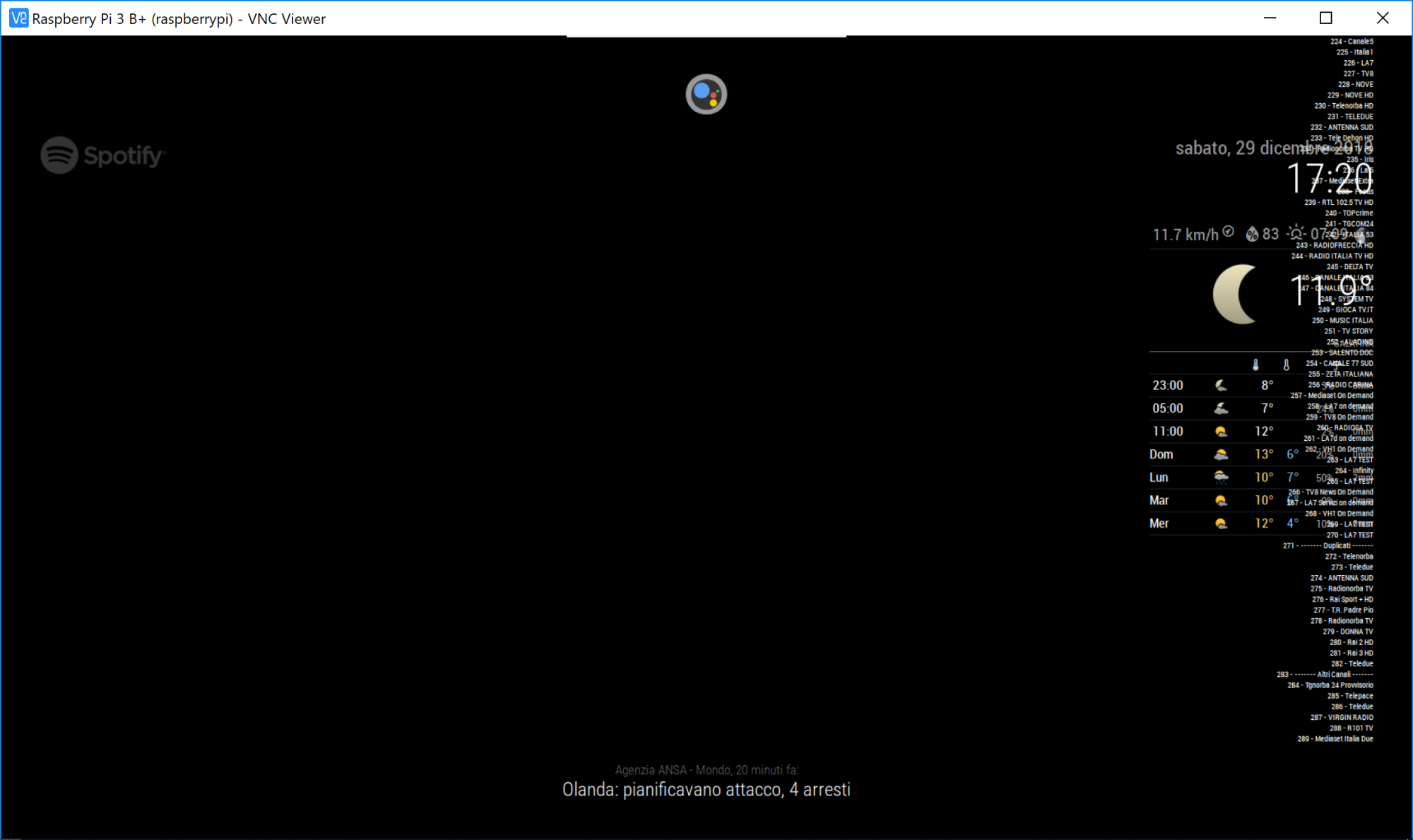
@axled OK gimme a minute and I send them. :winking_face:
@axled said in [MMM-Dreambox] to connect a Dreambox or a Enigma2 Receiver (like VU or VU+) to MagicMirror and stream stations via omxplayer:
Can you send me following 5 xml files: …/web/about, …/web/getallservices, …/web/timerlist, …/web/servicelistplayable, … /web/epgnow by email ak10zeichen-xy@yahoo.de
AxLED
Me?
@evroom said in [MMM-Dreambox] to connect a Dreambox or a Enigma2 Receiver (like VU or VU+) to MagicMirror and stream stations via omxplayer:
- Perhaps stupid, but do not how to do that. Cannot open MM using the MM IP.
Just run MM into DEV mode and in the right panel switch to the tab ‘Console’
cd ~/MagicMirror/
npm start dev
No timers are set right now.
Here is what it came out on the console running MM into Dev mode:
MMM-Dreambox.js:228 Uncaught TypeError: Cannot read property '0' of undefined
    at Class.socketNotificationReceived (MMM-Dreambox.js:228)
    at module.js:246
    at r.<anonymous> (socketclient.js:25)
    at r.emit (index.js:133)
    at r.onevent (socket.js:270)
    at r.MMSocket.self.socket.onevent (socketclient.js:19)
    at r.onpacket (socket.js:228)
    at r.<anonymous> (index.js:21)
    at r.emit (index.js:133)
    at r.ondecoded (manager.js:345)
socketNotificationReceived @ MMM-Dreambox.js:228
(anonymous) @ module.js:246
(anonymous) @ socketclient.js:25
r.emit @ index.js:133
r.onevent @ socket.js:270
MMSocket.self.socket.onevent @ socketclient.js:19
r.onpacket @ socket.js:228
(anonymous) @ index.js:21
r.emit @ index.js:133
r.ondecoded @ manager.js:345
(anonymous) @ index.js:21
r.emit @ index.js:133
s.add @ index.js:241
r.ondata @ manager.js:335
(anonymous) @ index.js:21
r.emit @ index.js:133
r.onPacket @ socket.js:456
(anonymous) @ socket.js:273
r.emit @ index.js:133
r.onPacket @ transport.js:145
r.onData @ transport.js:137
ws.onmessage @ websocket.js:147