Documentation website up:
Has detailed install instructions and on how to get past snowboy issues
 D
Offline
D
Offline
Documentation website up:
Has detailed install instructions and on how to get past snowboy issues
Sorry for being a year late, but it is finally here, introducing MMM-Monzo:
https://forum.magicmirror.builders/topic/7300/mmm-monzo-a-high-quality-monzo-module



From the creator of MMM-Awesome-Alexa, I present:

Monzo Module for Magic Mirror

| Operating System | Works? | Notes |
|---|---|---|
| Linux / Raspberry Pi | ✔ | - |
| macOS | ✔ | - |
| Windows | ✔ | - |
/modules folder as usual$ npm install in /MMM-MonzoThe final config should look something like this:
    {
		module: "MMM-Monzo",
		position: "top_center",
		config: {
			clientId: "oauth2client_00009XfHYT...",
			clientSecret: "mnzconf.++er4iwMs4CtoYUdpRjpIn+UL6/NwqA88E...",
			accountId: "acc_00005Ufdh...",
			refreshToken: "eyJhbGciOiJFUzI1NiIsInR5cCI6IkpXVCJ9.eyJl..."
		}
    }
Confidential Clienthttp://localhost:8080/oauthClient ID, Client SecretNormally everybody should have 1, but if you have multiple Monzo cards (like me), then you have multiple account IDs. MMM-Monzo only supports 1 account at a time.
List accounts on the sideSend to fetch all accounts.acc_00005UxdhBxP1wQytx9dOX$ npm run token-helper inside the /MMM-Monzo folderMade with 💖 by Dolan
@smyvy which directory are you running that command on?
It needs to be in the MMM-awesome-Alexa directory
That command is most definitely there
@smyvy Yes, its a very common issue, run this:
npm run electron-rebuild
@g_nandagpl Visualization is now done! It looks like a talking/breathing circle, kind of like cortana.
@jnstnr Yeah, sorry for the complexity! I tried hard to make this as easy as possible
But due to the nature of this project, there are a lot of variables. Everyones machine and setup is different etc
@g_nandagpl Thank you for the feedback, glad you got this working
As for visualization, it turned out really laggy on Raspberry Pi, so I postponed it
I might re-visit this feature, maybe figure out a way to speed it up if there is enough interest
@jnstnr Can you post on the issues section of the Repo? Tell me the exact error, you can find the error by running:
npm start dev
@pepemujica For me, the helper website works
Where do you live? I live in the UK, and it just works for me, perhaps Amazon has location blocking?
@pepemujica So sorry about this
There will be a proper guide on how to get a refresh token soon
The Helper Website currently is experiencing issues
I will message on this thread and reply to you once its done!
Keep an eye out! And thanks for your interest :)
@pepemujica You know Amazon Echo?
Essentially, this module turns your Magic Mirror into an “Amazon Echo” for free! Click on the link to find out more
You just say: “Alexa, what is the time?”, and the MagicMirror will respond to you.
@psm9 The website isn’t working properly right now :( So right now, you will have to do it manually. I am working on it!
https://github.com/dolanmiu/MMM-awesome-alexa



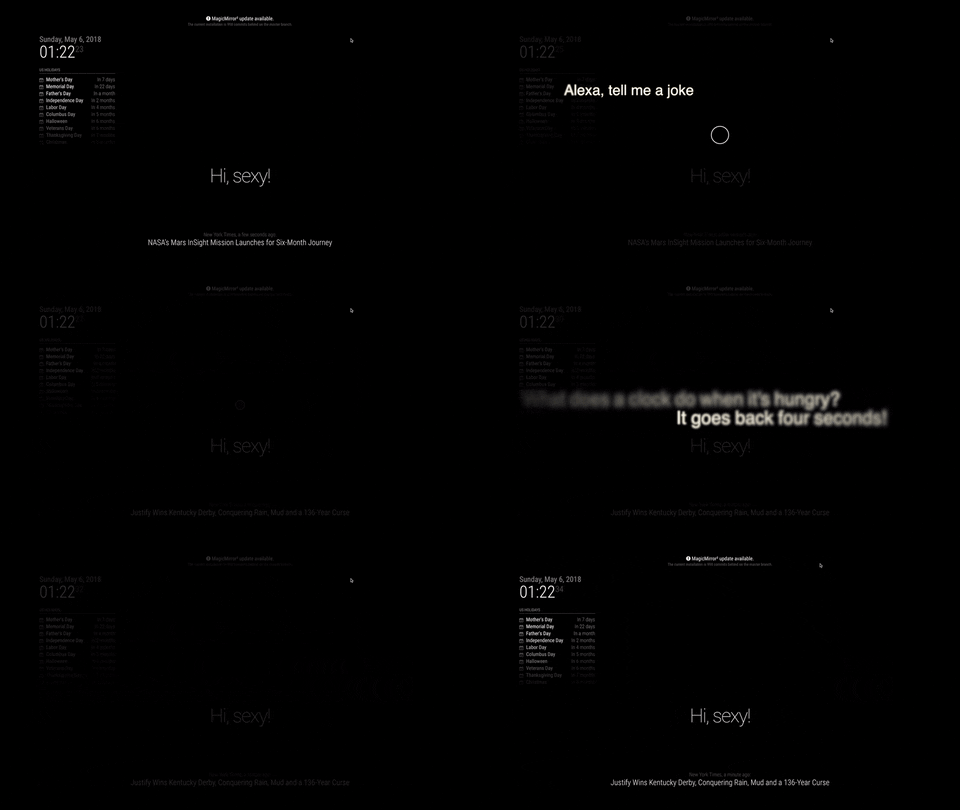
A hands free Alexa module for the Magic Mirror, which is activated when you say ‘Alexa’.
At the moment, this only works for MacOS and Ubuntu. Raspberry Pi has experimental support, it works when I tried it, but please try yourself and let us know on Gitter!
Refer to the official documentation on how to install the module: https://awesome-alexa.js.org
Boot up Magic Mirror and say “Alexa, what time is it?”, or “Alexa, tell me a joke” 😊.
Note: If you are using Raspberry Pi, you most likely will experience a snowboy issue. Please go to the Troubleshoot section down below
First check if your mic works by typing in:
rec t.wav
If the above command doesn’t work, please fix that before continuing. Here is a link to help you (Raspberry pi)
For some reason, running MagicMirror on PM2 with this module doesn’t seem to work on Raspberry Pi. The mic does not pick up. If anyone has a solution or cause for this, it would be greatly appreciated. I would recommend to start the MagicMirror the traditional way of npm start.
Make sure you followed the install steps correctly. It involves manually downloading snowboy and manually building snowboy:
https://awesome-alexa.js.org/#/installation?id=step-2-install-module
Follow snowboy’s official guide on how to recompile their package:
https://github.com/Kitt-AI/snowboy#compile-a-node-addon
Made with 💖 by Dolan