nano? In the terminal, you have to use “sudo nano” to get rights to write to the file.
D
Offline
A New Chapter for MagicMirror: The Community Takes the Lead
Read the statement by Michael Teeuw here.
Read the statement by Michael Teeuw here.
Posts
-
RE: Modules won't show up on mirror?
-
RE: Calender module shows the wrong local time
You have to set the time in the system, the mirror (and with it the modules) gets the time from there.
Are you using a Raspberry Pi? Go to settings or enter sudo raspi-config in the console and check if the time zone is correct. -
RE: Splash Screens/No Signal
I used a BenQ and it had the option to disable the splashscreen. I’d suggest using Google for the monitor you’re looking at + “disable splash screen” or something like that, quite a lot of monitors have these options. I’d also suggest checking the power consumption.
I used a PIR sensor to switch the monitor independently from the RasPi while the RasPi is running 24/7. Mainly because my RasPi is collecting data every 2 hours and writing it to a JSON that I want to be updated without interuption. The other reason was the screens power consumption in standby (I’m not at home for at least 10 hours every day and sleeping ~ 7 hours, so that’s min 17 hours standby every day) and the screen takes ~ 3 or 4 seconds to turn on while the RasPi takes quite a bit longer to start.
Just be careful when selecting and setting up that PIR sensor with a switch for the monitor, not a lot are suitable for that power consumption and load and setting it up means working with the 220 V cable (or whatever voltage your country might have) – if you’re not sure what needs to be done, let a professional handle that. (Trust me, I learned the hard way …)
-
RE: 22'' Display + 40cmx50cm IKEA Frame + PIR Sensor
Nice mirror. Have you considered leading the cable to the right and down along the corner of the wall? Might look even cleaner. And if it’s a selfmade cable, I’d consider some white cable sleeving.
-
RE: Modules won't show up on mirror?
@bmbaugh said in Modules won’t show up on mirror?:
I tried adding it to the array in config.js but nothing showed up, any ideas?
Every bracket closed correctly? Commas used correctly? I’d also like to see the config.js.
You can also start the software with npm start dev to have a look at the console, often it tells you what is wrong. -
RE: call API (no CORS), used to do it with php proxy
That’s what I thought.
I got it done thanks to this blog entry about calling PHP within node.js via Child Process Dependency. Actually, now that I know about this, it’s quite easy, you just have to have PHP installed and in your PATH (that took me a while …).
(relevant part of) node_helper.js
getData: function(payload) {
     var self = this;
     var runner = require("child_process");
     var proxy = "modules/my_module/proxy.php";
     var source = "http://apisource.de/api/getPrices.php?id=12300123";
     runner.exec("php " + proxy + " " + source, function(err, data, stderr) {
          var json = JSON.parse(data);
          self.sendSocketNotification("MSG", json);
     });
}
proxy.php is nearly unchanged from my first post: (php tags not showing up)
$params = explode(",", $argv[1]);
$file = file_get_contents($params[0], true);
echo $file;
A node child process is started, it uses PHP (has to be in the env. PATH) to open the file it is handed (proxy) and attaches the parameter “source” to that call. The proxy.php gets the contents of “source” and echo’s it.
The child process receives the echo’ed data, I parse it to JSON and send that back to the module.It’s working, but let me know if you see any flaws or anything I could improve. Thanks a lot.
Oh, and no, there’s no way around that “file_get_contents => echo proxy” atm.
Torben
-
RE: call API (no CORS), used to do it with php proxy
Thank you, that sounds like it might be what I need, I’ll check that out.
Hope this works with a php file that grabs and forwards the content of the API. -
RE: How to dynamically show/hide and configure other modules from my module?
Sounds like you want the configuration from a json instead of the config.js – because then you can change the content.
Or json first and config.js as fallback (and default after that as the last fallback).
So the weather module would have to read it’s config from that json and you can create a module that writes to this json something like weather_source: “location”, and triggers the weather module to reload.Interesting idea.
EDIT: I found this module while looking for help with something similar:
https://github.com/Jopyth/MMM-Remote-Control -
RE: call API (no CORS), used to do it with php proxy
Thank you. I got a bit further. It took me a while to figure out that I had to close the session and run npm start dev again for node_helper to work.
I found that strawberry 3.141’s answer in that topic helped me a lot to get node_helper running.
I got to the module to notificate node_helper and I also got node_helper to talk back. What I’m having trouble with is the request():
request({
	url: "modules/station_price/proxytest.txt",
	method: 'GET',
}, function (error, response, body) {
	if (!error && response.statusCode == 200) {
		self.sendSocketNotification("MSG", body);
	}
	else {
		self.sendSocketNotification("MSG", error + " // " + response);
	}
});
Error: Invalid URI "proxytest.txt" // undefinedI tried a few variations for the URI - what’s the path? Or maybe I’m just not seeing some basic mistake here.
this.data.path obviously isn’t working within node_helper.And is there a documentation for request()? Can/should I use dataType: “json”?
I got this all running on my old mirror and now I just feel like running into a wall over and over again.
-
call API (no CORS), used to do it with php proxy
With the old Mirror I had a module that called a changing price list from an API. There’s no CORS, so I used a php proxy file. Ajax would call the php with the URL to the API. The php echo’d the API content and the AJAX would grab the echo’d content.
Now I understand I can’t use PHP? I saw someone mentioning node_helper in a similar context, but no further explanation.
I’ve got this code:
var proxy  = this.data.path + "myproxy.php?url=";
//  source = "http://apisource.de/api/getPrices.php?id="
var source = "http%3A%2F%2Fapisource.de%2Fapi%2FgetPrices.php%3Fid%3D";
var id =  this.config.station;
$.ajax({
    url: proxy + url + id,
    dataType: "json",
    success: function (json) {
        data = json.response.prices;
        return data;
    }
});
proxy.php (within php-tags, of course, the codebox won’t show them):
$file = file_get_contents($_GET['url'], true);
echo $file;
This works in basic html, I tested it. I’m running the mirror in dev mode with npm start dev on my Windows 10 machine.
I’d be really happy and grateful if someone could point me in the right direction on how to get the json from the API.
Thx,
Torben -
RE: Mirror (2015) with PIR for the screen
Thanks, guys. It’s a 27" screen.
-
RE: How to only update specific parts of DOM
@Synthic
Call the text div directly. But since document.getelementsbytagname is messy (as is document.getelementsbyclassname) you should give this div an ID.var t = document.createElement("div"); t.id = "textarea"; t.innerHTML = "text"; // ... var u = document.getelementbyid("textarea"); u.innerHTML = "updated text"; -
RE: Mounting the Mirror
@AAPS
The back of my frame has some sort of a brace on the top:
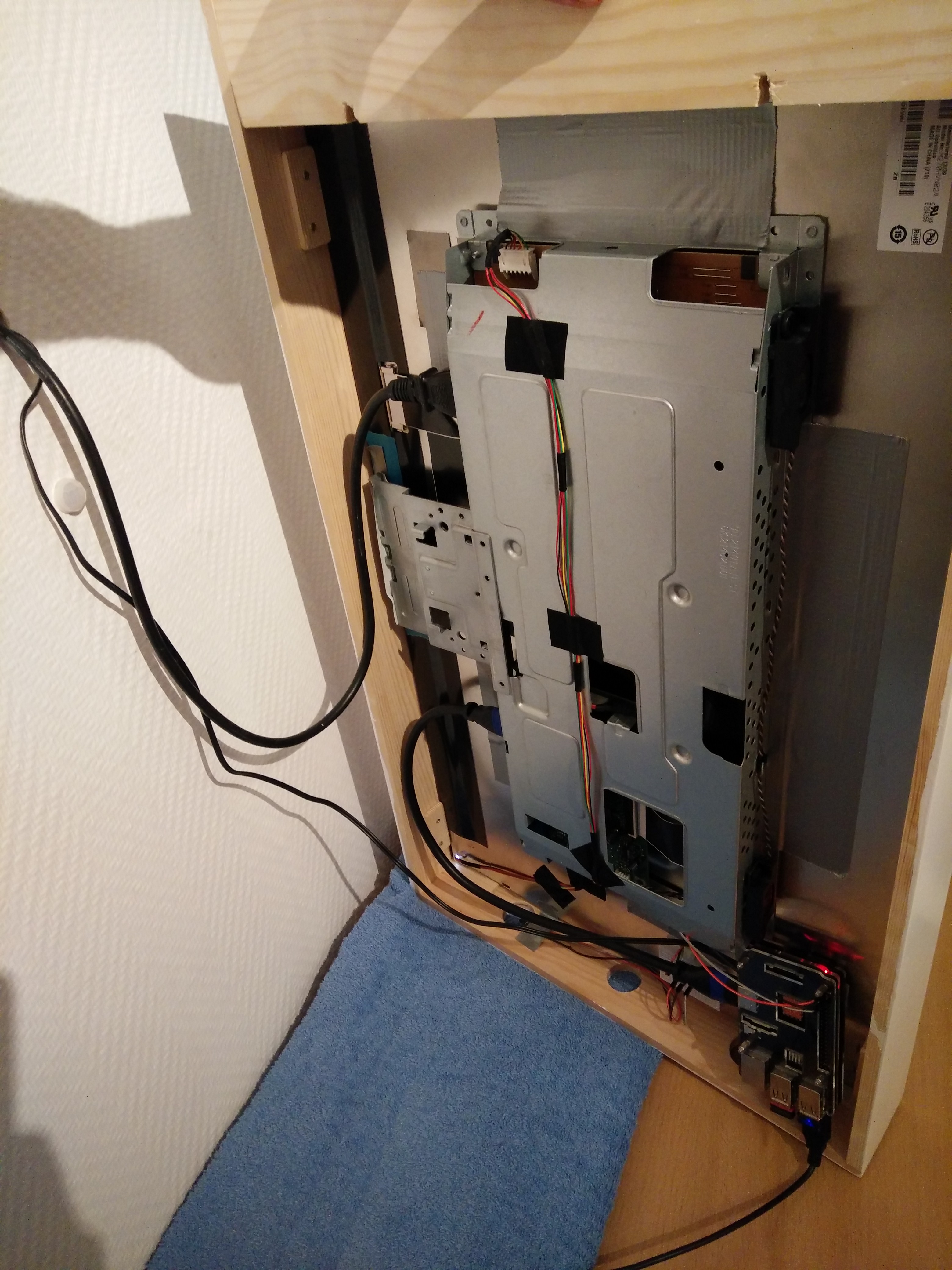
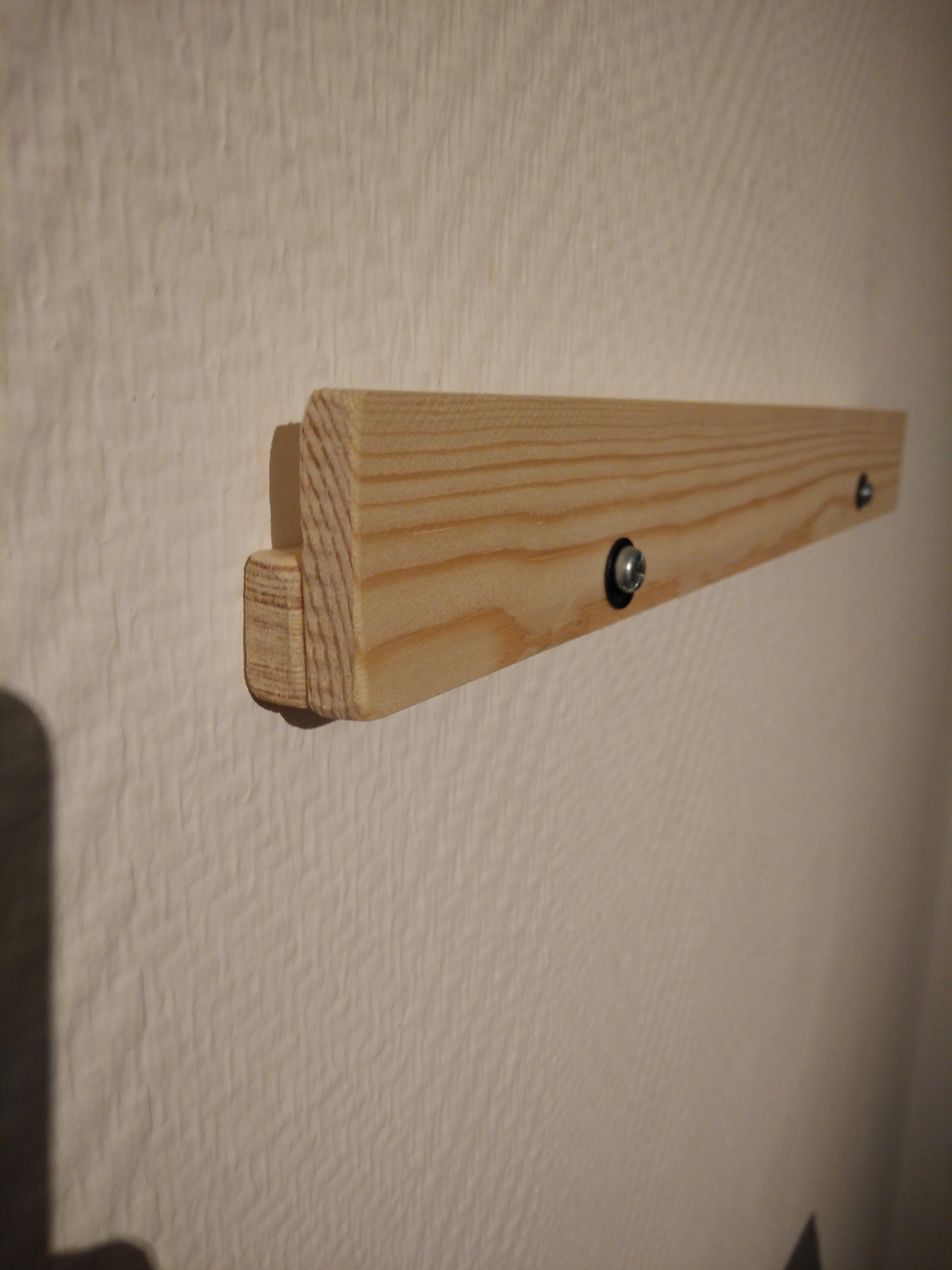
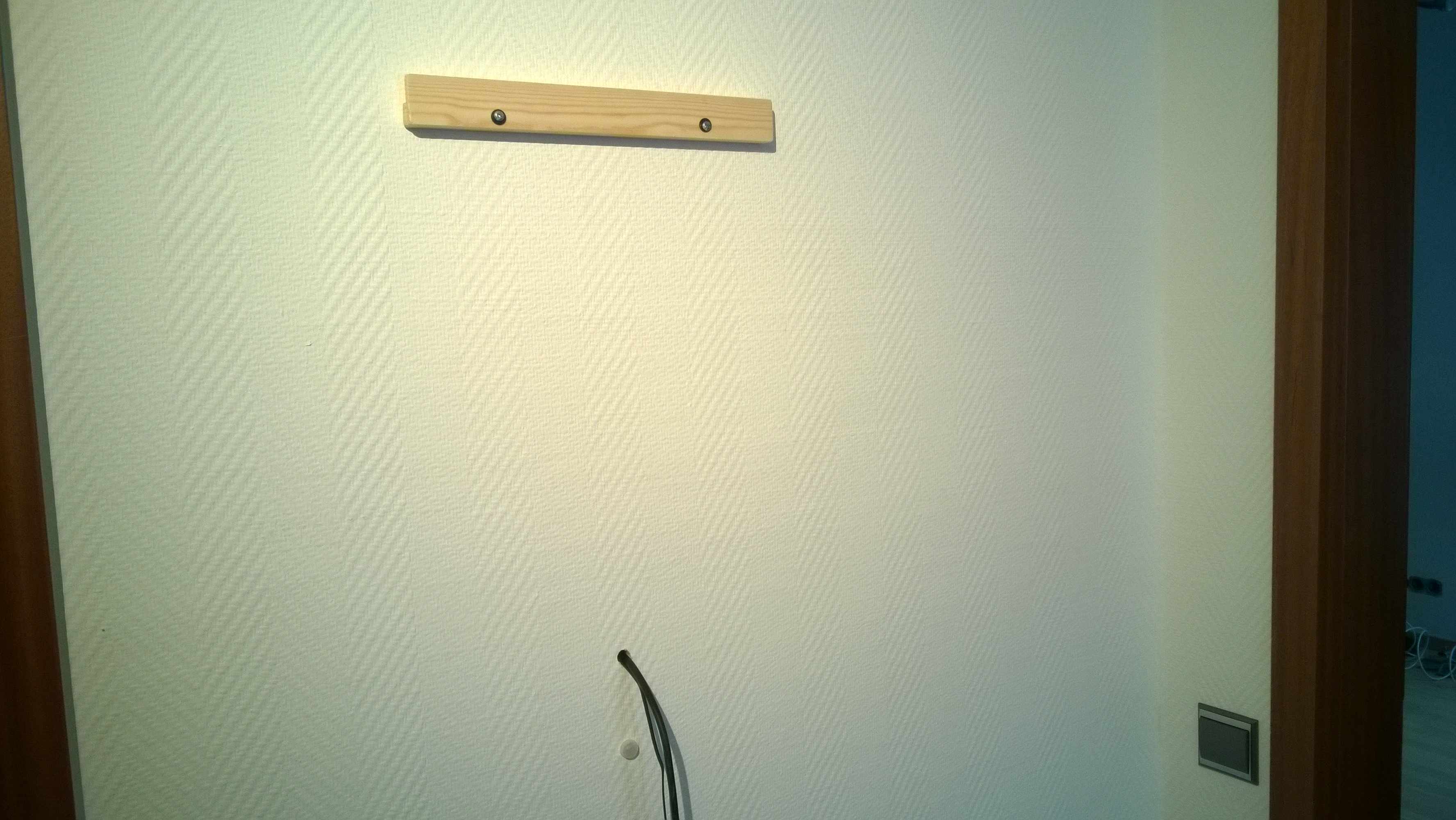
I wanted to screw two hooks into the wall (drywall) and hang the brace into the hooks. But I didn’t find hooks or screws for drywalls that stand out enough to grab the brace safely enough.What I came up with was a mount made from two pieces of the same slat as the brace which can now be placed into it and hangs firmly on the wall.
-
RE: Patience while learning .css - why does the following not work in my custom.css
The reason “.clock.time” doesn’t work is because it’s looking for an object with both classes “clock” AND “time”.
“.clock div.time” would be correct but only to address a div with the class “time” (within an object with the class “clock” ).
“.clock .time” would be the same, but the object doesn’t have to be a div - it could be a p (paragraph) with the class “time”
“.clock.time” would address only objects that have both classes, not regarding their parents.So in your case it would be correct to write “.clock .time, .clock .date” to address both “.time” and “date” within “.clock”. Your example would address all objects with the class “date” regardless of their parents class being “clock” or not.
Edit:
Not to confuse you, but just to make this complete, there is another way to make sure you get the right child of a parent:
“.clock > .time” would address “.time” only if the direct parent is “.clock”. So if it’s< div class=“clock” >
< div class=“time” >“.time” will be addressed, but if it is
< div class=“clock” >
< div >
< div class=“time” >“.time” is not addressed. (Just in this instance with > in between.)
-
RE: IDE for testing
I tried it with xampp and node.js (http-server) and got the initial page to be shown (please create a config) but once I create one, the site just shows a black background with no modules. Console says “moduleWrapper is NULL”.
What’s the trick here? What do I need to run?
########
EDIT:
Nevermind, what I was looking for was:node serveronlyI thought that was for production/RasbPi only so I had not tried that.
Thx
-
Mirror (2015) with PIR for the screen
Hi all,
back in early 2015 I wanted to build a one way mirror with a screen behind it that showed a website from my server. I googled around and found Michael’s MagicMirror so I just went along with this, as it was the perfect solution.I still think this is one of the best uses for a RasbPi and this project absolutely deserved to win the award (number 1 in the MagPi Top 50).
I had developed some apps for my version, like a fuel price monitor and a football board with results and tables.
When some people asked me to set up mirrors for them I started to tinker with a small and easy backend for configuration and soon found out about MagicMirror². Now I’m here and I’ll use this new version and I’ll try to translate my apps into modules for this project.
My mirror:
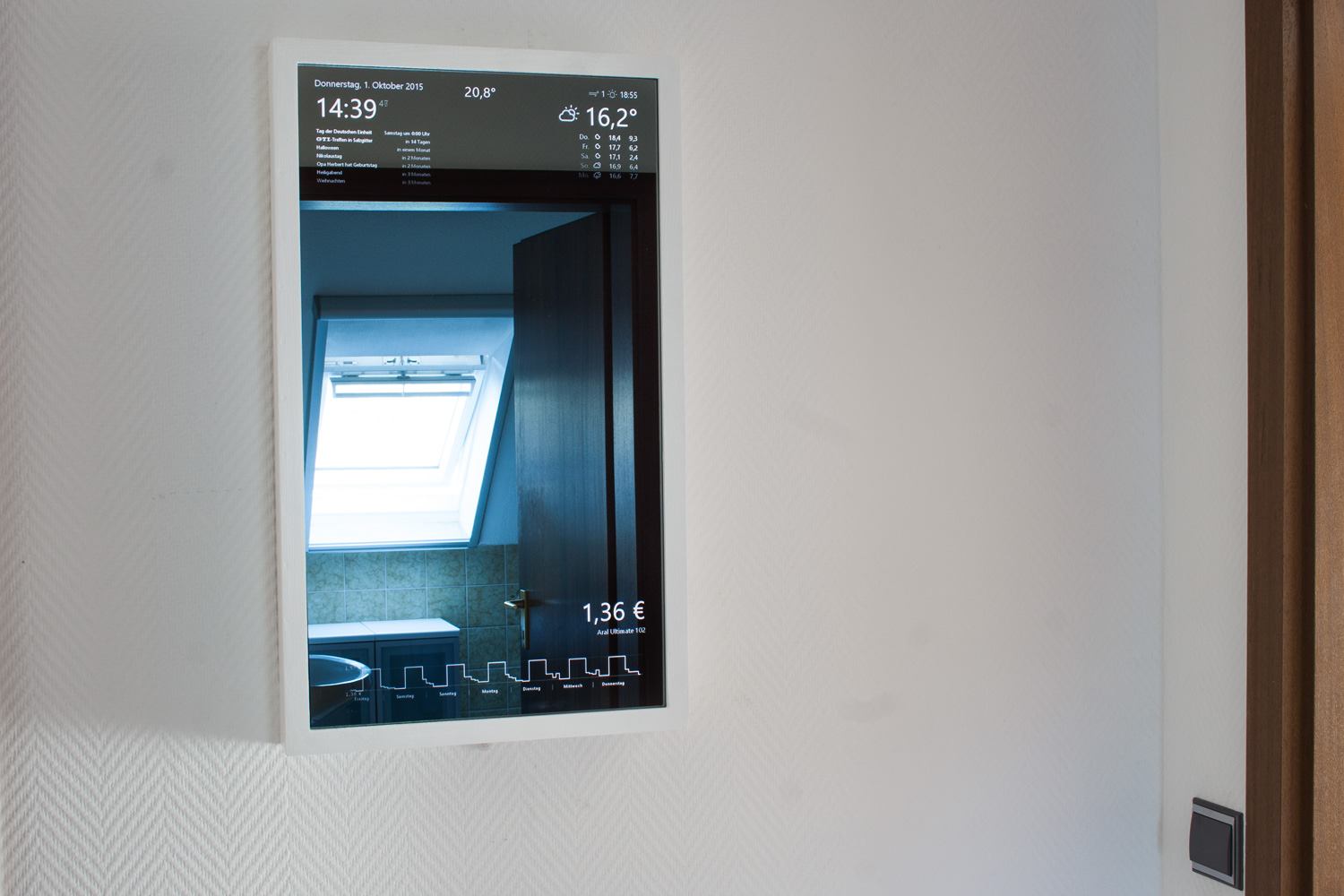
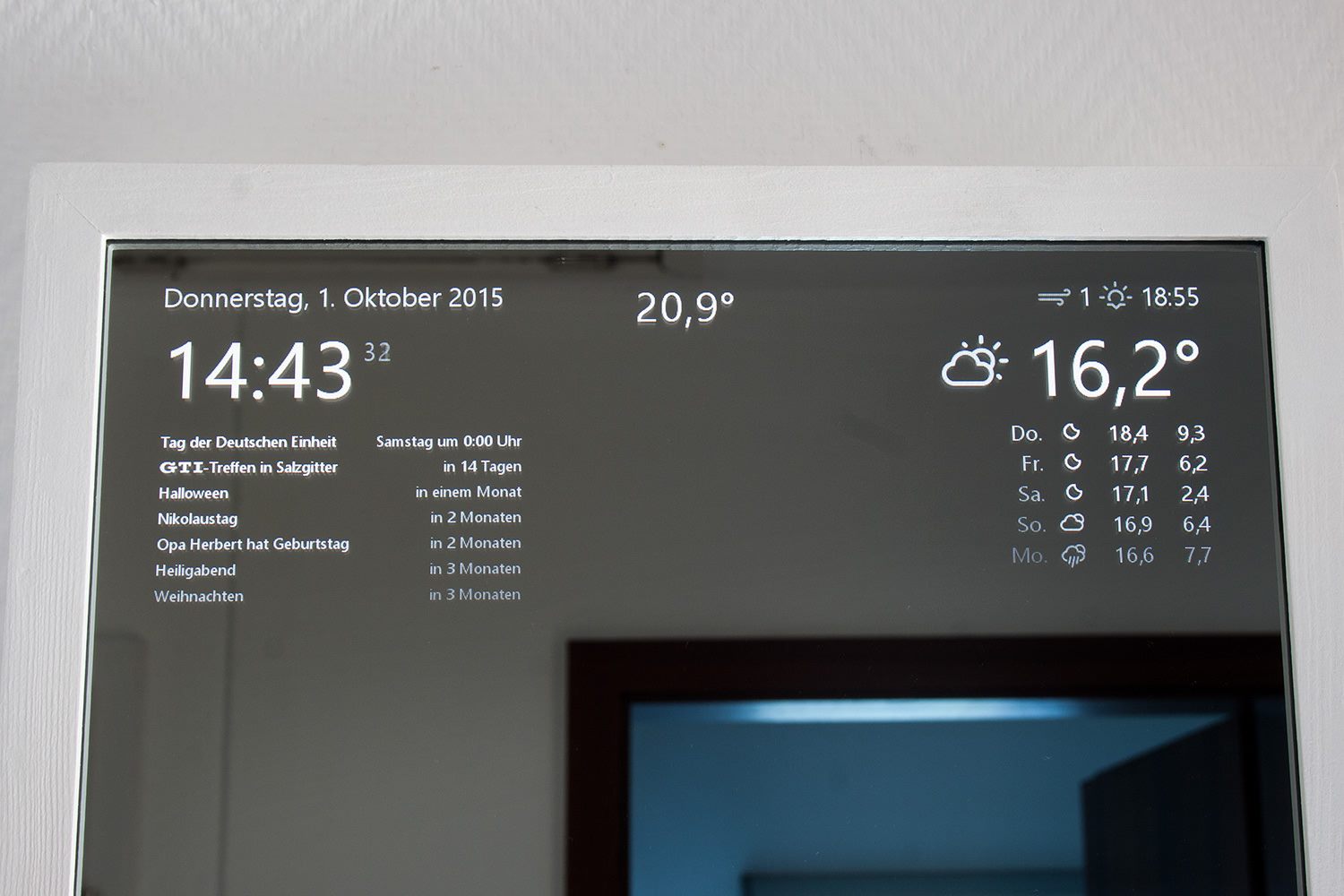
Just stome minor style changes and I added an indoor temperature sensor at the bottom of the frame (see below).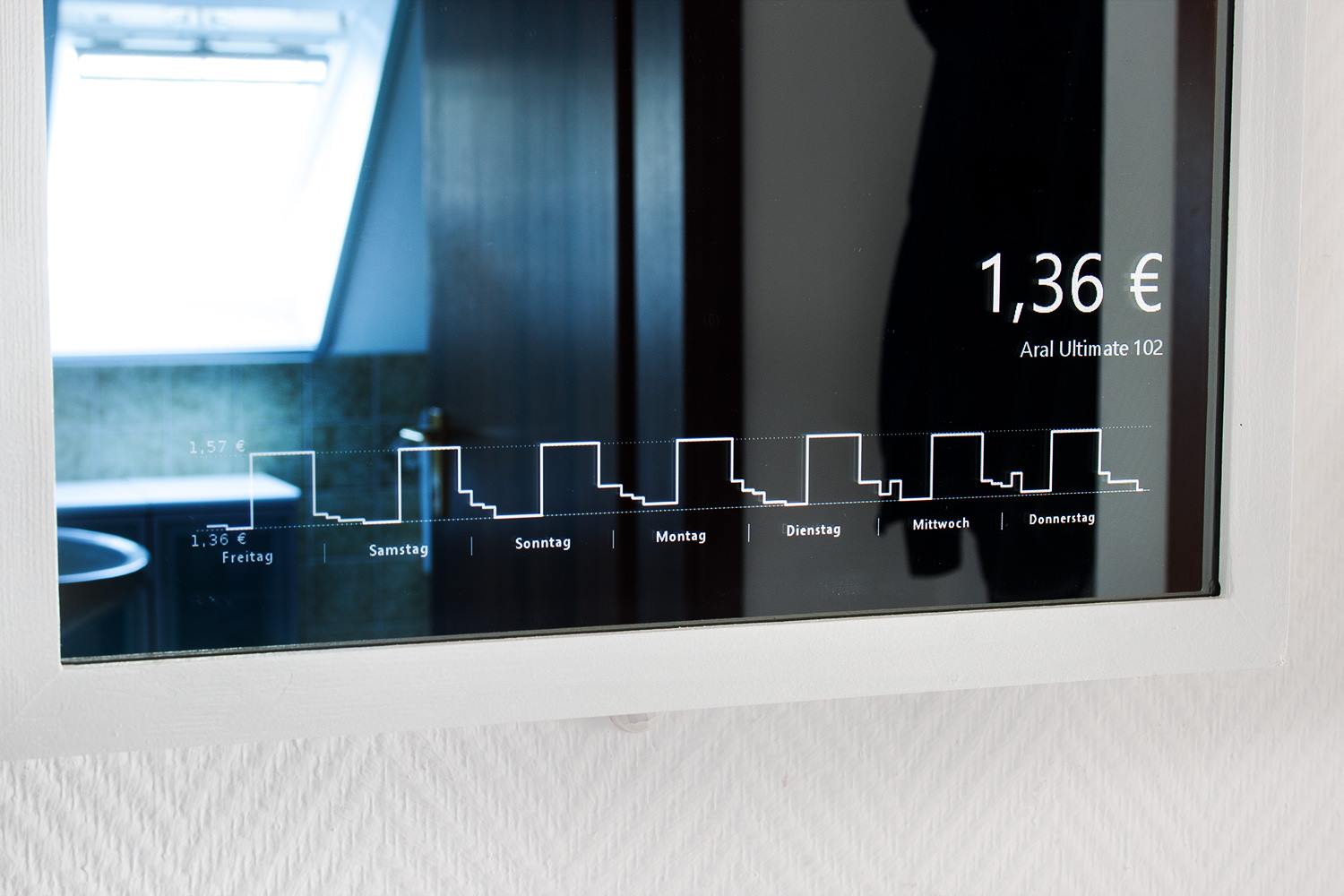
Aral Ultimate 102 price monitor from the closest station.PIR:
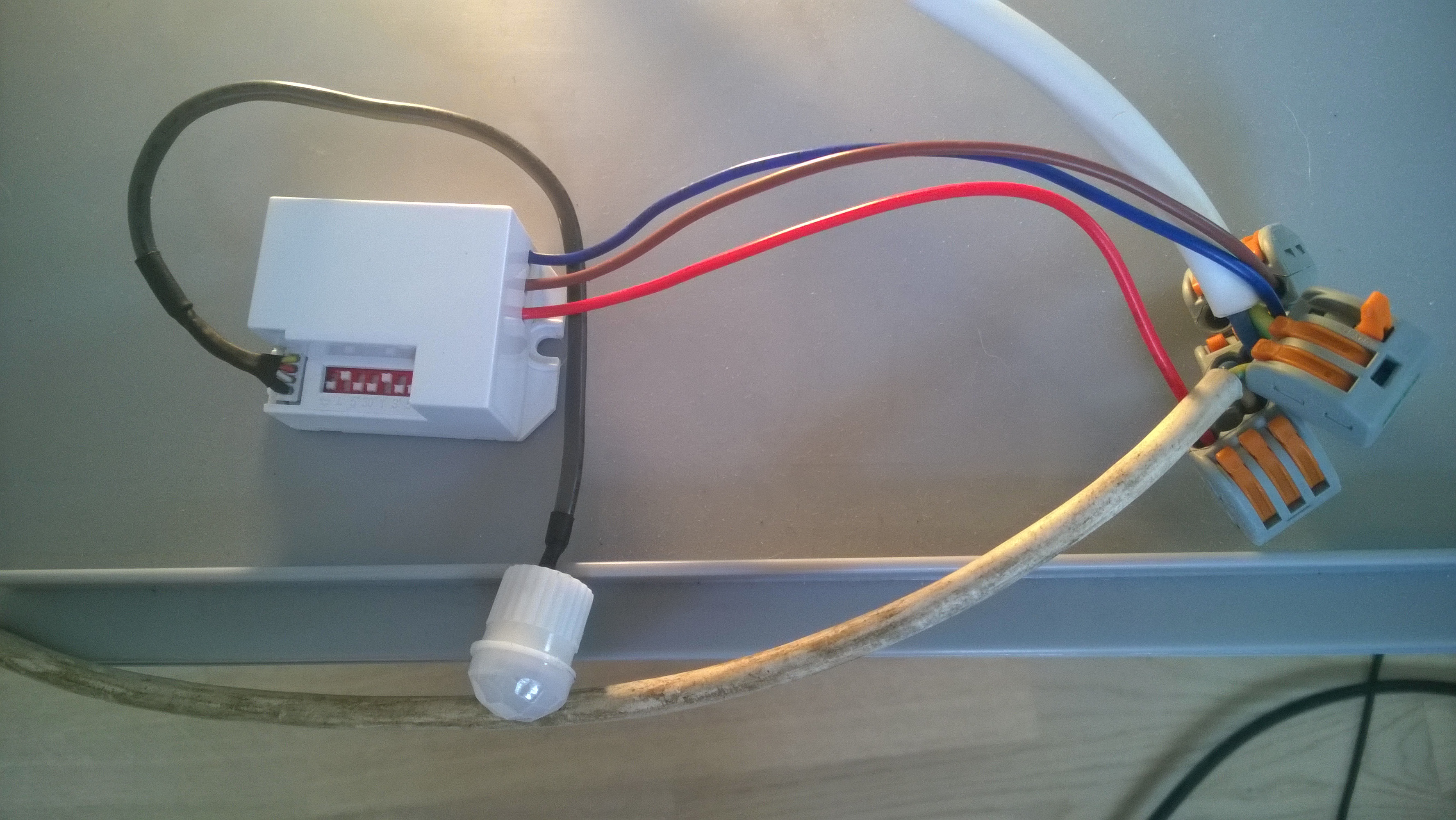
Be careful when playing with 220V … I nearly killed myself after switching off the wrong circuit …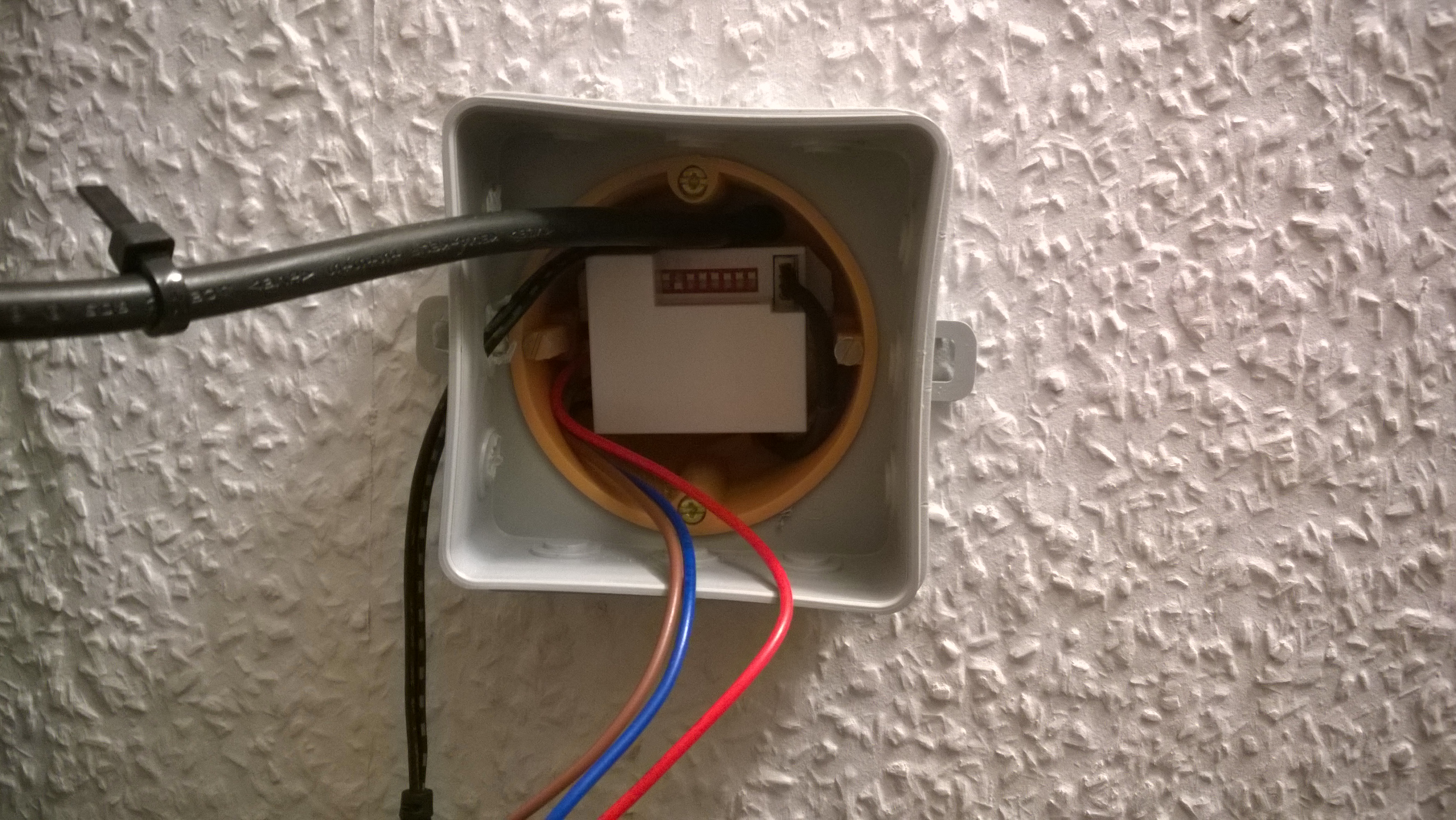
On the backside.Setup:
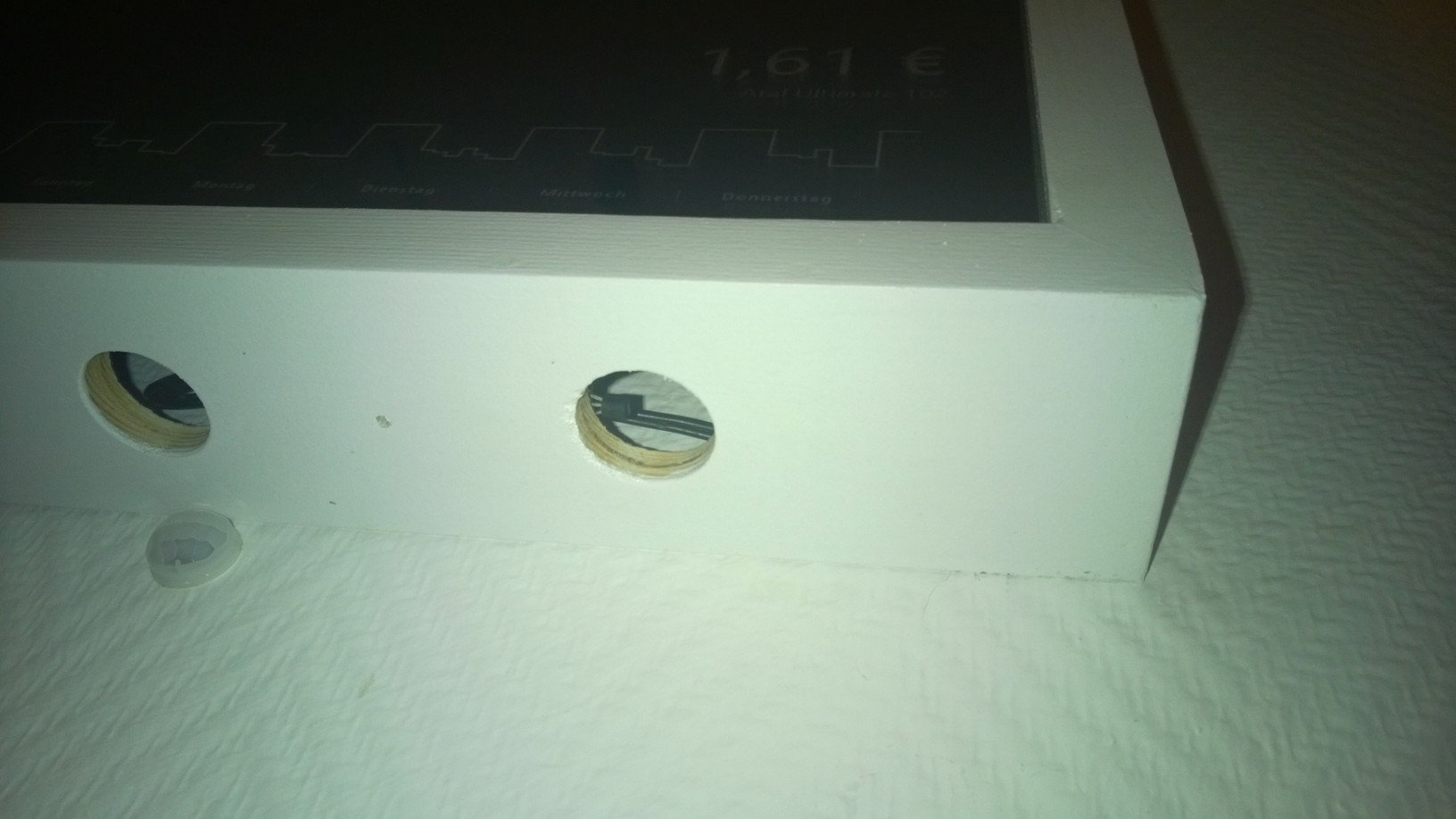
The PIR is below the mirror, nearly unnoticeable. Here you can also see a DS18B20 temperature sensor.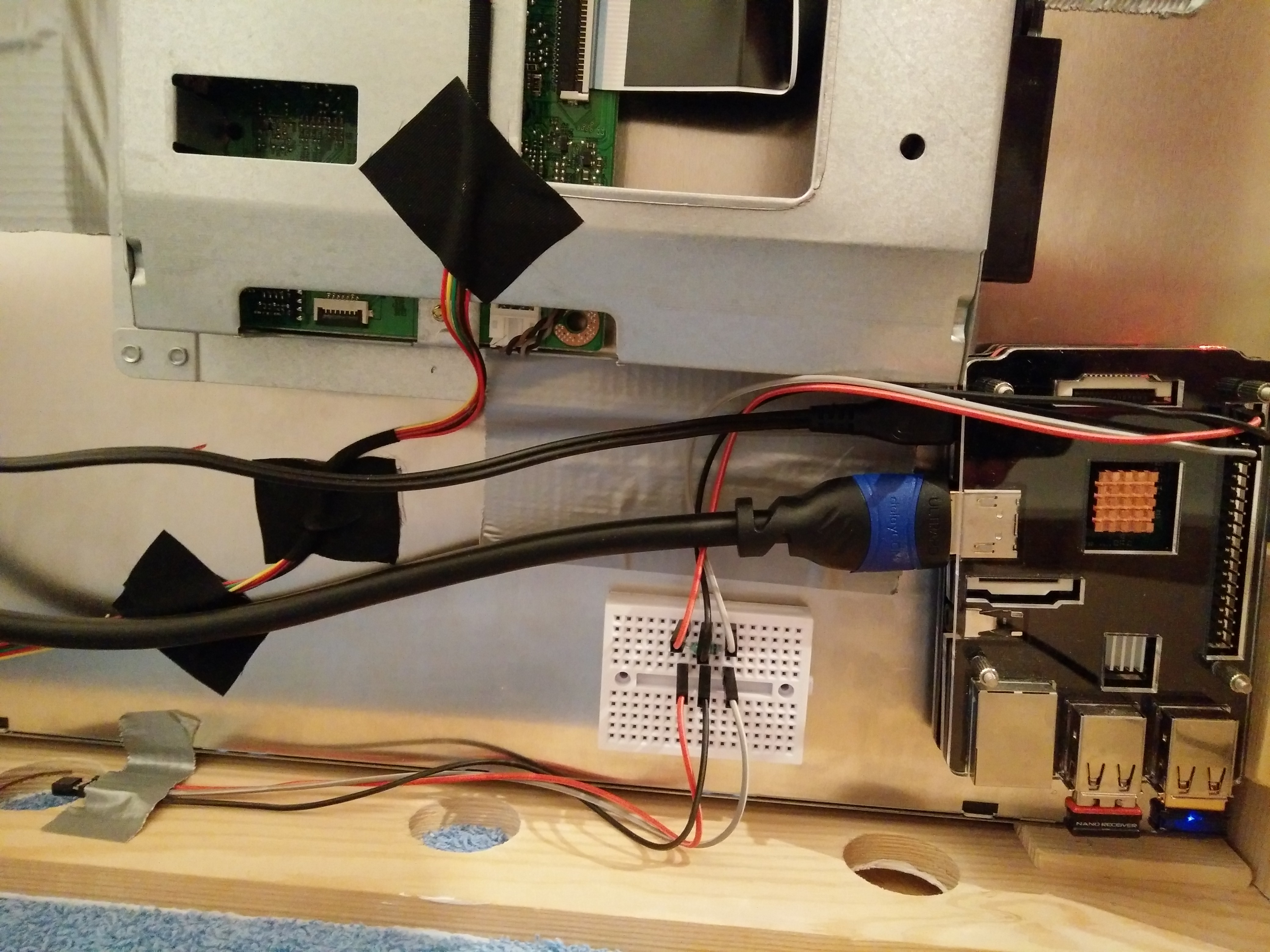
The inside.I’m looking forward to setting up MM² on this setup in the next few days.
Thanks