MagicMirror Forum
    • Recent
    • Tags
    • Unsolved
    • Solved
    • MagicMirror² Repository
    • Documentation
    • 3rd-Party-Modules
    • Donate
    • Discord
    • Register
    • Login
    1. Home
    2. doubleT
    3. Best
    A New Chapter for MagicMirror: The Community Takes the Lead
    Read the statement by Michael Teeuw here.
    D
    Offline
    • Profile
    • Following 0
    • Followers 4
    • Topics 4
    • Posts 176
    • Groups 1

    Posts

    Recent Best Controversial
    • Mirror (2015) with PIR for the screen

      Hi all,
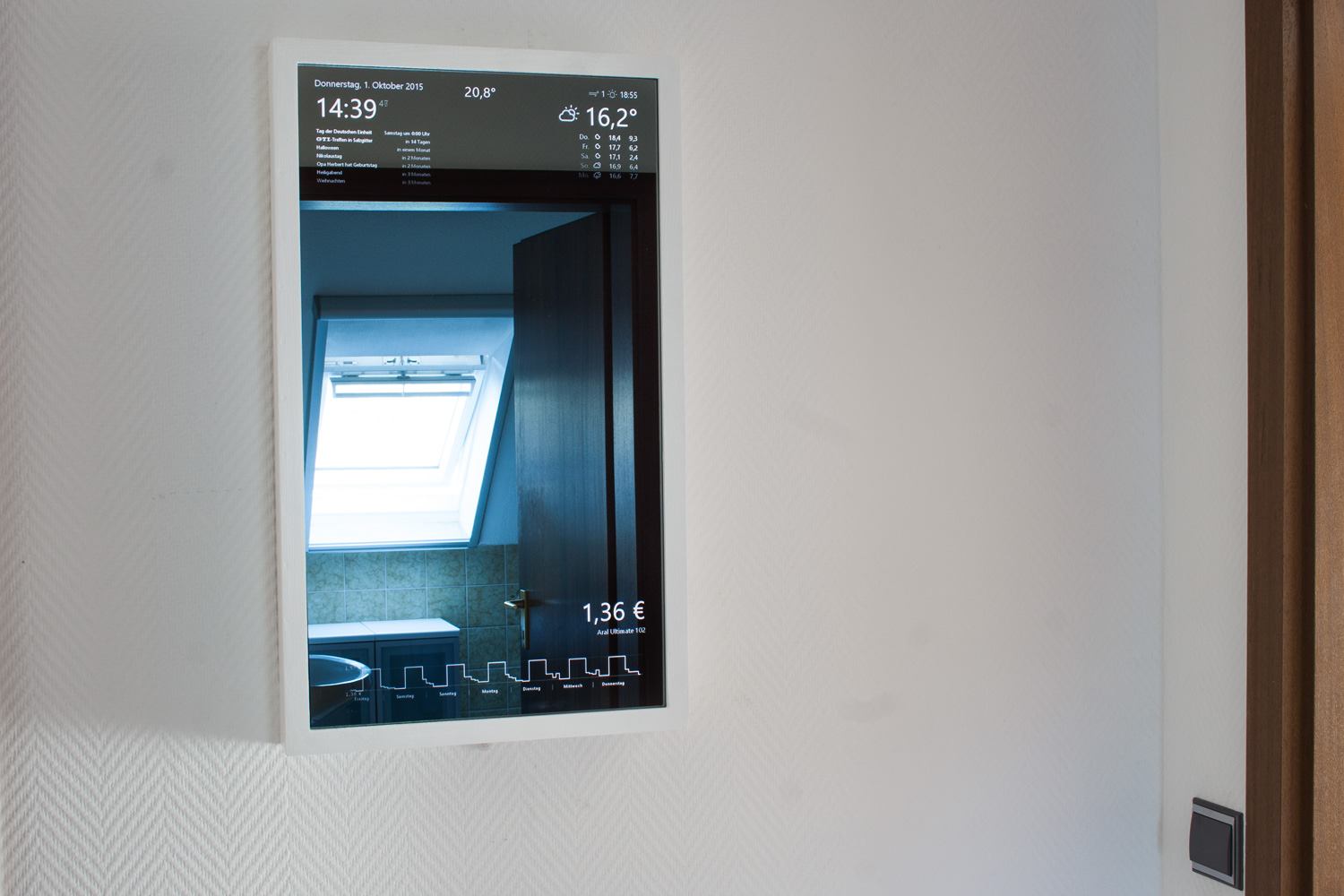
      back in early 2015 I wanted to build a one way mirror with a screen behind it that showed a website from my server. I googled around and found Michael’s MagicMirror so I just went along with this, as it was the perfect solution.

      I still think this is one of the best uses for a RasbPi and this project absolutely deserved to win the award (number 1 in the MagPi Top 50).

      I had developed some apps for my version, like a fuel price monitor and a football board with results and tables.

      When some people asked me to set up mirrors for them I started to tinker with a small and easy backend for configuration and soon found out about MagicMirror². Now I’m here and I’ll use this new version and I’ll try to translate my apps into modules for this project.

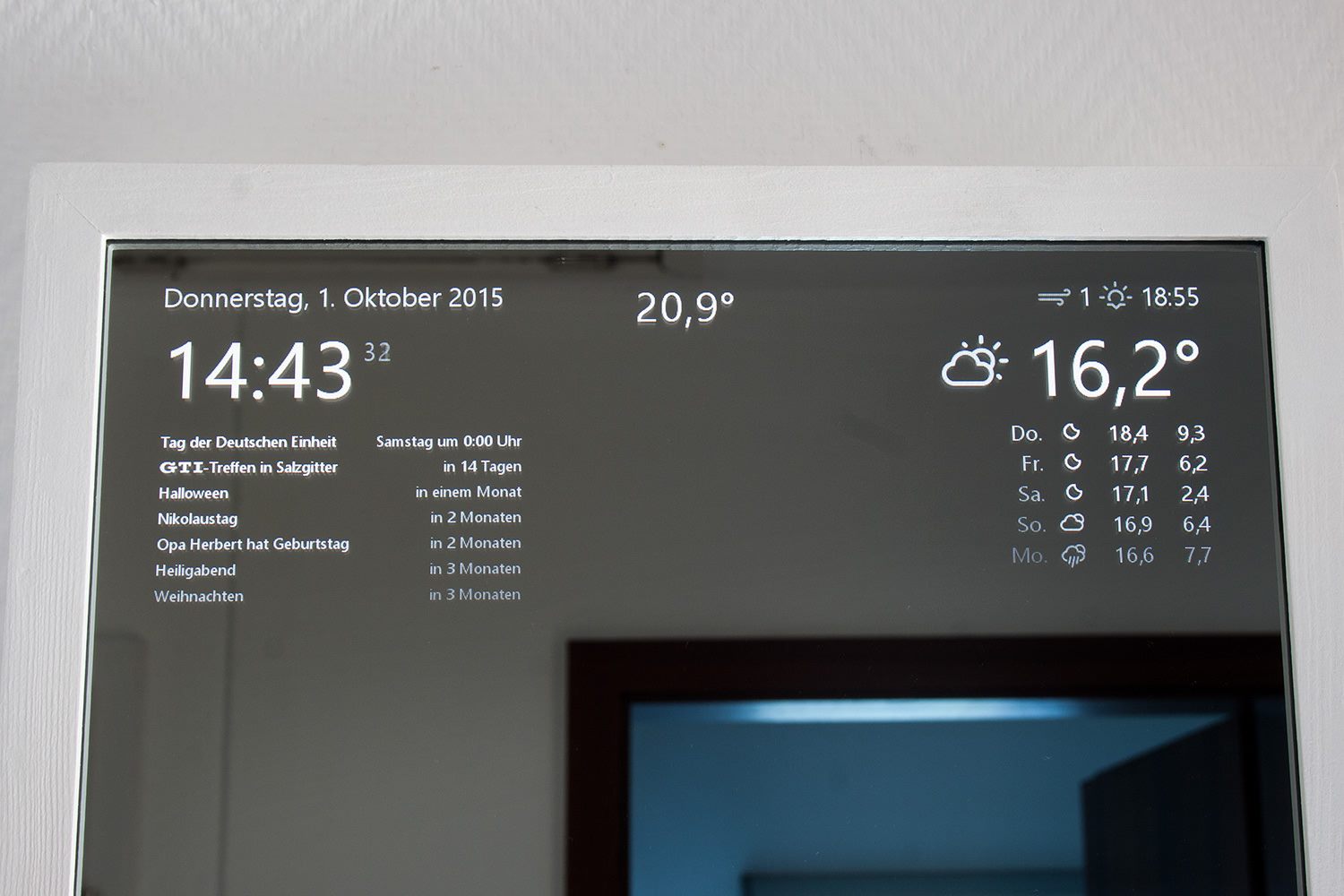
      My mirror:
      alt text

      alt text
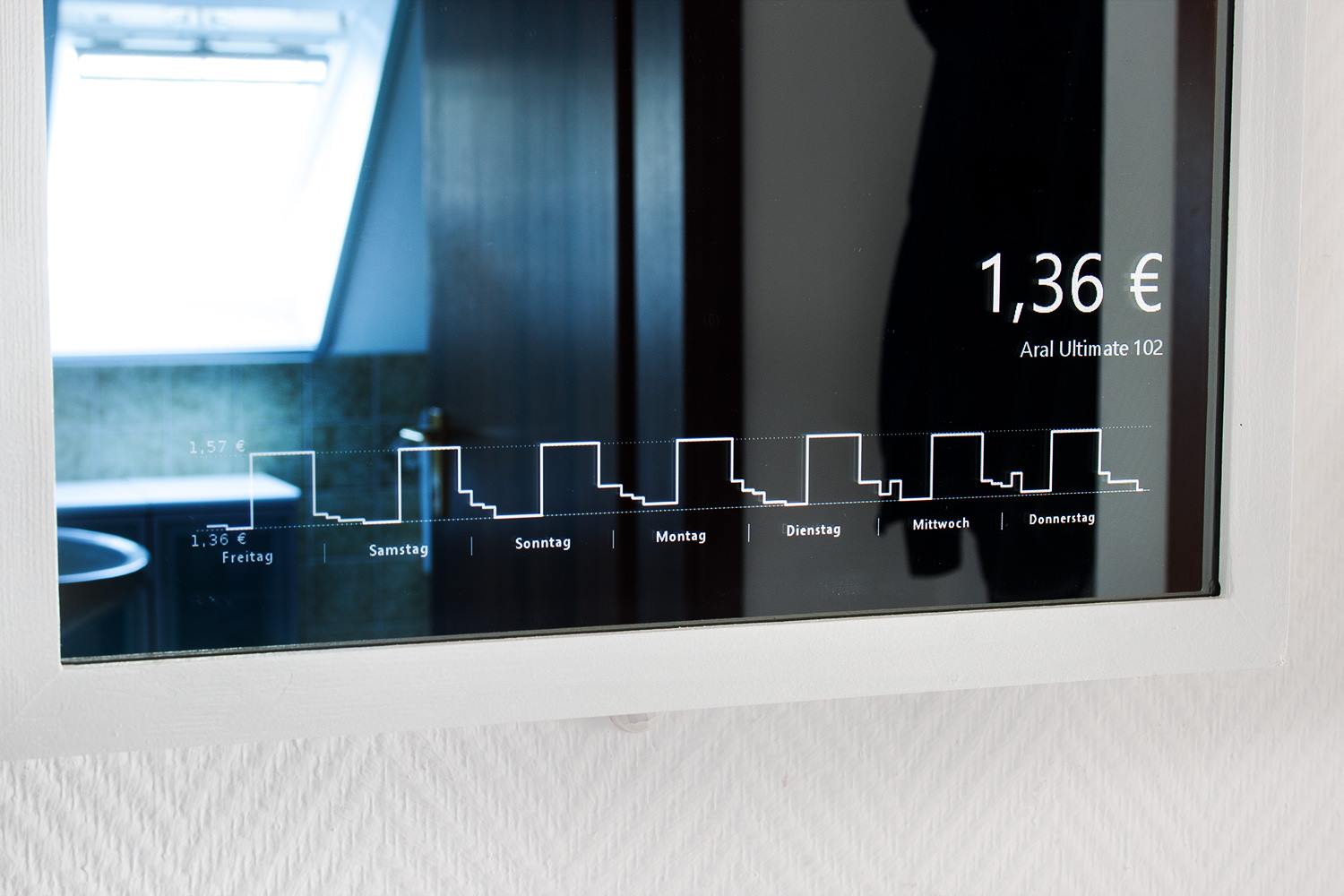
      Just stome minor style changes and I added an indoor temperature sensor at the bottom of the frame (see below).
      alt text
      Aral Ultimate 102 price monitor from the closest station.

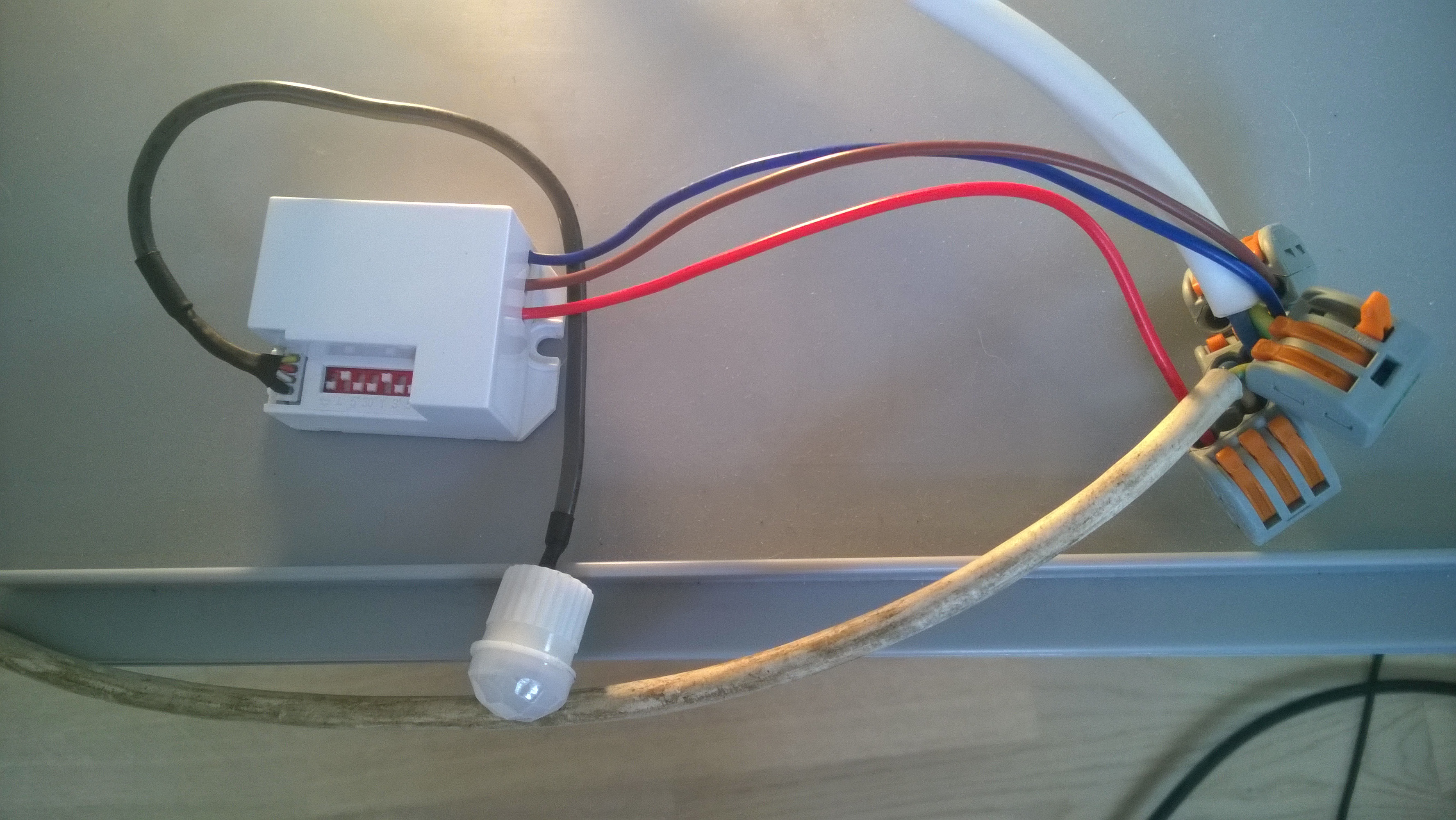
      PIR:
      alt text
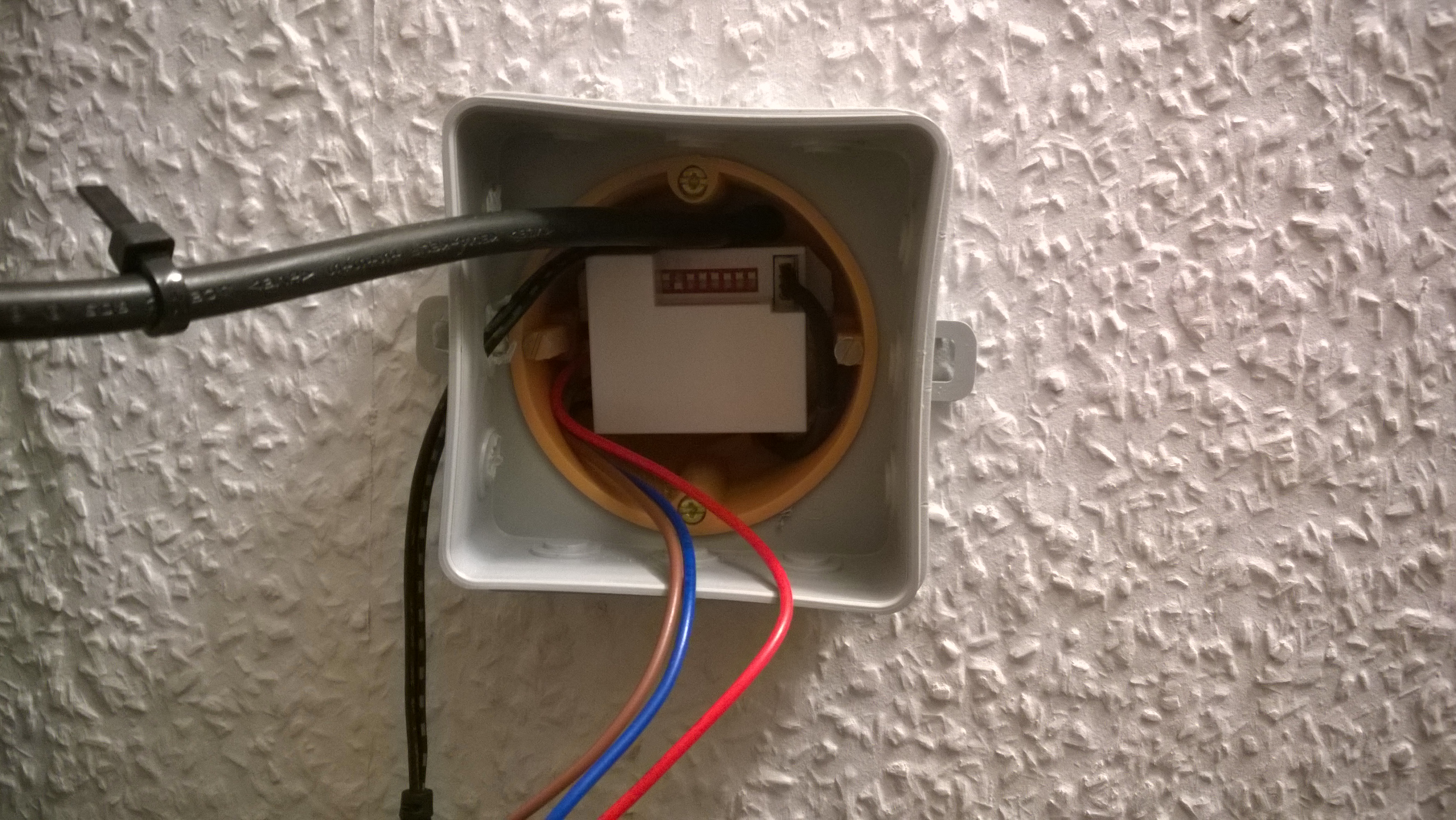
      Be careful when playing with 220V … I nearly killed myself after switching off the wrong circuit …
      alt text
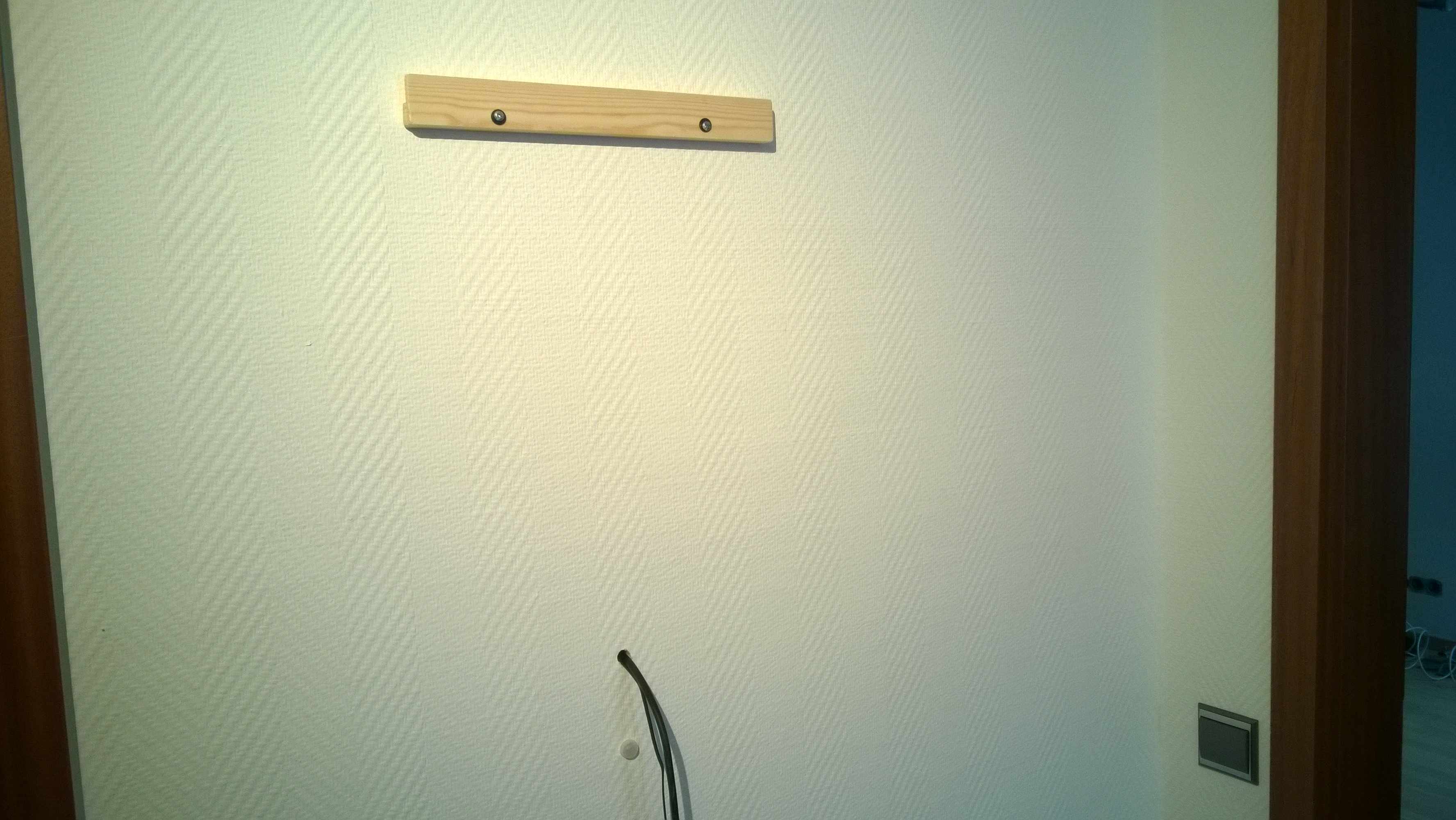
      On the backside.

      Setup:

      alt text

      alt text
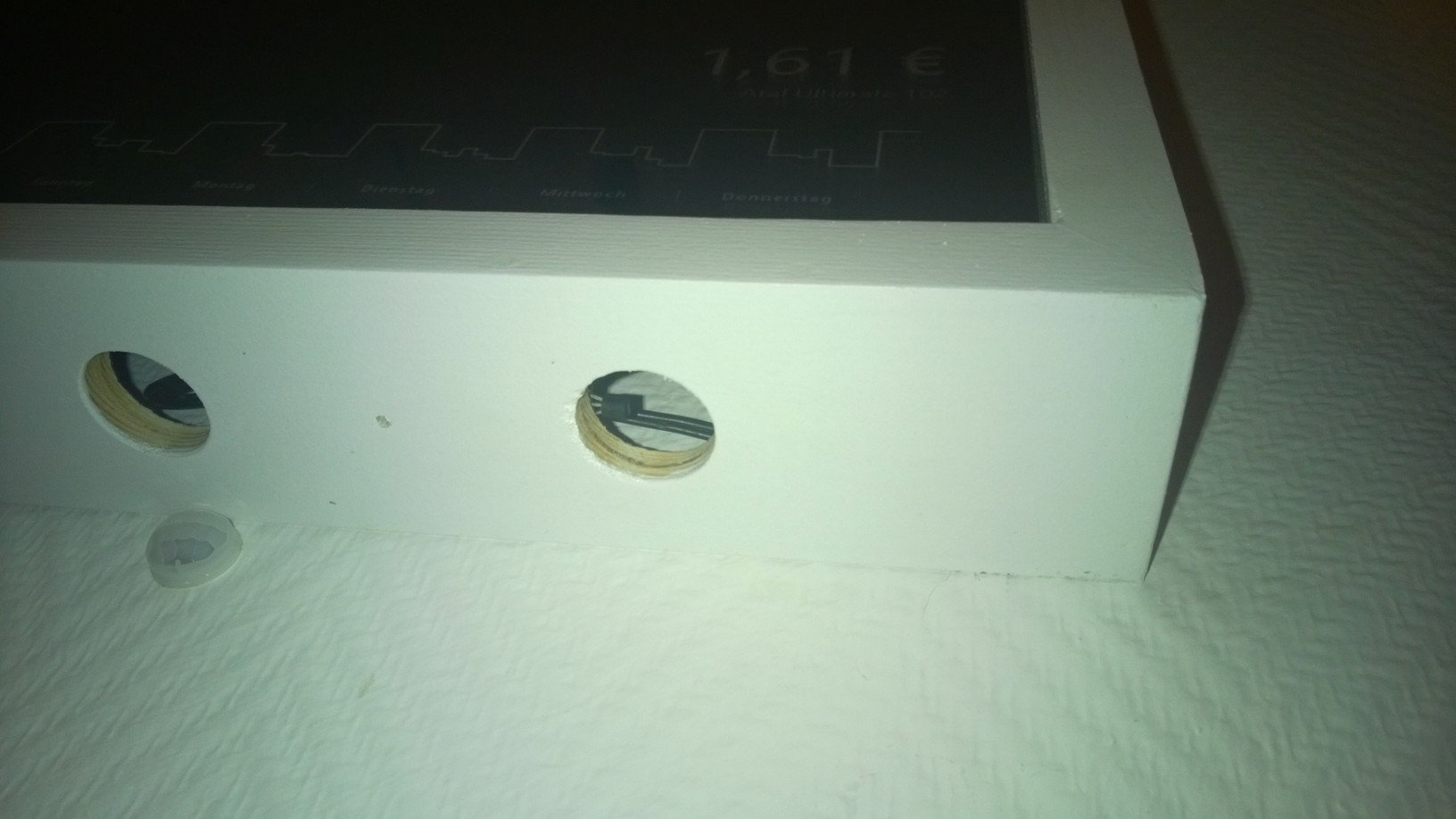
      The PIR is below the mirror, nearly unnoticeable. Here you can also see a DS18B20 temperature sensor.
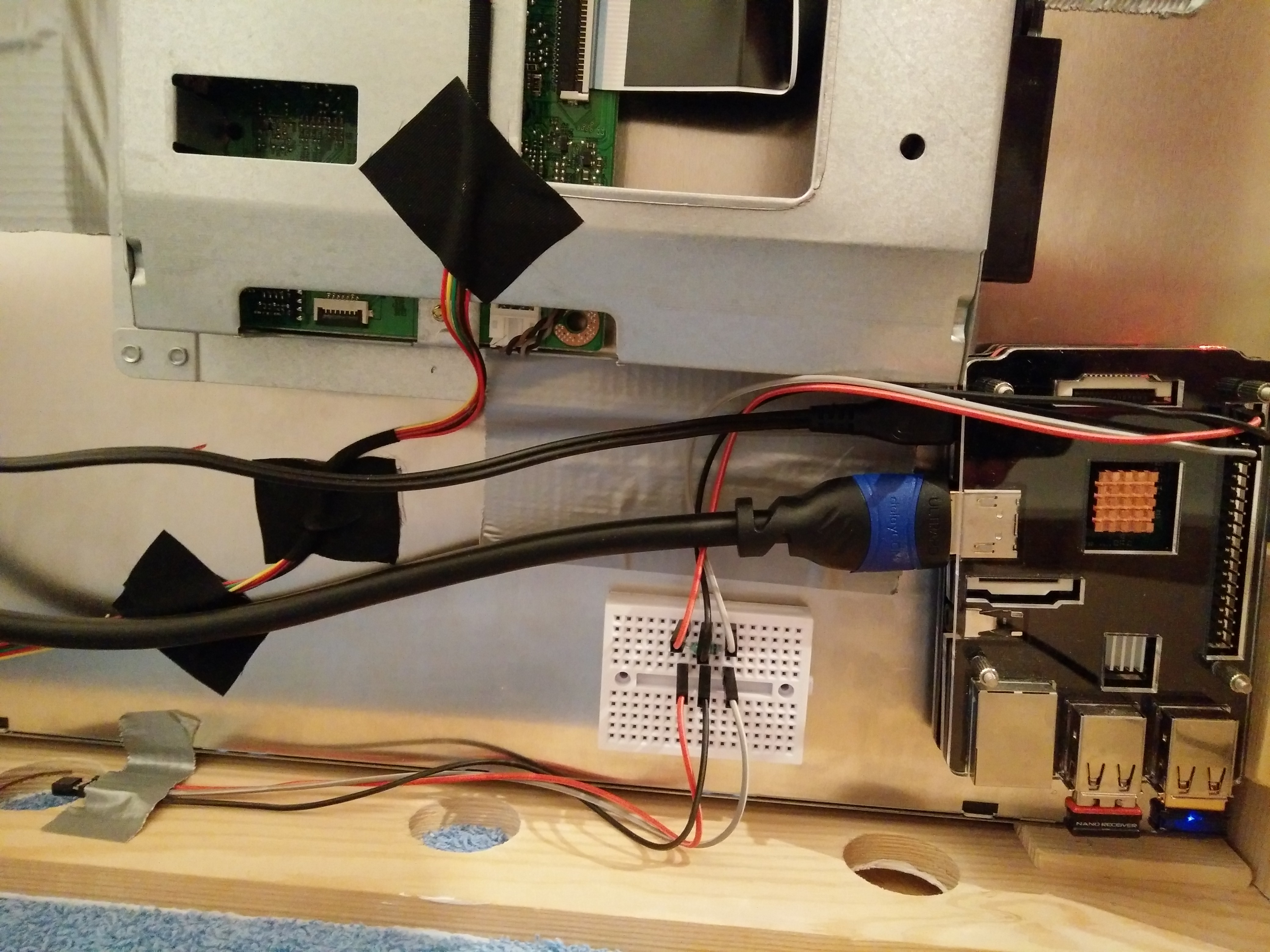
      alt text
      The inside.

      I’m looking forward to setting up MM² on this setup in the next few days.

      Thanks
      posted in Show your Mirror
      D
      doubleT
    • MMM-Nixie – Nixie Tube Clock for your MagicMirror

      Who doesn’t like Nixie tubes?

      Description:

      This module adds a Nixie tube clock to your MagicMirror. It cannot do much more than show the time, but it’s looking cool doing it. I’m considering a switch to hide all other modules during night time so at night only the soothing glow of the ticking Nixie tube clock fills the dark room.

      It’s working like the real thing with 10 layers/digits in each “tube”. You can turn of the fake glass tubes, the wires and also the inactive digits.

      Note:

      If some of the digits seem brighter than others, that’s because the higher the digit, the further back it sits in the tube and so the inactive digits sit in front of it, blocking some of its brightness (not much). You can set inactive to dimm to reduce this or turn it off completely (but then it’s not a real Nixie tube anymore …).

      Screenshot:

      Nixie tube clock

      Download:

      [card:TTigges/MMM-Nixie]

      Version: 1.00

      Planned features:

      • Configurable sizes and colors.
      • Nightswitch (turn off everything else between time A and time B).

      Have fun, let me know if you have any questions, ideas, comments. Thank you.

      posted in Fun & Games
      D
      doubleT
    • RE: Changing the length of the line under the header

      @cruunnerr said in Changing the length of the line under the header:

      Was just hoping there is an amazing trick to use the custom.css for exactly my problem XD

      There are a lot of amazing tricks. You can do this in custom.css:

      header {
          border-bottom: none; /* instead of 1px solid #666; to remove all lines from all the headers */
          width: 50%;          /* add this to change the width of all module headers */
      }
      .middle header {
          /* addressing the header like this will only influence headers within the middle region */
      }
      #module_3_calendar header {
          /* only addresses the calendar header (find out the modules id before) */
      }
      .shoppinglist header {
          /* or use the class, which should be the module's name */
      }
      
      posted in Custom CSS
      D
      doubleT
    • RE: Patience while learning .css - why does the following not work in my custom.css

      @valid8r

      The reason “.clock.time” doesn’t work is because it’s looking for an object with both classes “clock” AND “time”.

      “.clock div.time” would be correct but only to address a div with the class “time” (within an object with the class “clock” ).
      “.clock .time” would be the same, but the object doesn’t have to be a div - it could be a p (paragraph) with the class “time”
      “.clock.time” would address only objects that have both classes, not regarding their parents.

      So in your case it would be correct to write “.clock .time, .clock .date” to address both “.time” and “date” within “.clock”. Your example would address all objects with the class “date” regardless of their parents class being “clock” or not.

      Edit:
      Not to confuse you, but just to make this complete, there is another way to make sure you get the right child of a parent:
      “.clock > .time” would address “.time” only if the direct parent is “.clock”. So if it’s

      < div class=“clock” >
         < div class=“time” >

      “.time” will be addressed, but if it is

      < div class=“clock” >
         < div >
            < div class=“time” >

      “.time” is not addressed. (Just in this instance with > in between.)

      posted in Development
      D
      doubleT
    • RE: GasBuddy

      @dherl0623

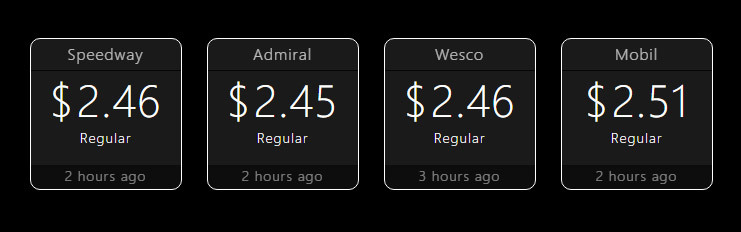
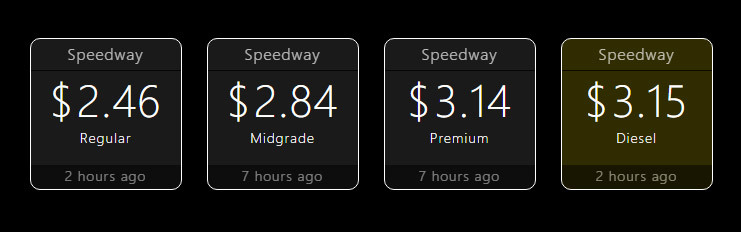
      Here are some mockups how such a module might look:

      • All/selected prices from one station:
        alt text
        (Note: The boxes have classes that identify the fuel and can be highlighted, if wanted.)

      • Prices from several stations:
        alt text

      The reason behind this differentiation: Instead of four calls, like in the second mode, there’s only one call in the first mode. Why is this important? Load time, traffic, …

      At the bottom of each box we see the last time the price was updated. I’m not quite satisfied with the mockup, yet.

      One thing I’m trying to work out in the design at the moment is adding some sort of “advice” that lets you know if the price is good. What I had in mind was an arrow element that would show if the current price is higher or lower (or same) than the last one.
      And similar to that how about adding the highest and the lowest price of the last 7 days so you can make a decission based on that? That’d mean a redesign of the whole thing.

      Is there anything you’d like to see in a module like that, that I didn’t mention? Would you like the address/place of the station somewhere? Let me know what you think.

      posted in Requests
      D
      doubleT
    • RE: MMM-PIR-Sensor: "Welcome back" message

      I don’t have a PIR to test, but looking at the code, I’d suggest trying something like this:

      You need a DOM element to show the message in. You can borrow it from the default module helloworld and modify it:

      getDom: function() {
          var wrapper = document.createElement("div");
          wrapper.setAttribute("id", "welcome-message");
          wrapper.innerHTML = "";
          return wrapper;
      }
      

      And then, based on self.sendSocketNotification("USER_PRESENCE", true); in the node_helper.js you add
      this to the MMM-PIR-Sensor.js :

      socketNotificationReceived: function(notification, payload) {
          if (notification === "USER_PRESENCE"){
              this.sendNotification(notification, payload)
      //  new:
              if (payload === true) {
              document.getElementById("welcome-message").innerHTML = "Welcome back!";
              setTimeout(() => {
                  this.removeMessage();
              }, (1*60*1000); // = 60 seconds
          }
      },
      removeMessage: function(payload) {
          document.getElementById("welcome-message").innerHTML = "";
      }
      

      If you use it like this, the message is only shown for 1 * 60 * 1000 miliseconds = 60 seconds (set as desired) and then removed.

      This is all untested but hopefully gives you some clues where to look and work on the code.

      posted in Troubleshooting
      D
      doubleT
    • RE: Changing compliments

      @AliAS
      Compliments are included via document.createTextNode(complimentText); which doesn’t allow HTML inside.

      But you can change the line within getDom: function() {} that includes the compliment from
      wrapper.appendChild(compliment);
      to
      wrapper.innerHTML = complimentText;

      and then just add a <br /> to the compliment.

      posted in Troubleshooting
      D
      doubleT
    • RE: On this day info from wikipedia

      Oh, and there is @cowboysdude’s MMM-History module.

      “Today in History” links to the parser that gets the info from Wiki, I’m sure it could parse the Norwegian Wikipedia. I may look into it as I’m also interested in a non-english version of this.

      posted in Requests
      D
      doubleT
    • RE: Text Align Vertical

      Vertical-align only works in inline elements and table cells.

      Two common css hacks are these: https://jsfiddle.net/02vxofa6/1/

      The parent (or a wrapper div container filling the parent) is set to display: table-cell; and vertical-align: middle;

      If there’s a reason this cannot be done, there’s also another hack:
      Set the parent to position: relative; and the text to position: absolute: top: 50%;
      But then it’s not exactly in the middle, as the distance to the top is 50%. Give the text a fixed height (maybe even considering a line break there) and set margin-top to - half the text height. height: 20px; margin-top: -10pxfor example.

      posted in Development
      D
      doubleT
    • RE: wrapper.innerHTML

      In this context, yes.

      “wrapper” is just a variable that holds the content of the (new) HTML element that you create there and “getDom” grabs the content that is to be put into the DOM (Document Object Model, the raw content/structure), => rendered.

      Example 1, basic:

      getDom: function() {
          var wrapper = document.createElement("div");
          wrapper.setAttribute"id", "my-content");
      //  It's always a good idea to make an element addressable
          wrapper.innerHTML = "Hello World!";
          return wrapper;
      }
      

      getDom is called upon starting, grabbing the elements and putting them in place and if you want to change something later on, you need to call “this.updateDom()” to render it again with the new content.

      Example 2, updating:

      start: function() {
          var self = this;
          Log.info("Starting module: " + this.name);
          this.myContent = "nothing yet"; // global variable, available to all functions
          setTimeout(function() {
              this.buildContent(self);  // this will call the function "buildContent"
          }, 5 * 1000);                 // 5 seconds after the start (5 * 1000 ms)
      },
      getDom: function() {
          var wrapper = document.createElement("div");
          wrapper.setAttribute"id", "my-content");
          wrapper.innerHTML = this.myContent ; // will show "nothing yet" at the beginning
          return wrapper;
      },
      buildContent: function(self) { // see above, this will be started after 5 seconds
      //  do your content building
          this.myContent = "New content!"; // changes the value of the global variable
          self.updateDom(); // call for the DOM to be updated, thus showing the new content
      }
      

      I hope that’s somewhat understandable.

      posted in Troubleshooting
      D
      doubleT
    • RE: Timetable with (almost) static data

      Node can execute a php – if a php.ini is in the PATH – with this in the node_helper.js :

      const runner = require("child_process");
      runner.exec("php " + proxy + " " + params, function(err, data, stderr) {
      //         ("php timetable.php parameter", function(err, data, stderr) {
          var content = data; // "Clean your room - now!"
          this.workWithTheData(content);
      });
      

      timetable.php :

      < ? php // remove spaces
      $params = explode(",", $argv[1]); // example, you can leave parameters out (see above)
      $content = "Clean your room – now!";
      echo $content;
      ?>
      

      Now that we know we can, let’s talk about if we should: I like it, I use it for a proxy to call APIs while ignoring CORS. BUT I don’t think it makes sense in this case! It’s like using a hammer to fix a loose screw.

      To show a static website in the iframe, HTML is enough. Do you really need server side scripts?

      If you want a csv, use this in the node_helper.js :

      const fs = require("fs"); // before module.exports = ...
      
      getTimeTable: function() {
          var rawdata = fs.readFileSync('modules/my-module/file.json'); // or txt or csv
          var timetable = JSON.parse(rawdata); // in this case
          this.sendSocketNotification("Response", timetable);
      }
      

      EDIT: I know that for users with basic HTML or even PHP knowledge, the iFrame solution is an easy win. Use runner or fs if you want to import data directly into your own module.

      posted in Requests
      D
      doubleT
    • RE: Where are you from?

      Hamburg, Germany

      posted in General Discussion
      D
      doubleT
    • RE: Trim the fat in a JSON file?

      Ok, I checked the code of that module, values: ["price"] IS the correct setting for the config but getValue: function(data, value) {... has an error.

      getValue: function(data, value) {
          if (data && value) {
            var split = value.split(".");
            var current = data;
            while (split.length > 0) {
      //        current = current[split.shift()]; // WRONG!
                current = current[0][split.shift()];
            }
            return current;
          }
          return null;
      },
      

      I’d have written that totally different, but yeah, at the moment, the problem is, that the object it should be looking for is nested within a wrapping object. Add the [0]and you should be getting your results.
      Edit: Could also be a problem with the received json format.

      posted in Troubleshooting
      D
      doubleT
    • RE: call API (no CORS), used to do it with php proxy

      That’s what I thought.

      I got it done thanks to this blog entry about calling PHP within node.js via Child Process Dependency. Actually, now that I know about this, it’s quite easy, you just have to have PHP installed and in your PATH (that took me a while …).

      (relevant part of) node_helper.js

      getData: function(payload) {
           var self = this;
           var runner = require("child_process");
           var proxy = "modules/my_module/proxy.php";
           var source = "http://apisource.de/api/getPrices.php?id=12300123";
           runner.exec("php " + proxy + " " + source, function(err, data, stderr) {
                var json = JSON.parse(data);
                self.sendSocketNotification("MSG", json);
           });
      }
      

      proxy.php is nearly unchanged from my first post: (php tags not showing up)

      $params = explode(",", $argv[1]);
      $file = file_get_contents($params[0], true);
      echo $file;
      

      A node child process is started, it uses PHP (has to be in the env. PATH) to open the file it is handed (proxy) and attaches the parameter “source” to that call. The proxy.php gets the contents of “source” and echo’s it.
      The child process receives the echo’ed data, I parse it to JSON and send that back to the module.

      It’s working, but let me know if you see any flaws or anything I could improve. Thanks a lot.

      Oh, and no, there’s no way around that “file_get_contents => echo proxy” atm.

      Torben

      posted in Development
      D
      doubleT
    • RE: MMM-OlympicGames

      @dnks23 http://www.medalbot.com/api/v1/medals, it’s in the node_helper.js

      posted in Sport
      D
      doubleT
    • RE: Font Help Info

      When you close the browser, MM is still running as a server/process in the background. If you stop and start it or directly restart it, there is no need to restart the Pi. What restarting the Pi does is just a very complicated way to stop the MM process. ;)
      Do you use PM2 to start MM on boot? Use

      pm2 restart mm
      

      See here: https://github.com/MichMich/MagicMirror/wiki/Auto-Starting-MagicMirror

      Or with npm, stop the package and start it again.

      Btw.: what text box? The console?

      posted in General Discussion
      D
      doubleT
    • RE: Need help with internet monitor-module

      And please check the following link: https://forum.magicmirror.builders/topic/4247/how-to-post-code-on-the-forum-for-absolute-beginners/2

      Right now, the config.js you posted is near-unreadable.

      posted in Troubleshooting
      D
      doubleT
    • RE: Real Time ECG

      For anything involving a graph drawn from JS(ON) data, I can only recommend highcharts.

      It’s possible to display dynamic graphs from live data. Example: https://www.highcharts.com/stock/demo/dynamic-update/
      https://www.highcharts.com/docs/working-with-data/live-data

      Your python code could provide a JSON and the MM-module calls the JSON and prints the graph.

      I’ve used highcharts before but never dynamically like in the example above.
      Here’s an example where I used it in a module: https://github.com/TTigges/MMM-Oiltank/blob/master/MMM-Oiltank.js

      posted in Development
      D
      doubleT
    • RE: Changing wether API?

      @navyvette87
      If you’re talking about the default weather modules, they only work with keys for http://www.openweathermap.org
      But you can remove those from your config and add MMM-Wunderground instead following its instructions: https://github.com/RedNax67/MMM-WunderGround

      posted in General Discussion
      D
      doubleT
    • RE: Really confused

      @Duke86 said in Really confused:

      pi@raspberrypi:~/MagicMirror $ cd MagicMirror
      bash: cd: MagicMirror: No such file or directory

      You are already in the directory “MagicMirror”. cd (change directory to) can’t find the directory because you are already inside.

      pi@raspberrypi:~/MagicMirror $ nmp install
      bash: nmp: command not found

      Just a typo, it’s “npm”, not “nmp”.

      posted in Troubleshooting
      D
      doubleT
    • 1 / 1