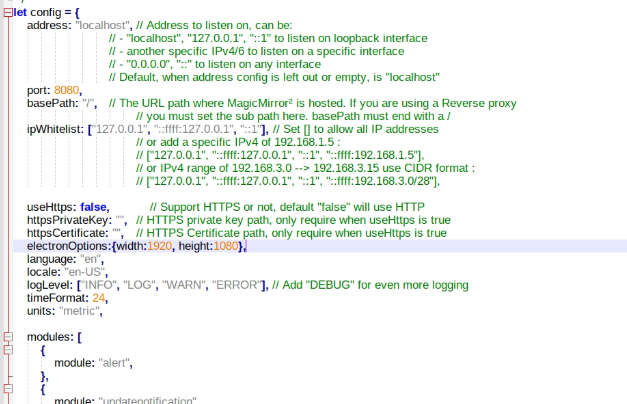
@sdetweil Can’t you tell me exactly which line?
I have now entered it as shown in the picture but unfortunately it doesn’t work.
D
Offline
A New Chapter for MagicMirror: The Community Takes the Lead
Read the statement by Michael Teeuw here.
Read the statement by Michael Teeuw here.
Posts
-
RE: MagicMirror does not start in full screen
-
RE: MagicMirror does not start in full screen
@sdetweil Sorry, I don’t fully understand you. can you enlighten me?
-
RE: MagicMirror does not start in full screen
@sdetweil said in MagicMirror does not start in full screen:
electronOptions:{width:xxxx, height:yyyy},
The AnyDesk program is installed.
Should I uninstall this?? I broke the tool to get to IntelNuc.can I fix the problem with this entry? and in which line do I add this “electronOptions:{width:xxxx, height:yyyy}” parameter in config.js
-
RE: MagicMirror does not start in full screen
@sdetweil ah ok sry, now I’ve done it like this and when I restart the Intel Nuc, the MagicMirror still doesn’t start in full screen.
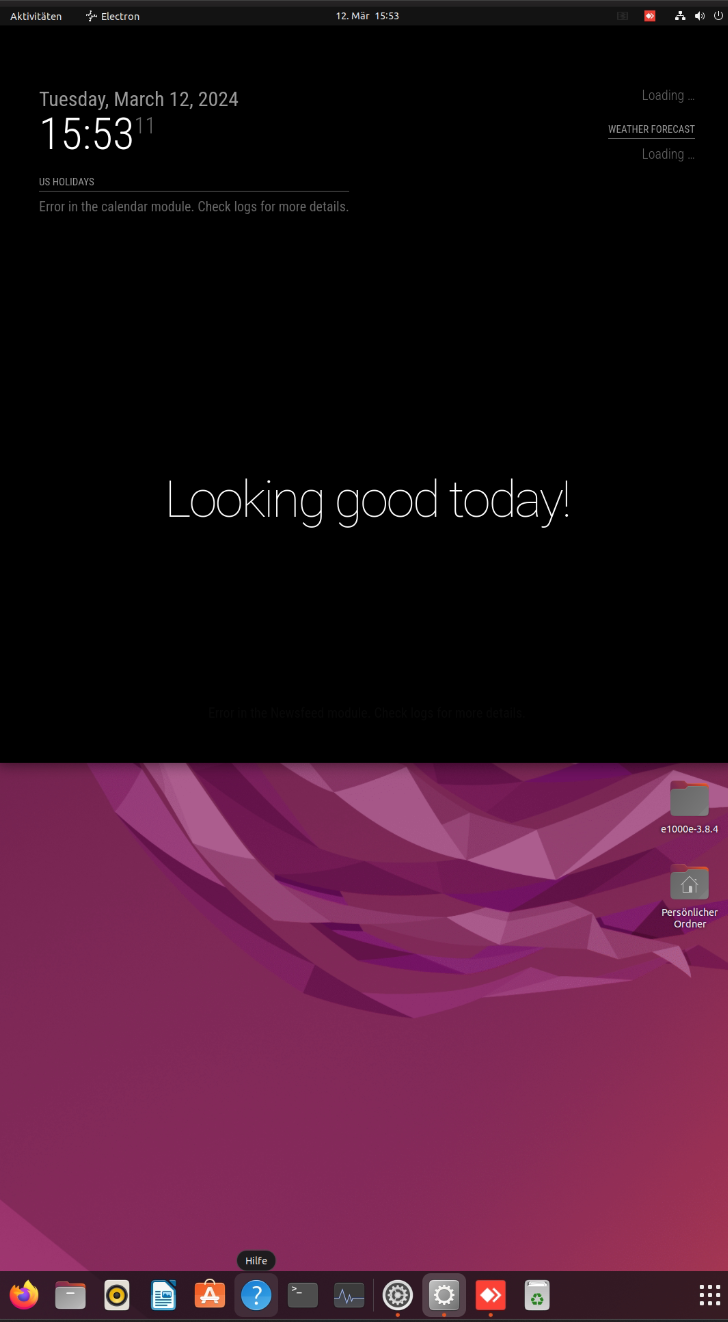
why is this happening:-(
-
RE: MagicMirror does not start in full screen
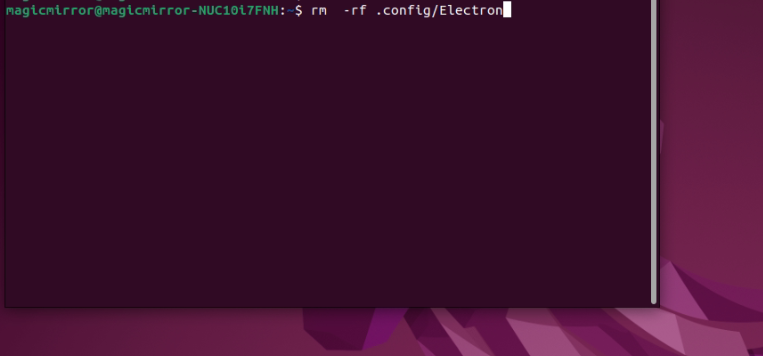
@sdetweil
Do you mean under the path execute this command?
like on the picture?
So: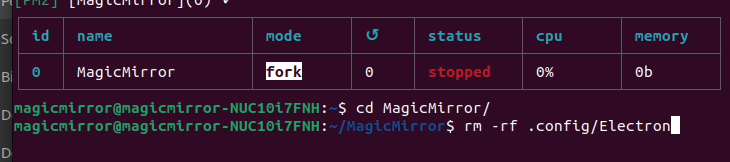 ??
?? -
MagicMirror does not start in full screen
Hello everyone, can someone tell me why the MagicMirror only shows half of the screen after a restart and not the full screen?
If I close MagicMirror manually and start it again via the terminal, it doesn’t appear correctly in full screen, but when I restart the PC (IntelNuc).
The image orientation would be portrait format, I set everything to portrait format under Ubuntu screen settings.MagicMirror in portrait format:
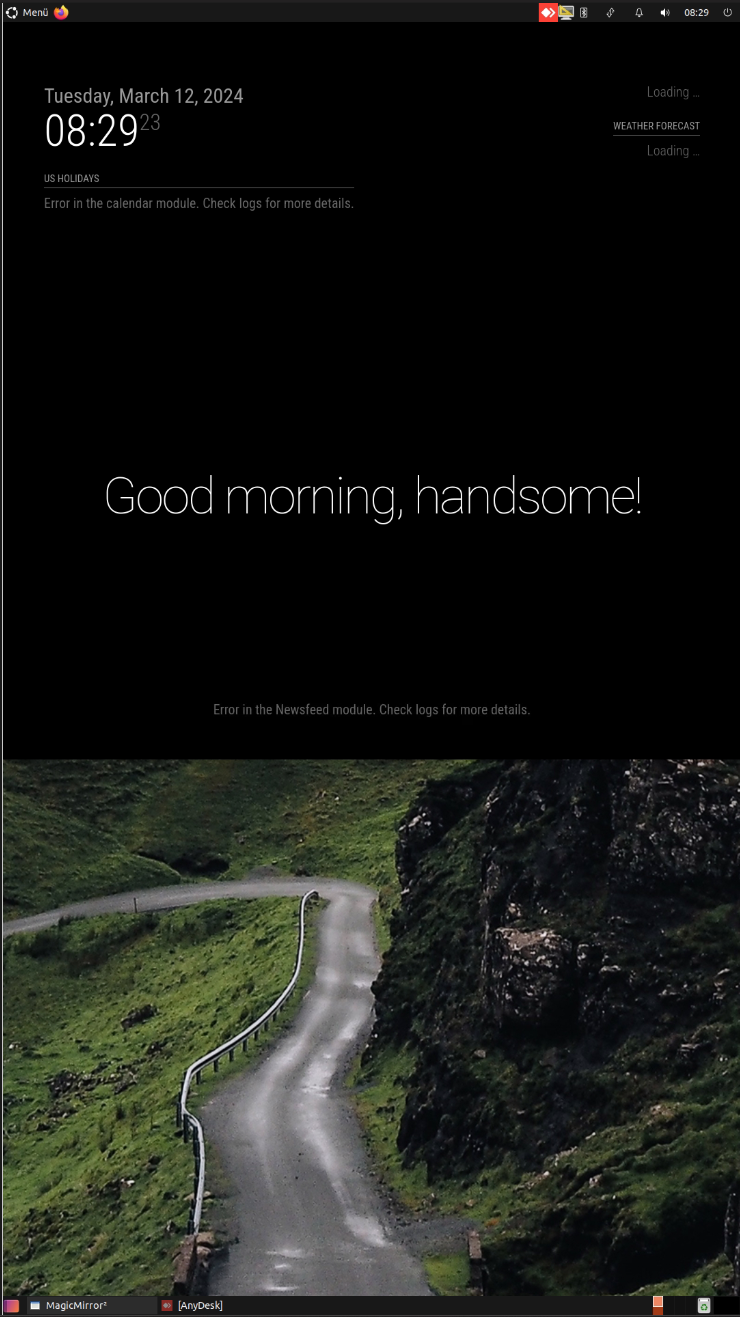
and this is what it looks like in landscape format > the MagicMirror is not in full screen either:
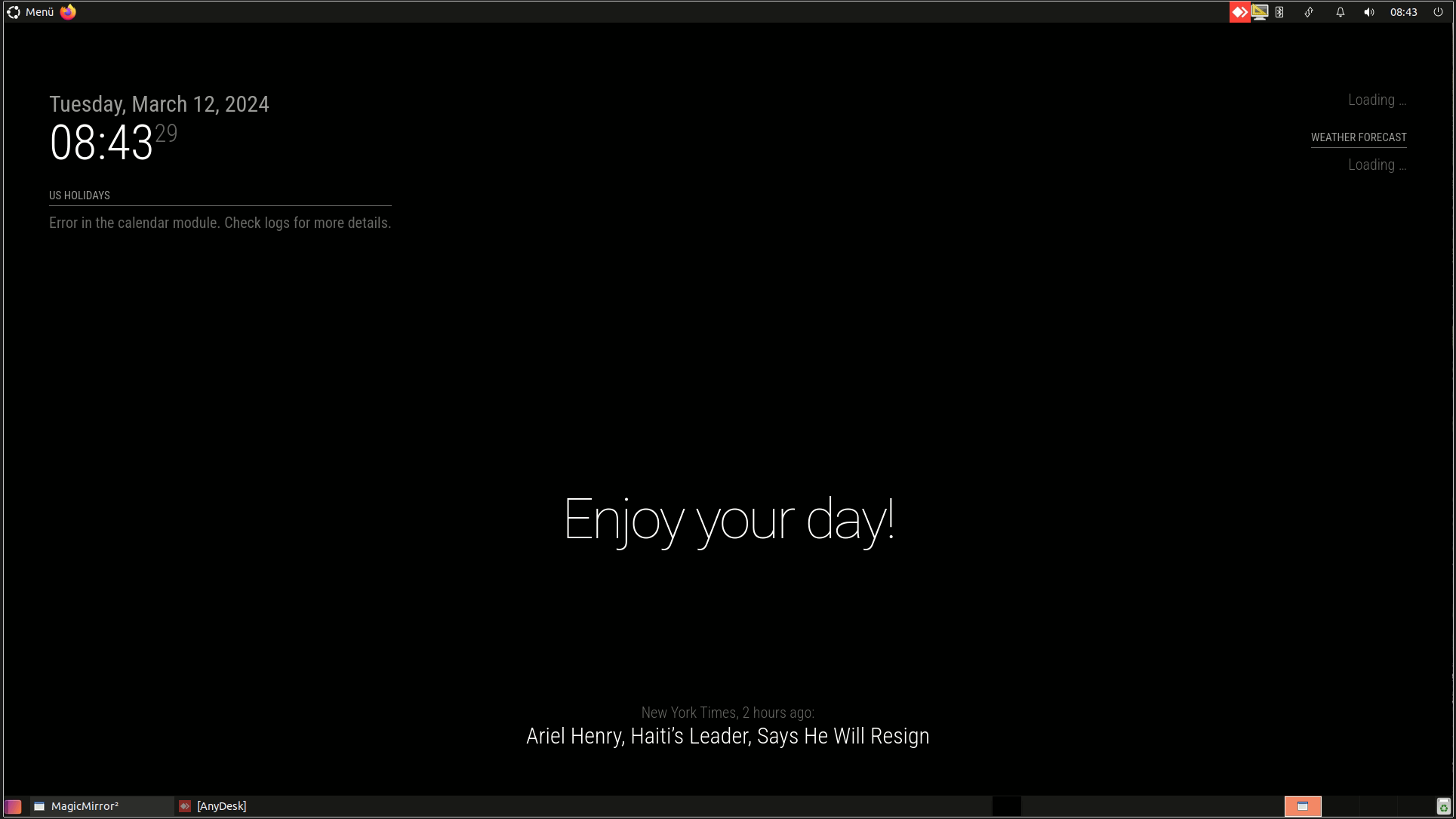
Can someone help me with that?
Thanks -
RE: MagicMirror stutters and doesn't run smoothly
-
RE: MagicMirror stutters and doesn't run smoothly
@sdetweil yes, I have already tried the exact same configuration under Linux. > unfortunately it stutters there too.
That’s why I thought I’d try it on Windows level.
I will probably install Ubuntu on the Intelnuc again >because Windwos is not official, as you say.But I don’t think it will stutter anymore, unfortunately.
-
RE: MagicMirror stutters and doesn't run smoothly
@sdetweil yes certainly more than a Raspi 4 or 5.
then are the script and path correct?
I don’t notice any difference and it still stutters. -
RE: MagicMirror stutters and doesn't run smoothly
@sdetweil So you mean?
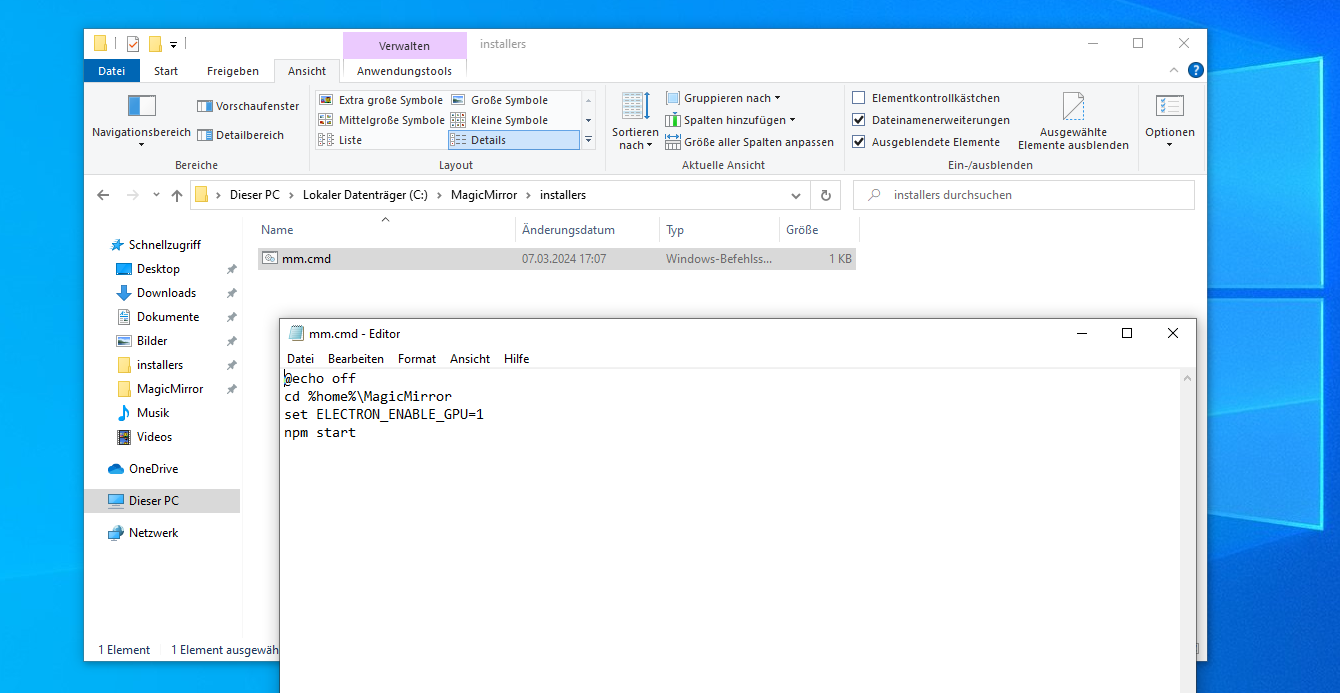
…unbelievable does it require so much power? of the stottort anyway.
the IntelNuc is powerful enough, right?
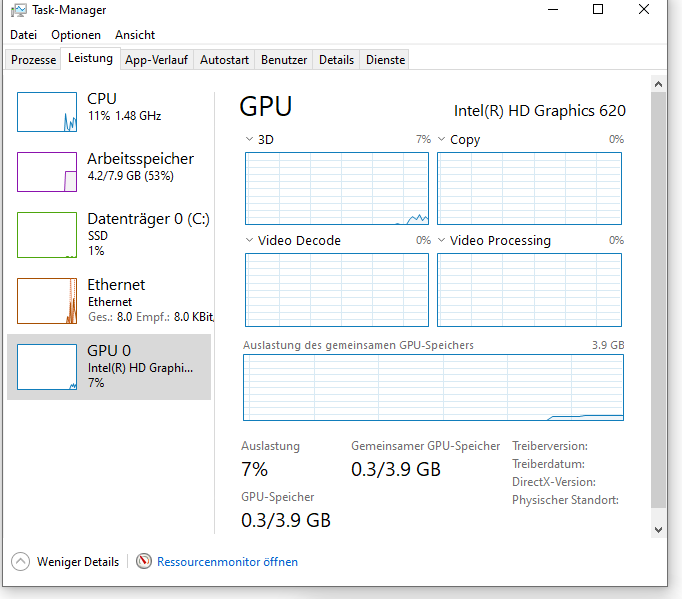
-
RE: MagicMirror stutters and doesn't run smoothly
@sdetweil oh yes sry, I saw it, ok now I have adapted the Package.jason and it is now running.
Did I do that correctly with the mm.cmd file so that the GPU is active? It still stutters or the clock module is also lagging behind :-(
Do you speak German too?
-
RE: MagicMirror stutters and doesn't run smoothly
@sdetweil what do you mean by LSR? what does that mean?
I have now done this:
Of course, with “npm run server” it runs in the browser.
but how do I do it natively on the computer itself? When I enter the command “npm run start” there is an error in the cmd, something with the display.
I wonder if I did everything correctly, as you described it.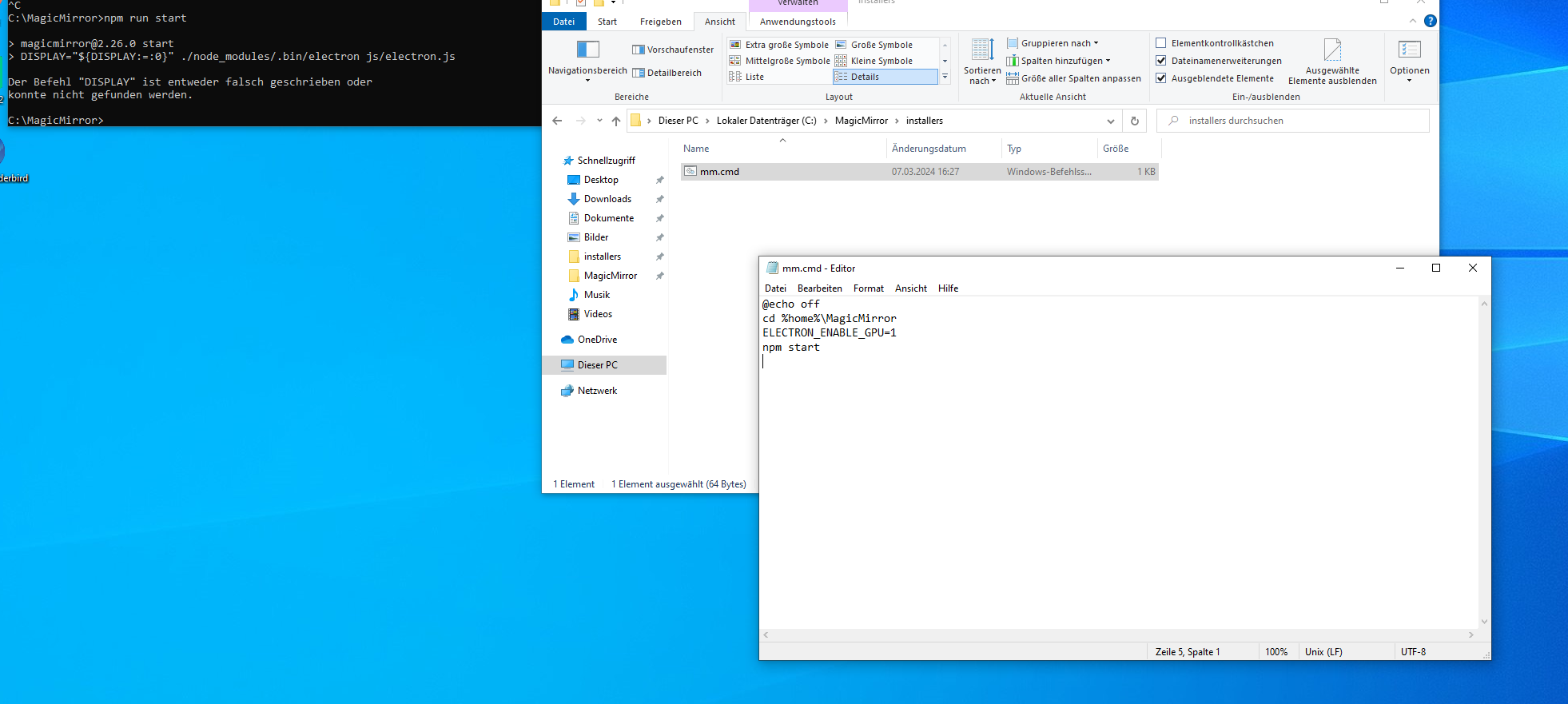
-
RE: MagicMirror stutters and doesn't run smoothly
@sdetweil aha ok then to line 4:
ELECTRON_ENABLE_GPU=1 -
RE: MagicMirror stutters and doesn't run smoothly
@sdetweil OK, thanks, I’ll test it.
Question: Is it possible to switch on exactly the same parameters for the GPU with MagicMirror in Windows?
export ELECTRON_ENABLE_GPU=1 ? -
RE: MagicMirror stutters and doesn't run smoothly
@sdetweil
aha ok, you mean like this:
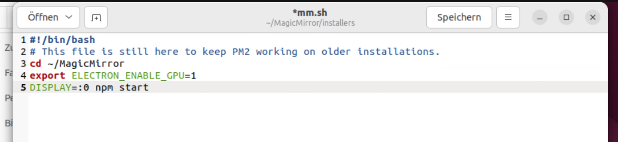
?
-
RE: MagicMirror stutters and doesn't run smoothly
@sdetweil
@sdetweil
yes I installed the latest MagicMirror installation under Ubuntu with this automatic script:
bash -c “$(curl -sL https://raw.githubusercontent.com/sdetweil/MagicMirror_scripts/master/raspberry.sh)”where can you change the value of “ELECTRON_ENABLE_GPU=1”?
or under ~/MagicMirror/installers/mm.sh >change it like in the picture?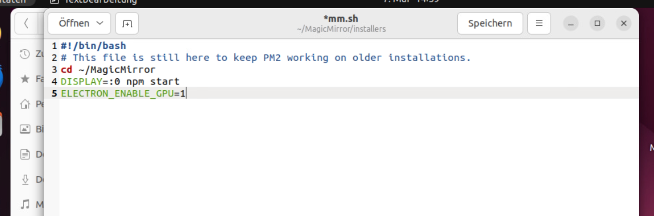
I have enough performance with my hardware.
Thanks for your help.
-
MagicMirror stutters and doesn't run smoothly
Hello everyone, can someone tell me why my Magic Mirror always stutters?
My system runs on an IntelNuc i5 32GB RAM 250SSD.
That should be enough to run stutter-free and smoothly??
I’ve already tried the MagicMirror on Windows and RasbianOS and it still stutters on both operating systems.
I have all the standard modules and additional modules like:- https://github.com/Eunanibus/MMM-Globe
- https://github.com/darickc/MMM-BackgroundSlideshow
- https://github.com/shin10/MMM-FF-digital-rain
- https://github.com/AdamMoses-GitHub/MMM-ImageSlideshow
decorated with five pages.
Can someone help me??
Thanks
-
RE: Show IP camera in Magic Mirror
@BKeyport Good morning thanks,
Everything works fine locally now.
But when I call up my MagicMirror via a browser on another computer via an IP address, there is no cam stream.
I think it only works locally?
Is there any other solution? Or at least display a picture from the IP camera? -
RE: Show IP camera in Magic Mirror
@jasondreher Unfortunately, iframe does not work with Reolink cameras.