@Wedee Thank you for your reply.
Do you mind sharing your main.css and custom.css with us? It looks too damn good ;)
E
Offline
A New Chapter for MagicMirror: The Community Takes the Lead
Read the statement by Michael Teeuw here.
Read the statement by Michael Teeuw here.
Posts
-
RE: Family Info Board
-
RE: Family Info Board
Very clean.
Can i ask, how did you manage to create horizontal lines for all the modules?
Thanks
-
RE: MMM-MotionEye - surveillance video stream on your mirror!
the right one is local, correct
-
RE: MMM-MotionEye - surveillance video stream on your mirror!
can i use rtsp for another MotionEye cam? Does it even have rtsp? :o
-
RE: MMM-MotionEye - surveillance video stream on your mirror!
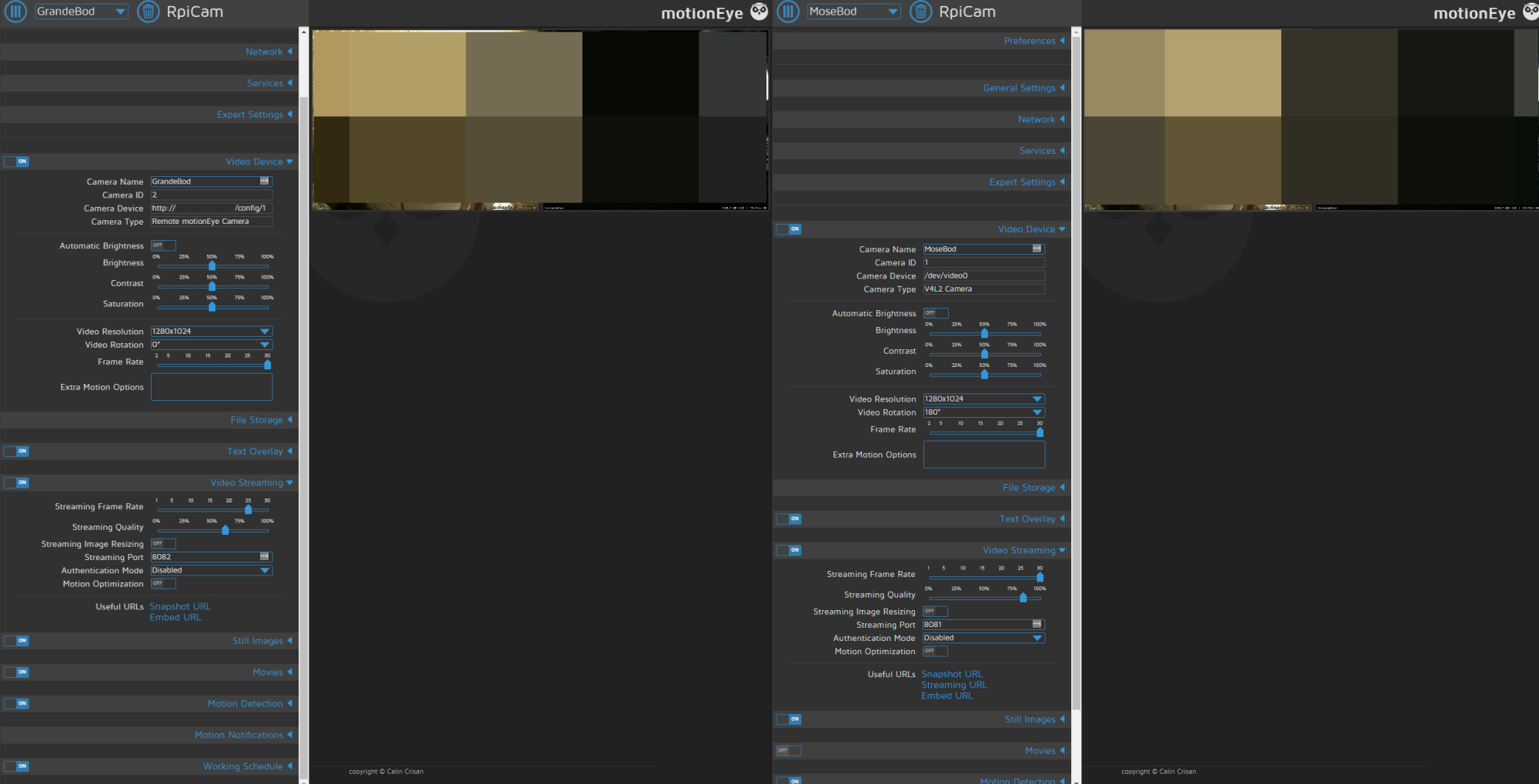
Only thing thats not identical is under
video streaming > Useful URLs.
As you can see that under camID 2(left one) is that streaming URL are missing… don’t know if this is a deal breaker or how to change it… :/
-
RE: MMM-MotionEye - surveillance video stream on your mirror!
@Snille
Camera is added to MotionEye
UnderMotionEyeOS Settings>Video Device>Camera IDthe ID is 1 and 2 :/ -
RE: MMM-MotionEye - surveillance video stream on your mirror!
@Snille
My second camera is a remote camera, not a local one on my LAN.
Also http://MagicMirror:8080/motioneye/1 and http://MagicMirror:8080/motioneye/2 is the same livestream. changing from motioneye/1 to motioneye/2 does nothing. -
RE: MMM-MotionEye - surveillance video stream on your mirror!
reinstalled motioneye on my other r.pi and now im able to view a stream from
http://MotionEyeOS:8081, but only from cam 1.
Withhttp://MotionEyeOS:8081/motioneye/2i still just get cam 1. Get the feeling im not understanding something.{ module: 'MMM-MotionEye', position: 'lower_third', config: { url: "http://192.168.1.200:8081/motioneye/2", autoHide: false, debug: false } }, -
RE: MMM-MotionEye - surveillance video stream on your mirror!
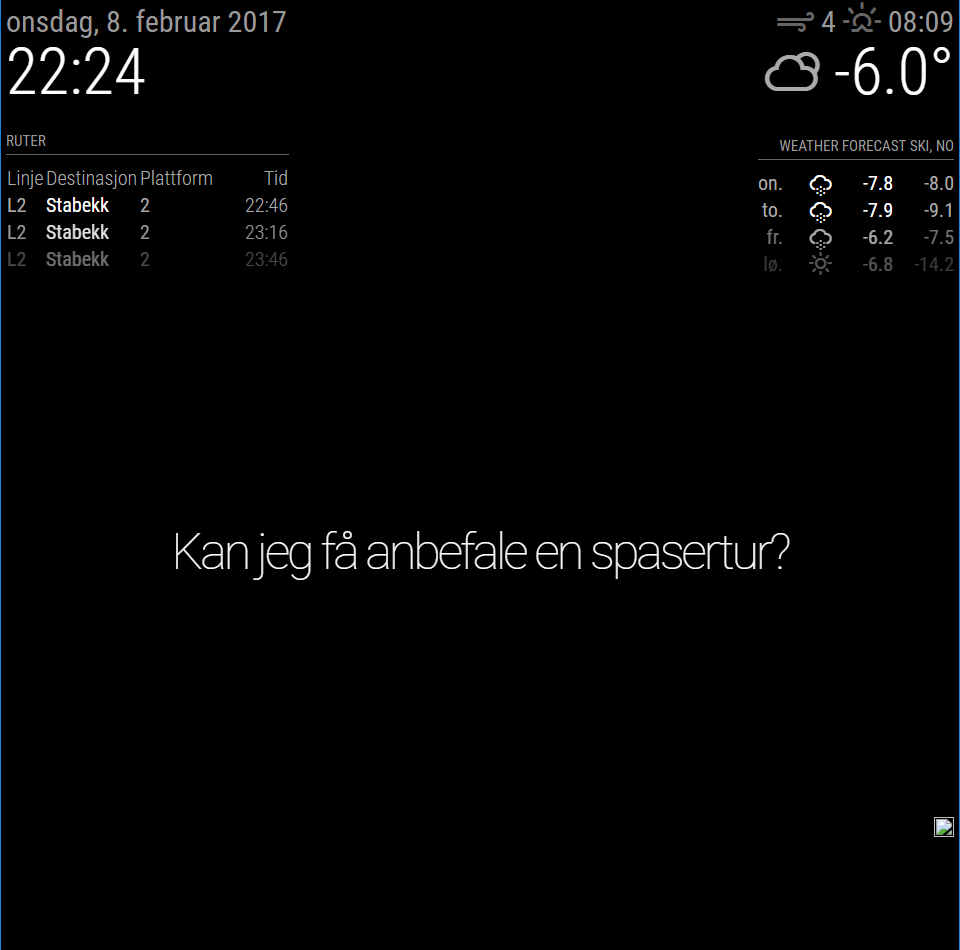
For some reason i just get a “broken” picture icon, and if i try to open http://MotionEyeIP/motioneye/1 the site just says:
{"error": "not found"}I have disable the password for the ‘Surveillance Username’ so no login is required.
I know the cam is available and motioneyos is working as normal. If i open http://192.168.1.200:8080/picture/1/current/ in my browser i can see the last snapshot, but not doing me any good…
Any suggestion?
{
	module: 'MMM-MotionEye',
	position: 'bottom_right',
	config: {
		url: "http://192.168.1.200:8080/motioneye/1",
		debug: false
		}
},
-
RE: sample config and clock
one more question regarding the last ‘,’
Does the same rule apply with the ‘[’ and ‘]’?
                {
                        module: 'compliments',
                        position: 'lower_third',
                        config: {
                                compliments: {
                                        day_sunny: [
                                                'Today is a sunny day',
                                                'It\'s a beautiful day',
                                                ],
                                        snow: [
                                                'Snowball battle!',
                                                ],
                                        rain: [
                                                'Don\'t forget your umbrella'
                                                ]
                                        }
                                }
                },
Or does each square bracket count as individual values. So if there’s only one you don’t need to close it?
-
RE: sample config and clock
@strawberry-3.141 Thank you so much, that helped me alot :thumbsup:
-
RE: sample config and clock
@strawberry-3.141
Thank you, it did the trick :)I see that you have removed the ‘,’ behind ‘false’. The last argument, or string, is that the only one that’s not suppose to have an ‘,’ at the end?
-
sample config and clock
Hello, I came a cross a topic on this forum saying that all you need to remove the second from the clock is
config: {
displaySeconds: false,
}
I stared out with the sample.config, added the info for seconds. When i start up the mirror now it just says i need to create a config. wtf?
This is the full config
/* Magic Mirror Config Sample
 *
 * By Michael Teeuw http://michaelteeuw.nl
 * MIT Licensed.
 */

var config = {
        port: 8080,
        ipWhitelist: ["127.0.0.1", "::ffff:127.0.0.1", "::1", "::ffff:192.168.1.1/120"],

        language: 'nb',
        timeFormat: 24,
        units: 'metric',

        modules: [
                {
                        module: 'alert',
                },
                {
                        module: "updatenotification",
                        position: "top_bar"
                },
                {
                        module: 'clock',
                        position: 'top_left'
                        config: {
                                displaySeconds: false,
                                }
                },
                {
                        module: 'calendar',
                        header: 'US Holidays',
                        position: 'top_left',
                        config: {
                                calendars: [
                                        {
                                                symbol: 'calendar-check-o ',
                                                url: 'webcal://www.calendarlabs.com/templates/ical/US-Holidays.ics'
                                        }
                                ]
                        }
                },
                {
                        module: 'compliments',
                        position: 'lower_third'
                },
                {
                        module: 'currentweather',
                        position: 'top_right',
                        config: {
                                location: 'New York',
                                locationID: '',  //ID from http://www.openweathermap.org
                                appid: 'YOUR_OPENWEATHER_API_KEY'
                        }
                },
                {
                        module: 'weatherforecast',
                        position: 'top_right',
                        header: 'Weather Forecast',
                        config: {
                                location: 'New York',
                                locationID: '5128581',  //ID from http://www.openweathermap.org
                                appid: 'YOUR_OPENWEATHER_API_KEY'
                        }
                },
                {
                        module: 'newsfeed',
                        position: 'bottom_bar',
                        config: {
                                feeds: [
                                        {
                                                title: "New York Times",
                                                url: "http://www.nytimes.com/services/xml/rss/nyt/HomePage.xml"
                                        }
                                ],
                                showSourceTitle: true,
                                showPublishDate: true
                        }
                },
        ]

};

/*************** DO NOT EDIT THE LINE BELOW ***************/
if (typeof module !== 'undefined') {module.exports = config;}