Hi Peter,
Great it is working out for you! In the config there is a question that the lower part breaks when it encounters a temperature. Is that right? It should be able to show temperatures as well.
Hi Peter,
Great it is working out for you! In the config there is a question that the lower part breaks when it encounters a temperature. Is that right? It should be able to show temperatures as well.
I made some modifications to the code:
Fixed the switching positions of gauges (I think, it doesn’t happen to me a lot, so testing is a bit difficult)
Added ‘Custom gauges’. You can use every type of device to be displayed as a gauge as long as you specify the correct config settings (also see the readme).
My customGauge config is:
customGauges: {
            headerLabel: "Overige",
            showLabel: true,
            devices: [
              {
                idx: "1356",
                deviceHeader: "Volt",
                lowerText: "Voltage",
                gaugeAppendText: "volt",
                gaugeMaxValue: 250,
              },
              {
                idx: "2057",
                deviceHeader: "Afstand",
                gaugeAppendText: "cm",
                gaugeMaxValue: 1000,
                markerColor: "#70db70"
              }
            ]
          },
This results in:
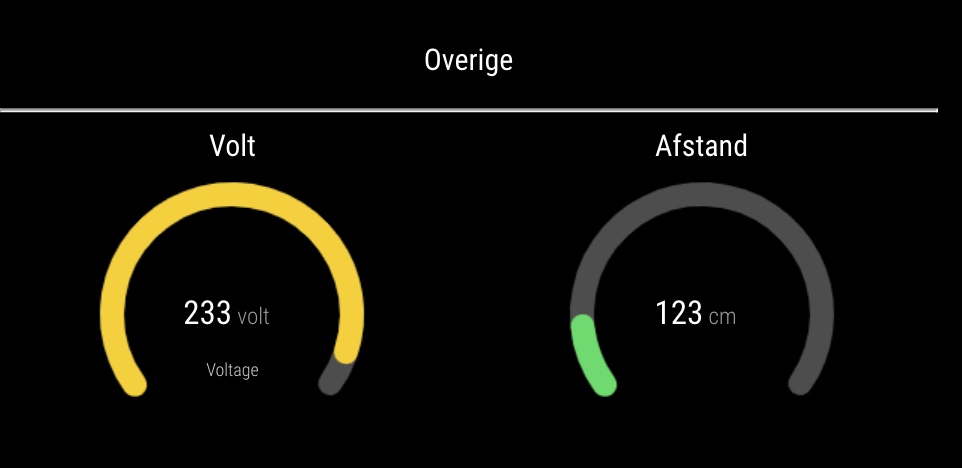
Please download the latest code from GitHub and give it a try! Let me know it you encounter any problems.
This sometimes seems to happen indeed. I notices it as well. The different gauges aren’t always processed in the same order and that causes the switch of position. I have a look at this as well. It should be possible to always order them according to the order in the config.
I think you are right why it is not loading. I’ll have a look at the multiple requests this weekend.
@peterh I’ll have a look at it this weekend. Could you post the JSON output from the devices so I can have a look where de field with the data are?
This can be done with the following link:
"http://DOMOTICZ-IP:PORT/json.htm?type=devices&rid=IDX
Would an option be that you add the module a second time in the config with option “All”? Then the devices are displayed separately.
My luxaflex are operated with MQTT. I build in a servo myself and attached it to a NodeMCU. Domoticz sends an MQTT command when I press a dummy switch.
Thanks for the suggestion! I added the module to the page.
The plugin now supports basic auth for Domoticz.
Does this indeed solve the problem? I updated the readme this morning with the install and performed the update with a script that automatically does the npm install for alle modules.
Wow, that’s strange. It seams like a more strict interpretation of the code in package.json. I validated the JSON again and made one minor change. Could you pull the code from GitHub and try again? Really hope this solves the problem.
You are right. I overlooked that. I added an option ‘counterTodayAppendText’ which defaults to ‘kWh’. So you can set it yourself in the config or leave it a ‘kWh’. Latest code is on GitHub.
I made some changes to the code:
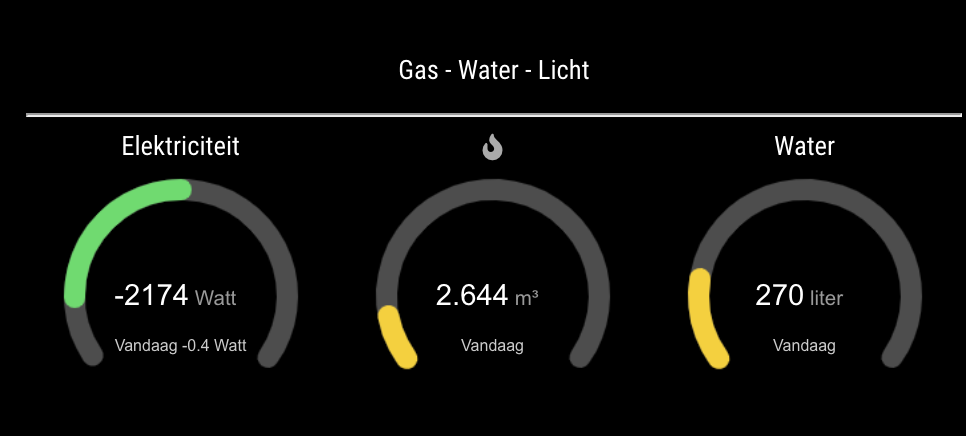
When min value for the gauge is < 0 then 0 is centered. Otherwise zero is not centered.
Made the config for utility gauges much more flexible
It is now possible to set config options for each individual gauge, including width, line width, marker width and marker color. Also a symbol of font awesome can be used.
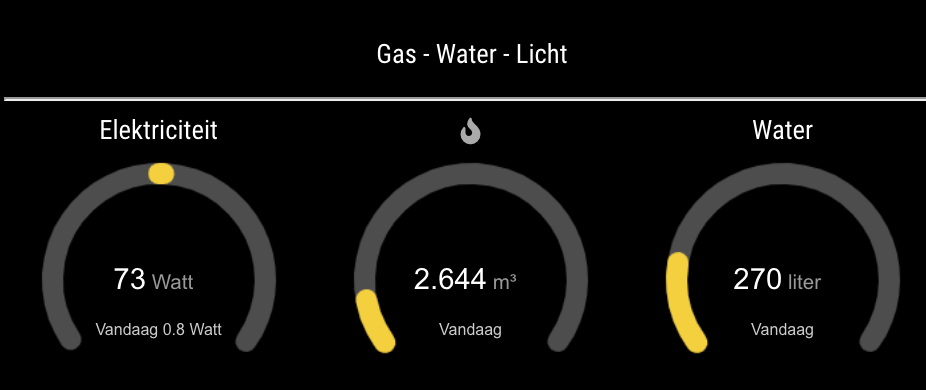
Please download the latest code from GitHub. You will also have to modify the config file. I updated the readme accordingly. My config for utilities is now:
utilities: {
  utilityLabel: "Gas - Water - Licht",
  showLabel: true,
  devices: [
    {
       idx: "304",
       deviceHeader: "Elektriciteit",
       counterTodayLabel: "Vandaag",
       gaugeMinValue: -3000,
       gaugeMaxValue: 3000,
       gaugeAppendText: "Watt",
       gaugeWidth: 200,
       lineWidth: 16,
       markerWidth: 16,
       markerColor: "#F4D03F"
     },
     {
       idx: "329",
       deviceHeader: "Gas",
       useHeaderSymbol: true,
       headerSymbol: "fire",
       counterTodayLabel: "Vandaag",
       gaugeMaxValue: 25,
       gaugeAppendText: "m³",
     },
     {
       idx: "1614",
       deviceHeader: "Water",
       useHeaderSymbol: false,
       headerSymbol: "water",
       counterTodayLabel: "Vandaag",
       gaugeMaxValue: 1500,
       gaugeAppendText: "liter",
     }
   ],
 },
Which results in:
Thanks for the explanation. I’ll make some modifications and let you now.
There are several options for the gauge, but they I didn’t implement it in such a way that they can be set in the config. For instance line thicknesses, etc.
Dashticz is also a good option. In some ways it is more flexible, but in other ways not. But I would definitely give it a try!
I’ll have a look at the requests and zero state bug later this week or this weekend. Can you describe them zero state bug in more detail? Is it that when the value is zero the gauge is not displayed (correctly)?
The name of the device in Domoticz is used. Would you like me to built an option to use a custom header with FontAwesome?
@najtram Looks nice!
I’ll look into the zero-bug.
I tested with a dummy device in Domoticz I created based on your setup and think I got it working. New code is available on GitHub. Could you please check if it is working for you too?