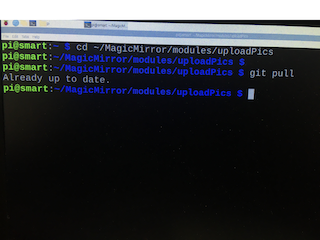
@sdetweil Yes it works! Thank you so much for this. I really appreciate it
I
Offline
A New Chapter for MagicMirror: The Community Takes the Lead
Read the statement by Michael Teeuw here.
Read the statement by Michael Teeuw here.
Posts
-
RE: Help please!!
-
RE: Help please!!
@sdetweil But there is a folder in
/home/pi/MagicMirror/modules/MMM-ImagesPhotos/uploads
-
RE: Help please!!
@sdetweil Sorry, put it in the wrong place
magicmirror@2.13.0 start /home/pi/MagicMirror
DISPLAY=“${DISPLAY:=:0}” ./node_modules/.bin/electron js/electron.js[2021-03-26 22:34:16.943] [LOG] Starting MagicMirror: v2.13.0
[2021-03-26 22:34:17.001] [LOG] Loading config …
[2021-03-26 22:34:17.016] [LOG] Loading module helpers …
[2021-03-26 22:34:17.020] [LOG] No helper found for module: compliments.
[2021-03-26 22:34:17.026] [LOG] No helper found for module: MMM-CSSBackgrounds.
[2021-03-26 22:34:17.045] [LOG] Module helper loaded: uploadPics
[2021-03-26 22:34:17.046] [LOG] All module helpers loaded.
[2021-03-26 22:34:17.520] [LOG] Starting server on port 8080 …
[2021-03-26 22:34:17.560] [LOG] Server started …
[2021-03-26 22:34:17.562] [LOG] Connecting socket for: uploadPics
[2021-03-26 22:34:17.564] [LOG] Sockets connected & modules started …
[2021-03-26 22:34:18.464] [LOG] Launching application.
[2021-03-26 22:34:24.895] [LOG] uploadPics received a socket notification: CONFIG - Payload: [object Object]
[2021-03-26 22:34:24.898] [LOG] p=/home/pi/MagicMirror/modules/MMMM-ImagesPhotos/uploads
[2021-03-26 22:34:26.239] [LOG] error=Error: stat /home/pi/MagicMirror/modules/MMMM-ImagesPhotos/uploads: no such file or directory
Runqrcp helpfor help.^C[2021-03-26 22:34:38.105] [LOG] Shutting down server…
[2021-03-26 22:34:38.107] [LOG] Stopping module helper: uploadPics -
RE: Help please!!
@sdetweil > magicmirror@2.13.0 start /home/pi/MagicMirror
DISPLAY=“${DISPLAY:=:0}” ./node_modules/.bin/electron js/electron.js
[2021-03-26 22:24:56.461] [LOG] Starting MagicMirror: v2.13.0
[2021-03-26 22:24:56.519] [LOG] Loading config …
[2021-03-26 22:24:56.541] [LOG] Loading module helpers …
[2021-03-26 22:24:56.546] [LOG] No helper found for module: compliments.
[2021-03-26 22:24:56.556] [LOG] No helper found for module: MMM-CSSBackgrounds.
[2021-03-26 22:24:56.586] [LOG] Module helper loaded: uploadPics
[2021-03-26 22:24:56.588] [LOG] All module helpers loaded.
[2021-03-26 22:24:57.103] [LOG] Starting server on port 8080 …
[2021-03-26 22:24:57.164] [LOG] Server started …
[2021-03-26 22:24:57.166] [LOG] Connecting socket for: uploadPics
[2021-03-26 22:24:57.168] [LOG] Sockets connected & modules started …
[2021-03-26 22:24:58.047] [LOG] Launching application.
^C[2021-03-26 22:26:14.188] [LOG] Shutting down server… -
RE: Help please!!
@sdetweil Nothing shows up in the terminal when I run in though
-
RE: Help please!!
@sdetweil npm start >somefile
npm ERR! missing script: startnpm ERR! A complete log of this run can be found in:
npm ERR! /home/pi/.npm/_logs/2021-03-26T16_26_09_848Z-debug.logYes, the program started then I ended it
-
RE: Help please!!
@sdetweil I am getting the same “default message if none supplied in the config.js”
-
RE: Help please!!
@sdetweil Yes the file is there now
pi@smart:~/MagicMirror/modules/uploadPics $ ls qrcp.json
qrcp.json -
RE: Help please!!
@sdetweil
pi@smart:~/MagicMirror/modules/uploadPics $ ip link show
1: lo: <LOOPBACK,UP,LOWER_UP> mtu 65536 qdisc noqueue state UNKNOWN mode DEFAULT group default qlen 1000
link/loopback 00:00:00:00:00:00 brd 00:00:00:00:00:00
2: eth0: <NO-CARRIER,BROADCAST,MULTICAST,UP> mtu 1500 qdisc pfifo_fast state DOWN mode DEFAULT group default qlen 1000
link/ether b8:27:eb:9b:20:c3 brd ff:ff:ff:ff:ff:ff
3: wlan0: <BROADCAST,MULTICAST,UP,LOWER_UP> mtu 1500 qdisc pfifo_fast state UP mode DORMANT group default qlen 1000
link/ether b8:27:eb:ce:75:96 brd ff:ff:ff:ff:ff:ff
pi@smart:~/MagicMirror/modules/uploadPics $ iwconfig
eth0 no wireless extensions.lo no wireless extensions.
wlan0 IEEE 802.11 ESSID:“ssk3”
Mode:Managed Frequency:2.422 GHz Access Point: CC:32:E5:E9:02:27
Bit Rate=24 Mb/s Tx-Power=31 dBm
Retry short limit:7 RTS thr:off Fragment thr:off
Power Management:on
Link Quality=42/70 Signal level=-68 dBm
Rx invalid nwid:0 Rx invalid crypt:0 Rx invalid frag:0
Tx excessive retries:10 Invalid misc:0 Missed beacon:0pi@smart:~/MagicMirror/modules/uploadPics $
-
RE: Help please!!
@sdetweil
pi@smart:~ $ ls qrcp.json
ls: cannot access ‘qrcp.json’: No such file or directory
pi@smart:~ $ -
RE: Help please!!
@sdetweil
pi@smart:~ $ qrcp
Error: requires at least 1 arg(s), only received 0
Runqrcp helpfor help. -
RE: Help please!!
@sdetweil GNU bash, version 5.0.3(1)-release (arm-unknown-linux-gnueabihf)
These shell commands are defined internally. Typehelp' to see this list. Typehelp name’ to find out more about the functionname'. Useinfo bash’ to find out more about the shell in general.
Useman -k' orinfo’ to find out more about commands not in this list.A star (*) next to a name means that the command is disabled.
job_spec [&] history [-c] [-d offset] [n] or history -anrw >
(( expression )) if COMMANDS; then COMMANDS; [ elif COMMANDS; t>
. filename [arguments] jobs [-lnprs] [jobspec …] or jobs -x command>
: kill [-s sigspec | -n signum | -sigspec] pid |>
[ arg… ] let arg [arg …]
[[ expression ]] local [option] name[=value] …
alias [-p] [name[=value] … ] logout [n]
bg [job_spec …] mapfile [-d delim] [-n count] [-O origin] [-s >
bind [-lpsvPSVX] [-m keymap] [-f filename] [-q > popd [-n] [+N | -N]
break [n] printf [-v var] format [arguments]
builtin [shell-builtin [arg …]] pushd [-n] [+N | -N | dir]
caller [expr] pwd [-LP]
case WORD in [PATTERN [| PATTERN]…) COMMANDS > read [-ers] [-a array] [-d delim] [-i text] [->
cd [-L|[-P [-e]] [-@]] [dir] readarray [-d delim] [-n count] [-O origin] [->
command [-pVv] command [arg …] readonly [-aAf] [name[=value] …] or readonly>
compgen [-abcdefgjksuv] [-o option] [-A action]> return [n]
complete [-abcdefgjksuv] [-pr] [-DEI] [-o optio> select NAME [in WORDS … ;] do COMMANDS; done
compopt [-o|+o option] [-DEI] [name …] set [-abefhkmnptuvxBCHP] [-o option-name] [–]>
continue [n] shift [n]
coproc [NAME] command [redirections] shopt [-pqsu] [-o] [optname …]
declare [-aAfFgilnrtux] [-p] [name[=value] …> source filename [arguments]
dirs [-clpv] [+N] [-N] suspend [-f]
disown [-h] [-ar] [jobspec … | pid …] test [expr]
echo [-neE] [arg …] time [-p] pipeline
enable [-a] [-dnps] [-f filename] [name …] times
eval [arg …] trap [-lp] [[arg] signal_spec …]
exec [-cl] [-a name] [command [arguments …]] > true
exit [n] type [-afptP] name [name …]
export [-fn] [name[=value] …] or export -p typeset [-aAfFgilnrtux] [-p] name[=value] …
false ulimit [-SHabcdefiklmnpqrstuvxPT] [limit]
fc [-e ename] [-lnr] [first] [last] or fc -s [p> umask [-p] [-S] [mode]
fg [job_spec] unalias [-a] name [name …]
for NAME [in WORDS … ] ; do COMMANDS; done unset [-f] [-v] [-n] [name …]
for (( exp1; exp2; exp3 )); do COMMANDS; done until COMMANDS; do COMMANDS; done
function name { COMMANDS ; } or name () { COMMA> variables - Names and meanings of some shell v>
getopts optstring name [arg] wait [-fn] [id …]
hash [-lr] [-p pathname] [-dt] [name …] while COMMANDS; do COMMANDS; done
help [-dms] [pattern …] { COMMANDS ; }This is what it says
-
RE: MMM-Page-Selector: A page switcher that can set positions of modules
@veldrovive Hello! I want to use this module for
- An intro screen - only for 10 secs
- Move into screen 2 - stay there
Can I only have one screen to have a time interval and the other doesn’t? If so how?
-
RE: Help please!!
@sdetweil Hello! Yes I can see the QR code on the display. However, when I scan it - this is what its showing me
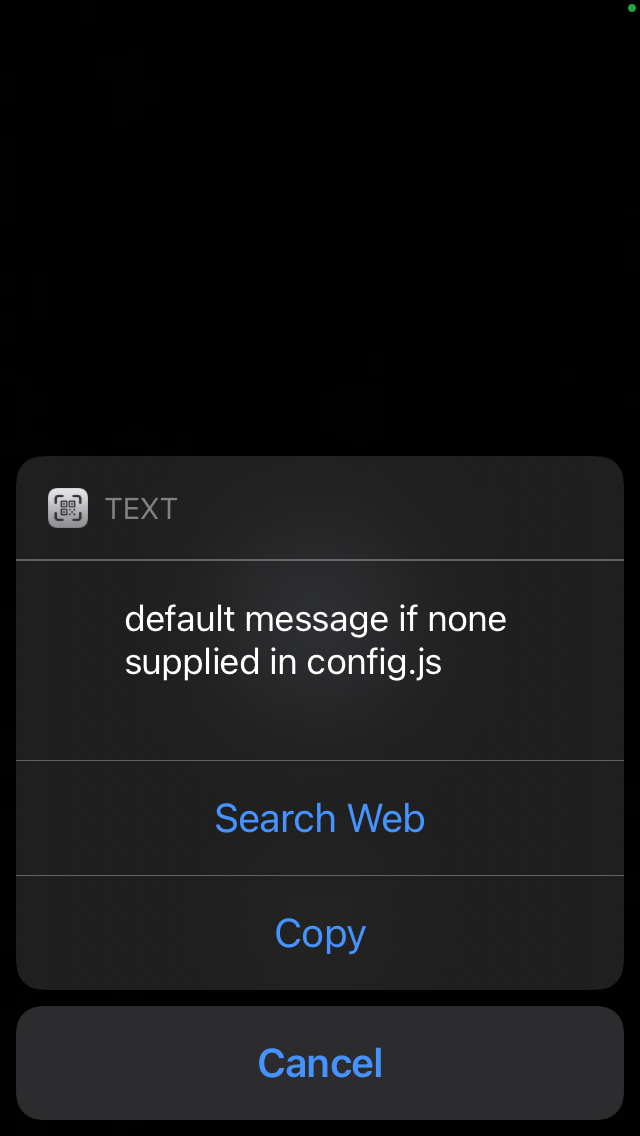
What does this mean?