MagicMirror Forum
    • Recent
    • Tags
    • Unsolved
    • Solved
    • MagicMirror² Repository
    • Documentation
    • 3rd-Party-Modules
    • Donate
    • Discord
    • Register
    • Login
    1. Home
    2. kkmirr04
    3. Posts
    A New Chapter for MagicMirror: The Community Takes the Lead
    Read the statement by Michael Teeuw here.
    K
    Offline
    • Profile
    • Following 0
    • Followers 0
    • Topics 1
    • Posts 14
    • Groups 0

    Posts

    Recent Best Controversial
    • RE: Apply color to future events in CalendarExt3

      @sdetweil This fixed it for me, both calendar event streams are pulling in colors and even across all ‘modes’ of EXT3 now. (month, week, day) and its extending out to all events I can see on the calendar.

      Thank you both so much for all of the help on this, my two way glass just arrived so timing couldn’t be better!

      Thanks!!!

      posted in Custom CSS
      K
      kkmirr04
    • RE: Apply color to future events in CalendarExt3

      @KristjanESPERANTO So I really don’t know anything about modifying CSS , I can’t locate a custom.css file . Would that be in /magicmirror/CSS or MagicMirror/modules/MMM-CalendarExt3 folders? And where in those respective files should it be placed - just at the top or bottom?

      Sorry, I’m not a programmer by any stretch, just a hobbyist trying to figure it out

      posted in Custom CSS
      K
      kkmirr04
    • RE: Apply color to future events in CalendarExt3

      @sdetweil Still the same results with the coloredSymbol and coloredText unfortunately

      posted in Custom CSS
      K
      kkmirr04
    • RE: Apply color to future events in CalendarExt3

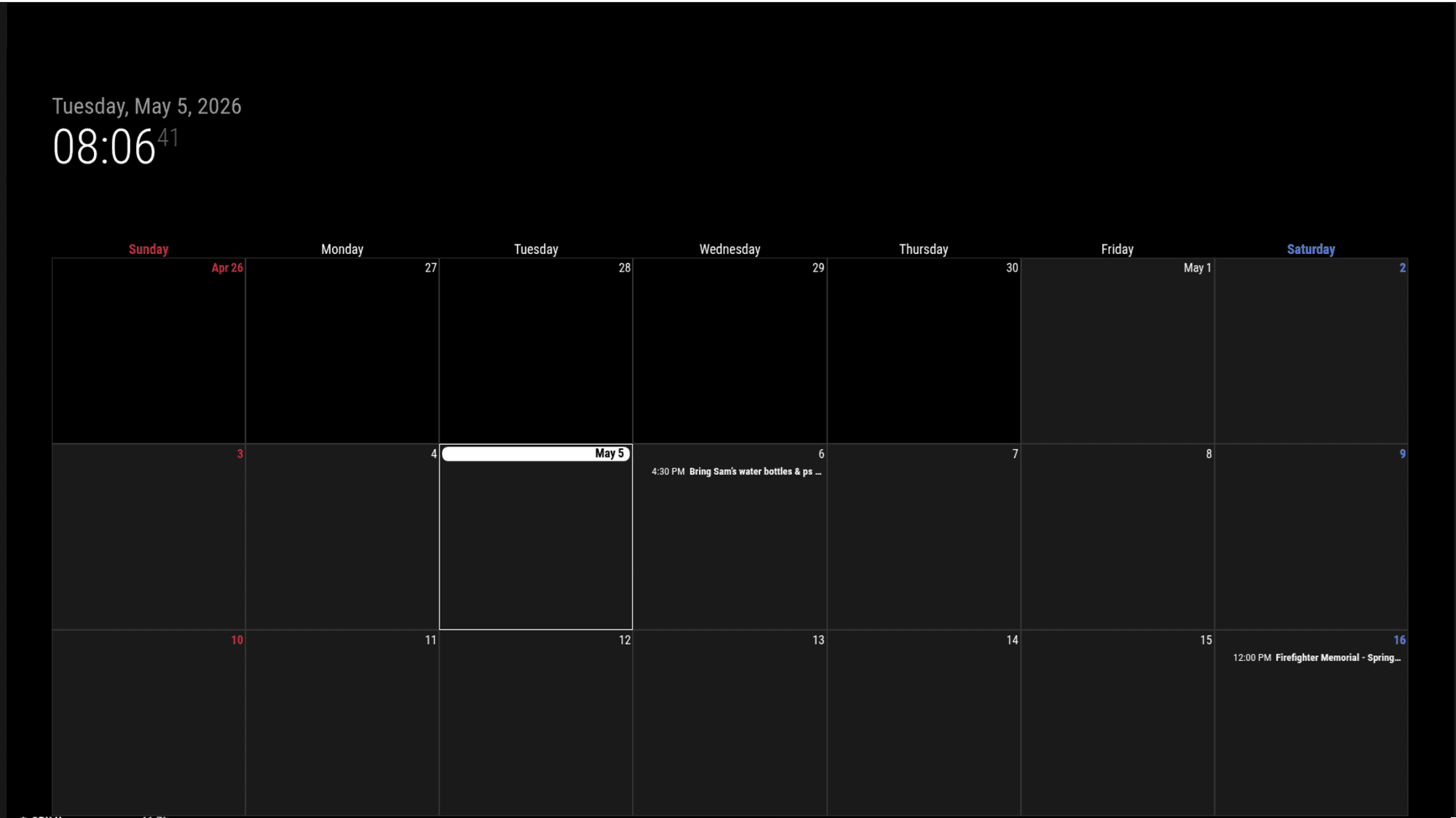
      @sdetweil clicking on the event did bring the color in on that new view
      11.png

      It didn’t seem like the coloredSymbol and coloredText had an effect, but not sure if I put them in the right spot? Should I remove the old colored:true, value?

      {
      			module: "calendar",
      			disabled:false,
      			coloredSymbol:true,
      			coloredText:true,
      			classes: "page0",
      			header: "XX Calendar'",
      			position: "top_right",
      			config: {
      			   colored: true,
      				calendars: [
      					{
      						name: "xx_cal",
      						color: 'yellow',
      						fetchInterval: 7 * 24 * 60 * 60 * 1000,
      						symbol: "calendar-check-o",
      						url: "https:basic.ics"


      			module: "calendar",
      			classes: "page0",
      			coloredSymbol:true,
      			coloredText:true,
      			header: "YY Calendar'",
      			position: "top_right",
      			config: {
      			   colored: true,
      				calendars: [
      					{
      					name: "yy_cal",
      						color: 'green',
      						fetchInterval: 7 * 24 * 60 * 60 * 1000,
      						symbol: "calendar-check-o",
      						url: "webcal:
      			
      
      posted in Custom CSS
      K
      kkmirr04
    • RE: Apply color to future events in CalendarExt3

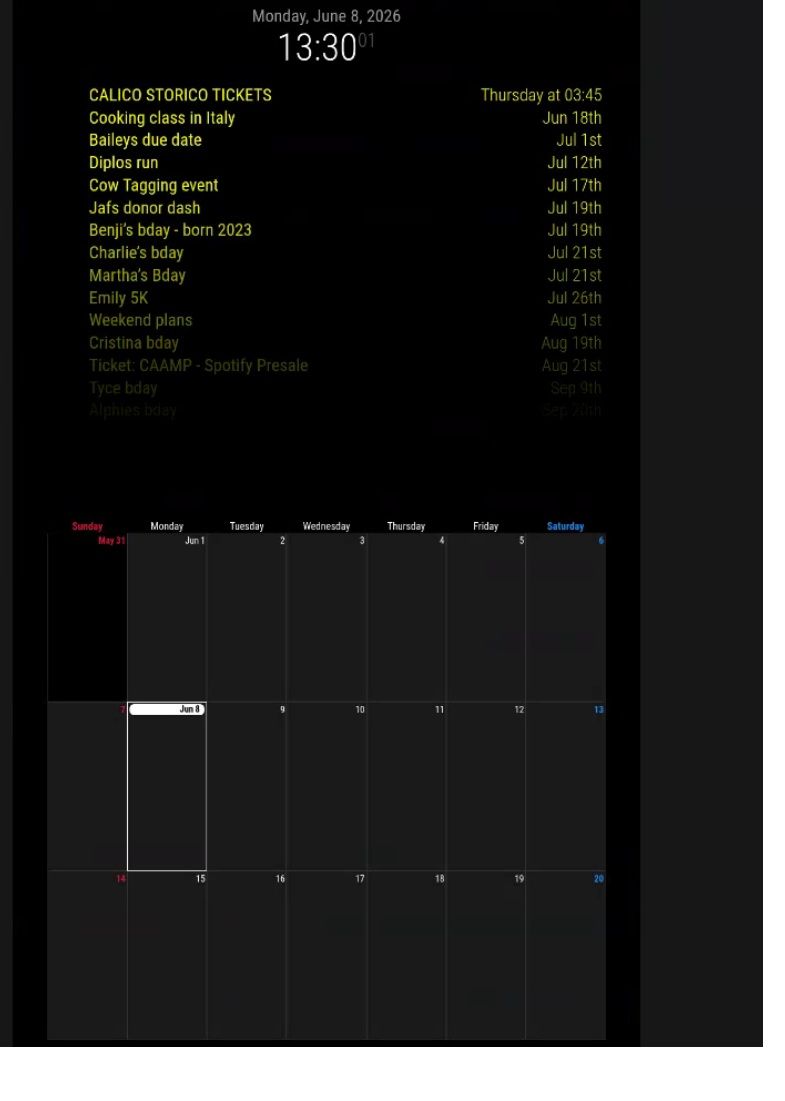
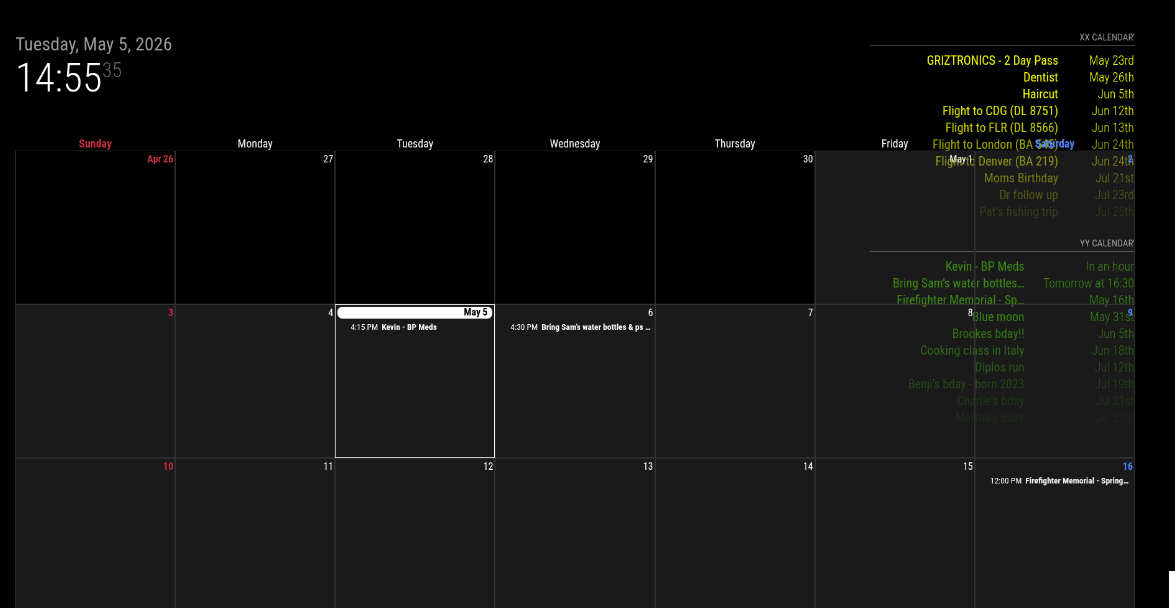
      @sdetweil No change unfortunately. Both event streams load fine and with color, but the calendar still is displaying everything just white, except for one event that did come with color 10.png

      posted in Custom CSS
      K
      kkmirr04
    • RE: Apply color to future events in CalendarExt3

      @sdetweil with both disabled it did draw both instances with color
      8.png

      Then turning EXT3 back on I’ve got no color on any events again
      9.png

      posted in Custom CSS
      K
      kkmirr04
    • RE: Apply color to future events in CalendarExt3

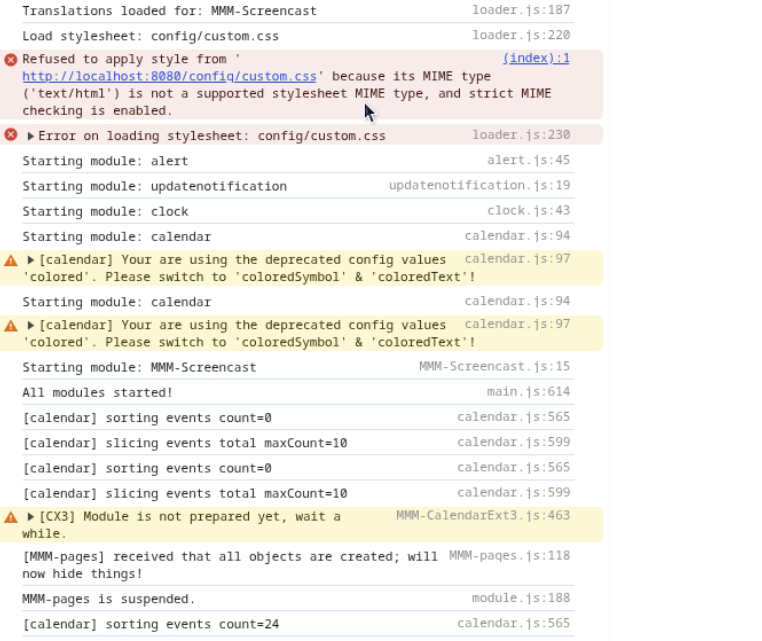
      @sdetweil I’ll keep messing with coloredText, so far everything is staying white when I use that. Here is the errors I’m seeing

      7.png

      posted in Custom CSS
      K
      kkmirr04
    • RE: Apply color to future events in CalendarExt3

      @sdetweil I think I might’ve just found its related to the month / week views of Ext3…

      This is how I have it now:

      {
      			module: "calendar",
      			classes: "page0",
      			header: "What's Poppin'",
      			position: "top_right",
      			config: {
      			   colored: true,
      				calendars: [
      					{
      						name: "xx_cal",
      						color: 'yellow',
      						fetchInterval: 7 * 24 * 60 * 60 * 1000,
      						symbol: "calendar-check-o",
      						url: "basic.ics"
      						
      					},
      				{
      						name: "yy_cal",
      						color: 'green',
      						fetchInterval: 7 * 24 * 60 * 60 * 1000,
      						symbol: "calendar-check-o",
      						url: "webcal"
      					},
      				
      				],
      			    
      			}
      		},
      

      When I separate them to two instances, this is the code I have:

      {
      			module: "calendar",
      			classes: "page0",
      			header: "XX Calendar'",
      			position: "top_right",
      			config: {
      			   colored: true,
      				calendars: [
      					{
      						name: "xx_cal",
      						color: 'yellow',
      						fetchInterval: 7 * 24 * 60 * 60 * 1000,
      						symbol: "calendar-check-o",
      						url: "basic.ics"
      						
      					},
      
      					],
      				}
      			},
      {
      			module: "calendar",
      			classes: "page0",
      			header: "YY Calendar'",
      			position: "top_right",
      			config: {
      			   colored: true,
      				calendars: [
      					{
      					name: "yy_cal",
      						color: 'green',
      						fetchInterval: 7 * 24 * 60 * 60 * 1000,
      						symbol: "calendar-check-o",
      						url: "webcal"
      					},
      				
      				],
      			    
      			}
      		},
      

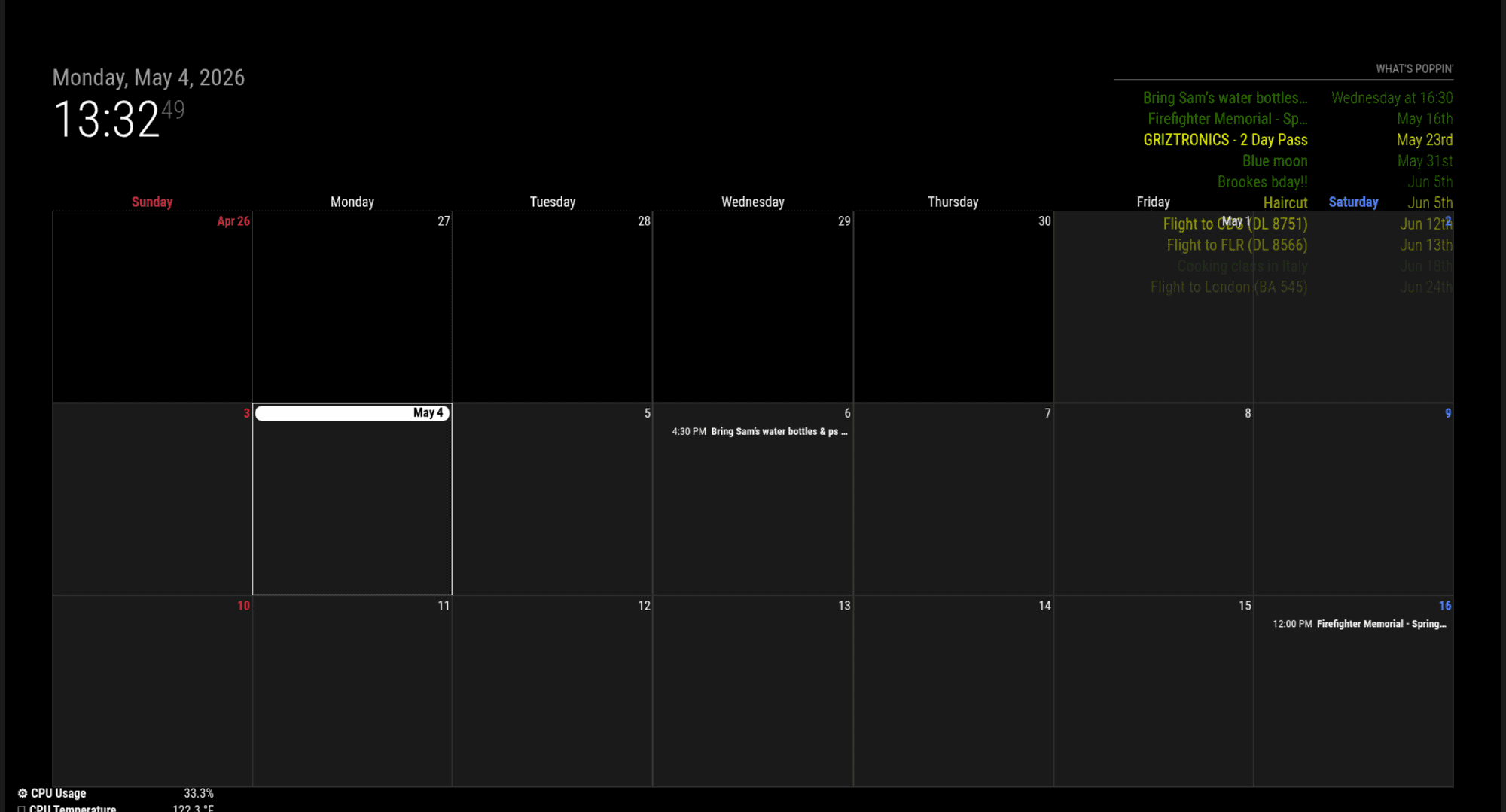
      And without the Pages module, I do get both to load
      3.jpg

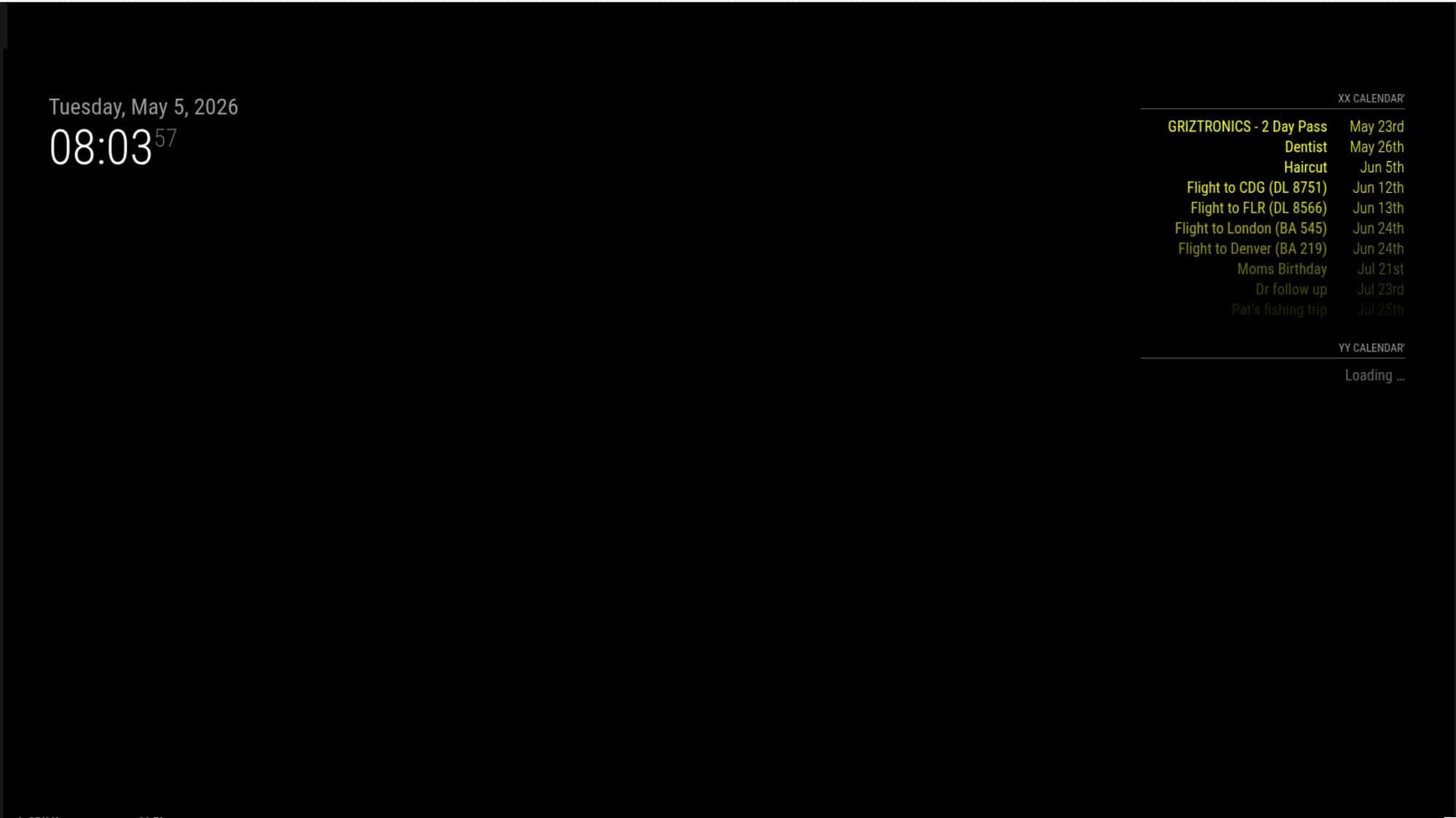
      I went to add Pages back in with the two calendar instance configuration and have EXT3 on week mode, the second calendar stream does not load
      4.jpg
      And still no color on calendar view on the second page
      5.png

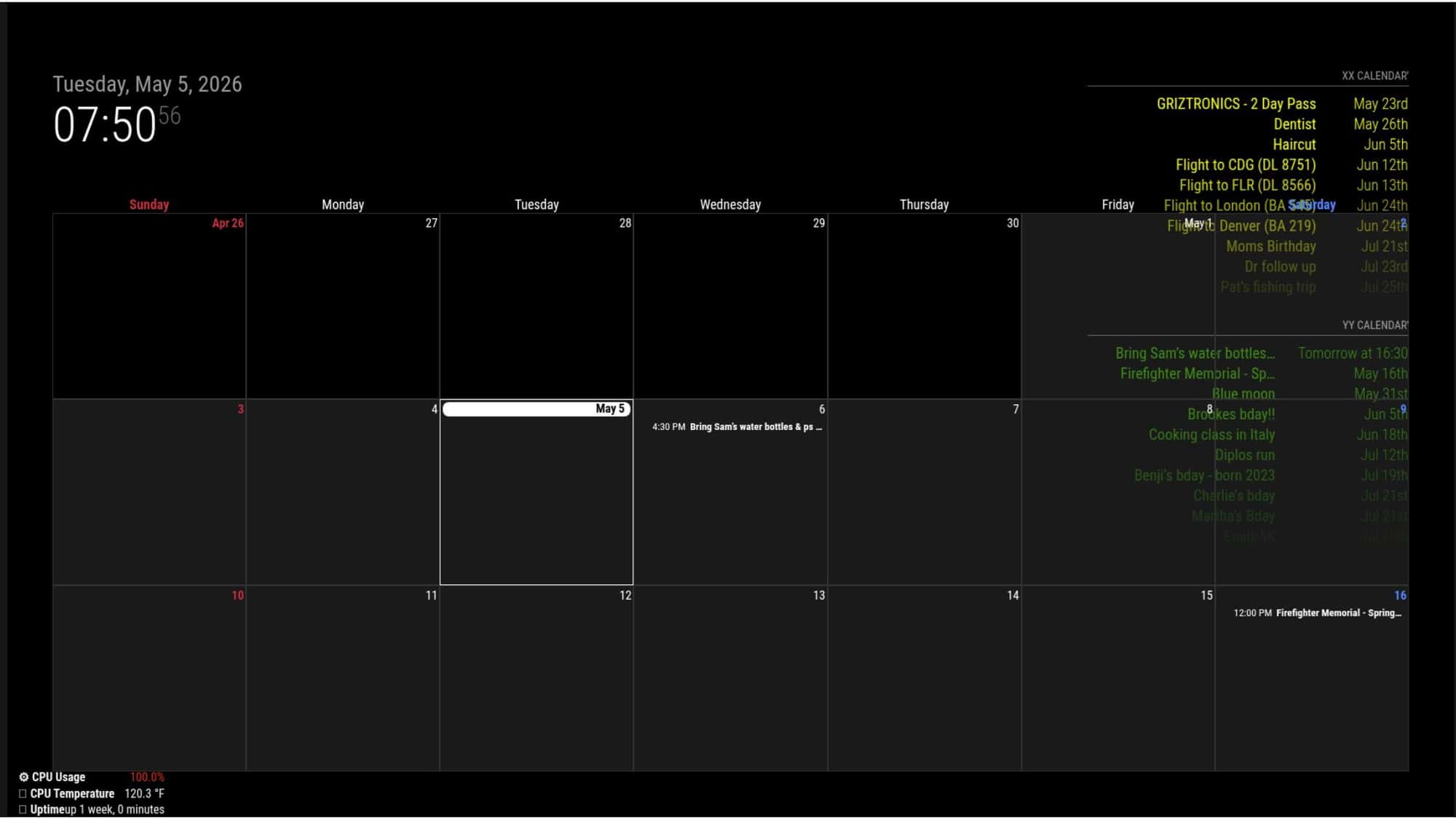
      But then if I switch to month mode in EXT3 streams are loading in and some colors work - but there’s still two events (from the XX calendar) that loaded but did not get color applied.
      6.png

      As I’ve been messing with it, sometimes on the first run it will load both calendar streams when its in week mode, but it usually doesn’t load it after it runs once. Sometimes in month mode, it still doesn’t load the second calendar, so its not 100% accurate

      posted in Custom CSS
      K
      kkmirr04
    • RE: Apply color to future events in CalendarExt3

      @sdetweil Here is the events with the calendar
      cal2.png

      Remove the calendar sets and then run npm install again? I did see there is an update for my NPM - should i do that update too?
      npm.jpg

      I also just noticed theres an error with CalExt3 when I close MM
      calext3 error.png

      posted in Custom CSS
      K
      kkmirr04
    • RE: Apply color to future events in CalendarExt3

      I tried adding the waitFetch and updating and no changes on my end. Do you think doing a clean install might be the next best step?cal1.jpg

      posted in Custom CSS
      K
      kkmirr04
    • RE: Apply color to future events in CalendarExt3

      @sdetweil

      I believe ext3 was one of the first modules I installed when I started everything this weekend. I do remember having some errors so theres a good chance I messed something up. I just ran npm install again and it processed fine, but no changes on the functionality.

      Would it make sense to delete out the folder and try downloading / configuring the module again?

      posted in Custom CSS
      K
      kkmirr04
    • RE: Apply color to future events in CalendarExt3

      @sdetweil
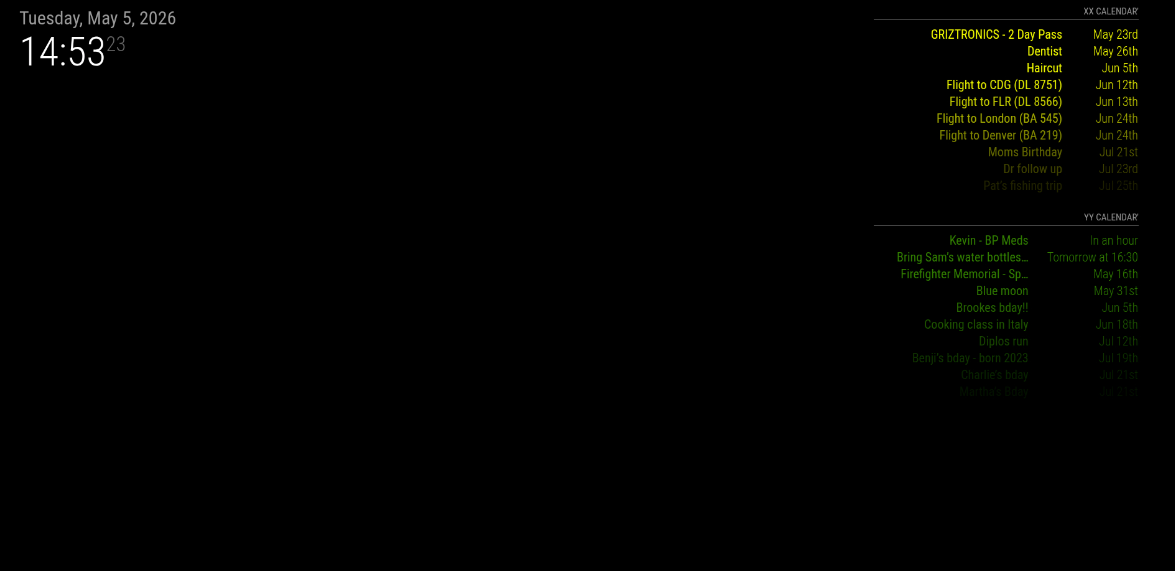
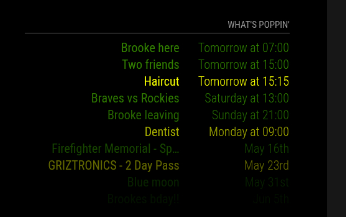
      I do have color on the events list - hopefully this is what you were asking for
      events.png

      I would love to have it broken back out into two separate lists, but when I do that and integrate MMM-Pages, it refuses to load the second calendar stream on the events list and also into the calendar. Its like it just refuses to go out and check.
      I think its a limitation of the Pages module, I’ve got it setup for the classes configuration. You can call the same module on different pages, but it doesn’t seem like I can call the default calendar module twice on the same page. I haven’t done much research on the Pages issue, thats my next one to tackle.

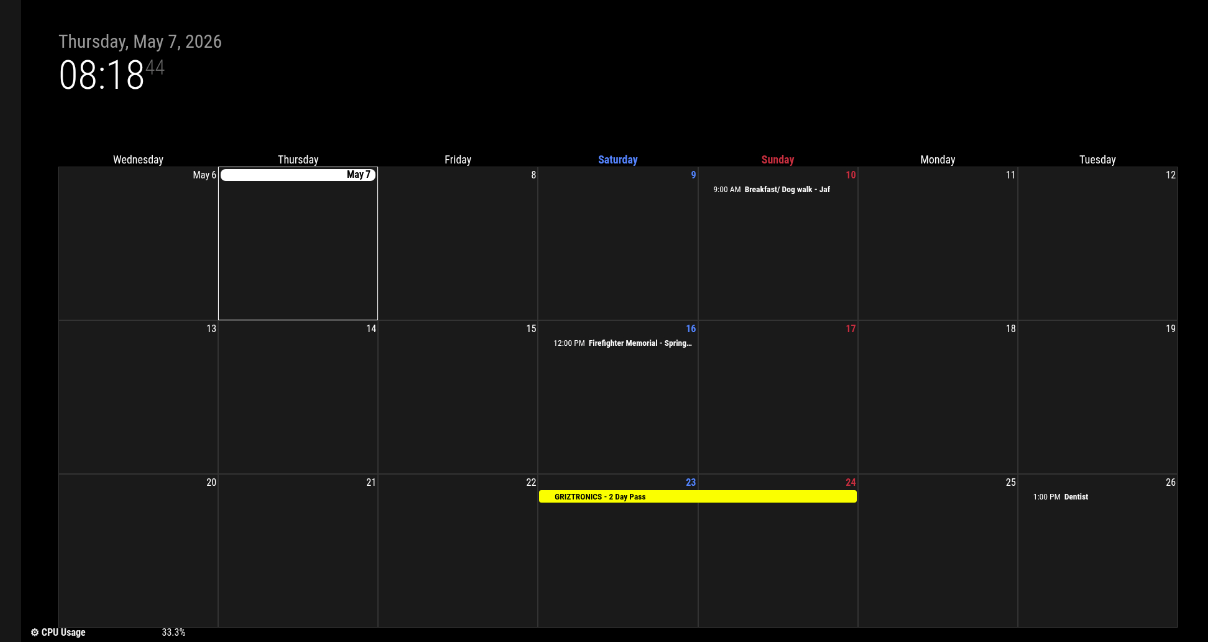
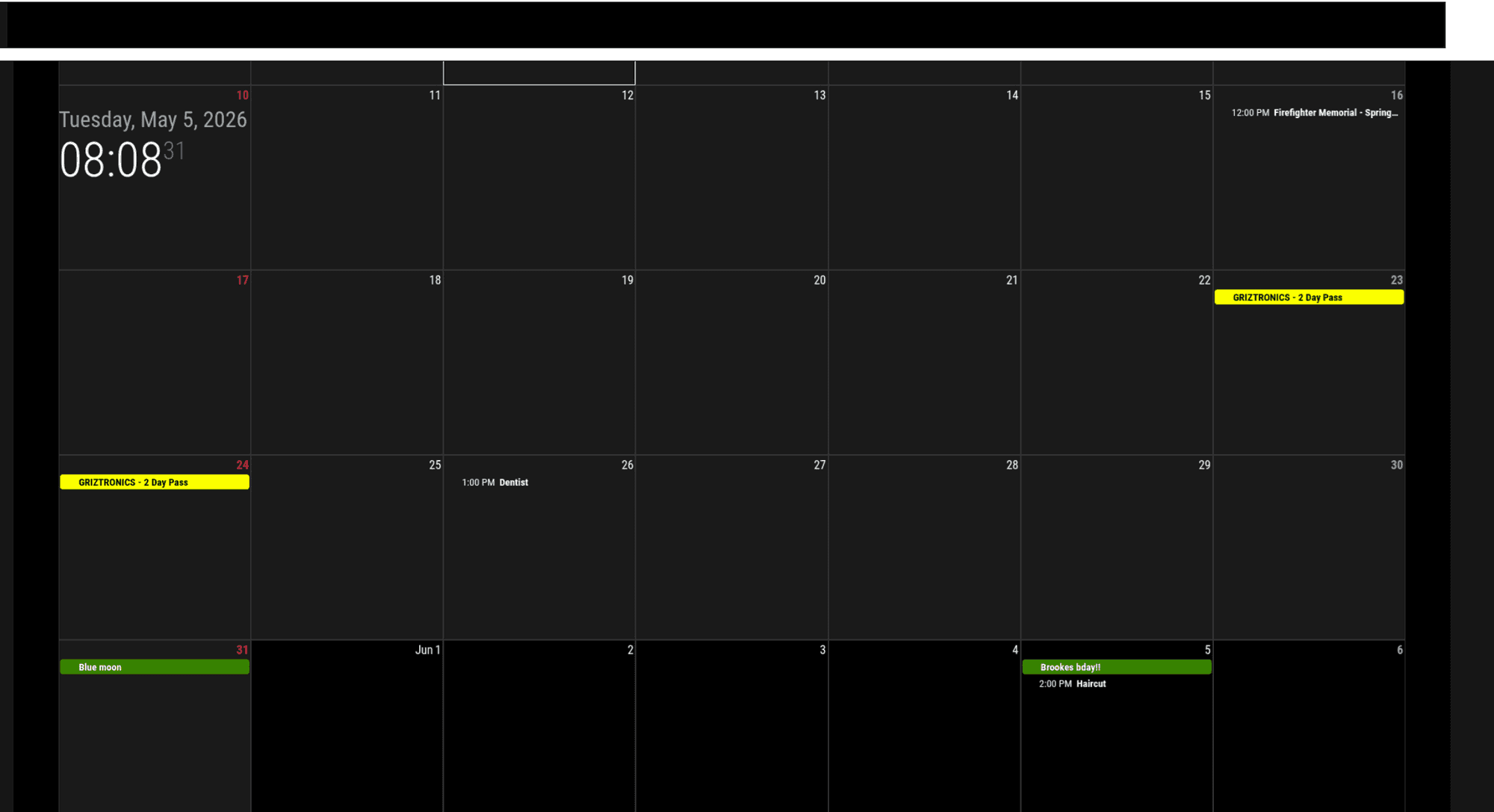
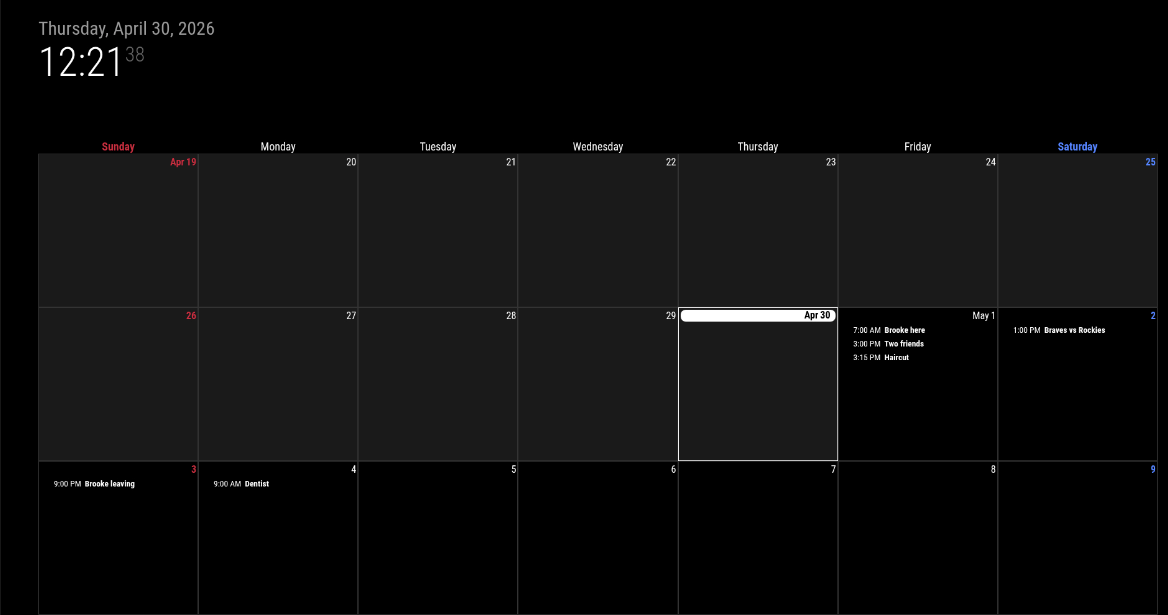
      Interestingly, looking at the CalendarExt3 view today - none of the future events have color applied to them:

      cal2.png

      Think I got the code block correct this time - thanks for pointing that out to me.

      {
            module: "MMM-CalendarExt3",
            classes: "page1",
            position: "bottom_bar",
            title: "",
            config: {
              mode: "week",
              instanceId: "main",
      	showWeekNumber: false, 
      	//useSymbol: true,
      	//displayLegend: true,
              maxEventLines: 10,
      	//useWeather: true,
              firstDayOfWeek: 0,
              calendarSet: ['xx_cal', 'yy_cal'],
              
            }
          },
      
      posted in Custom CSS
      K
      kkmirr04
    • RE: Apply color to future events in CalendarExt3

      @sdetweil Yup here it is, pretty basic. I’ve tried running the default calendar module twice with one calendar in each config, but then the second calendar fails to load once I also add in the pages module. Goal is to show a list of the events on the first page, and then the second page is just the monthly calendar

      {
      			module: "calendar",
      			classes: "page0",
      			header: "What's Happening'",
      			position: "top_right",
      			config: {
      			   colored: true,
      				calendars: [
      					{
      						name: "xx_cal",
      						color: 'yellow',
      						fetchInterval: 7 * 24 * 60 * 60 * 1000,
      						symbol: "calendar-check-o",
      						url: "https://calendar/basic.ics"
      						
      					},
      				{
      						name: "yy_cal",
      						color: 'green',
      						fetchInterval: 7 * 24 * 60 * 60 * 1000,
      						symbol: "calendar-check-o",
      						url: "webcal:xx//"
      					},
      				
      				],
      			    
      			}
      		},
      
      posted in Custom CSS
      K
      kkmirr04
    • Apply color to future events in CalendarExt3

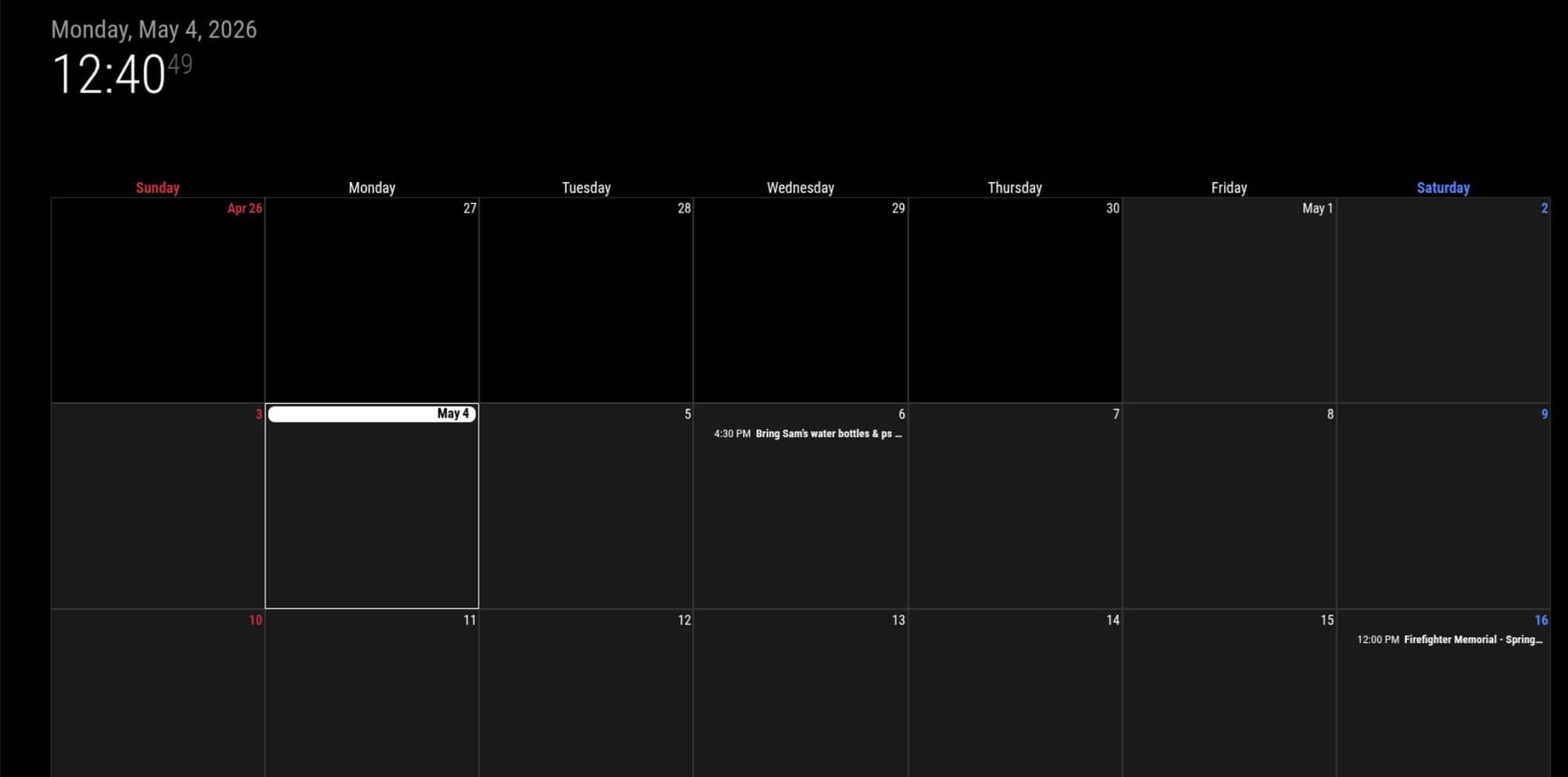
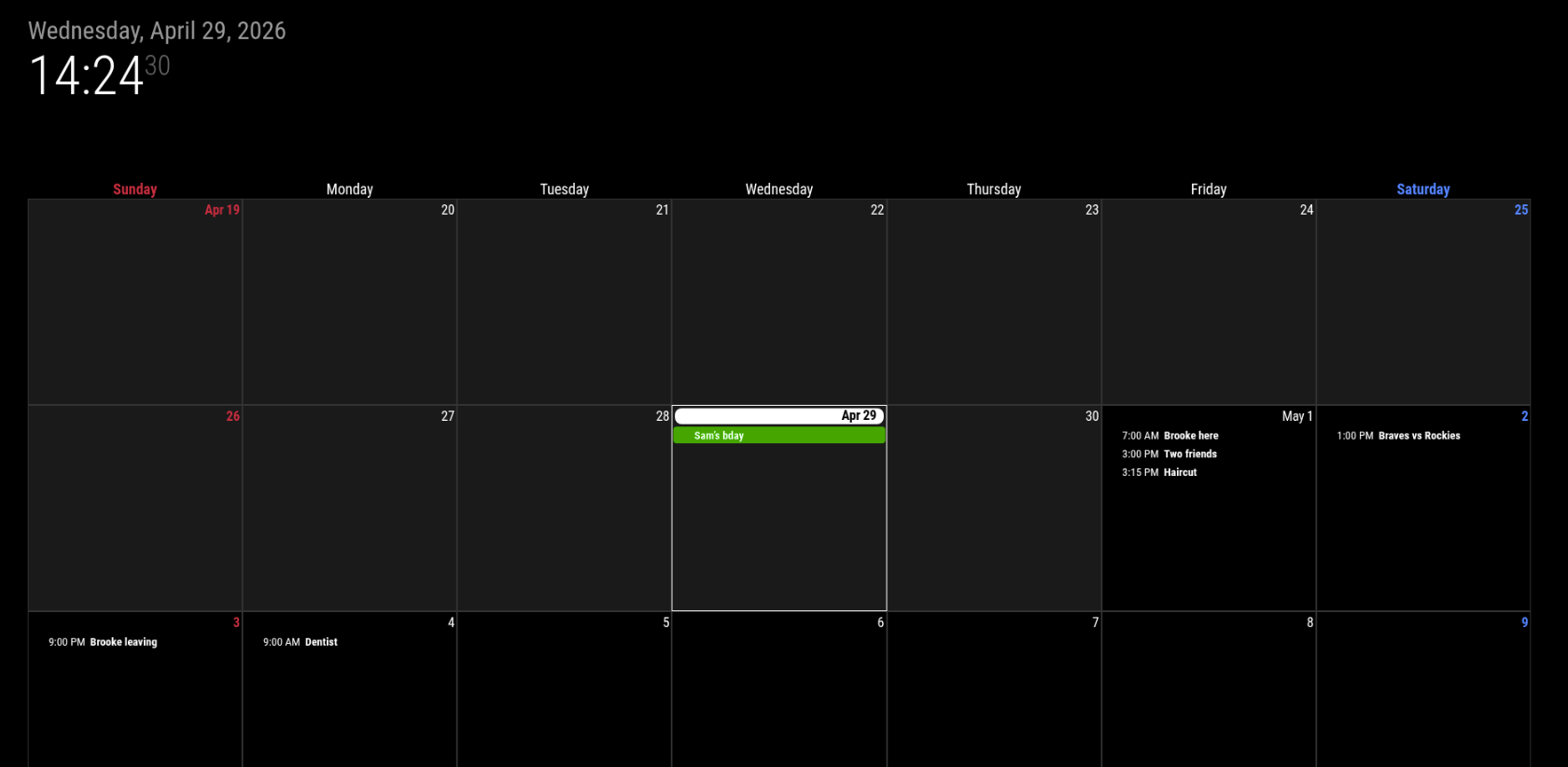
      Currently, my CalendarExt3 module is only applying color to events that are within 48 hours. None of the events on the calendar past 48 hours have any coloring applied to them. I took a read through the pinned CSS guide but I’m not sure how to hunt down the sheet / items I need to change to implement this. I didn’t see anything obvious in the readme to edit this either.

      Here is what my calendar looks like right now - only Sams Birthday which is today has color applied
      calExt3 my view.png

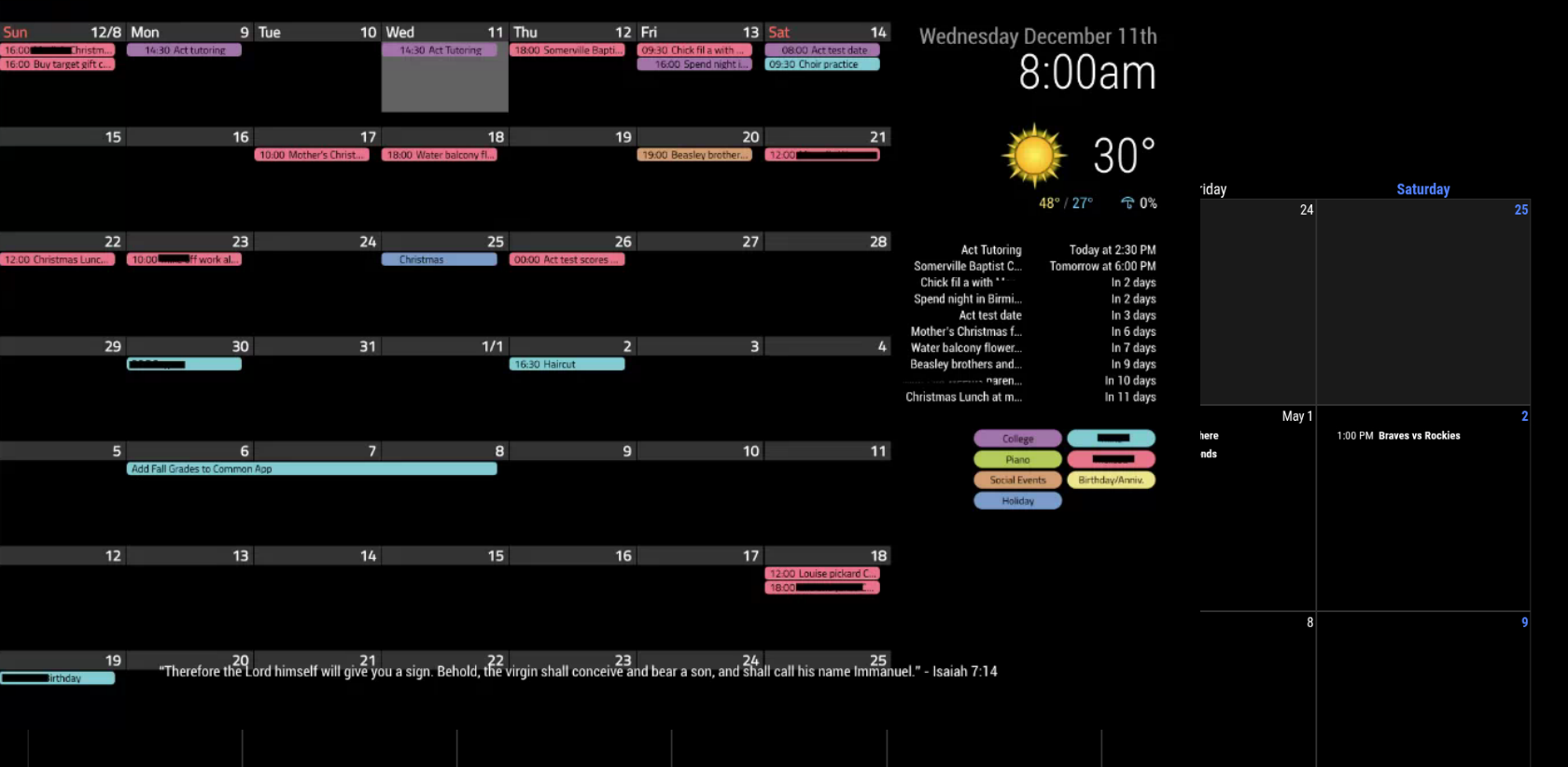
      And here is an example from Google where all of the events for the month have color applied to them:
      calExt3 desired view.png

      posted in Custom CSS
      K
      kkmirr04
    • 1 / 1