No need for a reply, I got Google Gemini to write me a module, it took less than a minute.
Nick
No need for a reply, I got Google Gemini to write me a module, it took less than a minute.
Nick
To answer my own question, I commented out the urgency: line
I’ve reinstalled MagicMirror with your script, it worked wonderfully, than you very much for doing this.
Best regards from France.
Hi all,
Now that MMM-MktIndex and MMM-CurrencyExchange have stopped working does anyone know of ȧ live Currency Exchange module.
I would like to display GBP:USD and GBP:EUR panel.
Thanks in advance
@DewRee said in Currency exchange:
@lif
If it works, could you send me the command you used to get Gemini to generate it? I’ve been looking for an online EUR-HUF and USD-HUF display for a long time!
Thank you!
I can’t remember exactly what I told it, it was something like:
Can you generate a MagicMirror module to display the live exchange rates between GBP:EUR and GBP:USD with trend arrows.
I can put the script on here or PM if you wish.
It worked first time :-)
@DewRee said in Currency exchange:
@lif
If it works, could you send me the command you used to get Gemini to generate it? I’ve been looking for an online EUR-HUF and USD-HUF display for a long time!
Thank you!
I can’t remember exactly what I told it, it was something like:
Can you generate a MagicMirror module to display the live exchange rates between GBP:EUR and GBP:USD with trend arrows.
I can put the script on here or PM if you wish.
It worked first time :-)
No need for a reply, I got Google Gemini to write me a module, it took less than a minute.
Nick
Hi all,
Now that MMM-MktIndex and MMM-CurrencyExchange have stopped working does anyone know of ȧ live Currency Exchange module.
I would like to display GBP:USD and GBP:EUR panel.
Thanks in advance
Hi,
I’ve gone through your procedure again and this time it works.
The only difference is that I run a python3 script to control screen blanking using a PIR before starting Magic Mirror, this time I didn’t start that script.
With the PIR script and MagicMirror running I get:
pi@mm:~/MagicMirror/modules/MMM-Temperature/scripts $ ./venvWrapper.py --venv-name py-venv --run ./dht22
{"temperature_c": 23.5, "humidity": 53.7, "temperature_f": 74.30000000000001, "error": false}
pi@mm:~/MagicMirror/modules/MMM-Temperature/scripts $ ./venvWrapper.py --venv-name py-venv --run ./dht22
{"temperature_c": 23.5, "humidity": 53.7, "temperature_f": 74.30000000000001, "error": false}
pi@mm:~/MagicMirror/modules/MMM-Temperature/scripts $ ./venvWrapper.py --venv-name py-venv --run ./dht22
{"temperature_c": 0.0, "humidity": 0.0, "temperature_f": 32.0, "error": true}
pi@mm:~/MagicMirror/modules/MMM-Temperature/scripts $ ./venvWrapper.py --venv-name py-venv --run ./dht22
{"temperature_c": 23.6, "humidity": 53.5, "temperature_f": 74.48, "error": false}
pi@mm:~/MagicMirror/modules/MMM-Temperature/scripts $ ./venvWrapper.py --venv-name py-venv --run ./dht22
{"temperature_c": 0.0, "humidity": 0.0, "temperature_f": 32.0, "error": true}
pi@mm:~/MagicMirror/modules/MMM-Temperature/scripts $ ./venvWrapper.py --venv-name py-venv --run ./dht22
{"temperature_c": 23.7, "humidity": 53.3, "temperature_f": 74.66, "error": false}
pi@mm:~/MagicMirror/modules/MMM-Temperature/scripts $ ./venvWrapper.py --venv-name py-venv --run ./dht22
{"temperature_c": 23.8, "humidity": 53.2, "temperature_f": 74.84, "error": false}
pi@mm:~/MagicMirror/modules/MMM-Temperature/scripts $
I can live with that.
Thanks for all your help
@wishmaster270 said in MMM-DHT22:
source py-venv/bin/activate
Same failure on install.
from RPi import GPIO
ModuleNotFoundError: No module named 'RPi'
```,

The output of pip freeze is ```
MagicMirror/modules/MMM-Temperature/scripts $ source py-venv/bin/activate
(py-venv) pi@mm:~/MagicMirror/modules/MMM-Temperature/scripts $ pip freeze
Adafruit-Blinka==8.66.2
adafruit-circuitpython-busdevice==5.2.13
adafruit-circuitpython-connectionmanager==3.1.5
adafruit-circuitpython-dht==4.0.9
adafruit-circuitpython-requests==4.1.13
adafruit-circuitpython-typing==1.12.2
Adafruit-PlatformDetect==3.84.0
Adafruit-PureIO==1.1.11
binho-host-adapter==0.1.6
pyftdi==0.57.1
pyserial==3.5
pyusb==1.3.1
sysv-ipc==1.1.0
typing_extensions==4.15.0
(py-venv) pi@mm:~/MagicMirror/modules/MMM-Temperature/scripts $ deactivate
pi@mm:~/MagicMirror/modules/MMM-Temperature/scripts $
The only difference from yours is mine is missing the second line.
Hope this helps
@wishmaster270 said in MMM-DHT22:
@lif Hi. Great you want to try one of my modules.
Can you try installing a additional python system package with
sudo apt install python3-rpi-lgpioI tried the scripts on my newly installed system with Bookworm and everything worked as expected.
Maybe the missing package had been installed with something else I installed on my system.
Thanks, that was already installed
sudo apt install python3-rpi-lgpio
Reading package lists... Done
Building dependency tree... Done
Reading state information... Done
python3-rpi-lgpio is already the newest version (0.6-0~rpt1).
0 upgraded, 0 newly installed, 0 to remove and 1 not upgraded.
This is on Bookworm
@lif It’s requiring tools no longer available, so dead module. Use something else.
https://github.com/Tom-Hirschberger/MMM-Temperature is what I used when I had a module hooked up to it.
Thanks, I’ve given it a try but get an error in the last stage of the installation
~/MagicMirror/modules/MMM-Temperature/scripts $ ./venvWrapper.py --venv-name py-venv --run ./dht22

Traceback (most recent call last):
  File "/home/pi/MagicMirror/modules/MMM-Temperature/scripts/./dht22", line 6, in <module>
    import board
  File "/home/pi/MagicMirror/modules/MMM-Temperature/scripts/py-venv/lib/python3.11/site-packages/board.py", line 51, in <module>
    from adafruit_blinka.board.raspberrypi.raspi_40pin import *
  File "/home/pi/MagicMirror/modules/MMM-Temperature/scripts/py-venv/lib/python3.11/site-packages/adafruit_blinka/board/raspberrypi/raspi_40pin.py", line 6, in <module>
    from adafruit_blinka.microcontroller.bcm283x import pin
  File "/home/pi/MagicMirror/modules/MMM-Temperature/scripts/py-venv/lib/python3.11/site-packages/adafruit_blinka/microcontroller/bcm283x/pin.py", line 7, in <module>
    from adafruit_blinka.microcontroller.generic_linux.rpi_gpio_pin import Pin
  File "/home/pi/MagicMirror/modules/MMM-Temperature/scripts/py-venv/lib/python3.11/site-packages/adafruit_blinka/microcontroller/generic_linux/rpi_gpio_pin.py", line 6, in <module>
    from RPi import GPIO
ModuleNotFoundError: No module named 'RPi'
I have installed the module but get the following when I try to run your test ‘python3 AdafruitDHT.py 22 26’
I know the DHT-22 works on GPIO pin 26
~/Adafruit_Python_DHT/examples $ sudo python3 AdafruitDHT.py 22 26
Traceback (most recent call last):
File “/home/pi/Adafruit_Python_DHT/examples/AdafruitDHT.py”, line 41, in
humidity, temperature = Adafruit_DHT.read_retry(sensor, pin)
^^^^^^^^^^^^^^^^^^^^^^^^^^^^^^^^^^^^
File “/usr/local/lib/python3.11/dist-packages/Adafruit_DHT-1.4.0-py3.11-linux-aarch64.egg/Adafruit_DHT/common.py”, line 94, in read_retry
humidity, temperature = read(sensor, pin, platform)
^^^^^^^^^^^^^^^^^^^^^^^^^^^
File “/usr/local/lib/python3.11/dist-packages/Adafruit_DHT-1.4.0-py3.11-linux-aarch64.egg/Adafruit_DHT/common.py”, line 80, in read
platform = get_platform()
^^^^^^^^^^^^^^
File “/usr/local/lib/python3.11/dist-packages/Adafruit_DHT-1.4.0-py3.11-linux-aarch64.egg/Adafruit_DHT/common.py”, line 63, in get_platform
raise RuntimeError(‘Unknown platform.’)
RuntimeError: Unknown platform.
Any thoughts?
Bonjour,
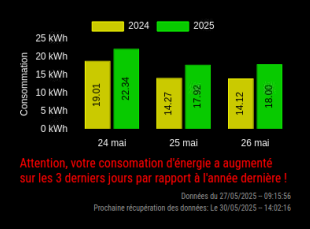
J’aime bien l’application mais alors qu’elle se met à jour selon le texte, le graphique ne se met pas à jour.
Je suis anglais, puis-je changer vos chaînes de test en anglais ou cela affectera-t-il le fonctionnement de l’application ?